The August 31, 2020 SCRAM Nexus® release includes the following features:
- Completion Reason and Supervision Plan Suspension Reason
- Select Client Information to Synchronize with TouchPoint
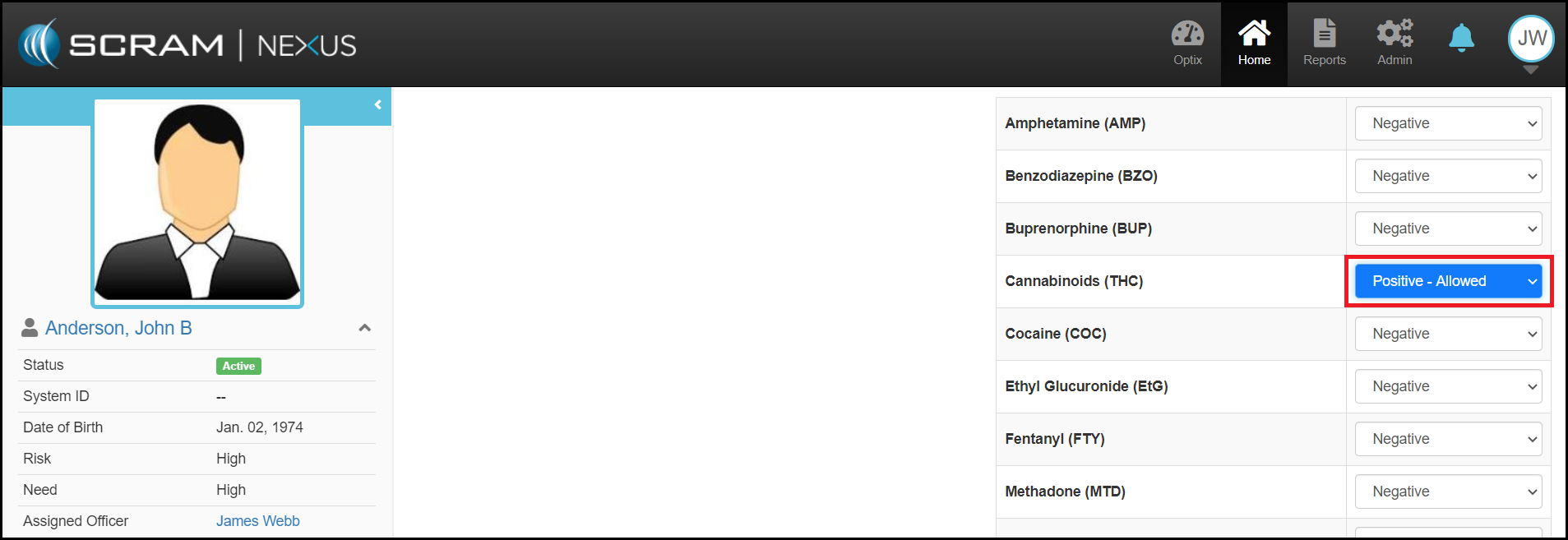
- ‘Positive – Allowed’ Drug Test Result
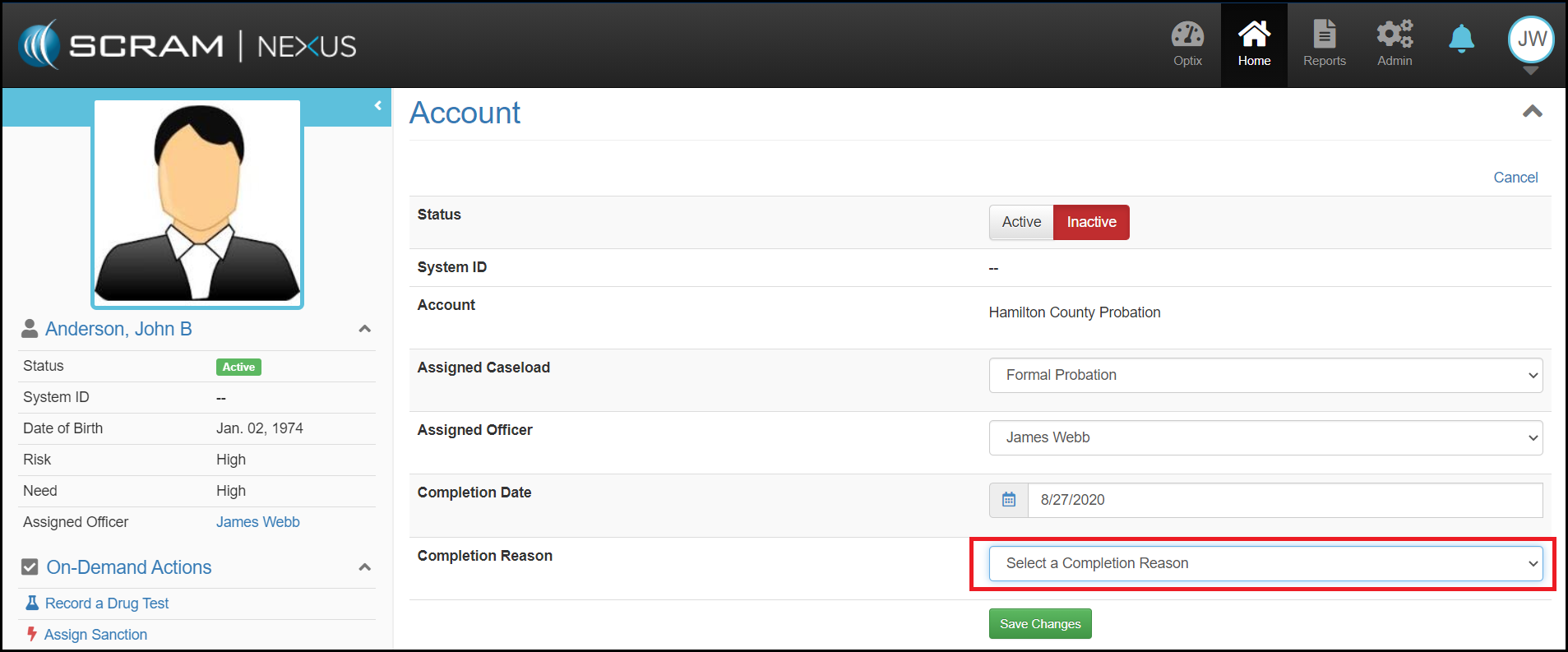
Client: Completion Reason
Now when a Client is inactivated in Nexus, you will be required to select a reason for the inactivation and enter an end date. The Completion Reason catalog can be customized by an administrator, and allows an officer to select the outcome results for that reason ranging from ‘Very Positive’ to ‘Very Negative’. This additional information will be used to drive future analytic enhancements.
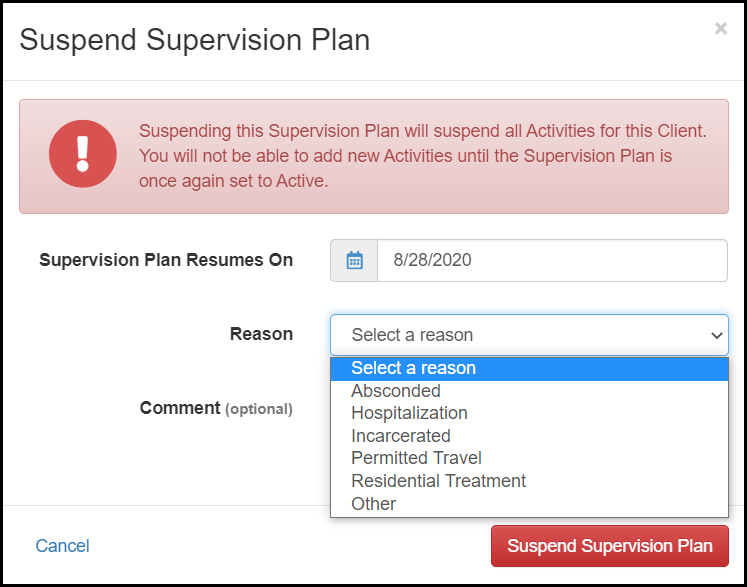
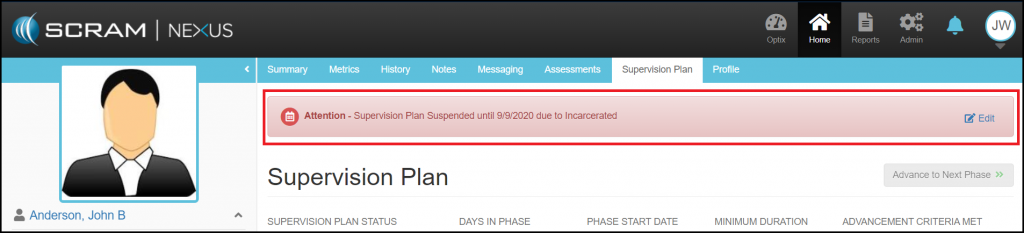
Client: Supervision Plan Suspension Reason
With this enhancement, you can now tell Nexus why a supervision plan has been suspended. This will be displayed across the top of the client pages along with the date the plan is to be activated again. If the reason changes – for example a client was in residential treatment and then absconded – this reason can be changed through the edit link in the banner message.
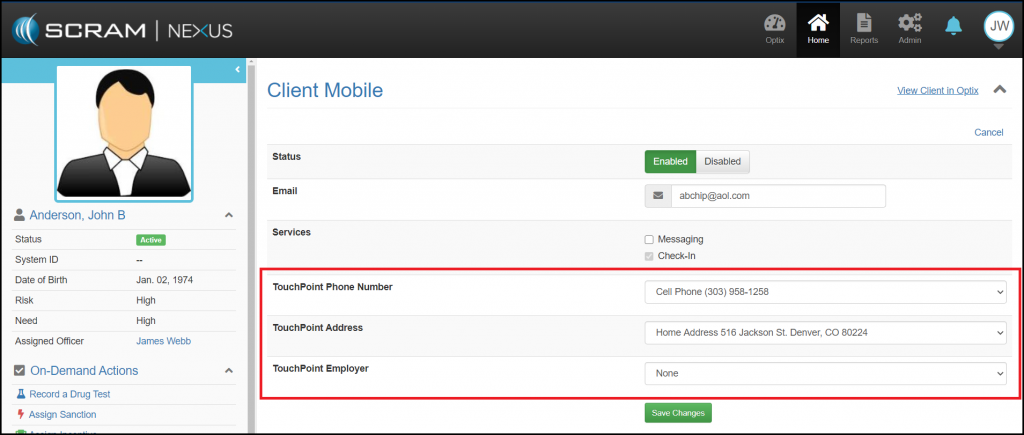
Client: Select Client Information to Synchronize with TouchPoint
Up to now, changing contact information for clients that also have TouchPoint Check-In as an activity required making changes to both the client profile in Nexus and the profile in TouchPoint. With this enhancement, Nexus will keep the client information in sync with TouchPoint. You will now be able to select what information should be synchronized with TouchPoint.
Client: ‘Positive – Allowed’ Drug Test Result
If a client is allowed to use a substance that is identified as positive during a drug test, the officer can now indicate that the positive result was not prohibited. By making this selection, you will prevent the overall drug test results from being marked as ‘Failed’.