archives

This release includes the following enhancements:

  • Displaying Past Pending Appointments on the Client Side Profile
  • Redesign of the Client History Page
  • Remove Magnitude Recommendation with On-Demand Incentives
  • Additional Filtering Options on the Workload Page

Client: Displaying Past Pending Appointments on the Client Side Profile

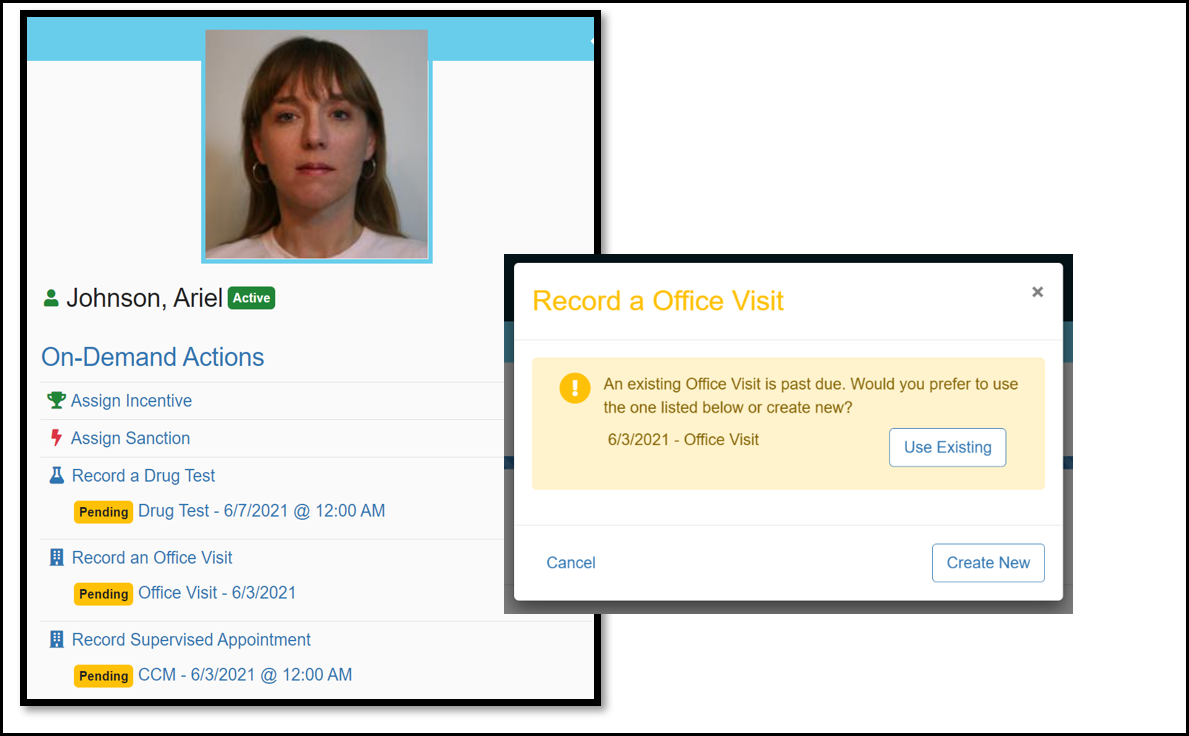
In past versions of Nexus, an officer had a difficult time knowing if the client had a previously scheduled pending appointment and would often record an On-Demand appointment causing the pending appointment to go unrecorded. With this change, an officer will now have visibility into already scheduled past appointments and In Progress appointments. This improvement will help prevent duplicate appointments from being created and will make managing of appointments cleaner and easier. If the officer initiates an On-Demand appointment, the system will ask if they want to use the already scheduled appointment.
Click to Enlarge

Client: Redesign of the Client History Page

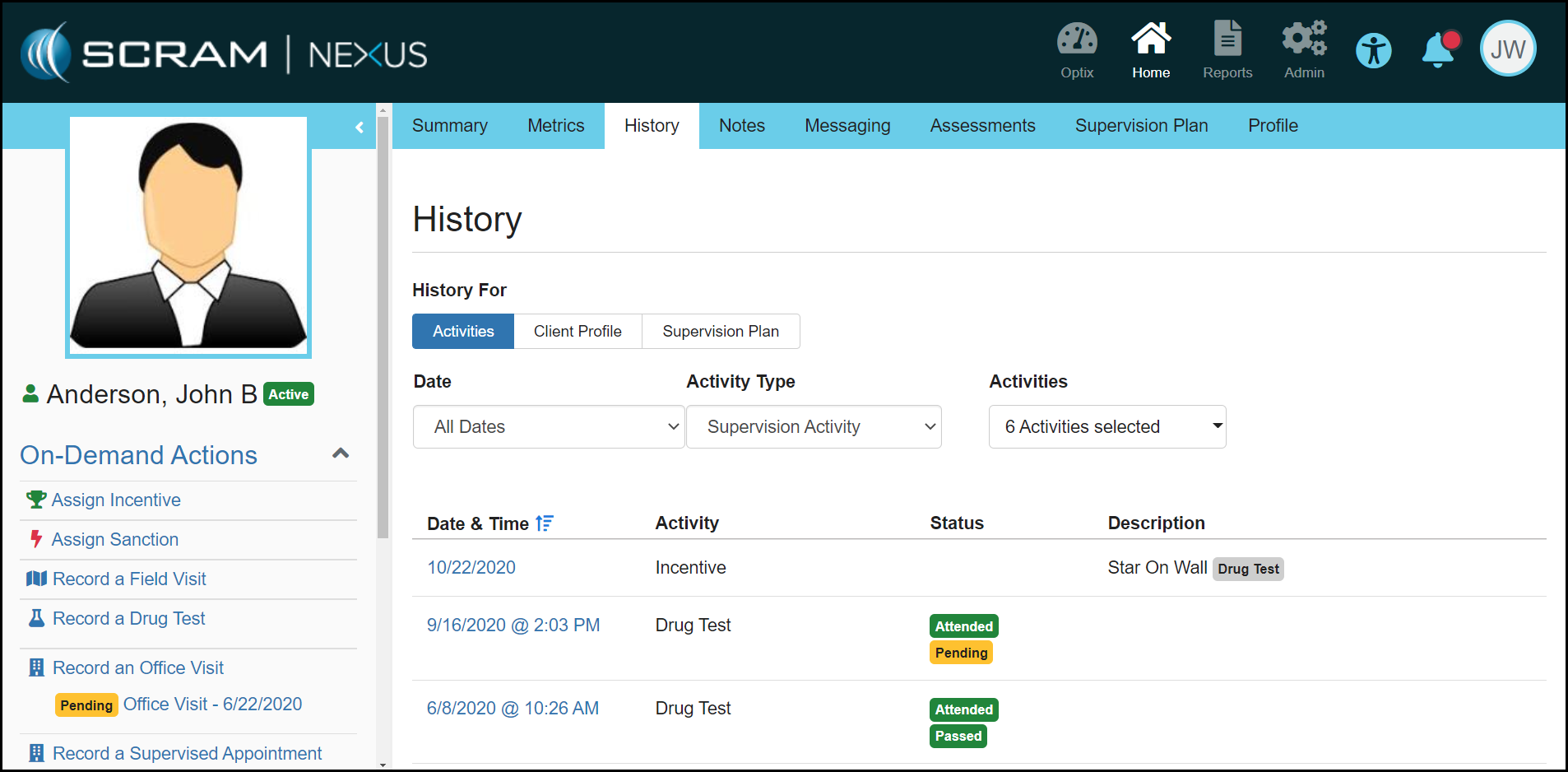
The client History page has been redesigned to make it easier for an officer to get a holistic view of the clients Activities and Client Profile and Supervision Plan changes. As shown below, the officer can now filter by a Date, Activity Type and all Activities.
Click to Enlarge

Officer: Remove Magnitude Recommendation with On-Demand Incentives

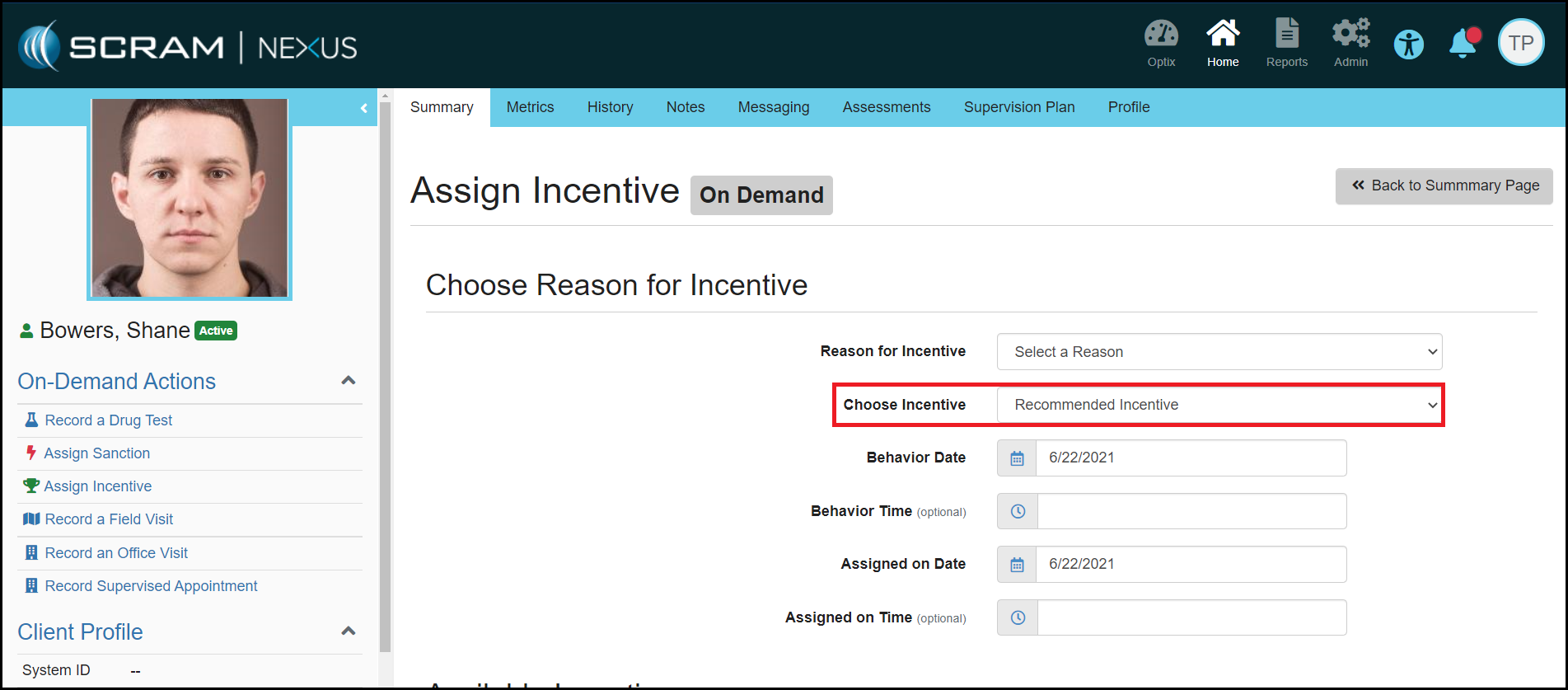
Nexus will no longer recommend a magnitude for On-Demand Incentives. Since On-Demand Incentives do not have an expectancy associated with them, the level of incentive should not be recommended. Instead, the officer can select which level of incentive they would like to assign. 
Click to Enlarge

Officer: Additional Filtering Options on Workload Page

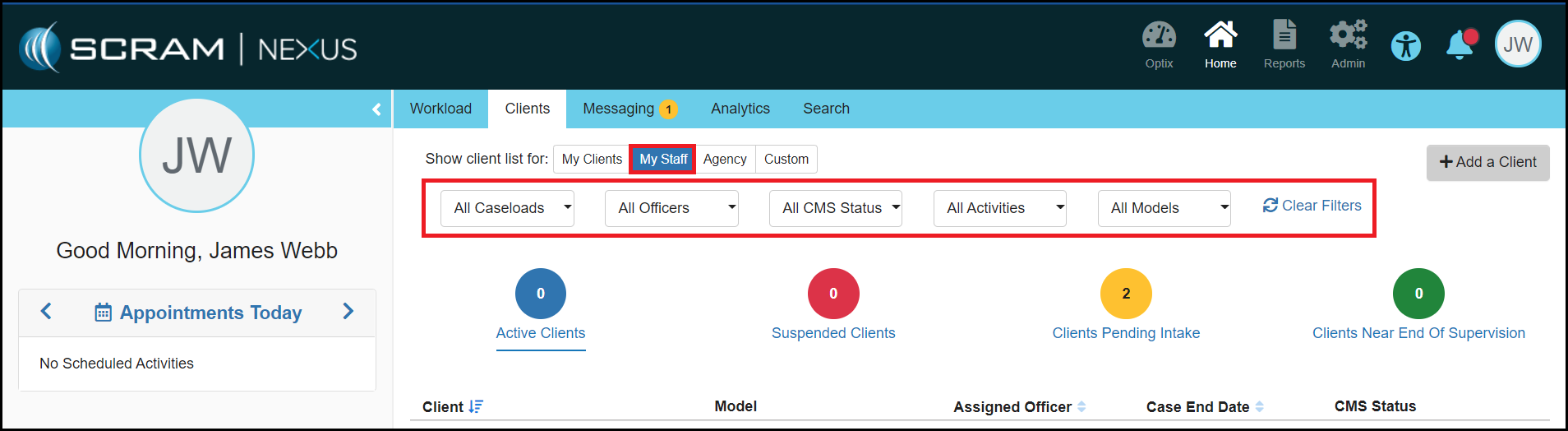
SCRAM Systems has added additional filter options to the Officer Workload page. These additional options will appear for officers when they are on the ‘My Clients’, ‘My Staff’, ‘My Caseloads’ and ‘Agency’ views. The additional filtering options include:

  • Caseloads
  • Activities
  • Actions
  • Models

Feedback:

As always, please contact SCRAM Systems Customer Services with any recommendations for system improvements.
Continue Reading

This release includes the following enhancements:

  • A Link to the Client Supervision Plan has been Added to the SCRAM TouchPoint Section in the Client Profile
  • Change to when the First Appointment Date is Displayed when Changing a Model or Completing a Phase Advancement
  • On-Demand Incentives and Sanctions are now Included in the Analytics Reports

Client: A Link to the Client Supervision Plan has been Added to the SCRAM TouchPoint Section in the Client Profile

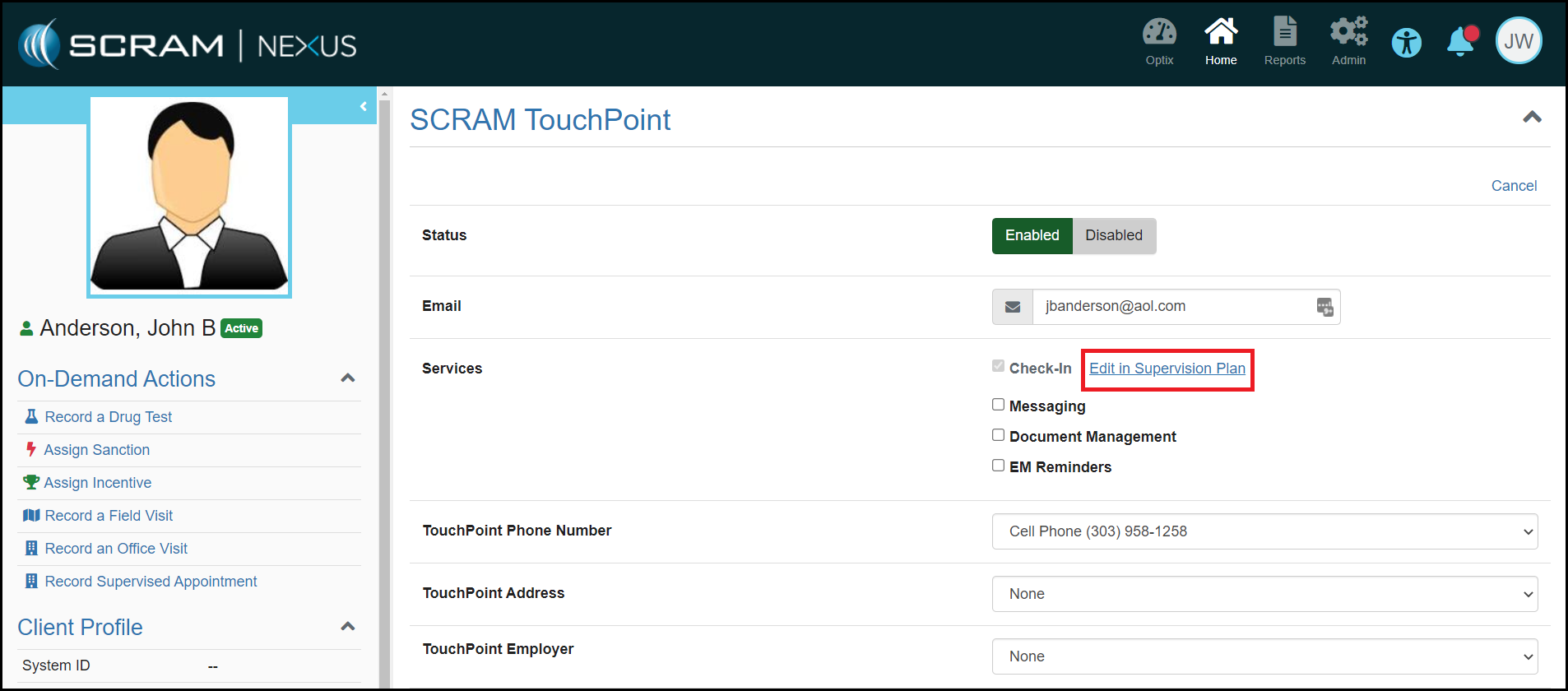
The SCRAM TouchPoint section on the Client Profile page displays a read-only view of TouchPoint Check-In Activity Details. With this enhancement, a link has been added, as shown below, that will redirect you to the client’s TouchPoint Check-In Activity Details page so that you can manage the activity.

Click to Enlarge

Client: Change to when the First Appointment Date is Displayed when Changing a Model or Completing a Phase Advancement

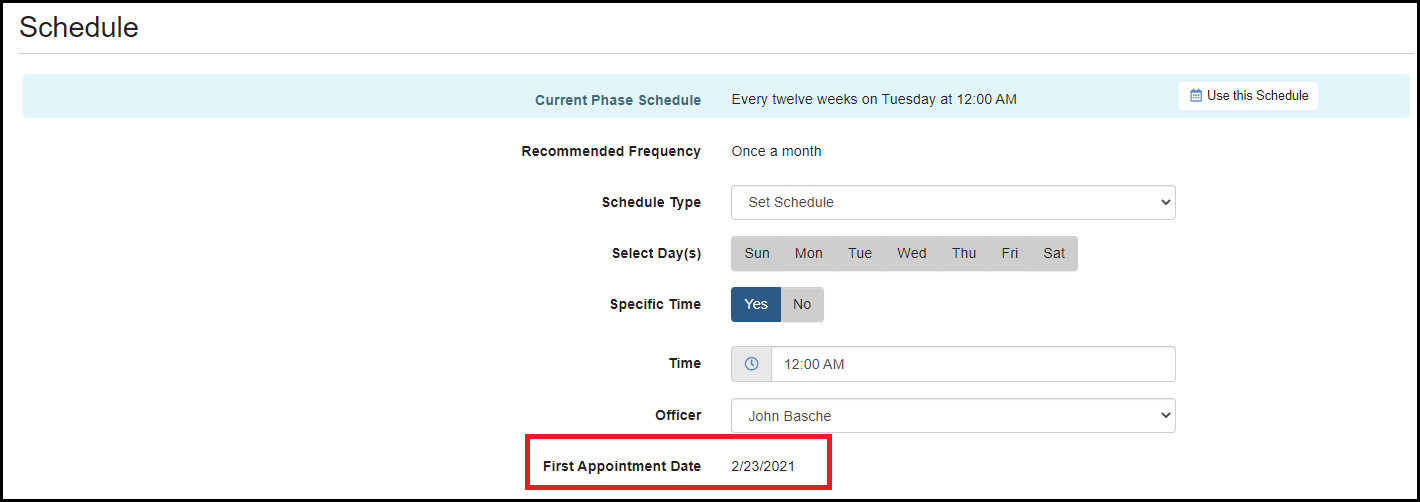
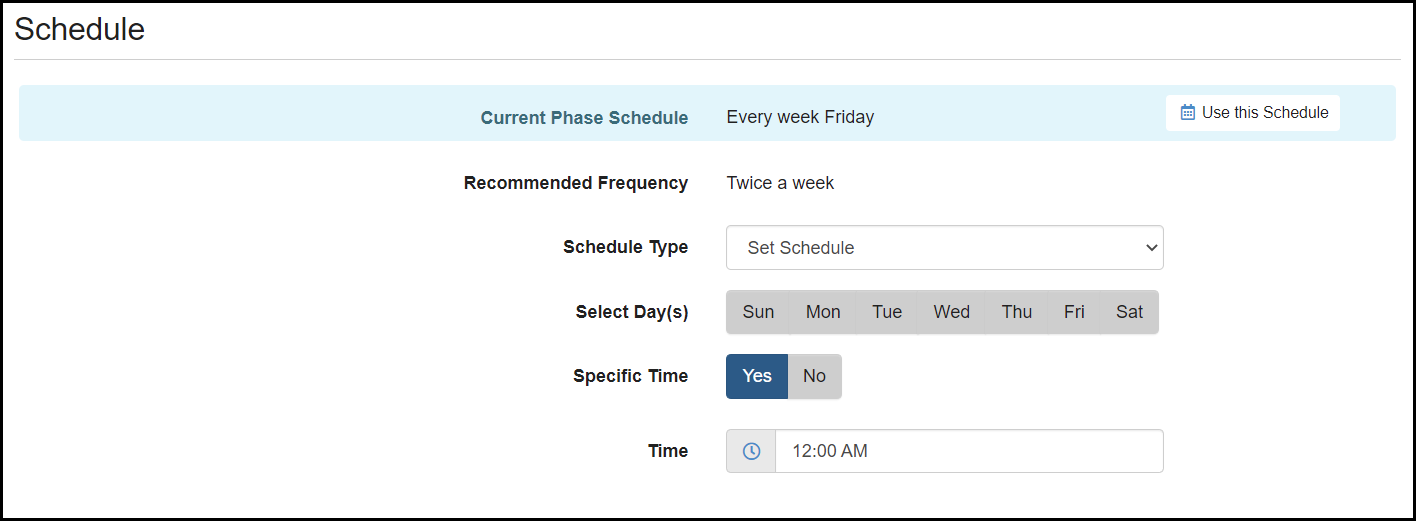
In previous versions of Nexus, the First Appointment Date was displayed for activities when changing Models and Advancing Phases. Because this date can only be changed if the first appointment has not occurred, this date will now be hidden until it can be modified, if needed.

Click to Enlarge
Click to Enlarge

Analytics: On-Demand Incentives and Sanctions are now Included in the Analytics Reports

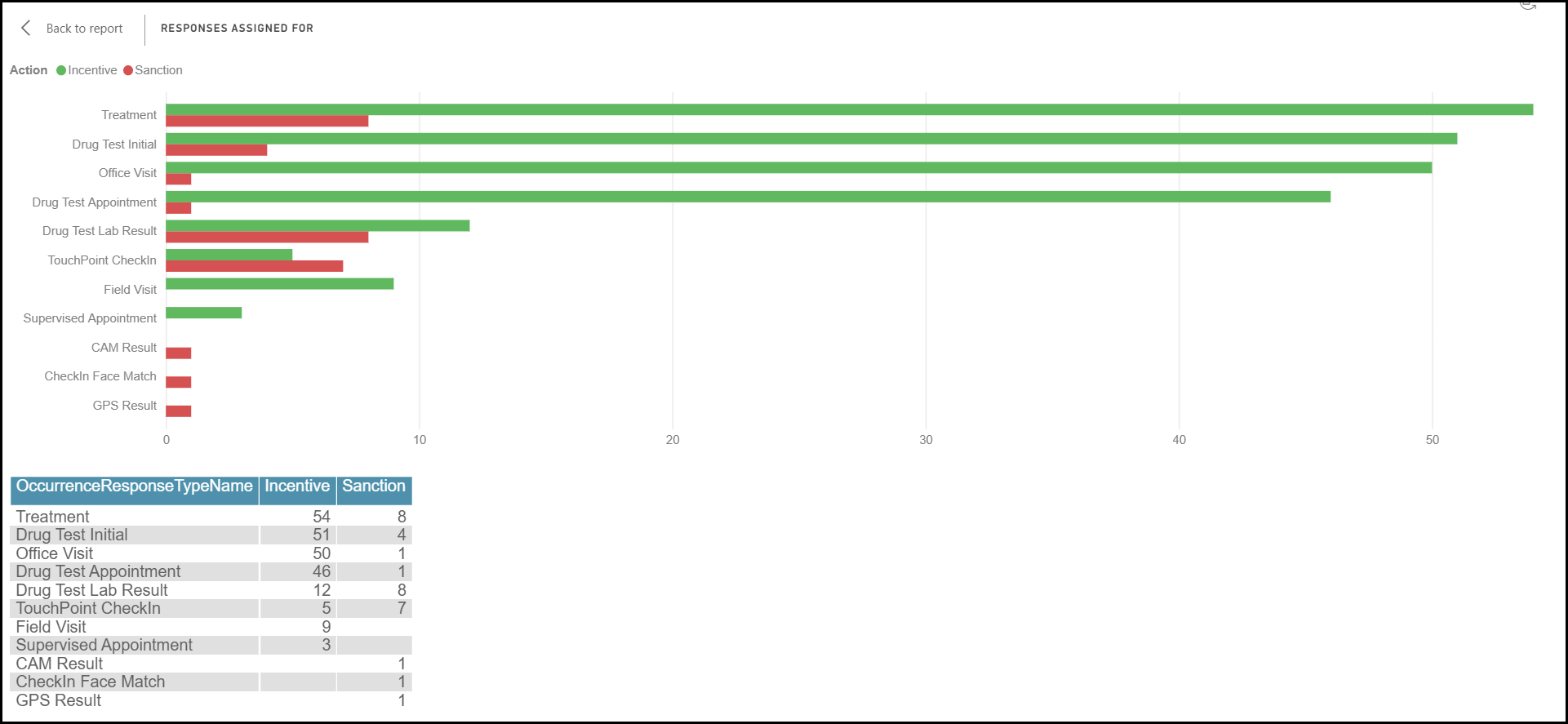
On-Demand Incentives and Sanctions will now be included in all Analytics Reports. This change will affect the overall number of responses assigned and the average number of Incentives/Sanctions assigned per client, as well as additional activities that will be listed on the reports.  

Click to Enlarge

Feedback:

As always, please contact SCRAM Systems Customer Services with any recommendations for system improvements.
Continue Reading

At 8:30 PM MDT on Thursday May 13, 2021, SCRAM Nexus® will release several enhancements to the system, including:

  • The ability to edit Field Visit dates
  • Recording a Directive – new Result status
  • A change to how Nexus recommends sanctions for Distal behaviors
  • An “activate now” option in the Supervision Plan Suspension banner

Client: Edit Field Visit Dates

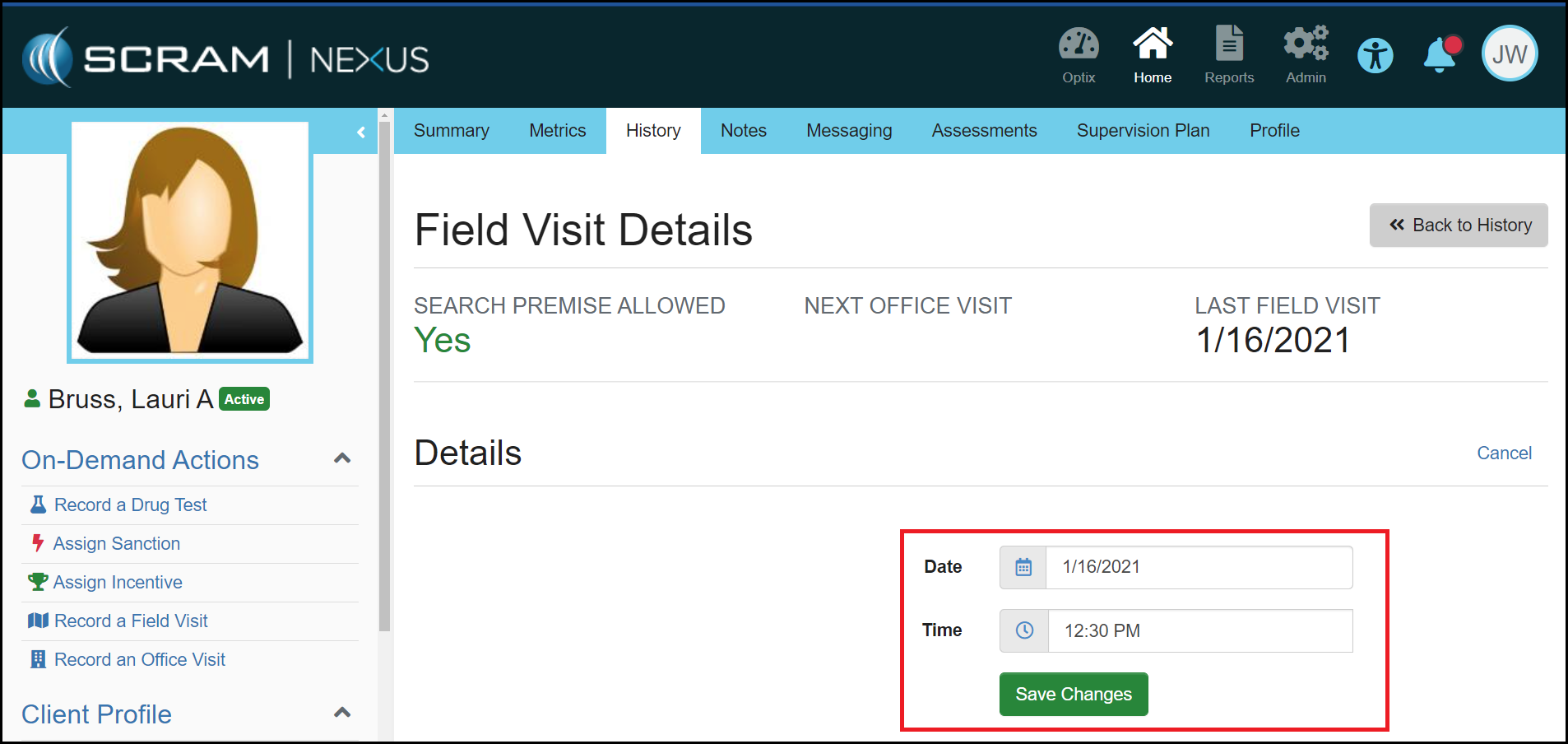
To make Field Visits consistent with other activities in Nexus, the date of a Field Visit can now be changed to any past date, as long as that date is after the date the activity was assigned. For example, if the Field Visit activity was assigned on January 15, 2021, you would not be able to backdate the Field Visit to January 14, 2021 or earlier.

Click to Enlarge

Client: Recording a Directive

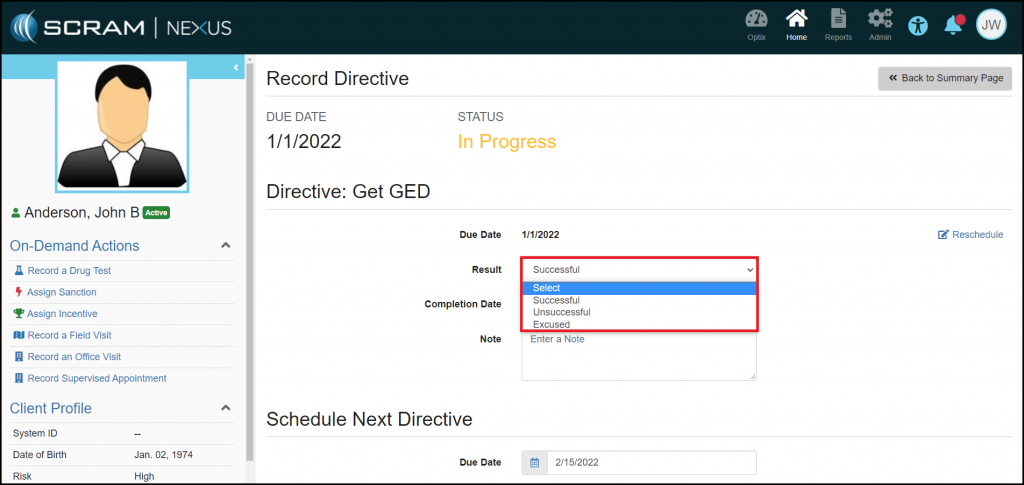
Now when you record a Directive, you must indicate the Result of the Directive by selecting Unsuccessful, Excused, or Successful. This status will help make it clear if the client was compliant with this activity.

Click to Enlarge

Client: Change to How Nexus Recommends Sanctions for Distal Behaviors

To better support clients that have long-term Distal behaviors, Nexus will no longer escalate to a High Magnitude sanction. Recommendations will start at a Low Magnitude and escalate to Moderate Magnitude after five negative outcomes. 

Client: “Activate Now” Option in Suspension Banner

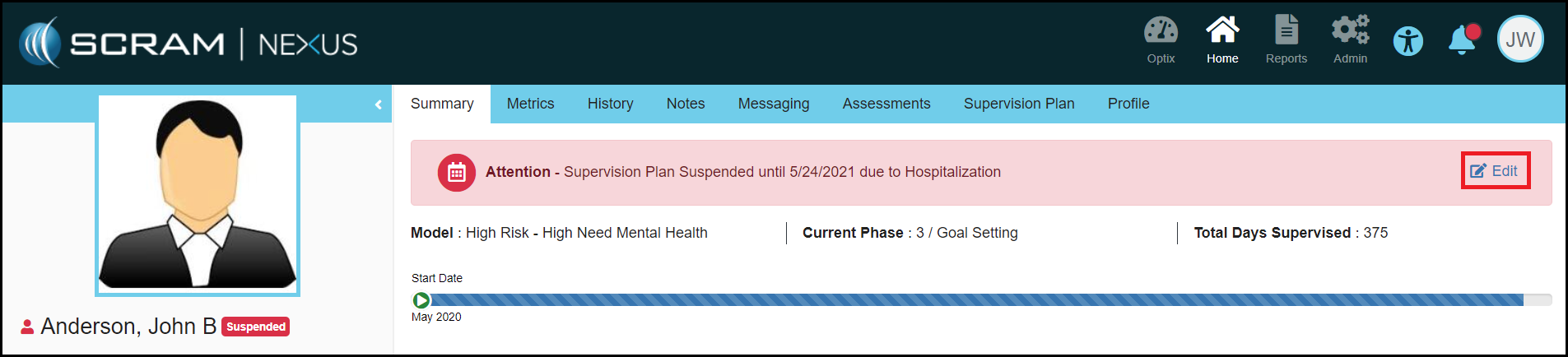
When a client’s Supervision Plan is suspended, you may now activate the Supervision Plan from the red ‘Supervision Plan Suspended’ banner that appears at the top of the client’s pages. This makes activation of a client’s Supervision Plan more accessible and convenient. Simply select the Edit link, which appears on the right side of the banner itself, to jump directly to the Suspend Supervision Plan Details page.

Click to Enlarge

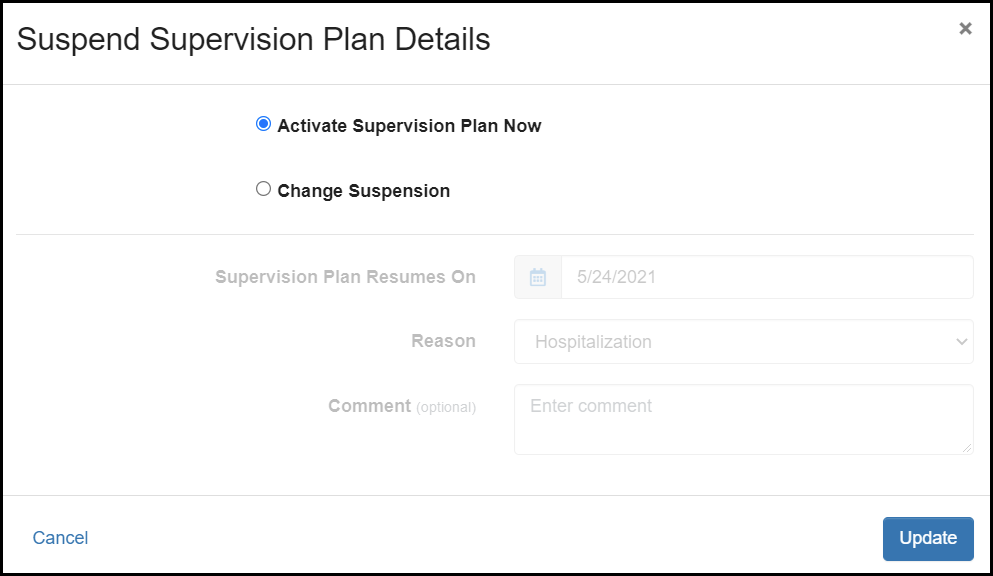
Once on the details page, you may reschedule when the Supervision Plan resumes, or select Activate Supervision Plan Now to reactivate it immediately. Update the suspended status to ensure your changes take effect.

Click to Enlarge

Feedback:

As always, please contact SCRAM Systems Customer Services with any recommendations for system improvements.
Continue Reading

This release includes the following enhancements:

  • Share Custom Court Case Fields with Nexus
  • Enable EM Reminders and Document Management in Nexus
  • Select a Reason for Reassigning a Model

Client: Share Custom Court Case Fields with Nexus

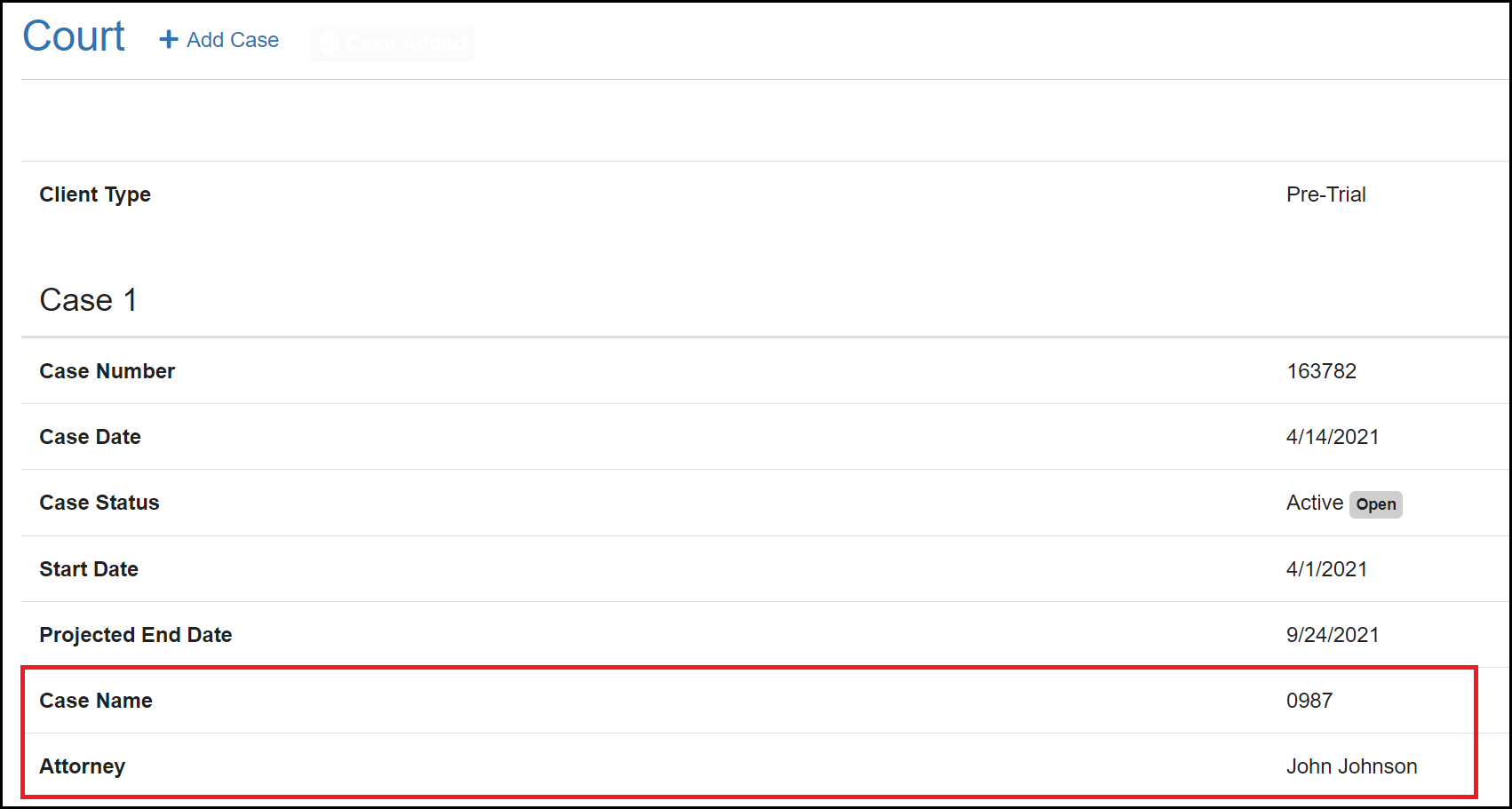
Custom court information can now be sent to Nexus through Nexus Sync and will be displayed under each court case in the Client Profile. For this sync to work properly, an Administrator must first create the Custom Court Fields in the Admin Settings.

Click to Enlarge

Client: Enable EM Reminders and Document Management in Nexus

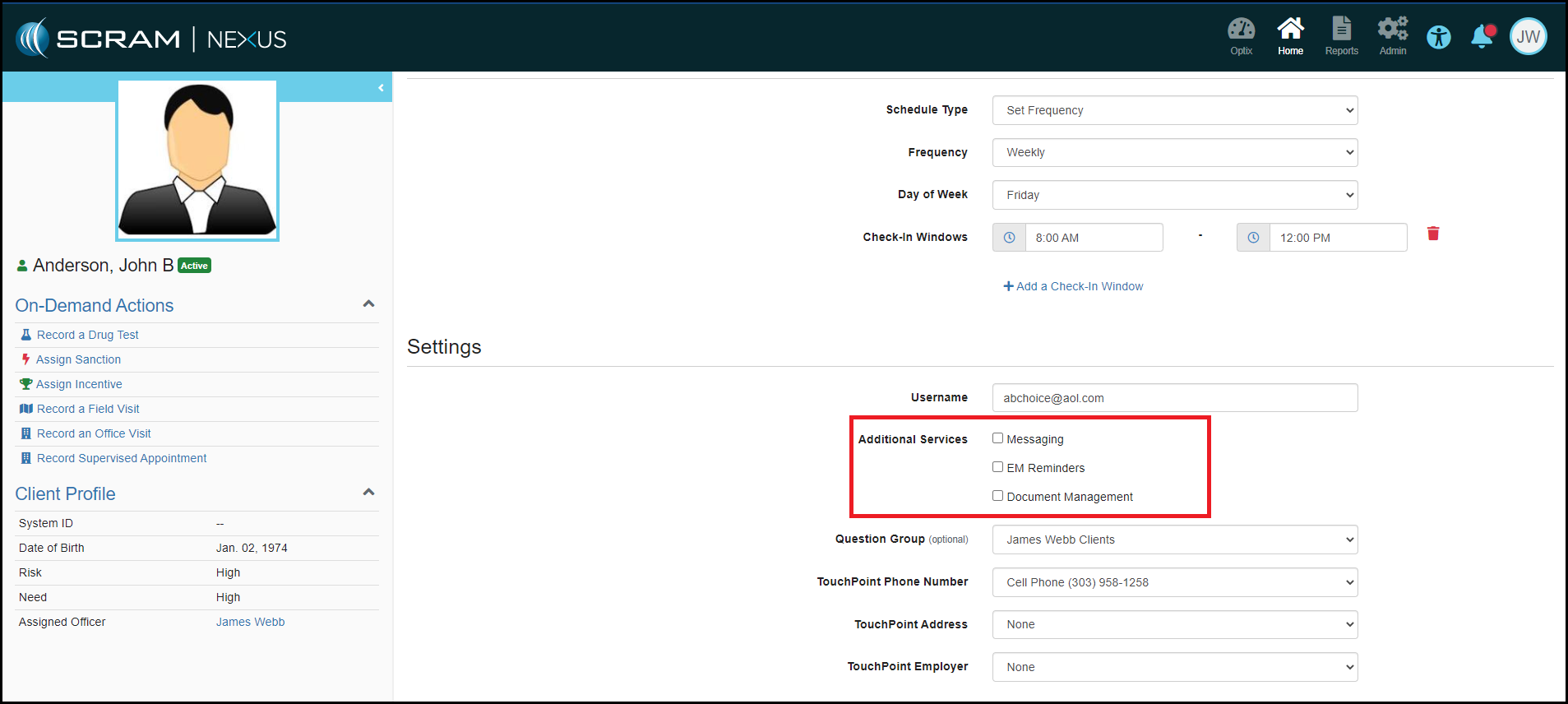
With this enhancement, you can now enable a client for TouchPoint EM Reminders and Document Management by editing the TouchPoint Activity Details, either when assigning the TouchPoint activity, or after the activity has been assigned. This allows you to manage TouchPoint settings from within Nexus and no longer requires you to navigate to the Client’s Optix profile to enable or disable services.

Click to Enlarge

Client: Select Reason for Reassigning a Model

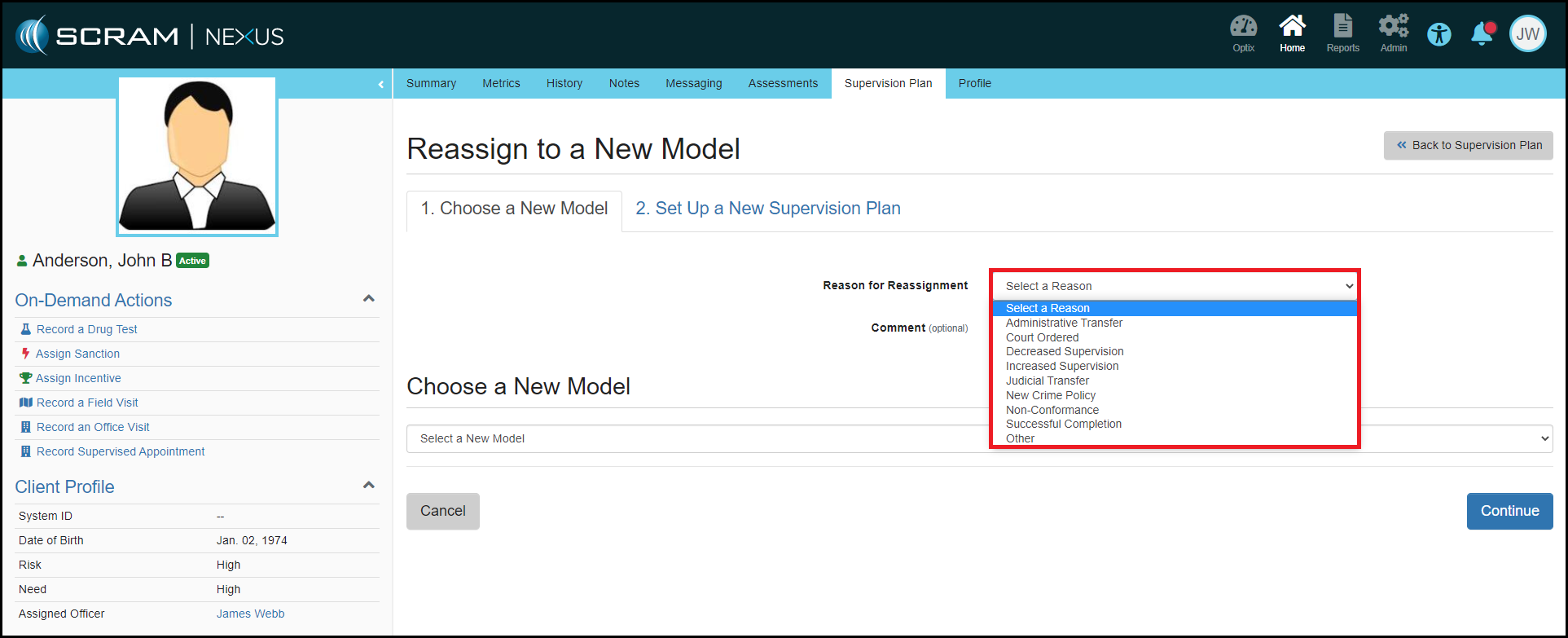
To enhance the analytics that Nexus provides, selecting a Reason for Reassignment has been added to the Reassignment process. This field will provide visibility into why Officers are changing a client’s model and will help ensure better client outcomes.

Click to Enlarge

Feedback:

As always, please contact SCRAM Systems Customer Services with any recommendations for system improvements.
Continue Reading

A series of Nexus enhancements will be released the evening of April 6, 2021. This release includes the following enhancements:

  • Redesign of the Administration Pages
  • Adding Custom Court Cases Fields
  • Quickly Select Commonly-Used Functions from the Workload Page

Administrator: Redesign of the Administration Pages

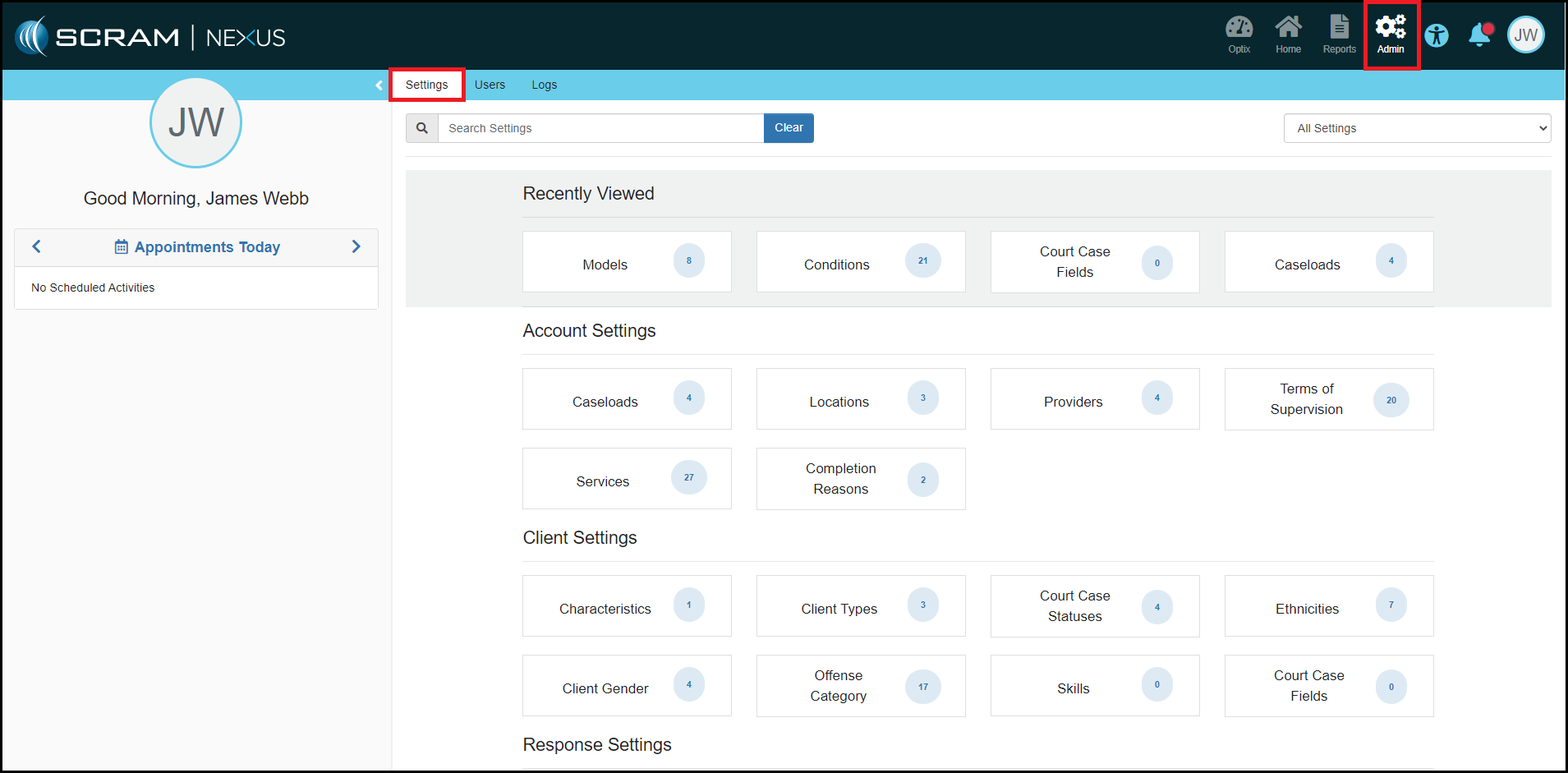
The Administrator pages have been redesigned to a more organized view that will allow for a more manageable experience. The catalogs have been converted into “Cards” and moved into a “Settings” tab. The Catalog Cards themselves have been classified in four setting types: Account Settings, Client Settings, Response Settings and Models. This design allows for these Settings and Catalogs to be filtered by a keyword search or category selection. The four most recently viewed Catalog Cards will populate at the top of the page for easier navigation.

Click to Enlarge

Administrator: Custom Court Case Field Catalog

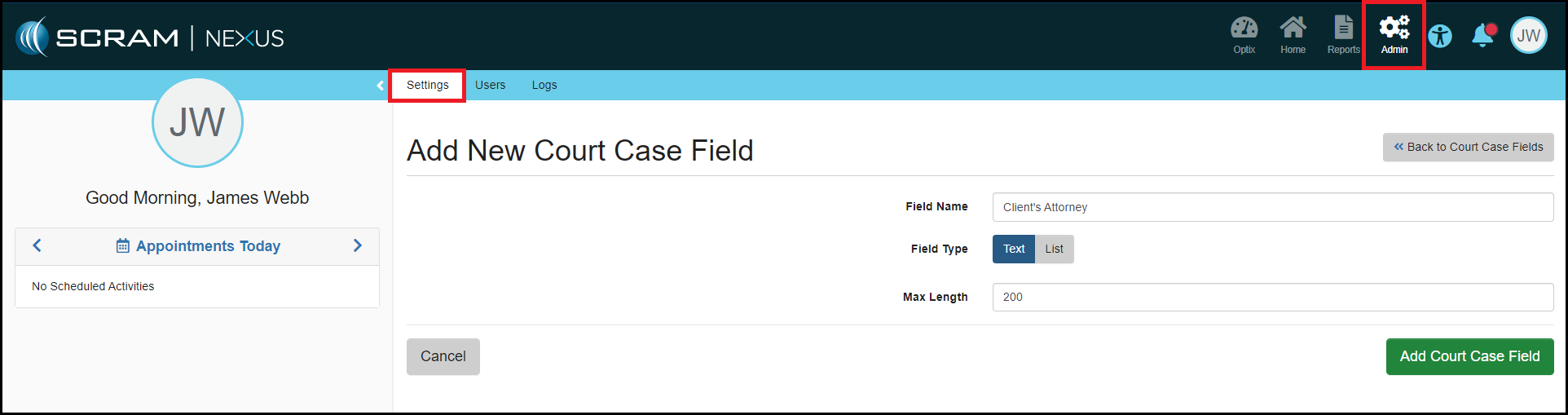
Administrators can now create custom text or drop-down fields underneath each Court Case for a client. This will allow Nexus to receive and capture specific information from your Case Management System. An example of this might be capturing the client’s Attorney contact information.

Click to Enlarge
Click to Enlarge

Officer: Quickly Select Commonly-Used Functions from the Workload Page

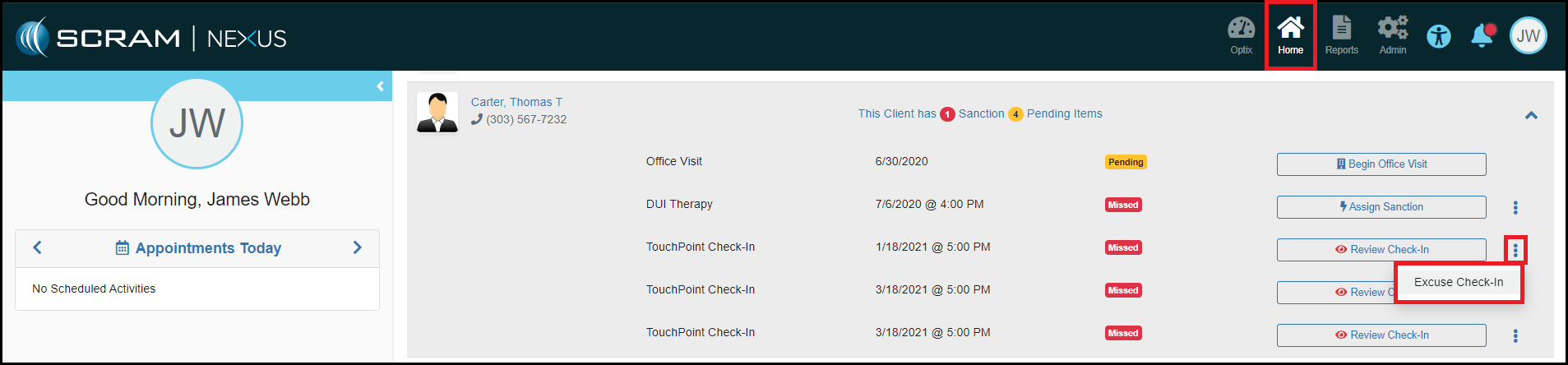
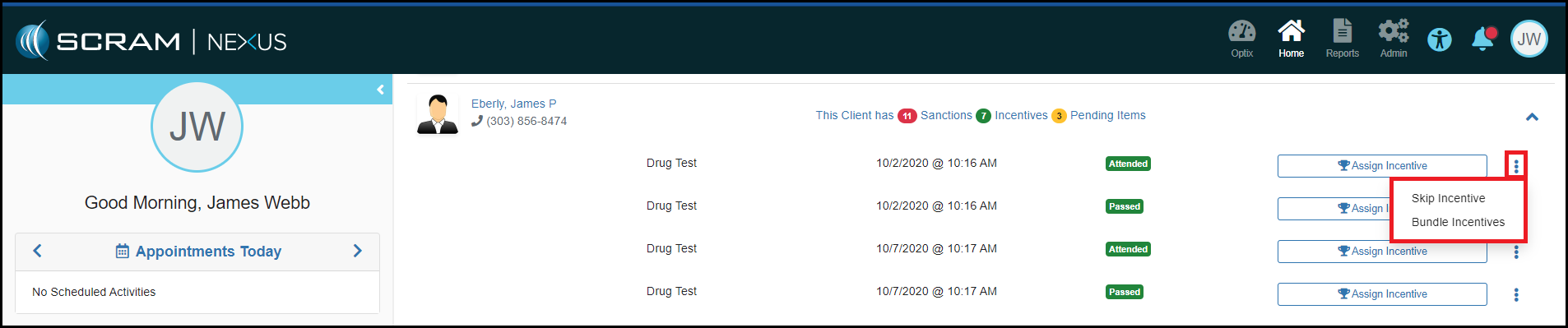
To reduce the time it takes to excuse multiple missed TouchPoint Check-Ins, you can now quickly and efficiently Excuse Missed Check-Ins from the Officer Workload page by clicking on the vertical ellipsis (⋮) drop-down menu. You also can also use the vertical ellipsis menu to skip Incentives or Sanctions and quickly jump to the Bundling page if there is more than one response to assign for a client.

Click to Enlarge
Click to Enlarge

Feedback:

Please contact SCRAM Systems Customer Service with any recommendations for system improvements.

Continue Reading

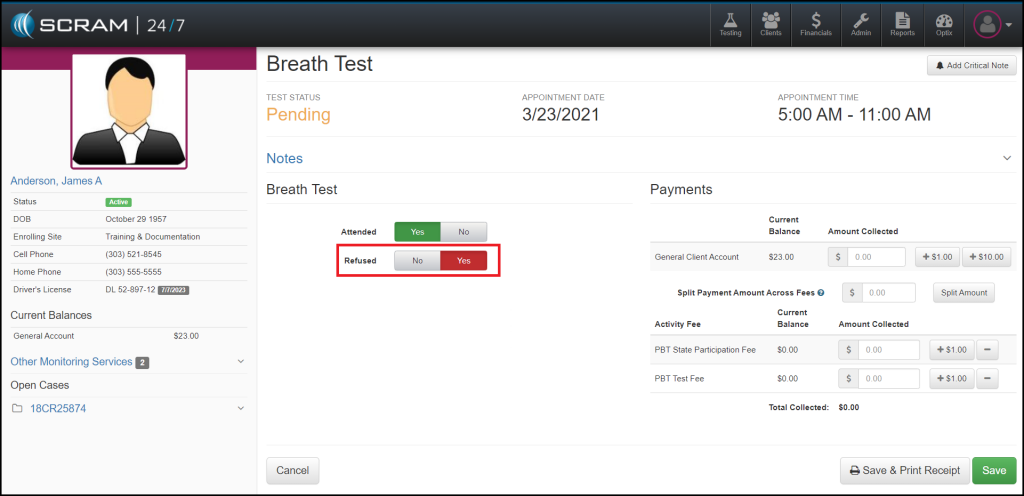
At 11:00 AM MST on Wednesday, March 24, 2021, SCRAM System will be introducing a new feature in SCRAM 24/7. This new feature will allow you to choose Refused as a result type for the Breath Testing, UA, and Mouth Swab activities.

Now when recording an appointment, you will see the Refused toggle when completing the appointment details.  The toggle will always default to “NO” to allow you to record appointments quickly and efficiently.

Click to Enlarge Image

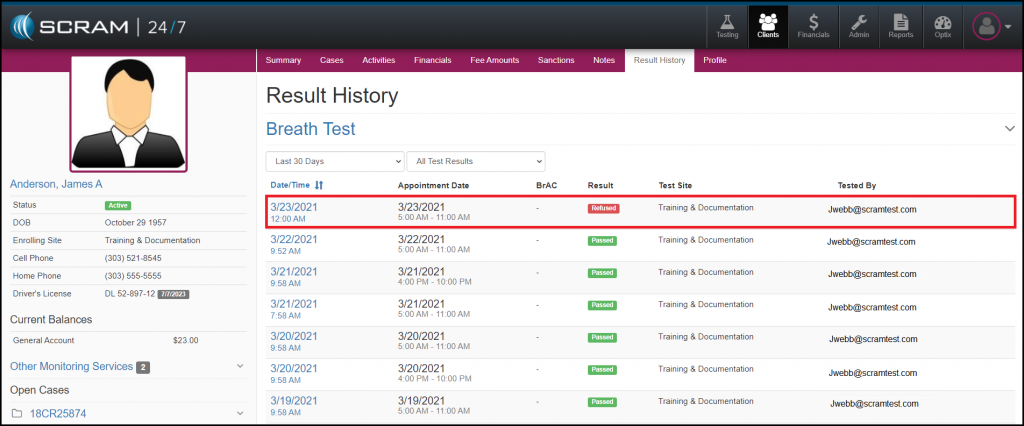
Once an appointment has been recorded as Refused, the Result History will reflect this by displaying Refused as the result type.

Click to Enlarge Image

As always, please contact SCRAM Systems Customer Services with any recommendations for system improvements.
Continue Reading

Update for the enhancement that was deployed March 3, 2021 that changed how the Client List renders in SCRAM 24/7.

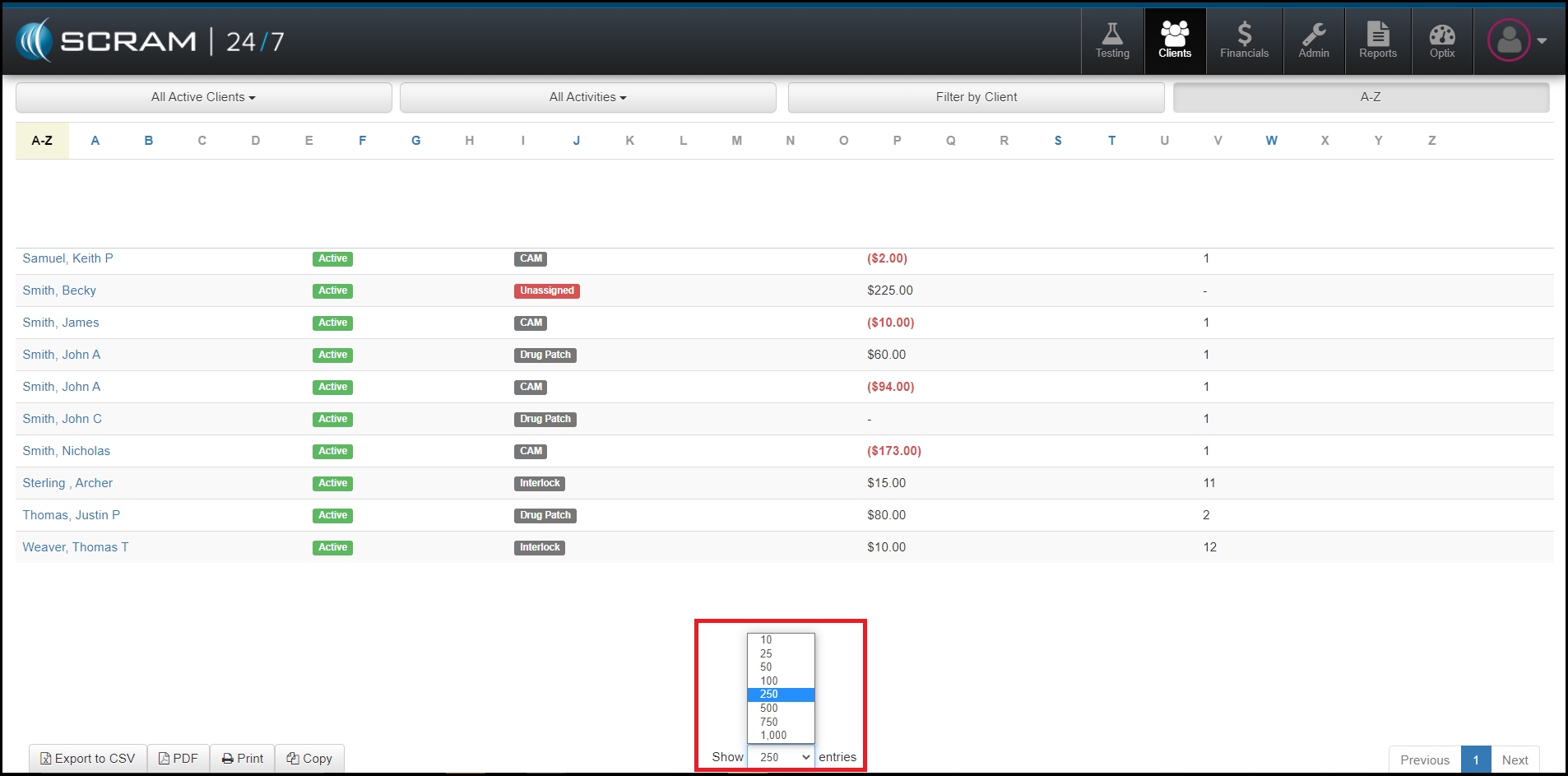
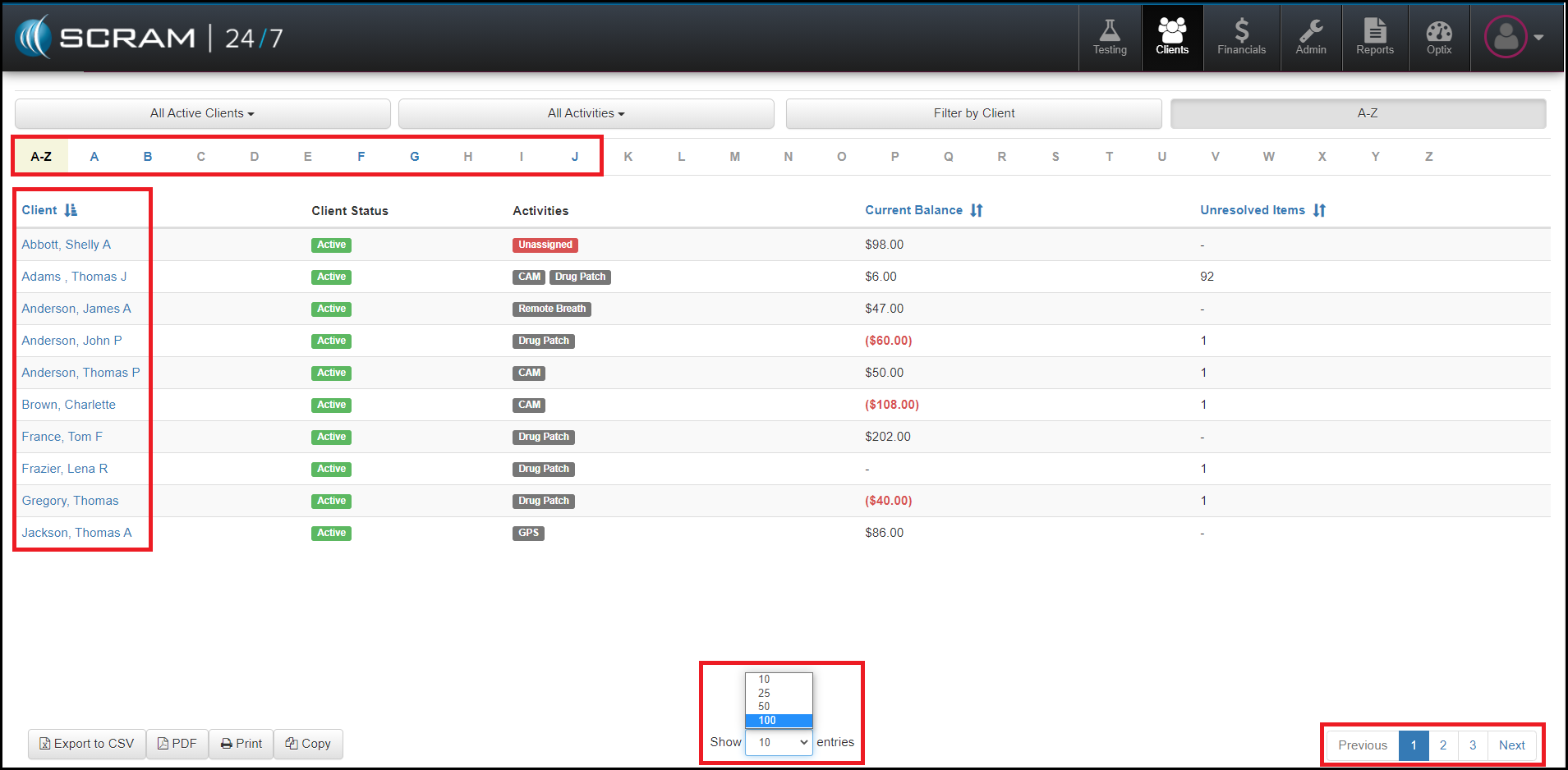
Today, March 10, 2021, SCRAM Systems will release an enhancement that will allow you to increase the number of entries that appear on the Client page in SCRAM 24/7. This enhancement allows you to change the number of entries per page to a selection that makes sense for your agency. For example, if you have 100 clients in your agency, SCRAM Systems recommends you to set the number of entries to 250 in order to have the full alphabet bar as your client list grows.

As a reminder, the selection of entries will persist until it is manually changed, or you clear your cookies and cache. At that time, you will need to reset the number of entries per page.

If you have any questions or concerns, please feel free to contact Customer Service at (303) 785-7879.

Continue Reading

This release includes the following enhancements:

  • New process when adding the TouchPoint Check-In activity to a client’s Supervision Plan.
  • Adding WCAG 2.1 Accessibility Controls to SCRAM Nexus.

Officer: TouchPoint Username/Email

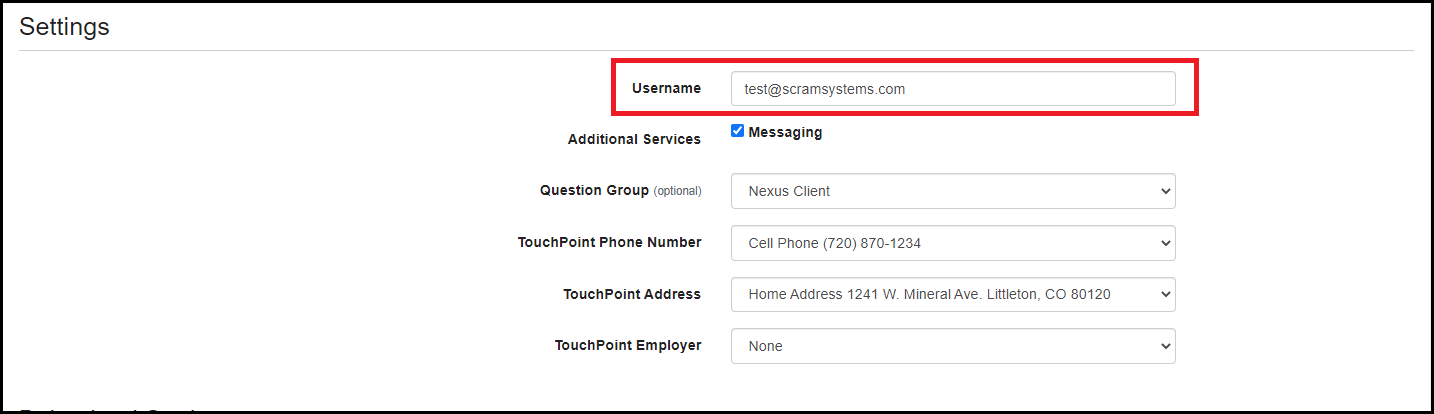
Nexus will no longer require the officer to enter the TouchPoint username/email while adding TouchPoint Check-In as an activity to the client’s Supervision Plan. This allows the officer to obtain the email information from the client and then enter it in when they are ready to complete the setup and registration of the client in TouchPoint.

Nexus: WCAG 2.1 Accessibility

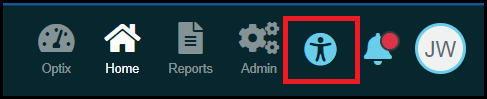
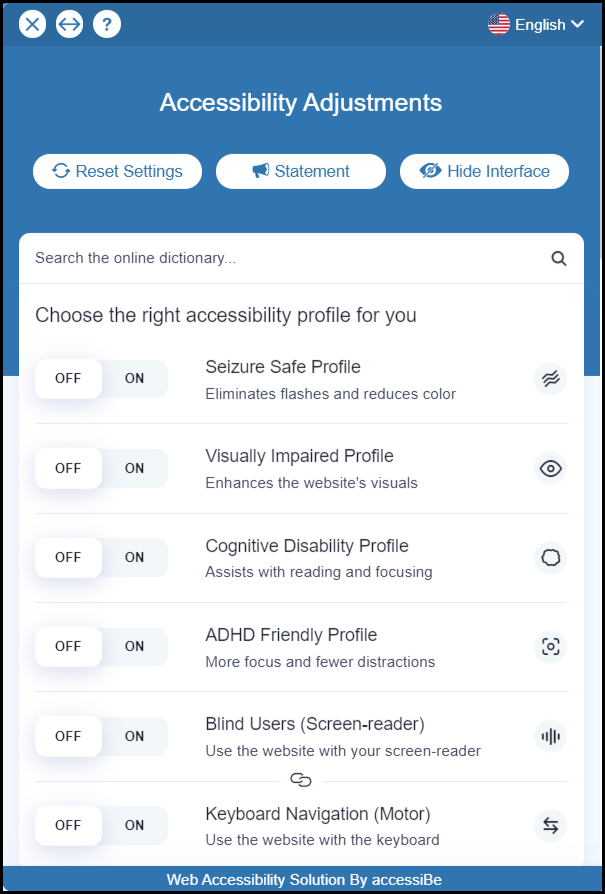
With this enhancement, Nexus now meets the standards of WCAG 2.1 Web Content Accessibility Guidelines by allowing a user to choose their accessibility settings. There will be an icon in the top right navigation for a user to access the accessibility settings for Nexus. A user can choose settings that allow for screen reading, color and display adjustments, navigation adjustments, content adjustments and keyboard navigation.

Feedback:

As always, please contact SCRAM Systems Customer Services with any recommendations for system improvements.
Continue Reading

An enhancement that was deployed on March 3, 2021, caused a change to how the Client List renders in SCRAM 24/7.

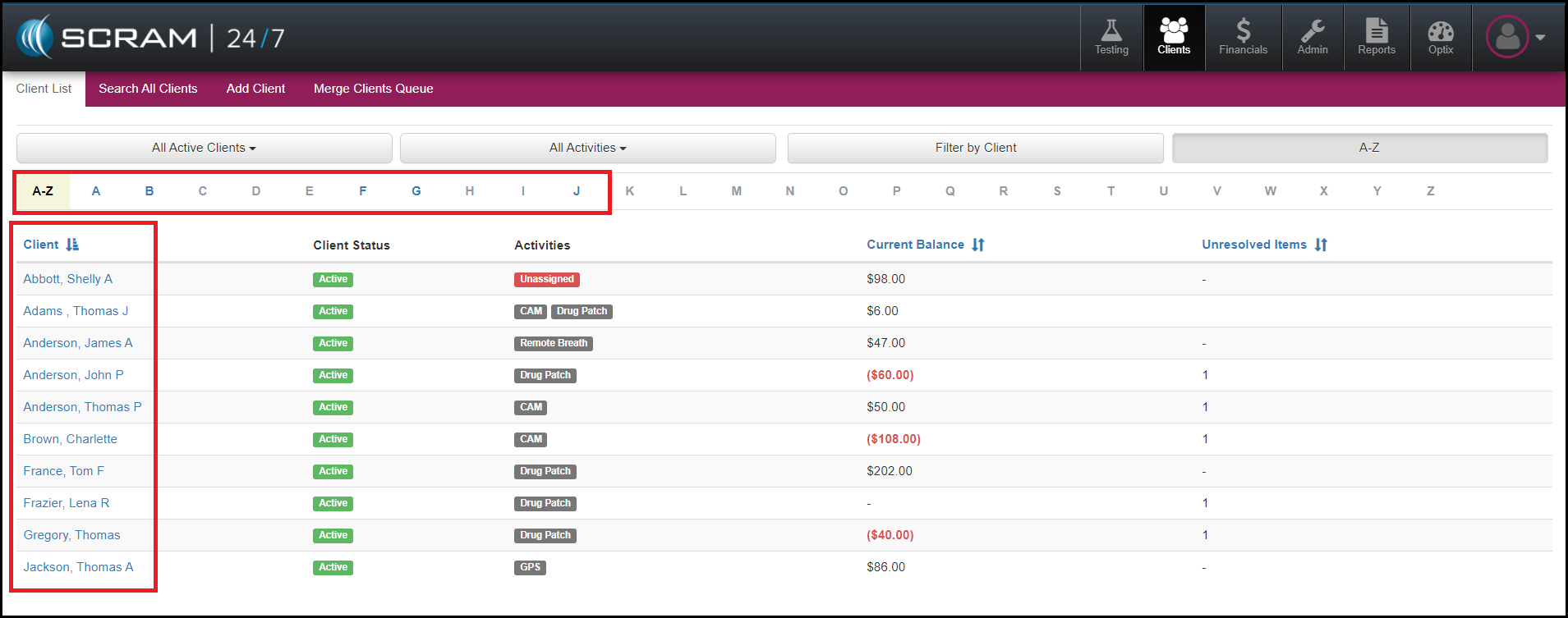
Prior to this deployment, you were able to use the alphabet bar at the top of the client list to filter down to the first letter of the client’s last name for your entire client list. Now, the alphabet filter is limited to the clients that are displayed on the page. The list is set to display 10 clients by default; this makes page-loading and displaying quicker and more efficient.

To have the client list populate more client names, increase the number of entries this list shows to 100. This action will populate the first 100 names for your agency. If your agency has more than 100 clients, use the page breaks at the bottom right to advance your search. Once your list display is set to 100 entries, this setting will persist until it is manually changed to another option.

Our development team plans to update to this feature to allow for more than 100 entries per page. Once complete, we will post another message with the details. Until then, if you have any questions or concerns, please contact Customer Service at (303) 785-7879.

Continue Reading

This release includes the following enhancements:

  • Updated Formatting for the Roster Report
  • Redesign of the Setup Supervision Workflow
  • Displaying TouchPoint Notes in Nexus

Officer: Updated Formatting for the Roster Report

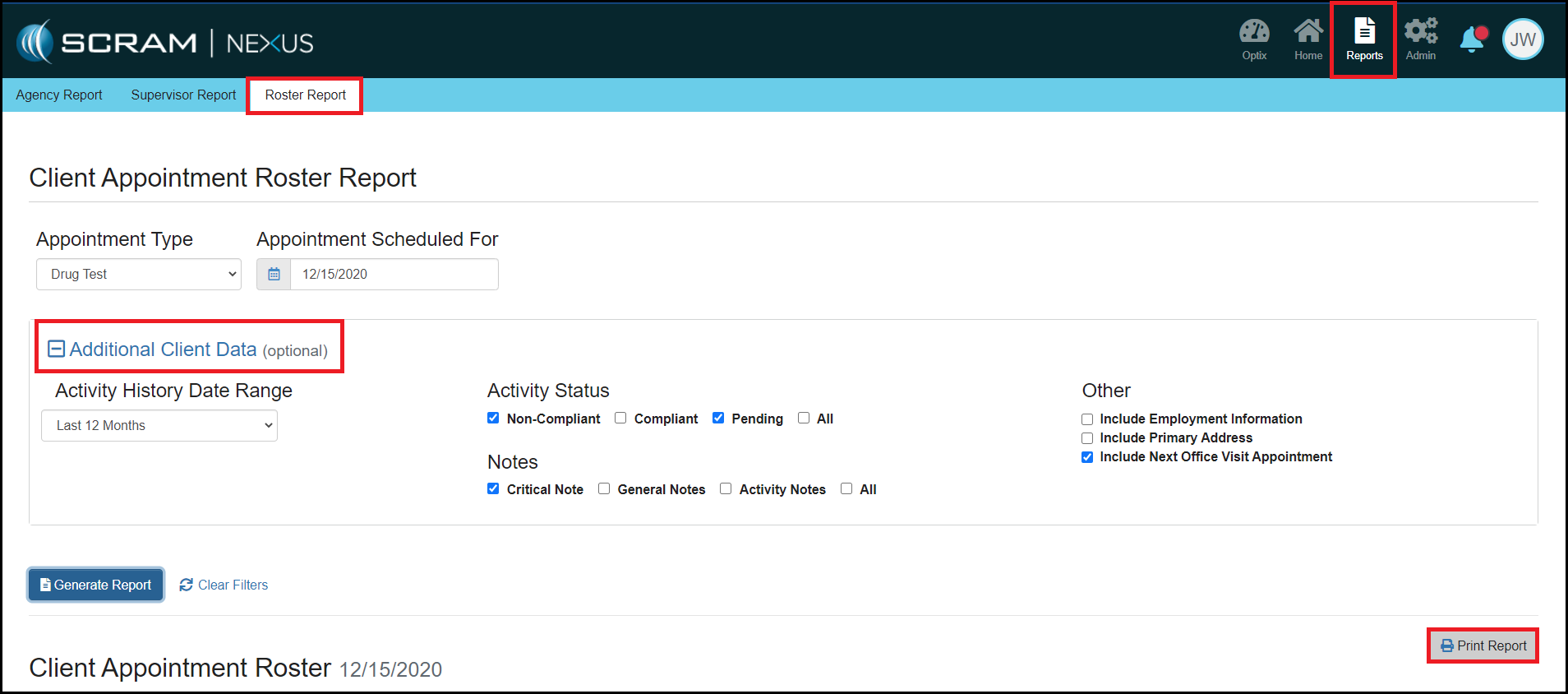
We have made formatting changes to the printable version of the Roster Report. These changes will allow for 30 clients to be displayed on each page if additional data is not selected for the report. If additional data is selected for the report, each page of the report will be limited to one client.

Officer: Redesign of the Setup Supervision Workflow

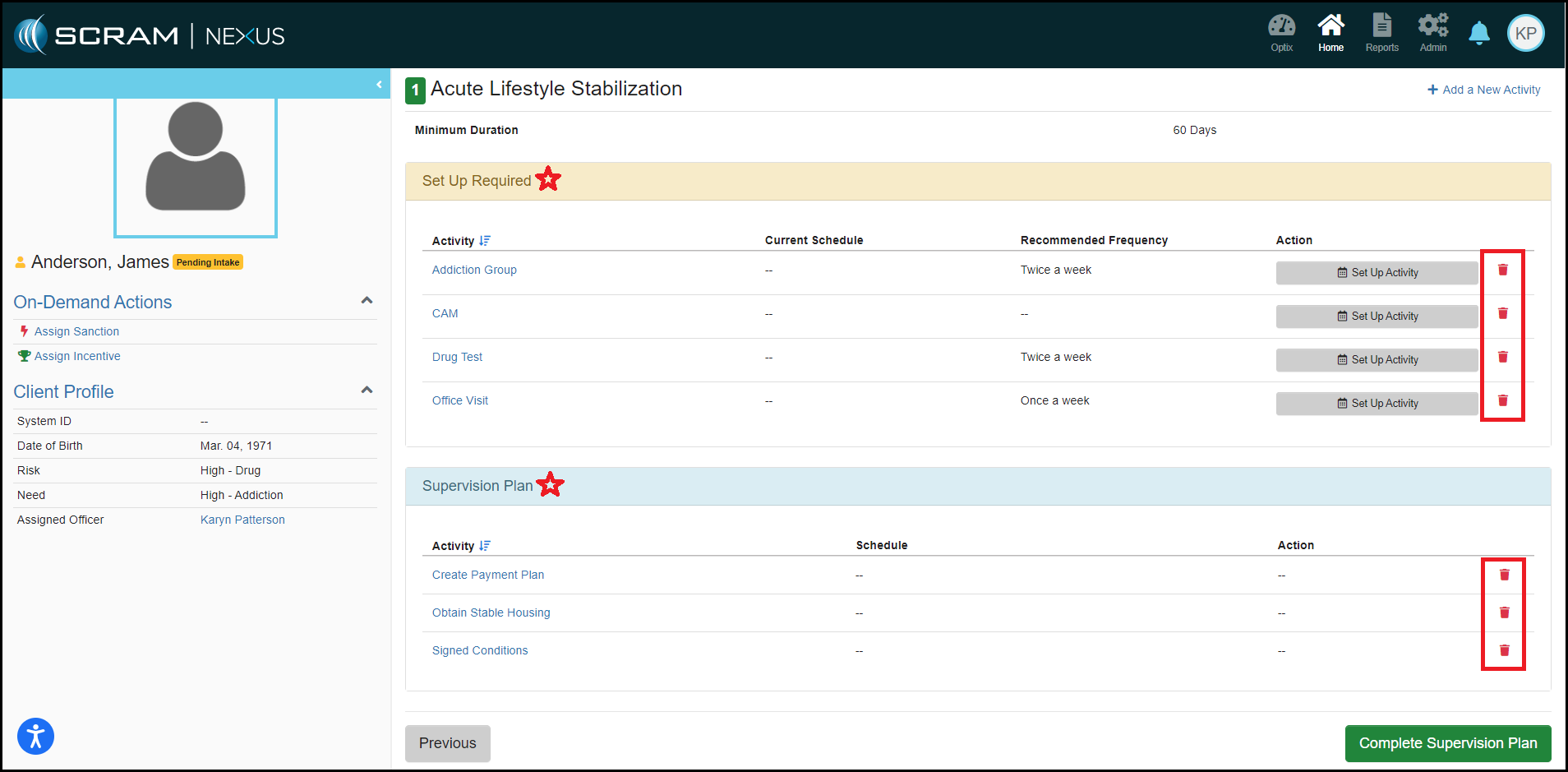
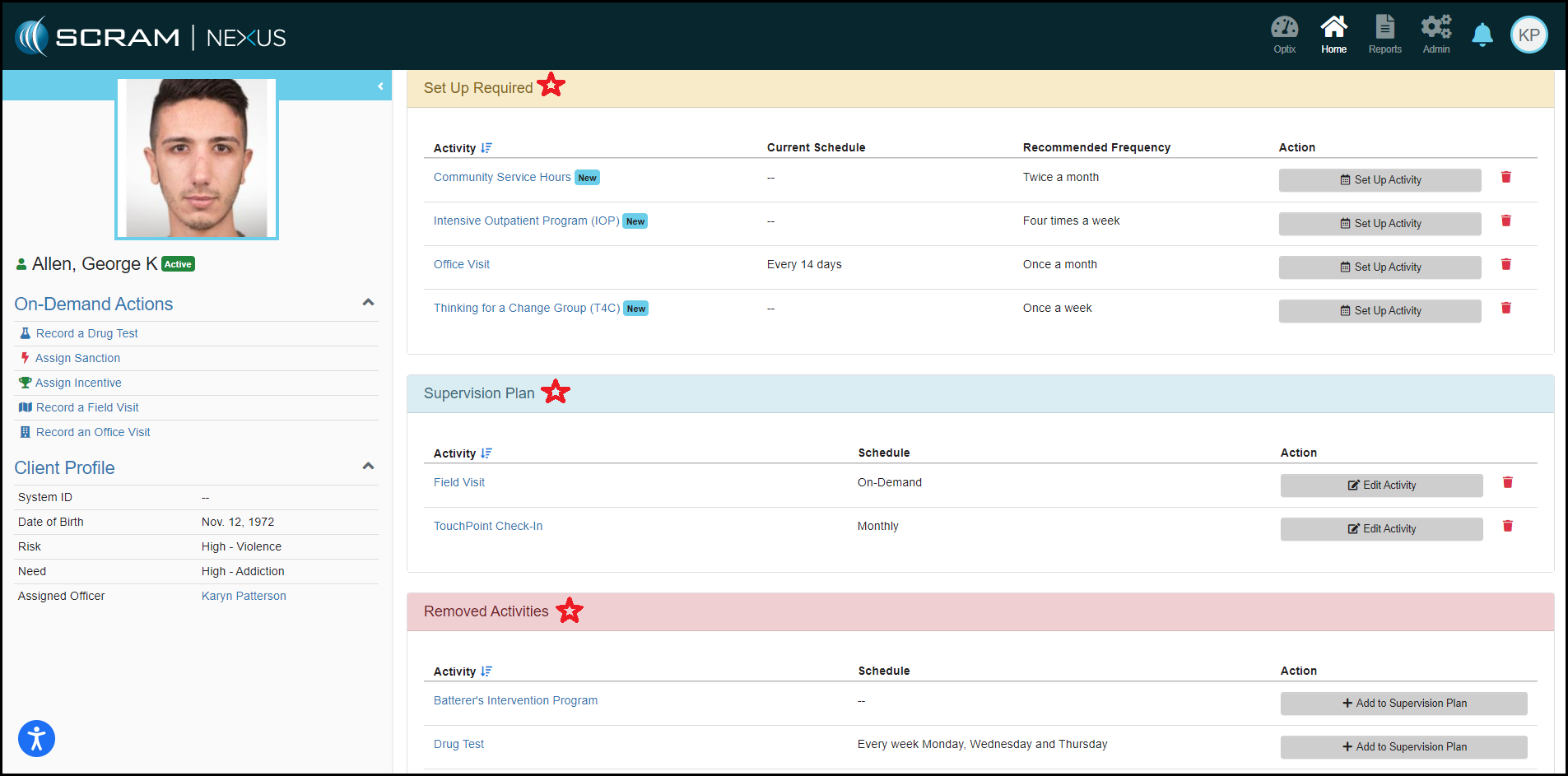
With this enhancement, it is now easier to assign a client to a model. We have made changes that designate which activities need a schedule created, which activities need no action, and an easier process in removing an activity from the supervision plan.

In addition, we have added a new section that will display which activities will be removed during a phase advancement.

Client: Displaying TouchPoint Notes in Nexus

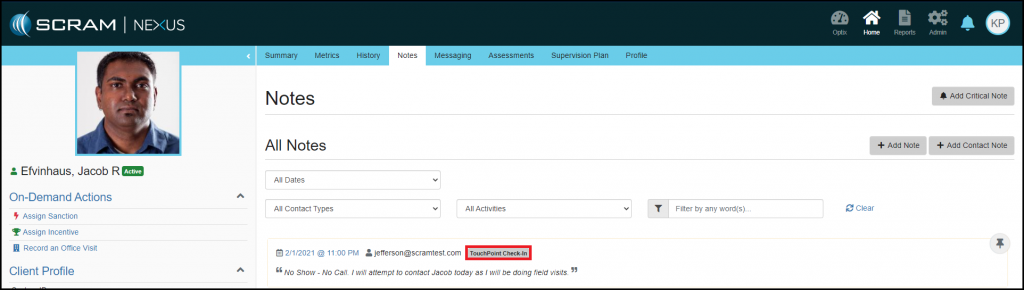
TouchPoint Check-In notes will now be displayed on the Client Notes tab. If more than one note is added to a Check-In Review, all the notes will be consolidated into one note and will show a tag of TouchPoint Check-In.

Feedback:

As always, please contact SCRAM Systems Customer Services with any recommendations for system improvements.
Continue Reading