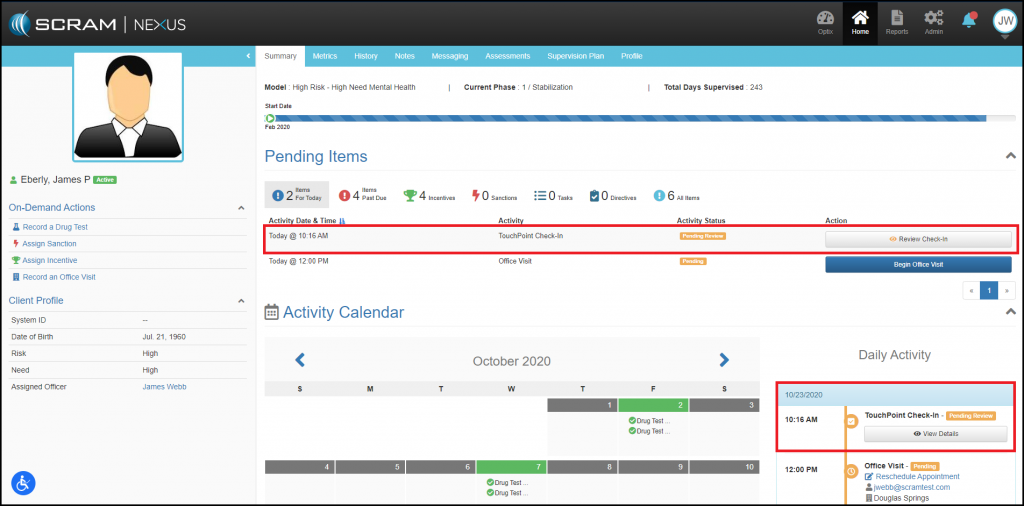
Once a client completes a check in using their mobile phone, SCRAM Nexus Family will display a gray Review Check-In message that prompts the caseworker to conduct the review from either the individual client’s Pending Items list or from the caseworker’s Pending Items list.
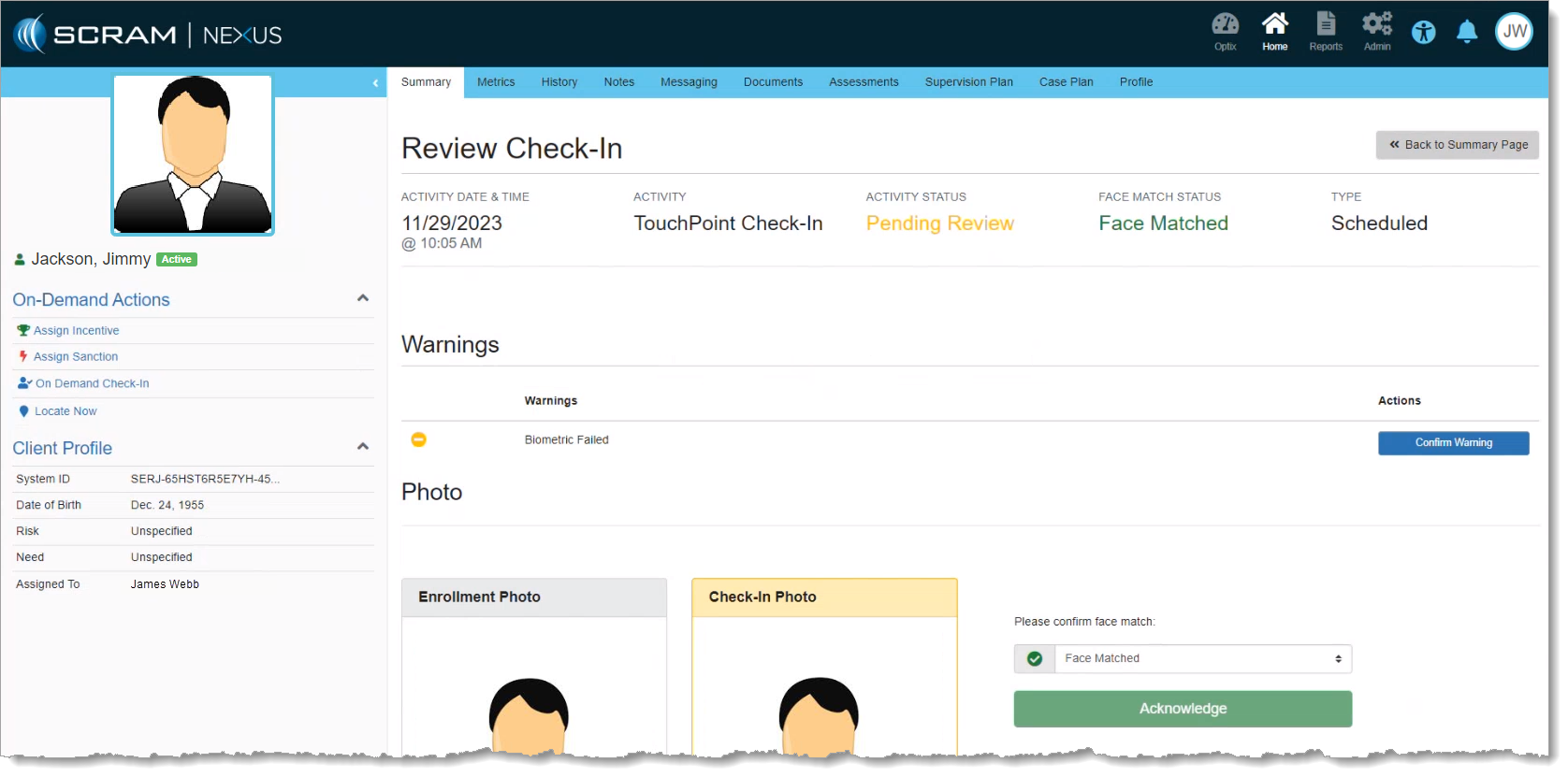
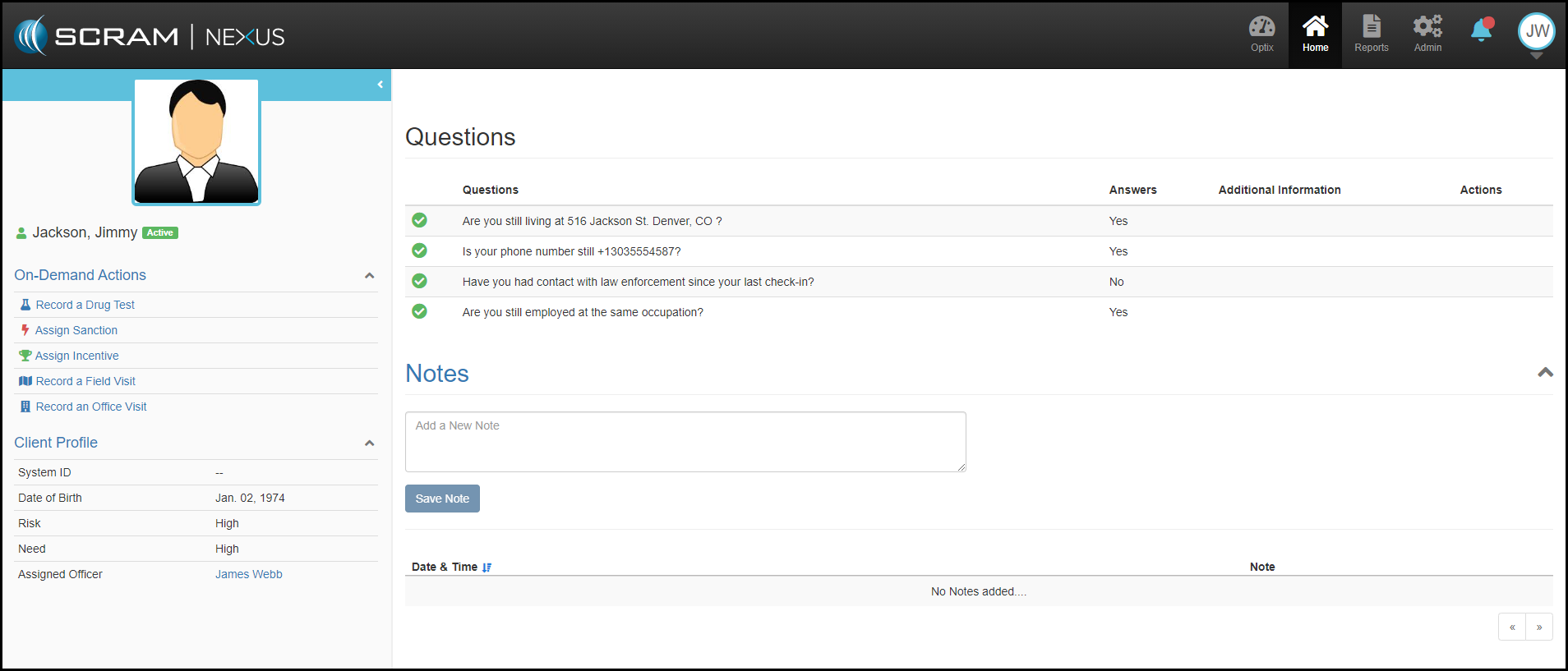
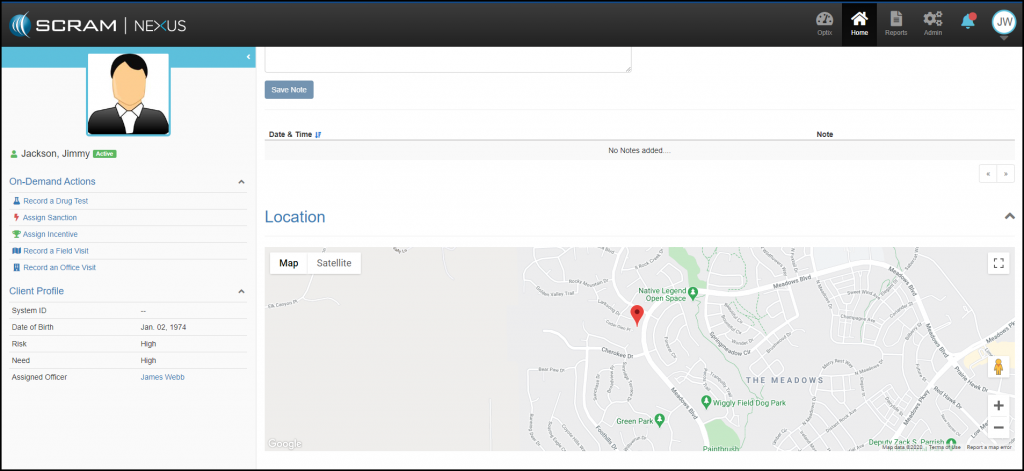
By clicking on the Review Check-In, SCRAM Nexus Family will open up a Review Check-In page where the caseworker can:
- Photo: The SCRAM TouchPoint Facial Recognition feature will automatically determine if the face matched or if the image is inconclusive. If the image is inconclusive, the check in will remain in pending status where the caseworker can manually confirm if the check-in photo matches the client’s enrollment photo or mark the photo as “Circumvention Identified.”
- Questions: Review the client’s response to the check-in questions.
- Notes: Capture any note the caseworker wants to add from this interaction.
- Location: Check-in location is mapped for the caseworker so the client’s whereabouts during the check in can be pinpointed.
Caseworkers should note that all check ins are documented for a particular client are listed and time stamped on the SCRAM Nexus Family History page for that client and can be opened and reviewed subsequently at any time.