When you are conducting a home visit with a client, you can record that visit in SCRAM Nexus Family. To start:
- On the client’s Summary page, click the Record Home Visit button.
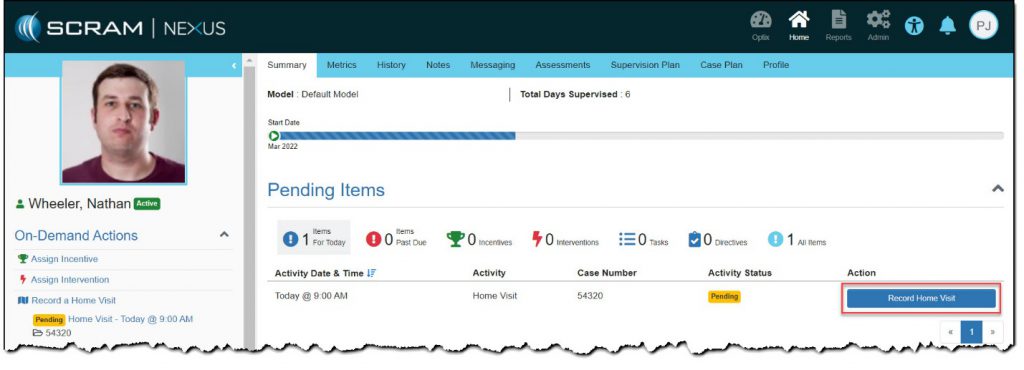
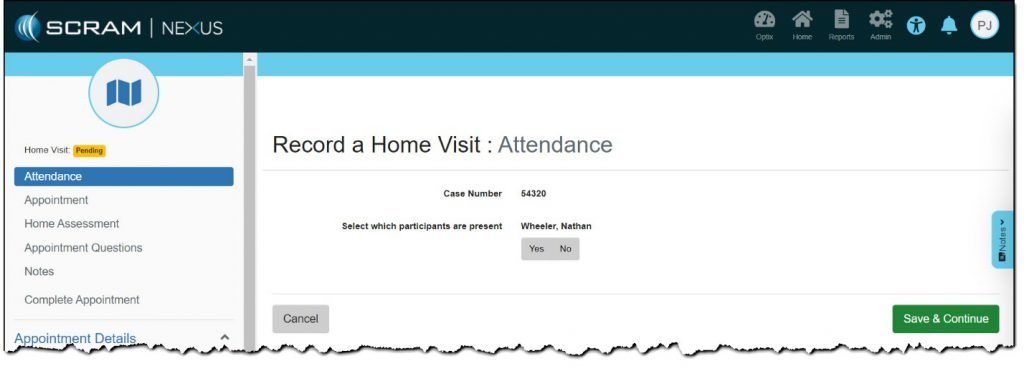
The Record a Home Visit page appears.
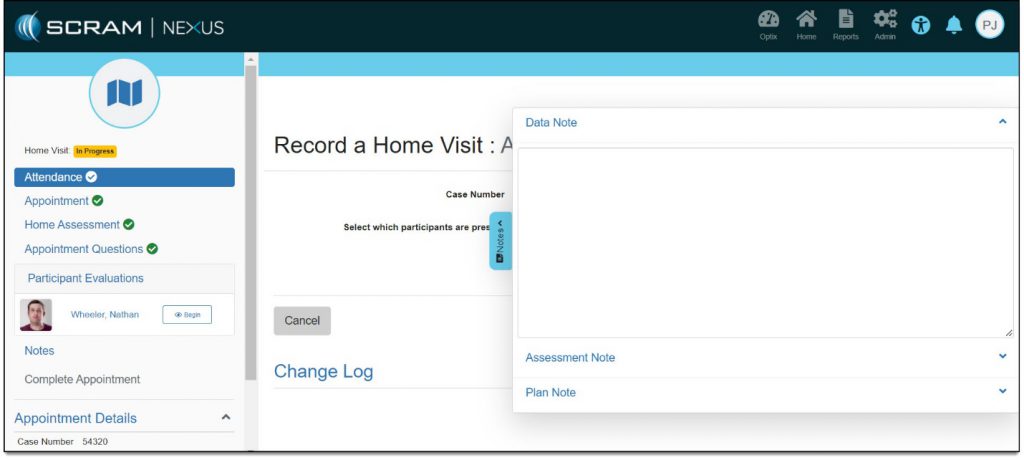
Note: At any time while recording the home visit, you can click the Notes button on the right border of the page to add a note.
- Was client present?
Yes- Click the Yes button.
- Click the Save and Continue button.
No
- Click the No button.
- Click the appropriate button that indicates whether the absence was excused.
- Click the Save and Continue button.
More options appear.
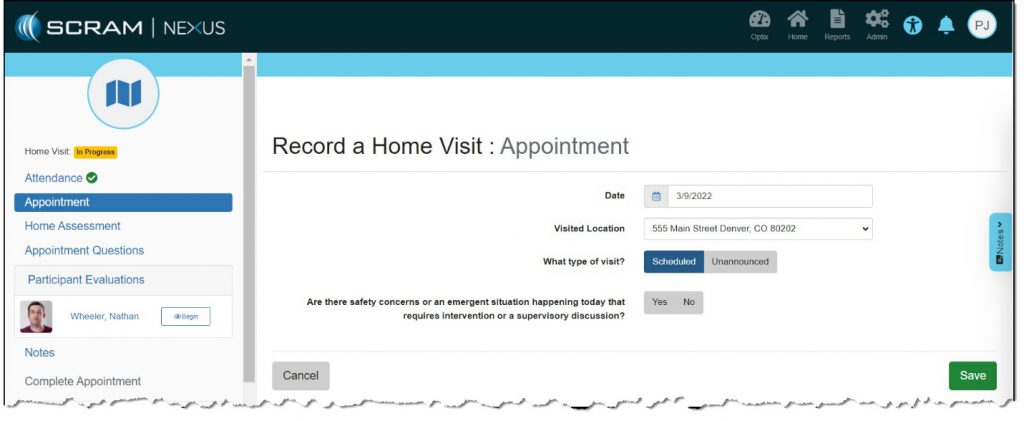
- Make appointment selections:
- Date
- Location
- Scheduled/Unscheduled
- Safety concerns – Yes/No
- Click the Save button.
- Click the Home Assessment link in the left area.
The Record a Home Visit : Home Assessment page appears.
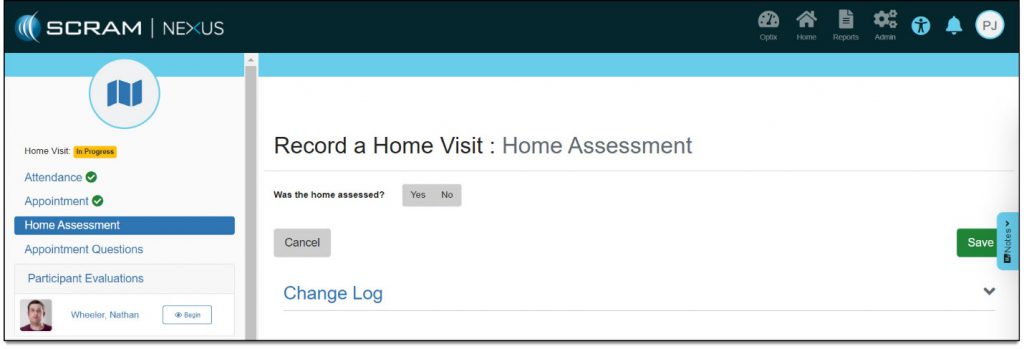
- If a home assessment was conducted, click the Yes button.
Several assessment options appear.
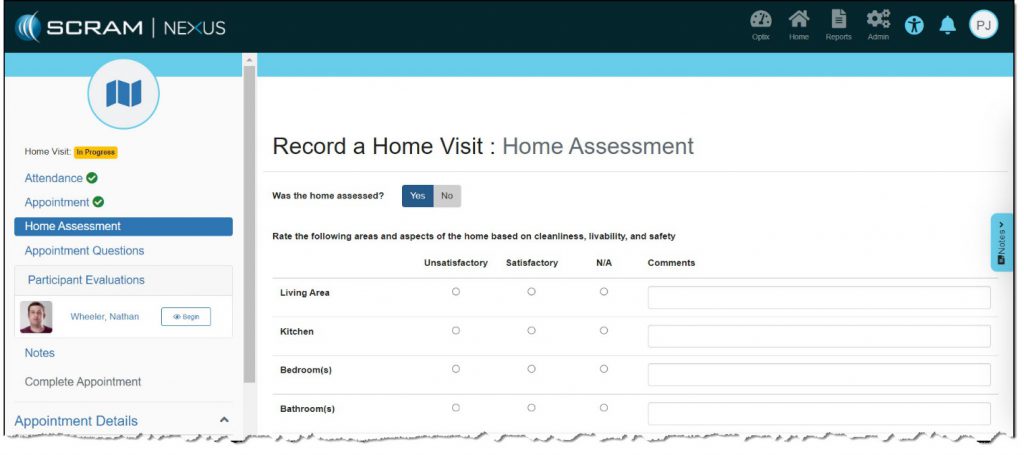
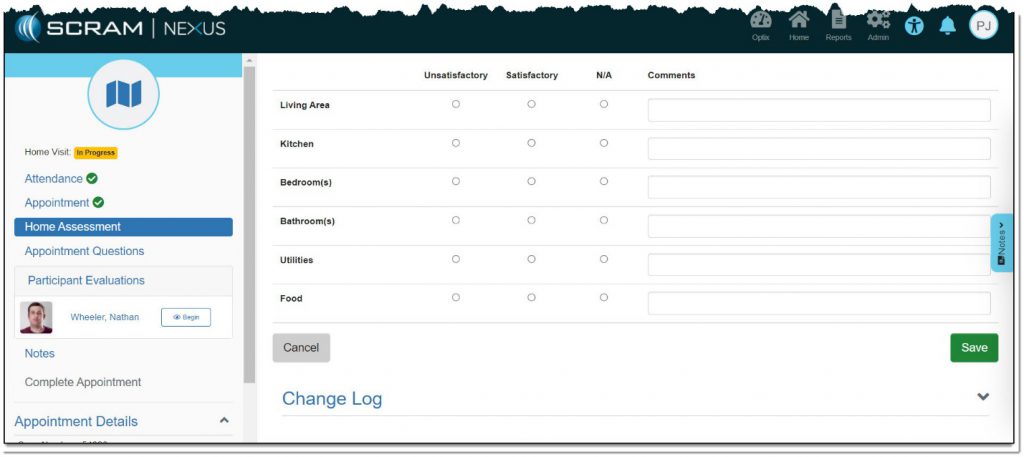
- Make the proper selections.
- Click the Save button.
- Click the Appointment Questions link in the left area.
The Record a Home Visit : Appointment Questions page appears.
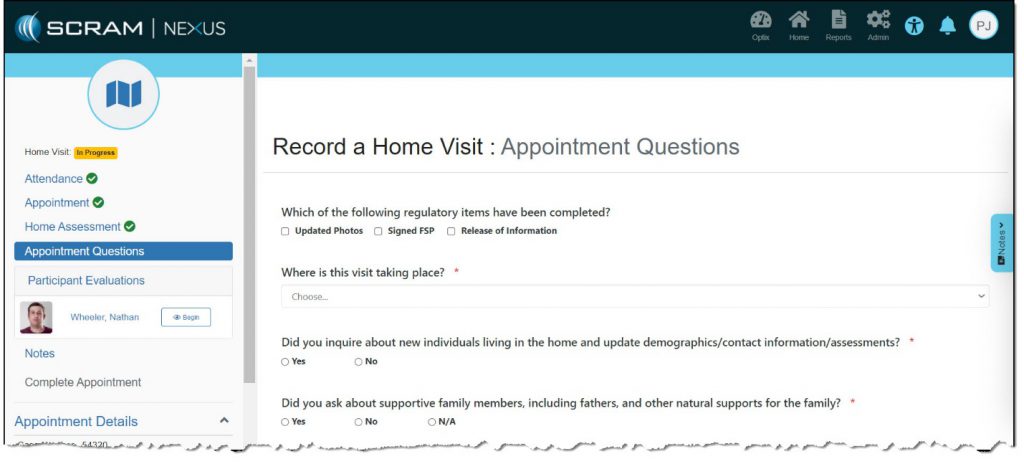
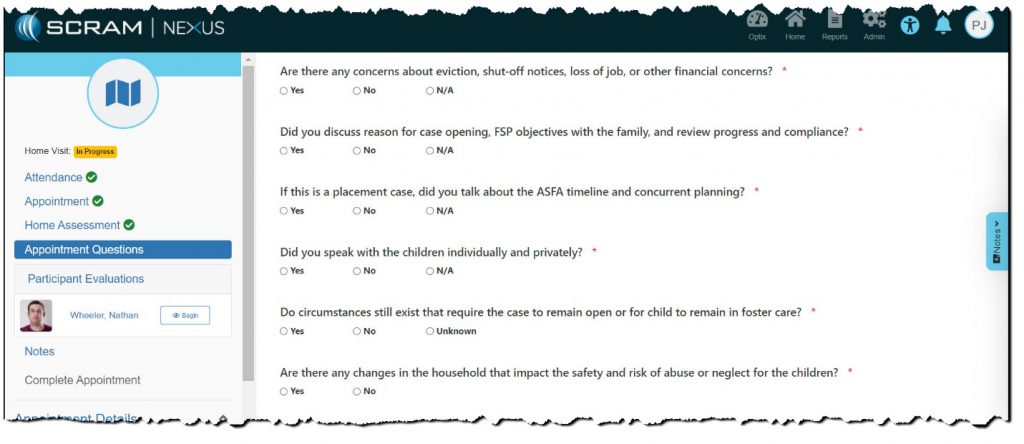
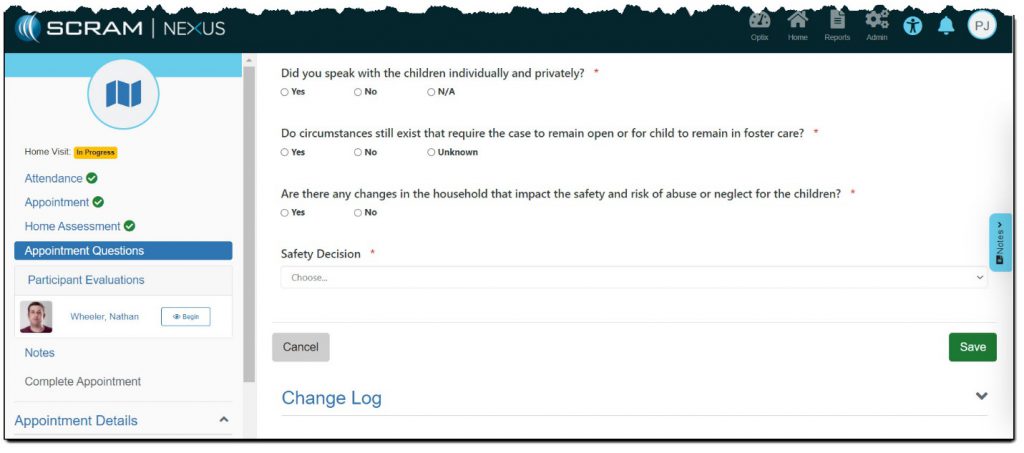
- Make the proper selection for each question.
Note: As you answer each question, additional guidance may appear below the question, as shown below.

- After all selections are made, click the Save button.