For agencies who use Redwood Toxicology’s ToxAccess drug testing platform, SCRAM Nexus Family provides native integration of drug test results from Redwood, which eliminates the need for caseworkers to manually record drug testing results.
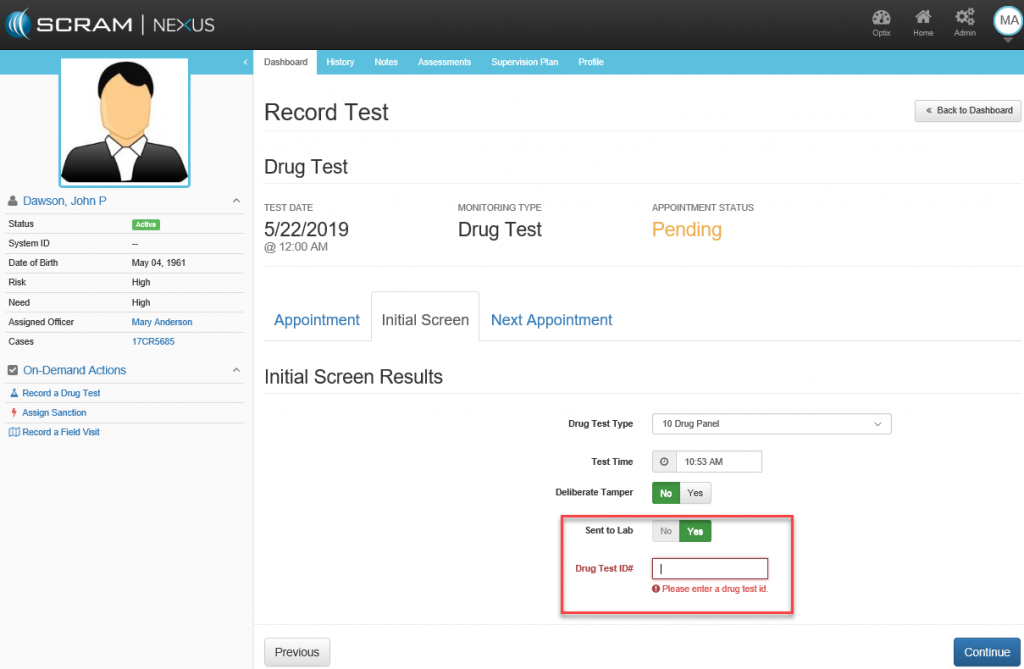
To automate the recording of a drug test for a client, caseworkers simply need to enter the official Redwood chain of custody number from the Redwood Test Request and Chain of Custody document while using the SCRAM Nexus Family Record Drug Test workflow. To complete the process, click the Sent to Lab button and enter the chain of custody number in the Drug Test ID# field in the Initial Screen Results section.
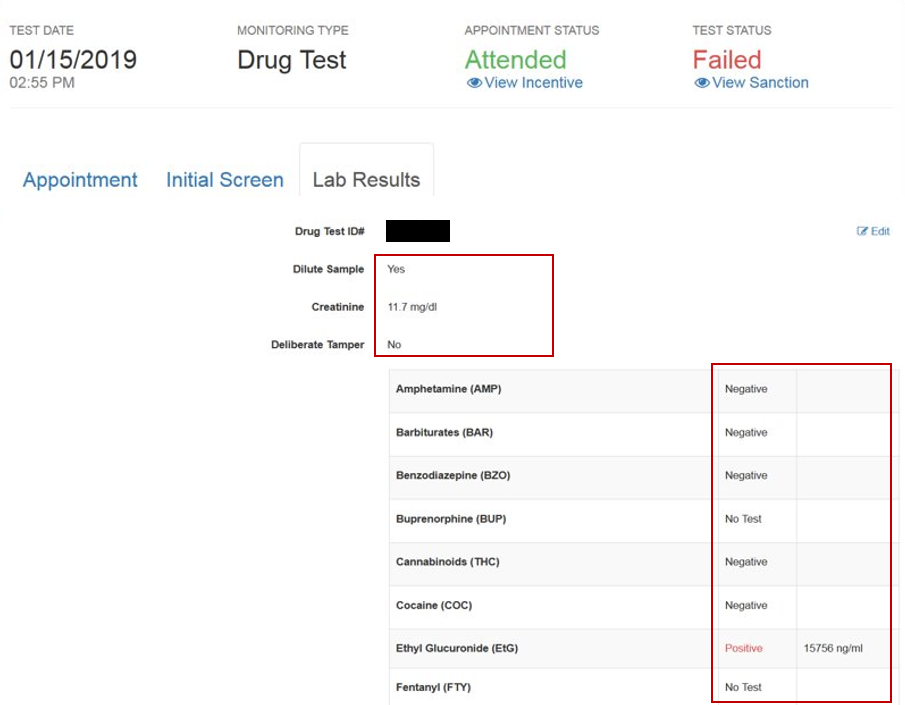
Once the toxicology lab processes the tests and posts the toxicology results, SCRAM Nexus Family automatically reads the results so the caseworker can review the data for compound reactions, positive substance measurements, and other testing sample information. To perform the review, access the client’s drug test appointment and select the Lab Results tab.