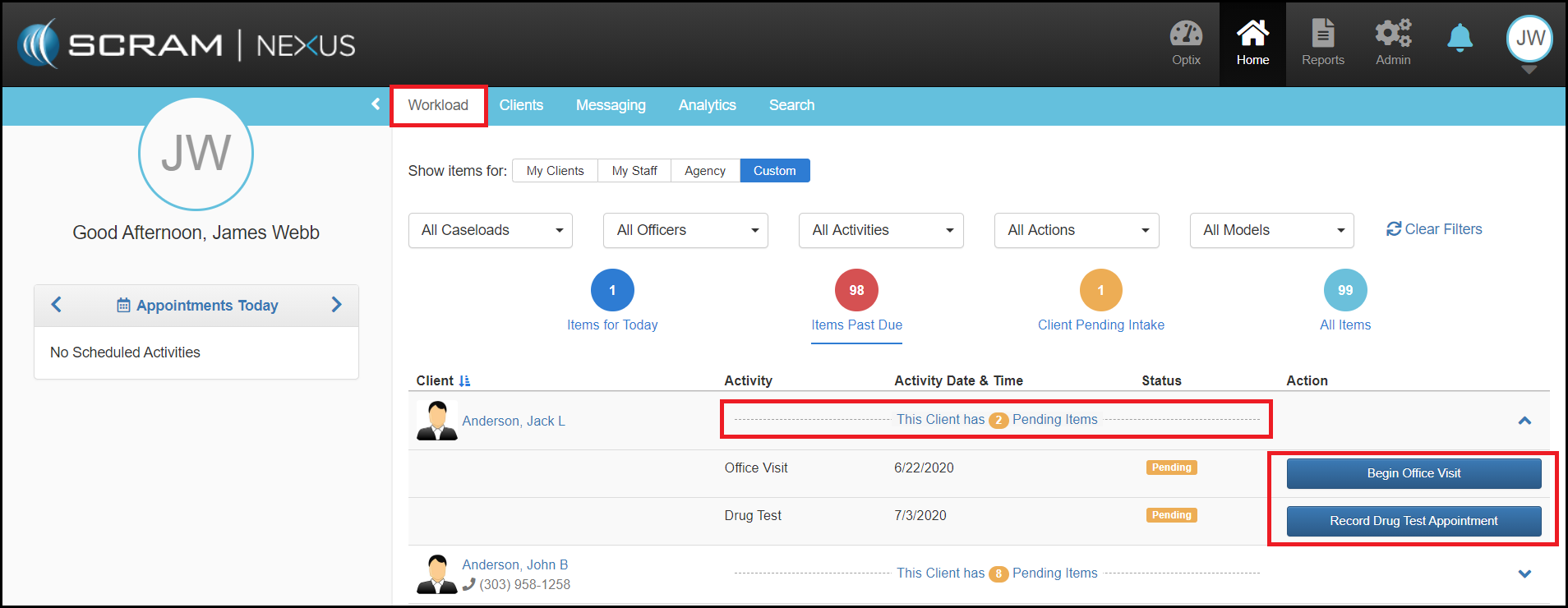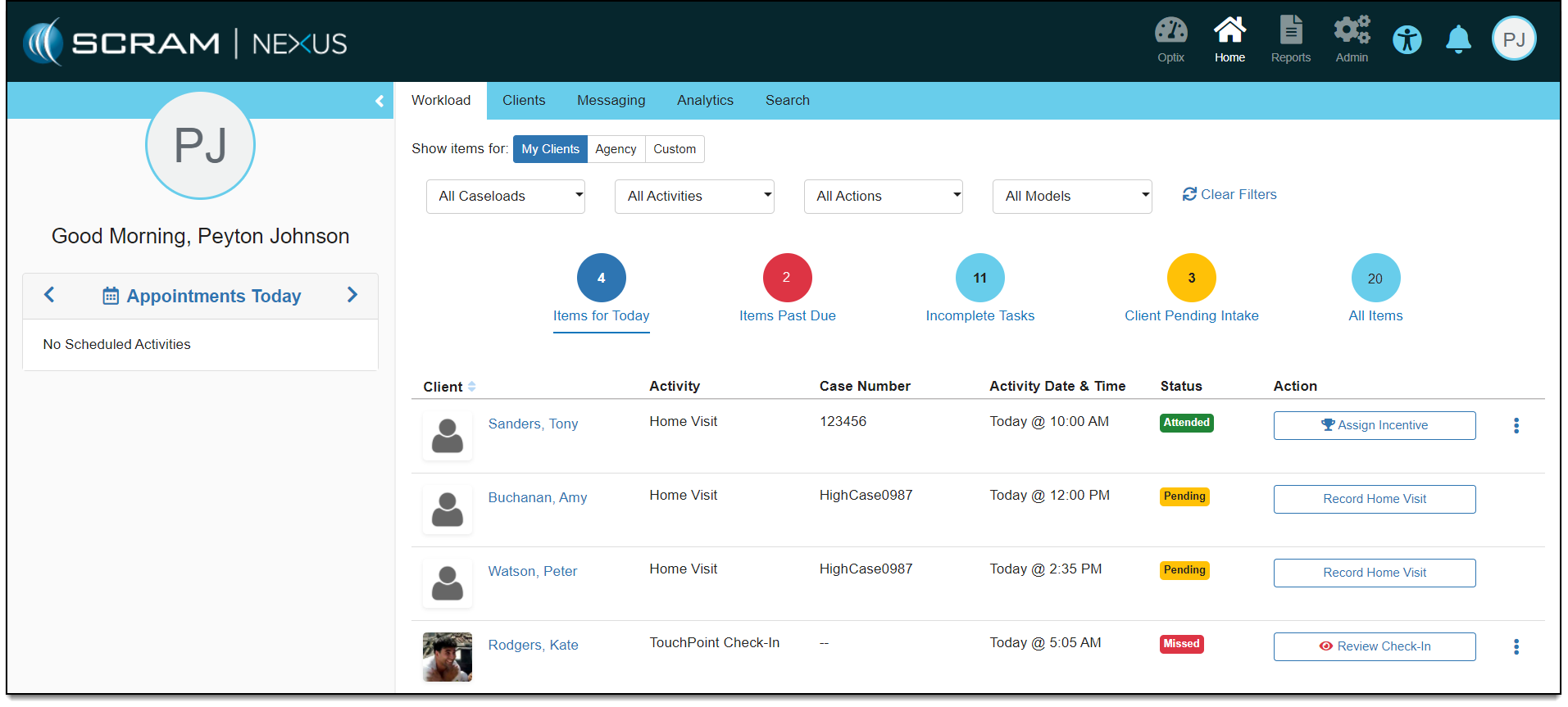
The Workload page is designed to provide caseworkers with a filterable snapshot view of the clients on their caseload that are either scheduled or overdue for some sort of supervision activity review. At the top of the page, a series of “one-touch” rectangle filters allow the caseworker to immediately drill-down within their caseload to highlight caseloads of interest.

Definitions for the filters include:
- My Clients: Any clients assigned to that caseworker.
- My Staff: Caseloads of the caseworkers I supervise.
Note: Will only appear for supervisory users. - Agency: Clients that are assigned to my agency.
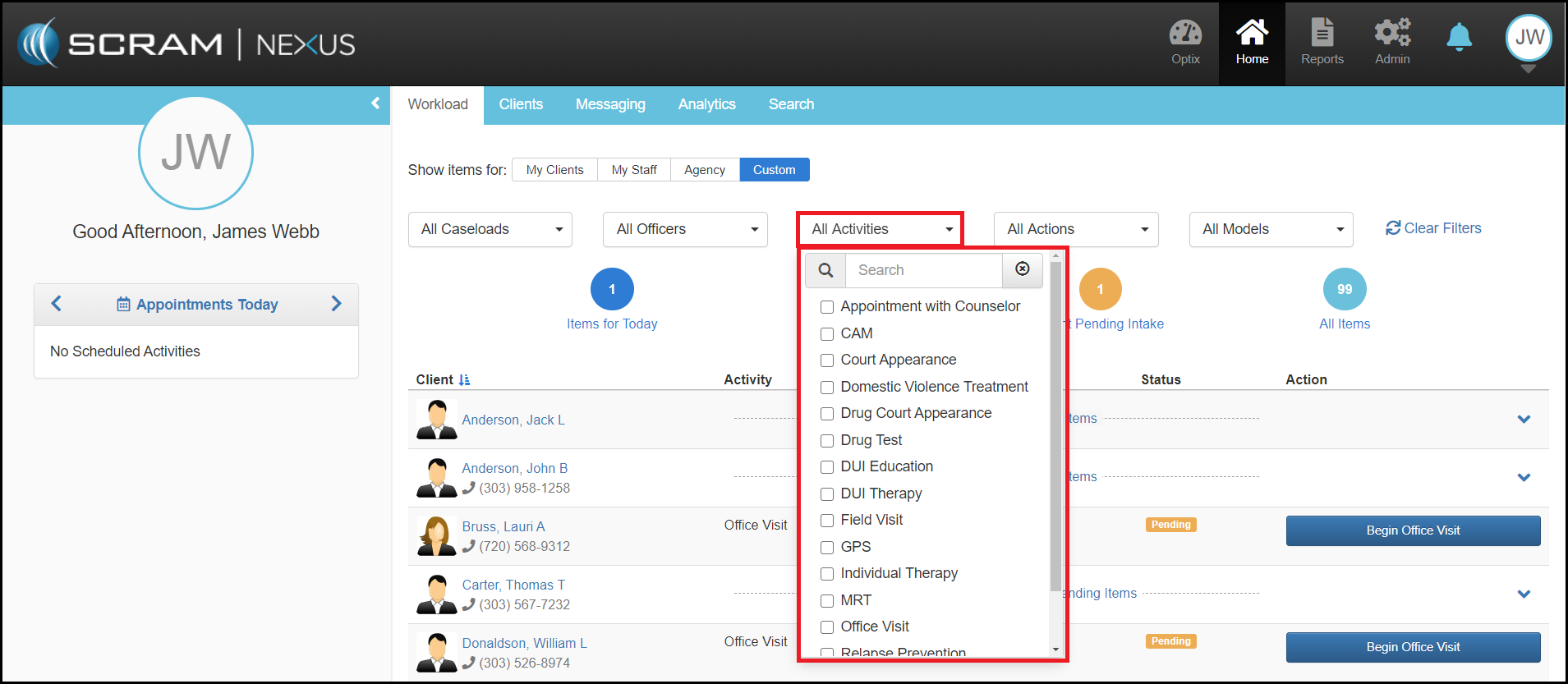
- Custom: Ability to select filtering parameters on caseload type, select specific caseworkers, and any or all activities that are being supervised.
The dot filters (colored circles) across the top, provide caseworkers with a single click filtering of their caseload to access key caseload subsets that include:

- Items for Today (Blue Circle): Daily client activities scheduled on that date
- Items Past Due (Red Circle): Activities that have not been tracked or resolved by the caseworker
- Clients Pending Intake (Gold Circle): Clients that have been recently entered into SCRAM Nexus Family that require the assignment of their supervision plan.
- All Items (Blue Circle): Entire view of pending items related to the individual caseworker’s caseload.
The Workload page presents all clients in a table view for quick access and actions. By navigating to the Custom filter option, you will be presented additional filters that include caseloads designations, specific caseworkers, activities, actions (i.e Setup Supervision Plan) and models.
Within the client table, clients outstanding pending items will display per client where the Action column on the far right of the table can then be used to launch the activity. If the client has more than one item, there will be a summary indicating the number of items or activities pending for the individual client.