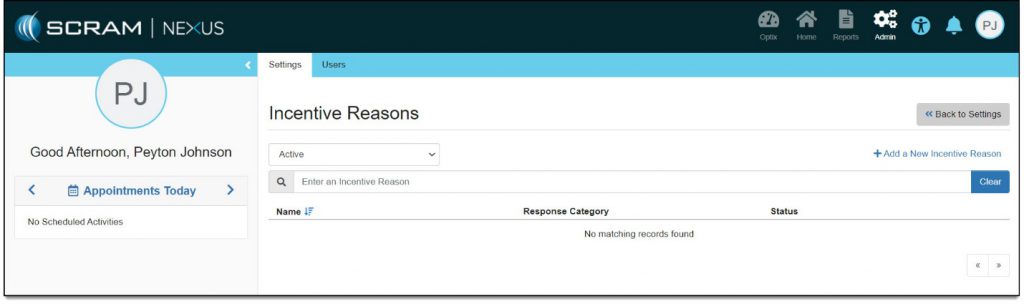
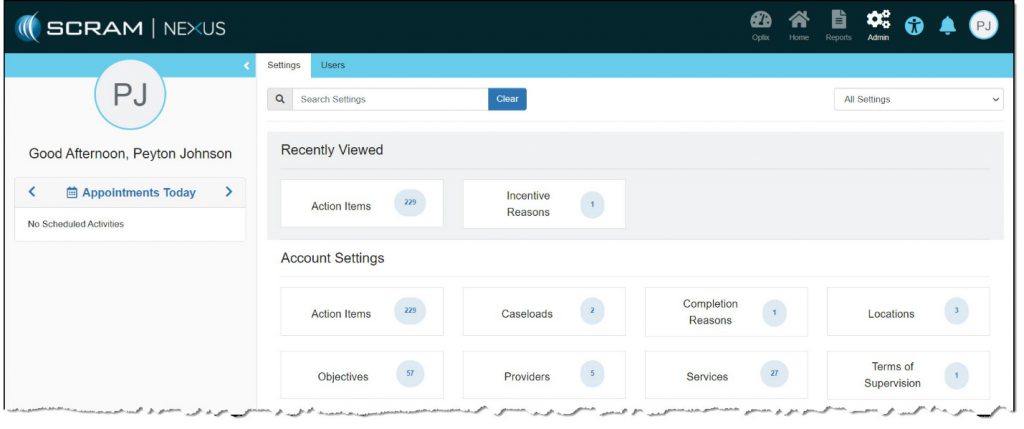
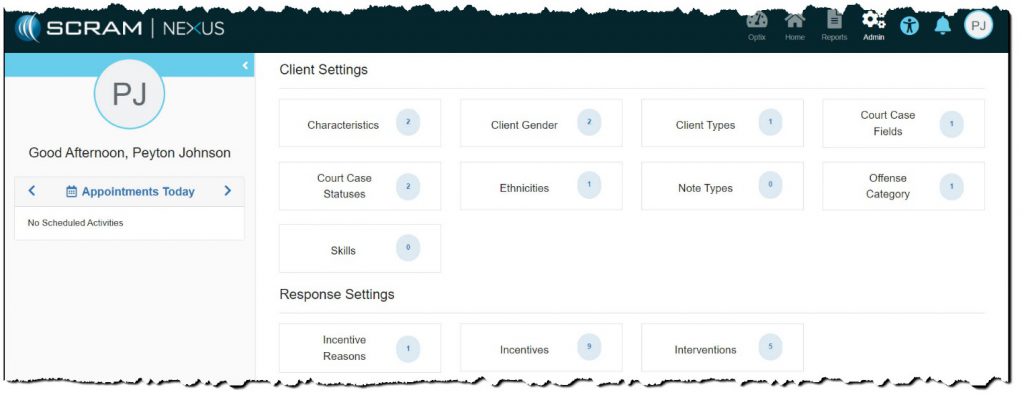
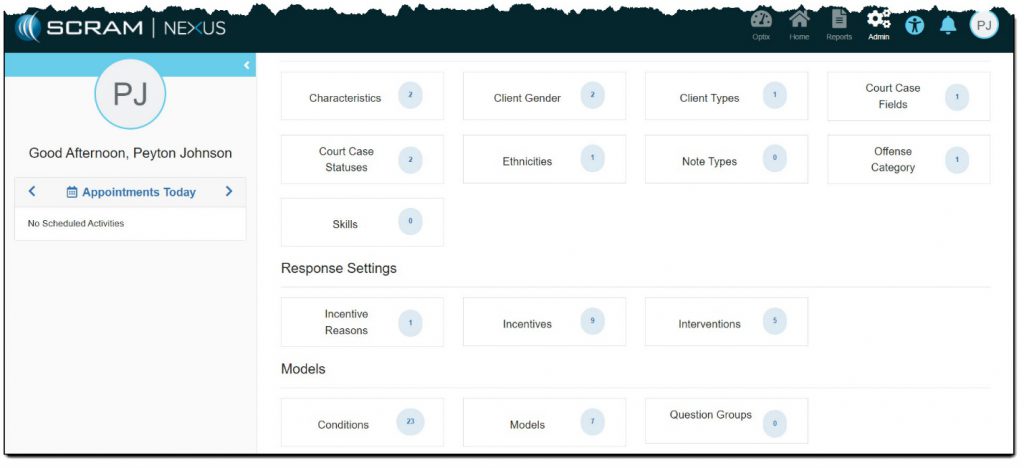
As an administrator in SCRAM Nexus Family, you can create, edit, or inactivate an item for a specific setting in the following categories:
- Account Settings
- Client Settings
- Response Settings
- Models
Add Item to Specific Setting
To add an item:
Note: The Incentive Reasons setting is used as an example.
- Click inside the Incentive Reasons settings box.
The Incentive Reasons page appears with all existing items listed.
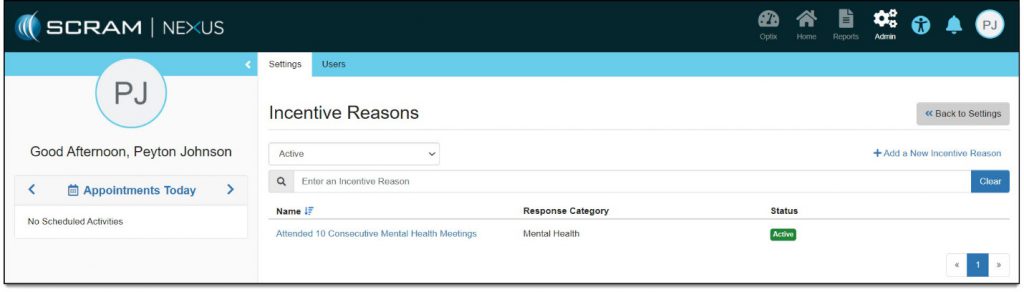
- Click the Add a New Incentive Reason link.
The Add New Incentive Reason page appears.
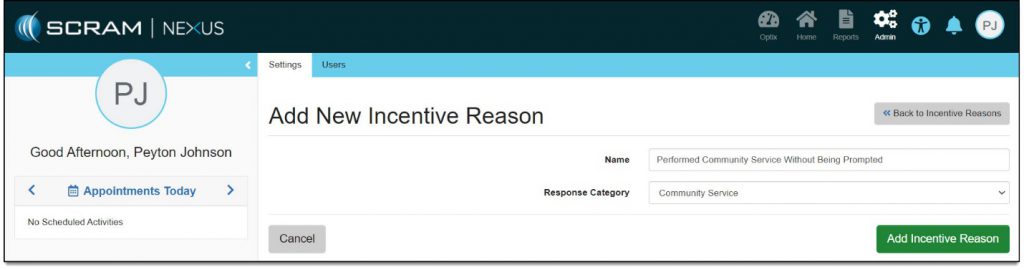
- Enter the name of the item being added.
- Select the response category.
- Click the Add Incentive Reason button.
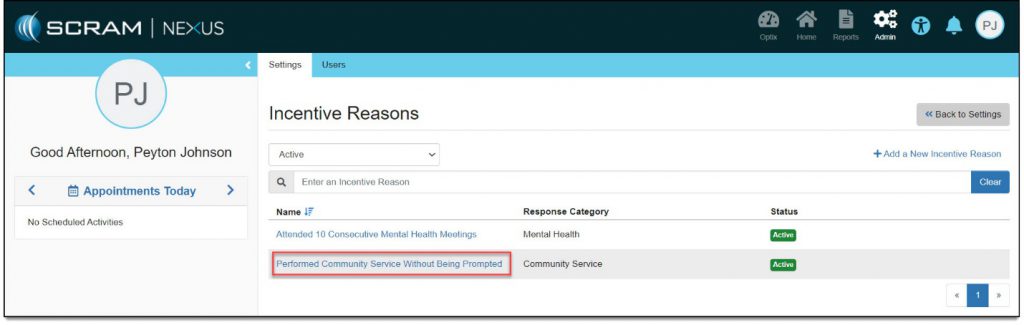
The Incentive Reasons page reappears with the item listed.
Edit Item for Specific Setting
To edit an item:
Note: The Incentive Reasons setting is used as an example.
- Click inside the Incentive Reasons settings box.
The Incentive Reasons page appears with all existing items listed.
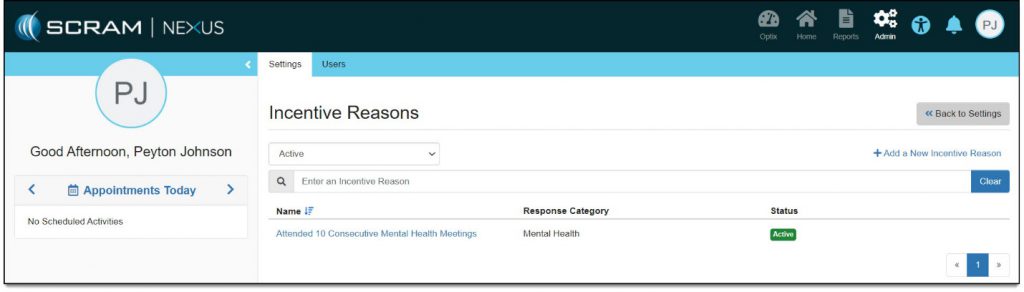
- Click the link for the item being edited.
The Incentive Reason Details page appears.
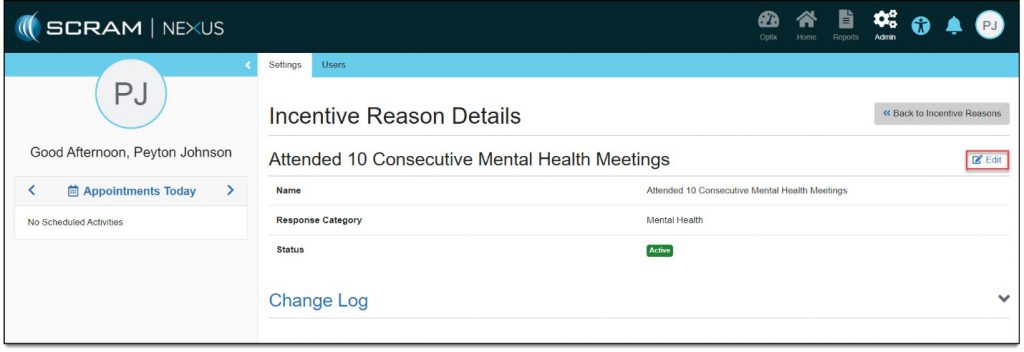
- Click the Edit link.
The item options can now be edited.
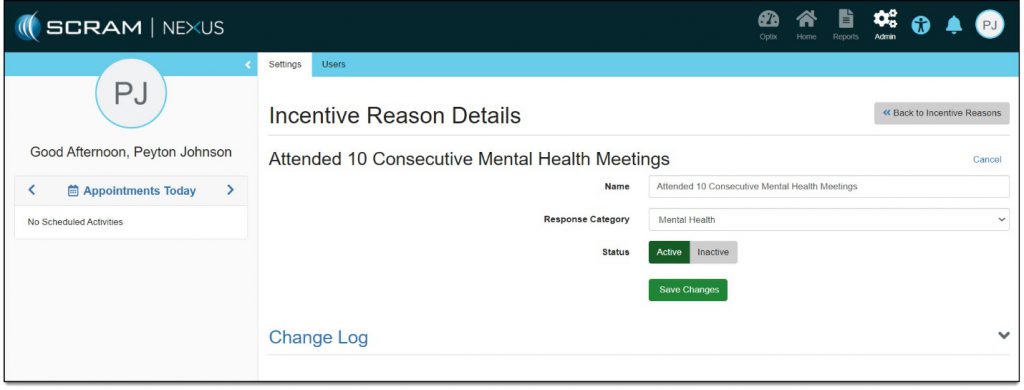
- Make necessary edits.
- Click the Save Changes button.
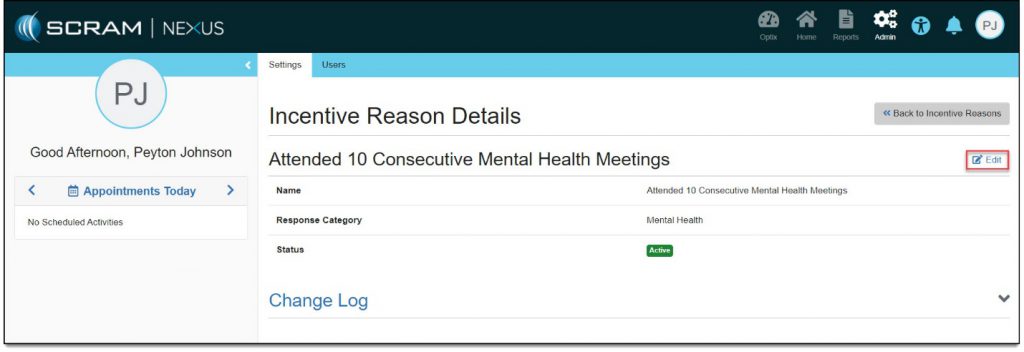
The Incentive Reason Details page reappears.
Inactivate Item for Specific Setting
To edit an item:
Note: The Incentive Reasons setting is used as an example.
- Click inside the Incentive Reasons settings box.
The Incentive Reasons page appears with all existing items listed.
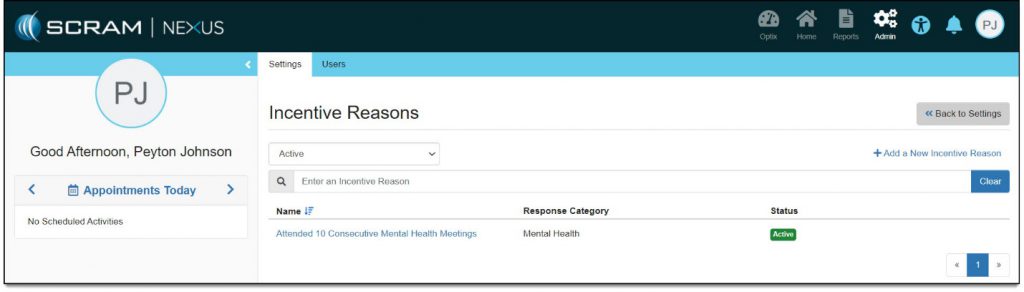
- Click the link for the item being edited.
The Incentive Reason Details page appears.
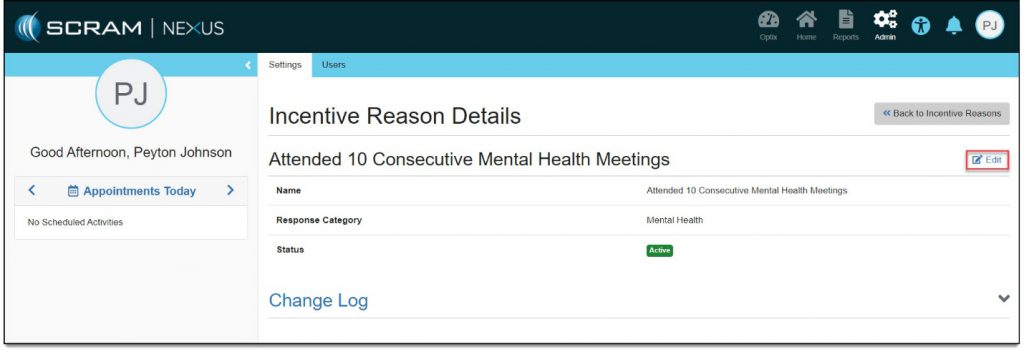
- Click the Edit link.
The item options can now be edited.
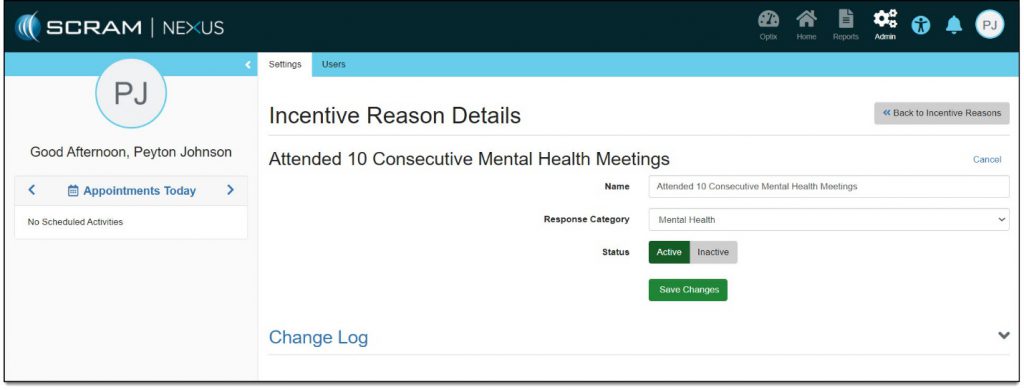
- Click the Inactive button.
- Click the Save Changes button.
The Incentive Reason Details page reappears with the item no longer listed.