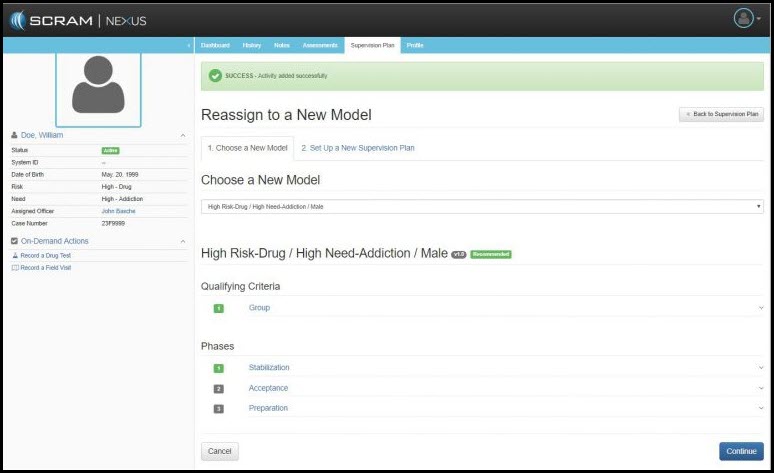
While a client is under supervision, a caseworker may choose to reassign the client to a new model. To change the model, click the Reassign to a New Model link in the Current Model section.
Reassigning a client to a new model is a three-step process:
- Choose a New Model: In this step, SCRAM Nexus Family analyzes the client’s background information and assessments, then displays both recommended and available models in which the caseworker can select.
- Select the reason for reassignment.
- Select the new model.
- Click the Continue button.
- Set Up A New Supervision Plan: This step includes a detailed list of new supervision activities and tasks, as well as those elements from the prior model that were removed. If necessary, change any activities and schedules for the new model then review.
- Step 3. Complete model reassignment – Click the green Complete Supervision Plan button.