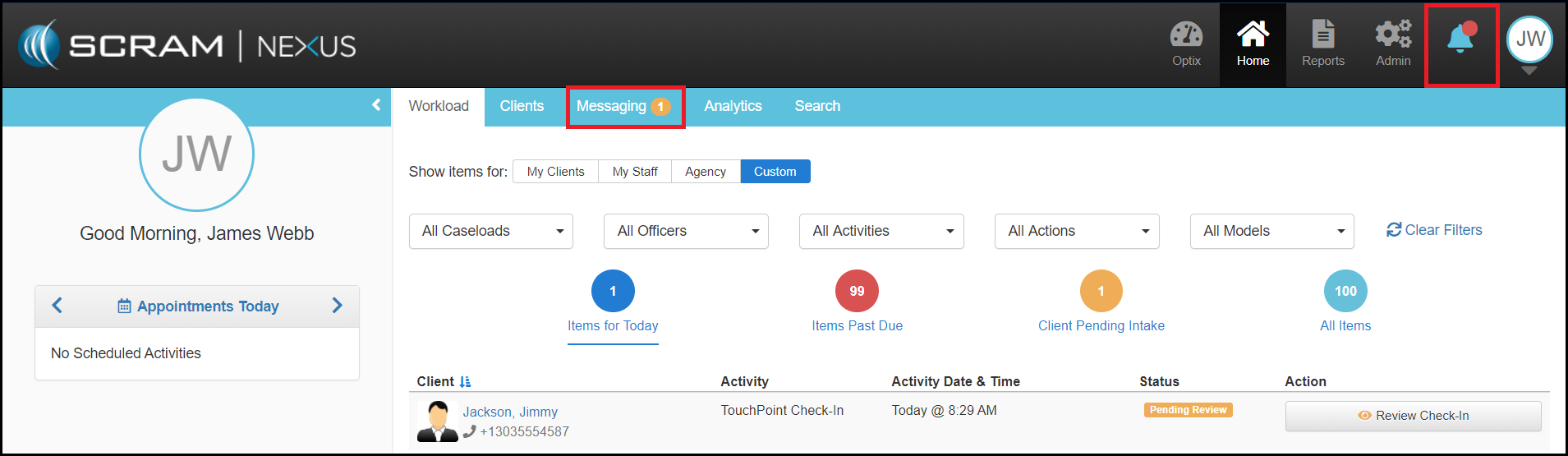
If a client has been assigned to TouchPoint as an activity, you are able to communicate with that client through SCRAM Nexus Family. The Messaging page within the caseworker section is the central hub that allows you to view unread messages.
SCRAM Nexus Family will notify you that you have a new TouchPoint message when a red badge appears next to the Notifications “bell” icon  and a yellow number badge appears in the Messaging tab
  . This number represents how many messages the caseworker has not yet read. New messages will remain as a notification or an unread message until the caseworker navigates to the client’s Messaging page and marks the message as read.