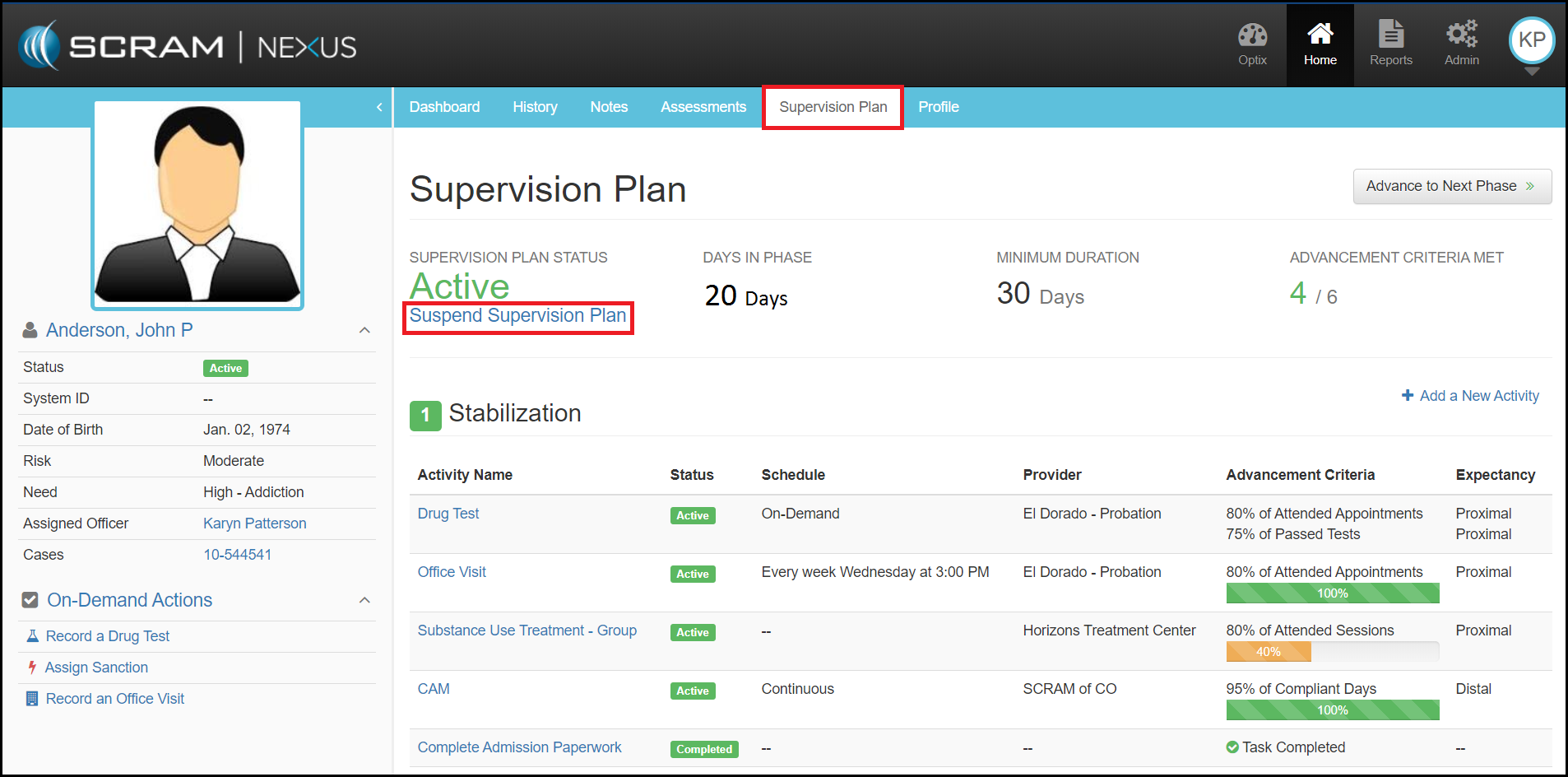
For a client that needs to be temporarily suspended from their supervision requirements, a caseworker can suspend the client’s supervision plan by going to the Supervision Plan page and clicking the blue Suspend Supervision Plan link.
Once selected, a Suspend Supervision Plan Details pop up menu appears prompting the caseworker to select the future date when the client’s activities are to resume.
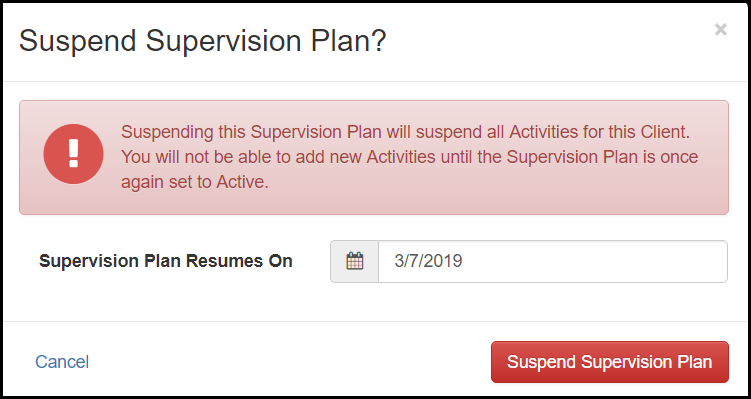
Once the red Suspend Supervision Plan button is clicked, the plan status for the overall plan is changed and any ongoing activities are suspended. A critical banner note across the top of the client’s profile will also be visible.
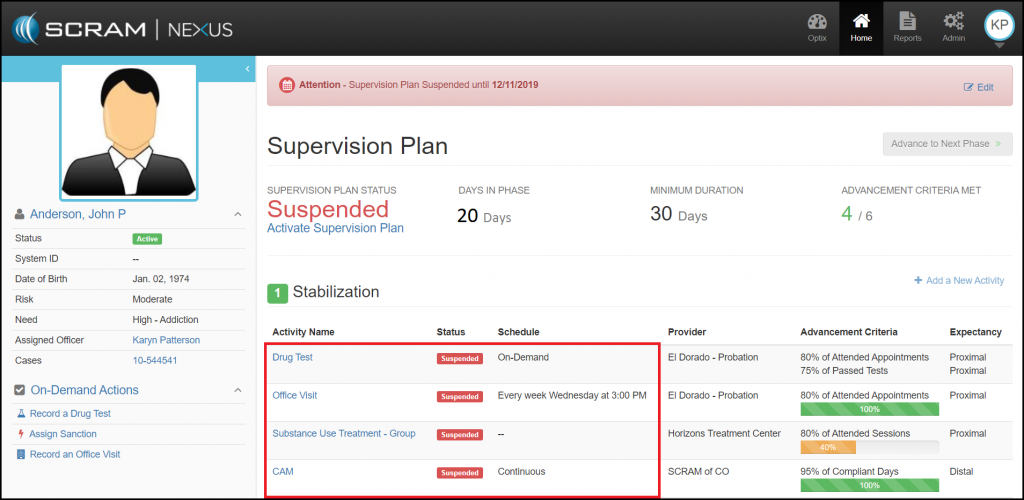
Once the suspension date is passed, SCRAM Nexus Family will automatically change the client to the “Active” status and reinstate the associate activities tied to that client.
When a client’s supervision plan is suspended, any pending sanctions or incentives for that client will be removed from the caseworker’s Workload page. The pending sanctions and incentives can still be accessed from the client’s Dashboard page and will re-appear on the caseworker’s Workload page when the supervision plan becomes active.