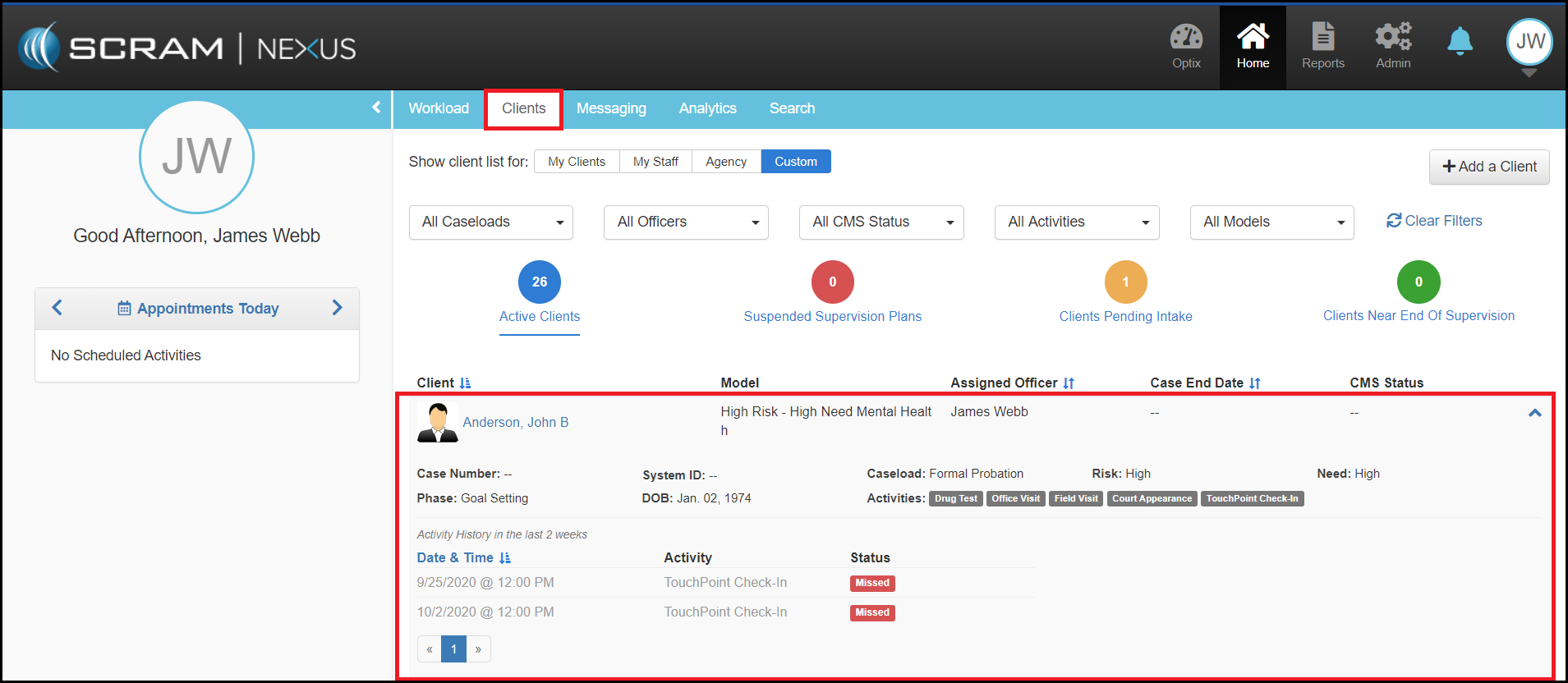
The Clients page provides a complete listing of an caseworker’s entire caseload. Sortable by client name, the clients are presented in table view where caseworkers can quickly review the: Client information, assigned Model, Assigned To caseworker, Case End Date (if noted), and the CMS Status (Case Management System).
At the top of the Workload page, a series of “one-touch” rectangle filters allow the caseworker to immediately drill down within their caseload to highlight caseloads of interest.

Definitions for the filters include:
- My Clients: Any clients assigned to that caseworker.
- My Staff: Caseloads of the caseworkers I supervise.
- Agency: Clients that are assigned to my agency.
- Custom: Ability to select filtering parameters on caseload type, select specific caseworkers, and any or all activities that are being supervised.
Below the caseload filters, a series of colored dot filters can be clicked on to display a subset view of the Active Clients, Suspended Clients, Clients Pending Intake, and Clients Near End of Supervision.

Further filtering can be accomplished using specific caseload drop downs. Depending on how your agency is organized, caseload attributes like specific caseload designations (pretrial, formal probation, etc.), specific caseworkers, CMS Status, or any specific activities can be selected to redraw the caseload subset.
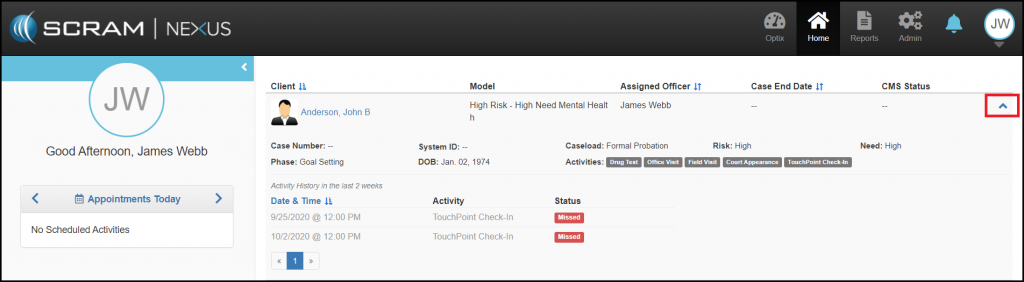
Additionally, each line item for an individual client can be expanded by clicking on the adjacent blue down arrow on the right where detailed client information will be revealed. This expanded view will provide a snapshot that includes:
- Risk
- Need
- Assigned caseworker
- Case number
- System ID
- Caseload designation
- Activities assigned to the client
- Recent activity history (past two weeks)
Like the workload and other SCRAM caseload lists, all of the clients shown on this page are hyperlinked for one touch access to their detailed information.