Overview:
This Release includes a couple of very exciting new features:
- Browser Notifications for SCRAM TouchPoint™ Messages
- The addition of Client Directives
Officer: TouchPoint Message Browser Notifications
As an officer, you now can opt-in to receive Browser Notifications from SCRAM Nexus®. This will allow you to be notified when you have new TouchPoint messages, even if you do not have Nexus visible on a screen.
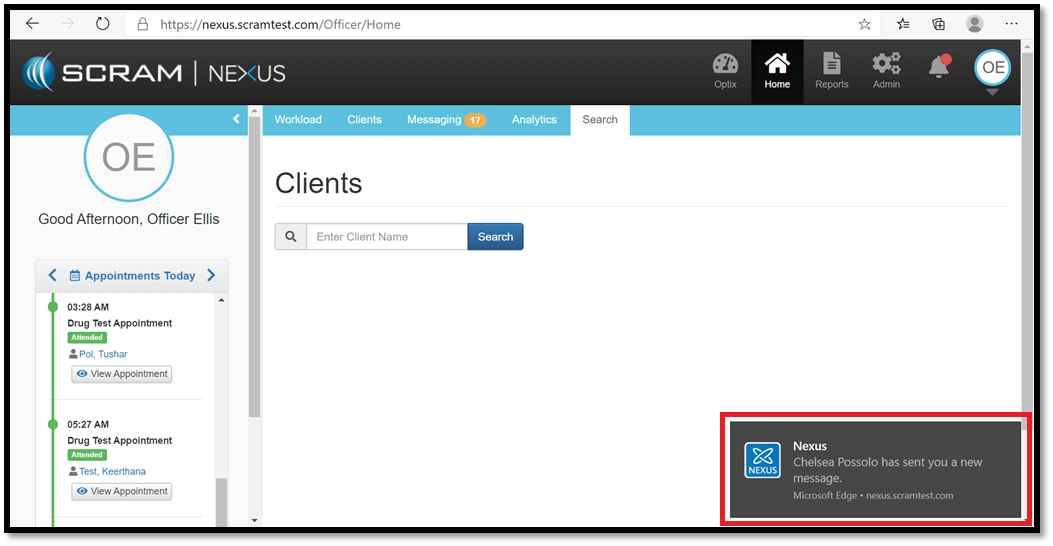
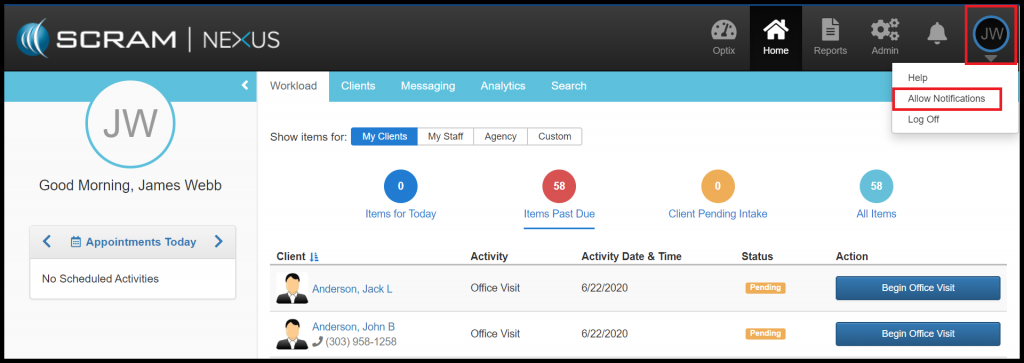
The next time you log into Nexus, you will be asked to “Allow” notifications on the browser that you are logged in with. This feature works on all modern browsers (Chrome, Firefox, and Edge to name a few). If you are not prompted to “Allow” notifications, you can manually do this by clicking on your user initials in the upper right corner and select “Allow Notifications”.
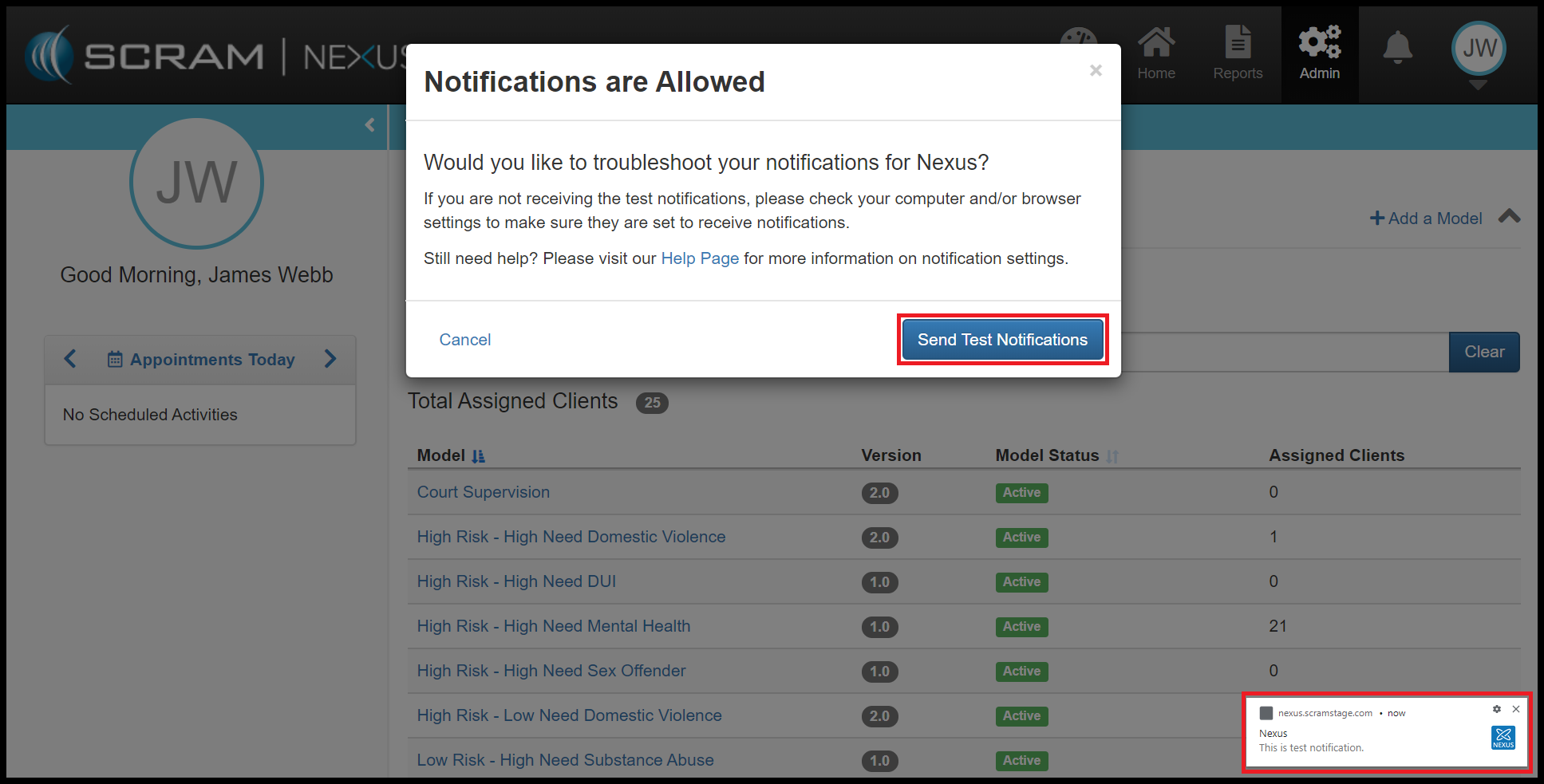
Once the notifications are enabled, you can send yourself a test message.
Client: Track Client Directives
As an Officer, you now can assign Client Directives. Client Directives differ from Client Tasks in that directives can be used to easily track recurring instructions. For example, “Bring in your time-sheet every 2 weeks” or “Turn in AA Attendance Sheet”. Directives have a start dates, due dates, and can track when the client successfully completed or failed to complete the directive.
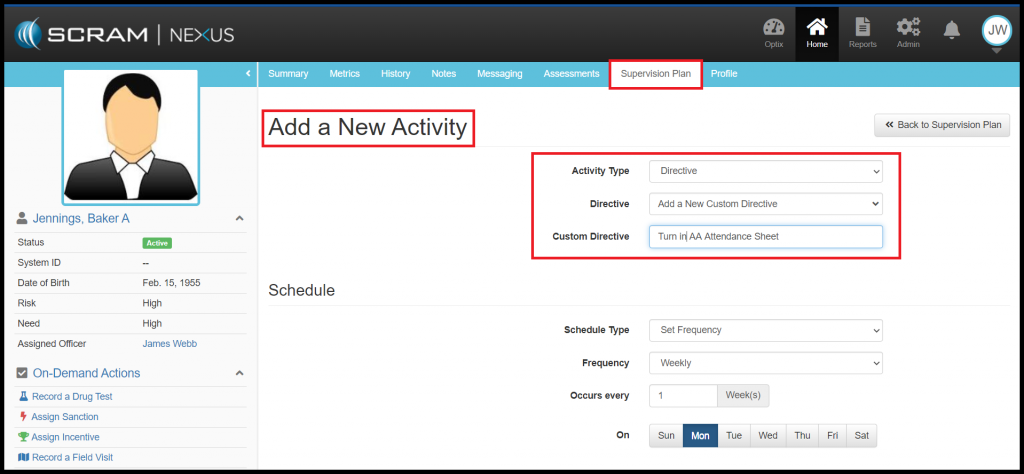
Administrators of Nexus can add Directives to the Condition Catalog and to a Model. Directives can then be assigned to a client through the Supervision Plan. An Officer can add a Directive to a Client’s Supervision Plan from the Activity list, or they can create a Custom Directive for the client. The officer will need to indicate whether the directive will be a one-time or a recurring event and enter in a date that the directive is due. Officers can also indicate whether the directives will require a behavior response based on the outcome of the directive. If a response is required, Nexus will automatically recommend an incentive or sanction upon completion (or incompletion) of the Directive.
Feedback
As always, please contact SCRAM Systems Customer Service at 1-303-785-7879 with any recommendations for system improvements.