At 8:30 PM MDT on Thursday May 13, 2021, SCRAM Nexus® will release several enhancements to the system, including:
- The ability to edit Field Visit dates
- Recording a Directive – new Result status
- A change to how Nexus recommends sanctions for Distal behaviors
- An “activate now” option in the Supervision Plan Suspension banner
Client: Edit Field Visit Dates
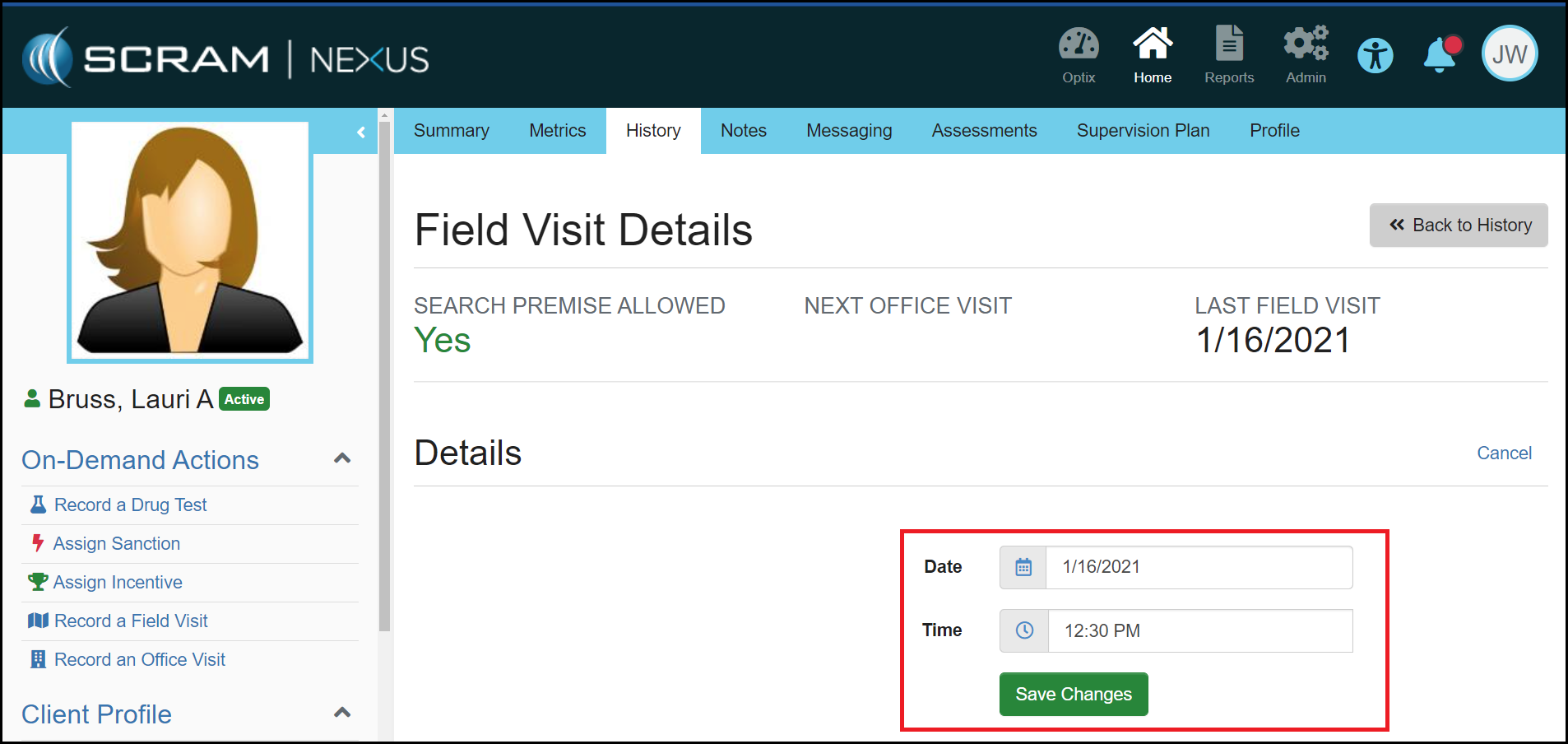
To make Field Visits consistent with other activities in Nexus, the date of a Field Visit can now be changed to any past date, as long as that date is after the date the activity was assigned. For example, if the Field Visit activity was assigned on January 15, 2021, you would not be able to backdate the Field Visit to January 14, 2021 or earlier.
Client: Recording a Directive
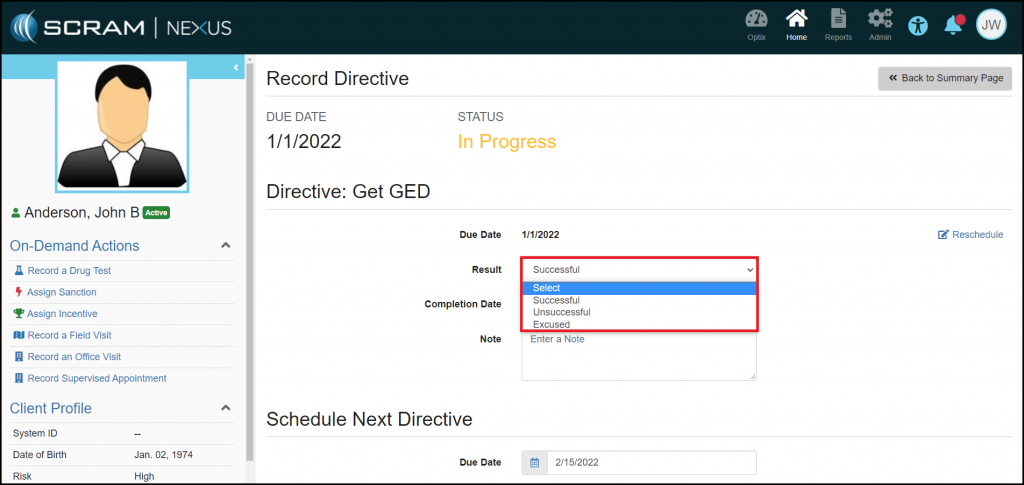
Now when you record a Directive, you must indicate the Result of the Directive by selecting Unsuccessful, Excused, or Successful. This status will help make it clear if the client was compliant with this activity.
Client: Change to How Nexus Recommends Sanctions for Distal Behaviors
To better support clients that have long-term Distal behaviors, Nexus will no longer escalate to a High Magnitude sanction. Recommendations will start at a Low Magnitude and escalate to Moderate Magnitude after five negative outcomes.
Client: “Activate Now” Option in Suspension Banner
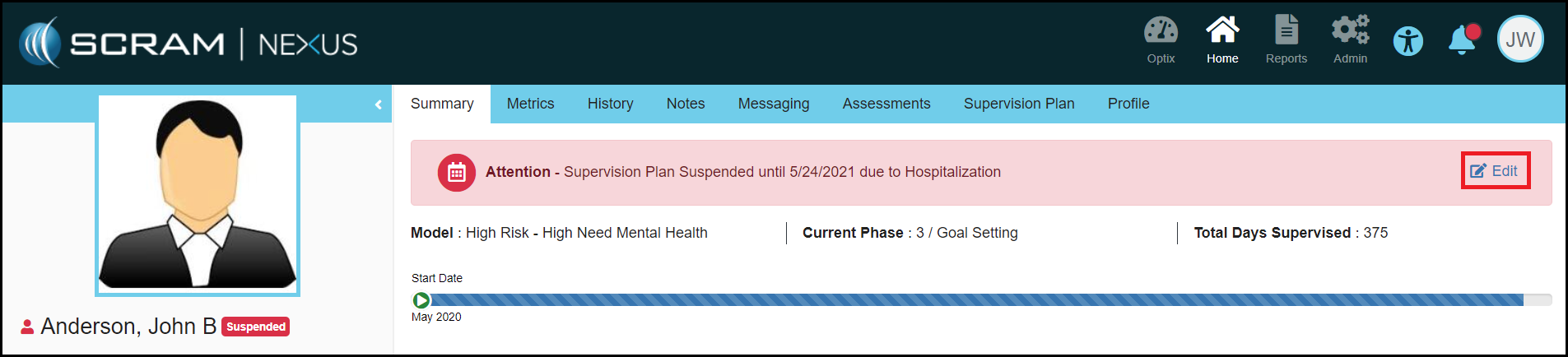
When a client’s Supervision Plan is suspended, you may now activate the Supervision Plan from the red ‘Supervision Plan Suspended’ banner that appears at the top of the client’s pages. This makes activation of a client’s Supervision Plan more accessible and convenient. Simply select the Edit link, which appears on the right side of the banner itself, to jump directly to the Suspend Supervision Plan Details page.
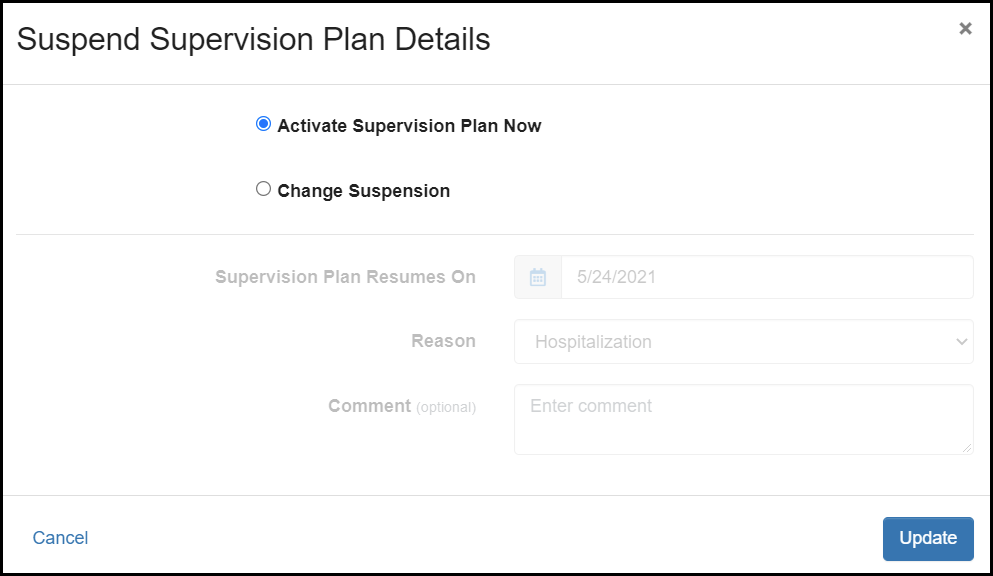
Once on the details page, you may reschedule when the Supervision Plan resumes, or select Activate Supervision Plan Now to reactivate it immediately. Update the suspended status to ensure your changes take effect.
Feedback:
As always, please contact SCRAM Systems Customer Services with any recommendations for system improvements.