archives

Designate User as Primary Agent for Multiple Accounts

A user with “Admin” permissions can now enter SCRAMNET GPS and designate another user as a primary agent under multiple accounts. Providing your “Admin” users with this capability saves you time by no longer having to contact SCRAM Systems Customer Services to complete this type of user configuration.

New SCRAMNET GPS Online Help

SCRAM Systems is pleased to announce a new, enhanced online help facility. You will find the new Help facility in the same place you’ve always gone for support materials and documentation.

IMPORTANT: The expandable Help navigation menu requires the Google Chrome or Microsoft Edge browser. The menu does NOT function properly using Microsoft Internet Explorer (IE).

Continue Reading

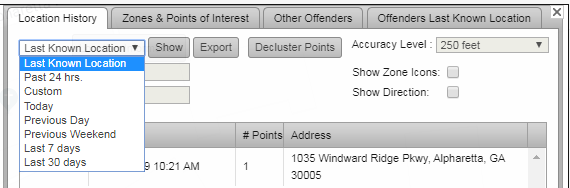
The option to display a client’s Last Known Location has been added to the list of “time frame” options on the Location Information page. Now, when you access the page:

  • The client’s last known location is the default view.
  • The point information is displayed in the associated table.
  • The To and From date options are disabled.

Continue Reading

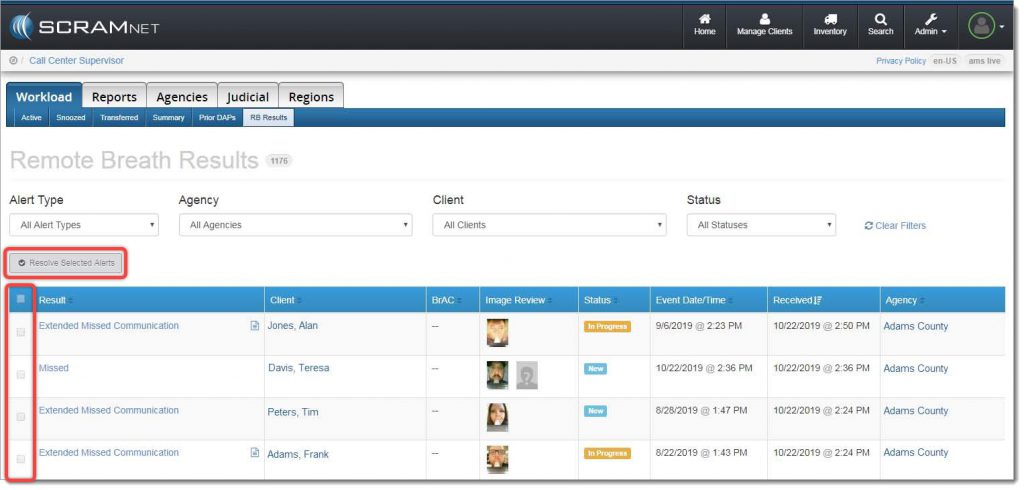
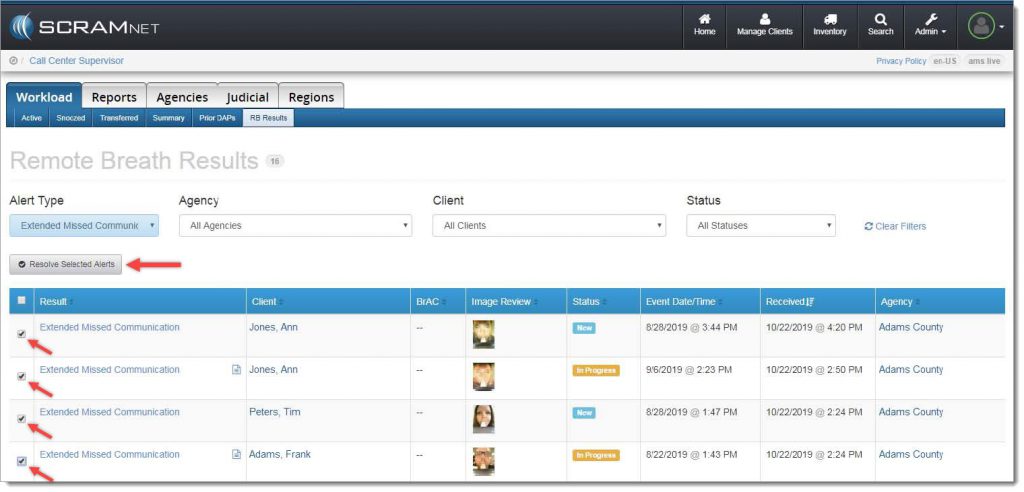
With the October 24, 2019 release, SCRAMNET® offers you a simple way to resolve multiple SCRAM Remote Breath® alerts in one action. A real time-saver when you are managing a heavy client caseload! To accomplish this, navigate to the RB Results page (shown below), and locate the new Resolve Selected Alerts button and checkbox column.

Remote Breath Results page


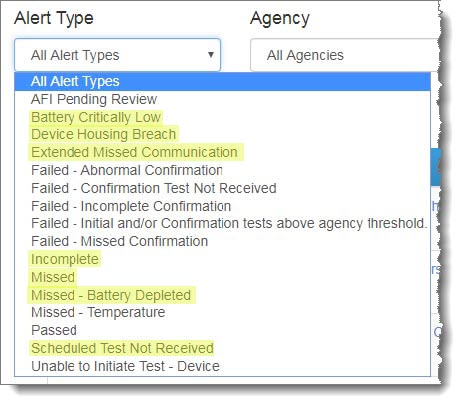
Next, select the specific type of alert you wish to bulk resolve from the Alert Type dropdown menu:

Alert Type dropdown menu
IMPORTANT: Bulk Resolve is only available for the following Alert Types:
  • Battery Critically Low
  • Battery Low
  • Device Housing Breach
  • Extended Missed Communication
  • Incomplete
  • Missed
  • Missed – Battery Depleted
  • Scheduled Test Not Received


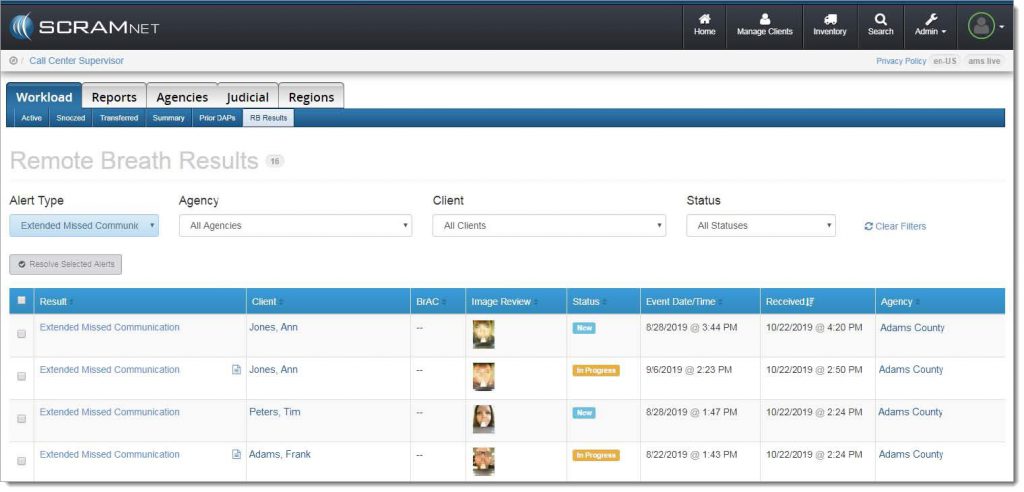
The alert list will be filtered to display only the selected alert type:

Filtered results

Select the checkbox for each individual alert to be resolved, or select the checkbox in the blue table header at the top of the list to select all alerts listed, and then click the Resolve Selected Alerts button.

Resolve the selected alerts

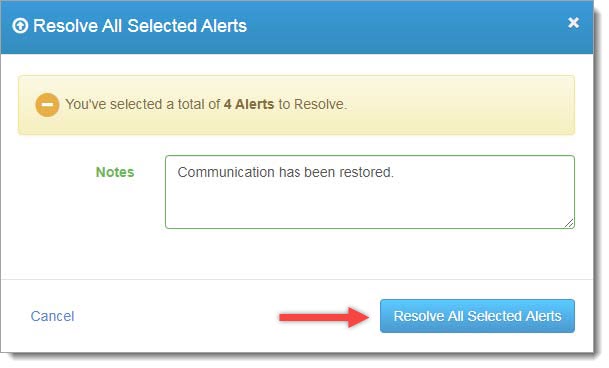
A confirmation pop-up window will appear as shown below. To complete the process, enter a note (required), and then click the Resolve All Selected Alerts button.

Confirmation pop-up window

The resolved alerts will no longer appear on the RB Results page.

Feedback

As always, please contact SCRAM Systems Customer Service at 1-303-785-7879 with any recommendations for system improvements.

Continue Reading

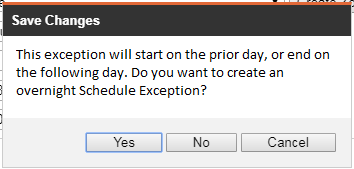
Overnight schedule exceptions can be created from the Schedule Exceptions Details pop up. An overnight schedule exception occurs when the end time of the schedule exception (including the travel time allowance) is prior to the start time. For example, if the schedule exception is from 11:00 PM to 7:00 AM, a confirmation pop up appears, as shown below:

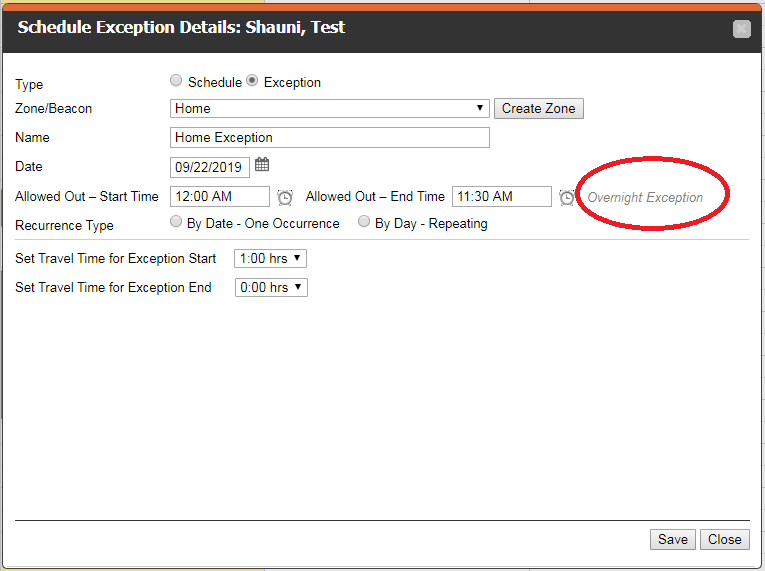
In addition, the Schedule Exceptions Details pop up indicates when an exception is overnight. In the example below, although the exception starts at midnight, the travel allowance results in the exception starting the prior day.

Continue Reading

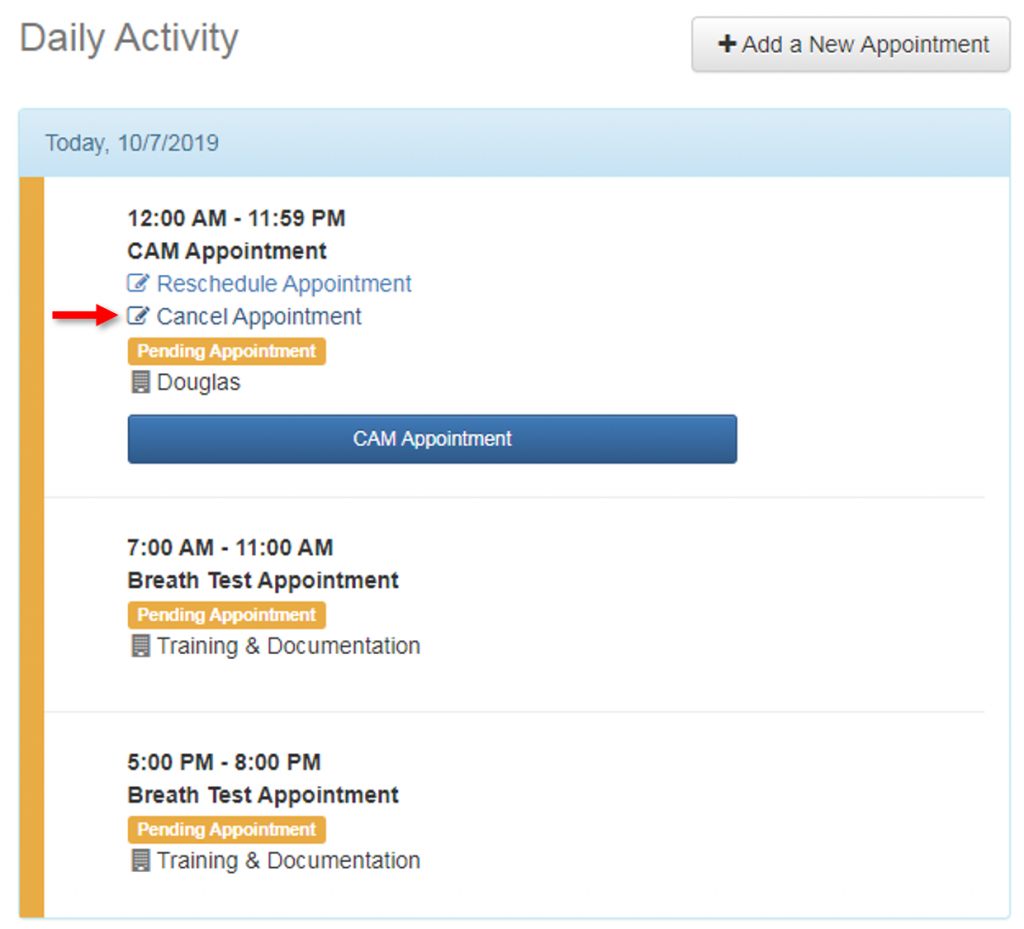
Previously, you were only able to cancel future-date appointments in SCRAM 24/7; the system did not allow you to cancel an appointment for the current date. As of Wednesday October 2, 2019, SCRAM 24/7 now gives you the flexibility to cancel a current-day appointment:

Screen capture of the bottom-right corner of a client’s activity page in SCRAM 24/7

Continue Reading

Travel Time Allowance Exceptions, Dead Battery Icon, and Inclusion Zone Cleared Scheduled Exceptions

SCRAM Systems is introducing several new features in SCRAMNET GPS.  Enhancements / changes included are:

  • Travel Time Allowance for Schedule Exceptions
  • Inclusion Zone Violations are Cleared at Start of Schedule Exception
  • Updated Icon for Potential Dead Battery

Continue Reading

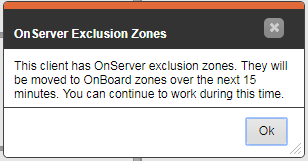
Changes have been introduced to allow customers to “set and forget” OnBoard exclusion zones. To learn more about how to use this feature, please reach out to your SCRAM Systems support representative.

Continue Reading

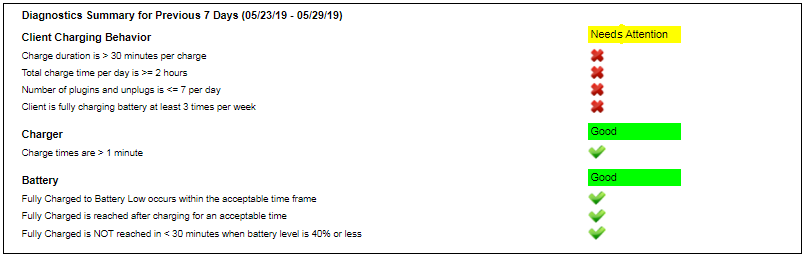
The Charging Event Report (located in the Reports menu) shows a list of all charge times for the selected client (Charging Details section), a daily summary of charging activity (Daily Summary section), and a summary of charging activity for the report date range (Report Summary section).

A new Diagnostics Summary section has been added to the report to show key performance indicators (KPI) for three categories:

Each KPI is evaluated over a 7-day period and is indicated as passed or failed. For the Charger and Battery sections, a failed KPI does not necessarily mean the bracelet is not operating correctly. Use these indicators as a guideline and please contact Customer Service for more assistance.

New No Motion Alert Feature

The SCRAM GPS Bracelet will now generate a “No Motion” alert to indicate the client has not moved in a specified period of time. This alert can be used to determine when a client might need medical assistance or has somehow removed the device.

To learn more about this feature, please reach out to your customer support analyst.

New GPS Charger Design Available

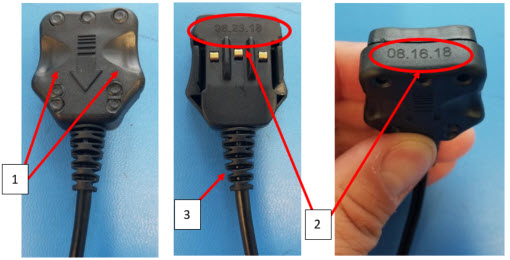
SCRAM Systems has recently made mechanical changes to the GPS charger to increase its life by 3X to a 1 year life expectancy.  The updated charger plugs can be differentiated by 3 features as shown below:

  1. There are two large scallops visible on the top of the plug assembly.
  2. The date code marking has been simplified and enlarged to only represent the date of manufacture.
  3. A new longer flex relief has been added to the cable for improved protection and flex of the cable.

Continue Reading