After adding the equipment information in SCRAMNET, and reviewing the General Guidelines for Equipment Assignment, the next step is to install the SCRAM CAM bracelet on the client’s ankle and assign the equipment for alcohol monitoring.
This article will cover:
- Install the Bracelet Components (Instructions)
- Install the Bracelet on the Client’s Ankle (Instructions and video)
- Assign the Bracelet
*For best results, use the Direct Connect Application for equipment assignment.
If possible, verify the client’s equipment status is displaying Pending Assignment in SCRAMNET before beginning. If the equipment being installed and assigned to the client is not in a pending Assignment status, add the equipment information or contact SCRAM Systems Customer Service for assistance.
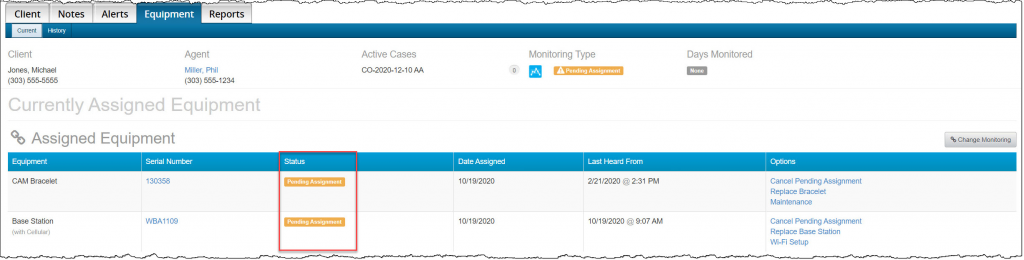
SCRAMNET Client’s Equipment Page (click to enlarge)
Install the Bracelet’s Components
 |
Warning: Corrosion of internal components may occur if these instructions are not followed. |
- Open a Battery/Faceplate Kit (P/N 03628 on the SCRAM Equipment Order Form).
The SCRAM CAM/HA CH Battery and Faceplate Kit includes one faceplate, one battery, and a set of two tamper clips.
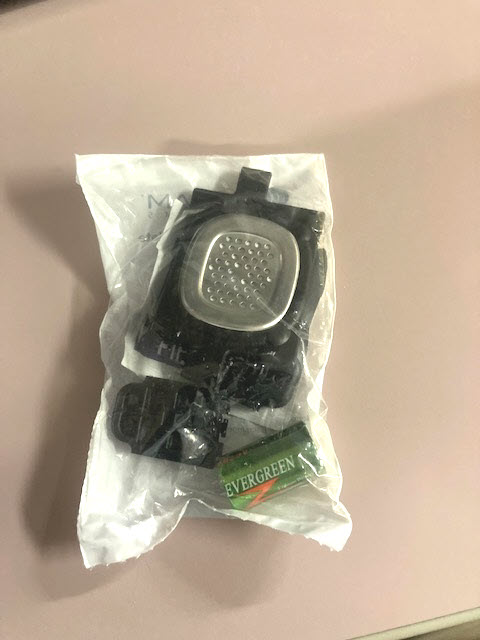
-
- Remove the battery from the kit.

Note: The battery comes wrapped in plastic to help prevent corrosion and accidental discharge during shipping and storage. 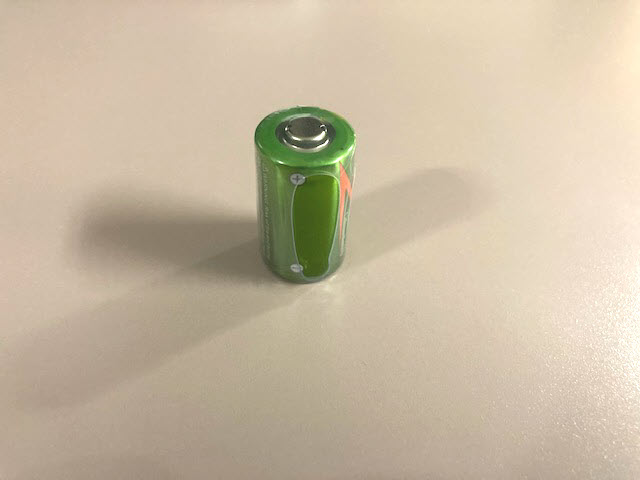
- Remove the plastic wrapper from the battery.
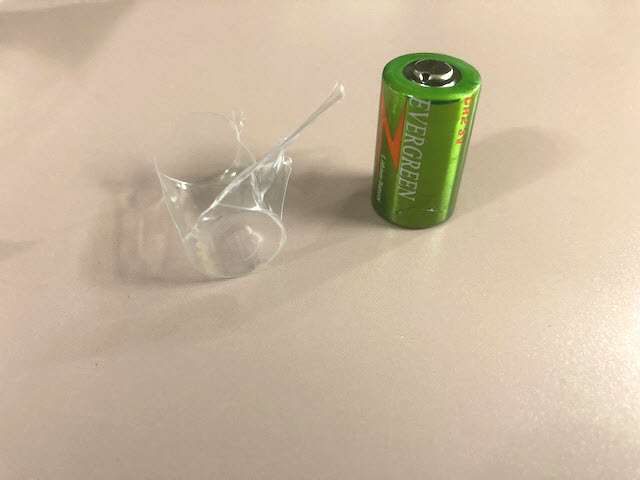
-
- Using the wipe provided in the kit, wipe the battery contacts, and then dry them with a paper towel or microfiber cloth.
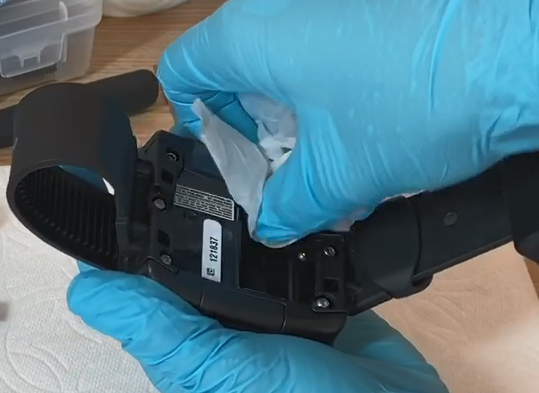
Cleaning Bracelet Battery Contacts (click to enlarge)
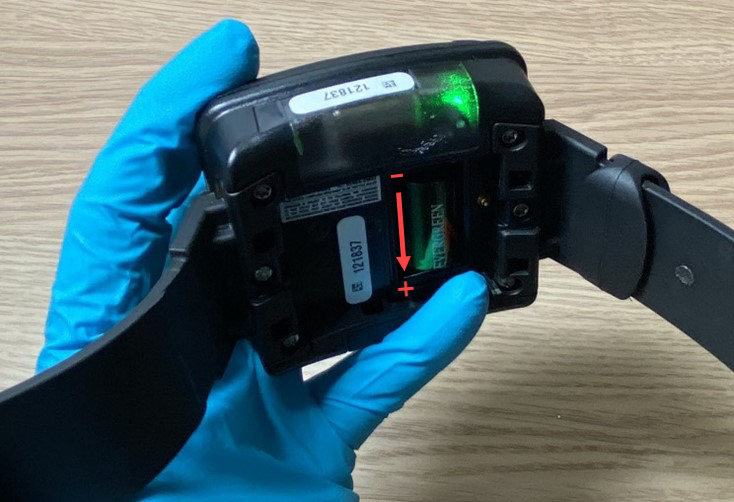
- Install the battery into the battery compartment.
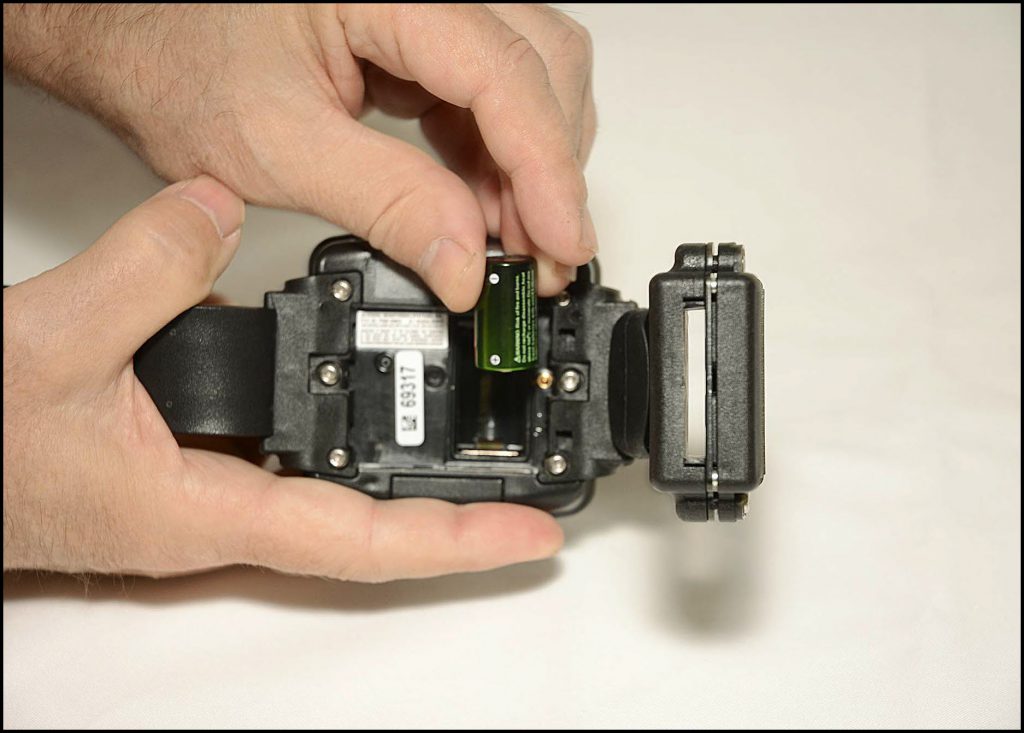
Insert the Battery Positive (+) Side Down (click to enlarge)
- The positive side of the battery is positioned towards the bottom of the bracelet body (it points downward).
- Ensure you see a green light when the battery is installed. The green light will turn off after five seconds.
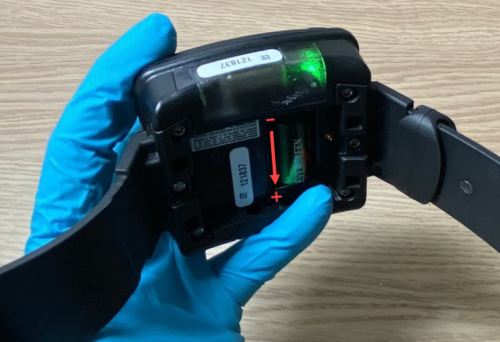
Battery Installed in Bracelet with Green Light On (click to enlarge)
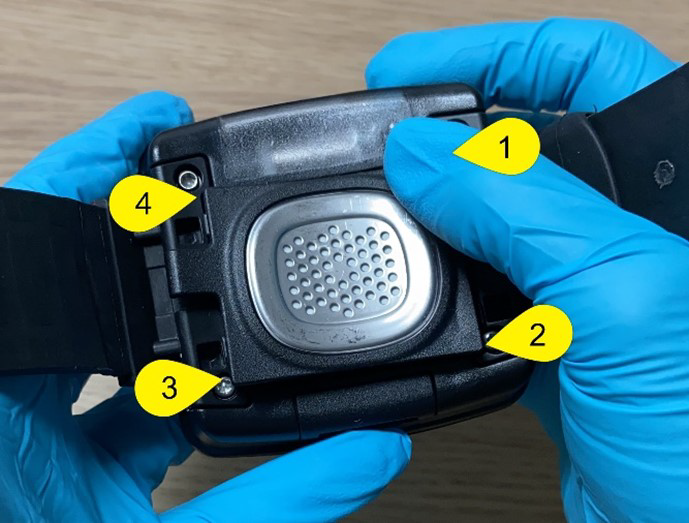
- Install the faceplate.
- Lay the faceplate over the battery compartment.
- Starting in the upper right corner, press down firmly until you hear/feel a click.
- Moving clockwise on the faceplate, press down firmly in each of the remaining corners. Ensure you hear/feel a click in each corner.
- It may be necessary to remove the faceplate and reinstall if you do not hear or feel a click in each corner of the faceplate.
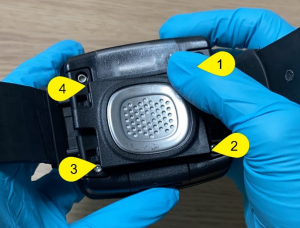
Installing Faceplate on Bracelet (click to enlarge)
|
Warning: Moisture may seep through the faceplate seals and corrode internal components if the faceplate is not thoroughly attached – you must hear/feel four distinct clicks! |
Assigning Bracelets Off-Body (Remote or Jail Installation)
Agents may need to install bracelets on clients in the field without access to a computer or Direct Connect. In this case, we can do a remote or jail installation.
- Create client profile.
- Place equipment in Pending Assignment status.
- Use Direct Connect to assign all equipment: “Assigned to client.”
- Immediately remove the battery from the bracelet after assignment.
- When the client is present and the agent is ready to install the bracelet, insert the battery, secure the faceplate, and install the bracelet on the client.
- The assignment will continue and complete with the bracelet on the client’s body.
Install the Bracelet on the Client
SCRAM Systems recommends that you give the client a breath alcohol test to ensure they are alcohol-free before installing the bracelet on the client’s leg for monitoring.
- Install the bracelet on the client’s leg with the serial numbers facing up toward the knee, and low on the client’s leg. About a finger width above the right or left ankle bone.
- Feed the long strap into the buckle until the bracelet is snug against the skin.
- The bracelet should be able to slide side-to-side on the leg without losing contact with the skin.
- The bracelet should be able to be rotated across the shin bone or the back of the leg, but with considerable effort.
- Be aware, a poorly fitted bracelet could have some impact on the bracelet’s ability to take accurate readings and may result in unneeded time taken to refit the bracelet.
- Tighten both the screws on the buckle top to secure the long strap in place.
- To properly align the bracelet strap, ensure the tooth alignment tab is positioned between two teeth when the buckle top is tightened.
- Be aware, improper alignment may result in unneeded time taken to refit the bracelet.
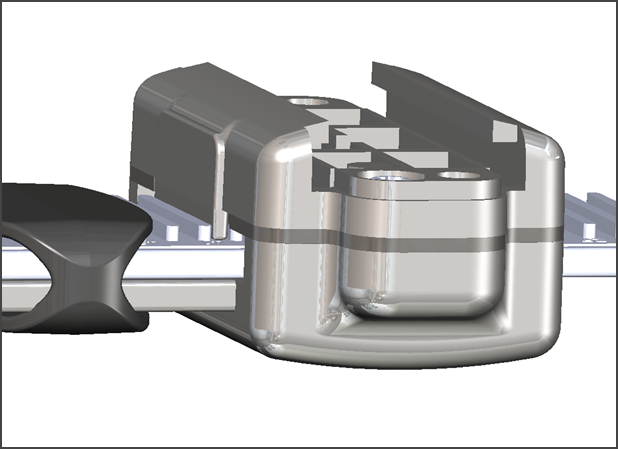
Proper Strap Alignment (click to enlarge)
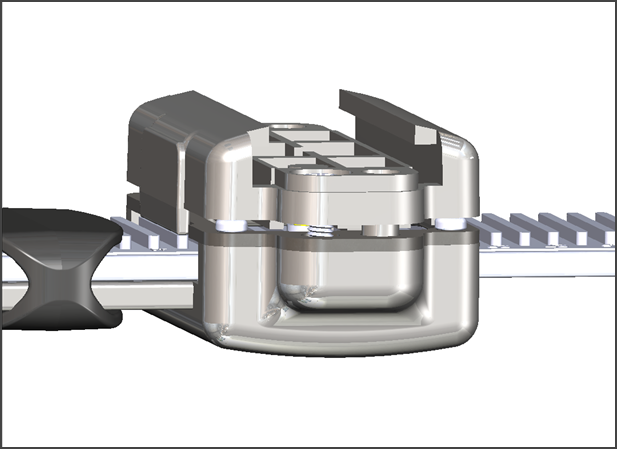
Improper Strap Alignment (click to enlarge)
- Secure the loose end of the strap with the buckle loop.
Assign Bracelet
*For best results, use the Direct Connect Application for equipment assignment.
Assign the Bracelet Using Direct Connect
- Assign the bracelet using the Direct Connect application and device.
-
- For step by step instructions, view the Upload SCRAM Bracelet Data Help .
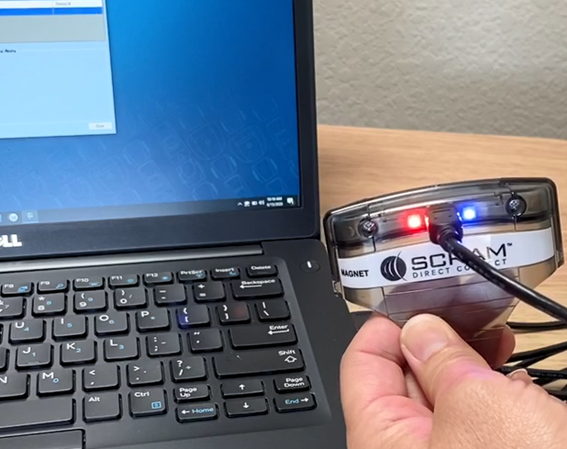
Direct Connect Application and Tool (click to enlarge)
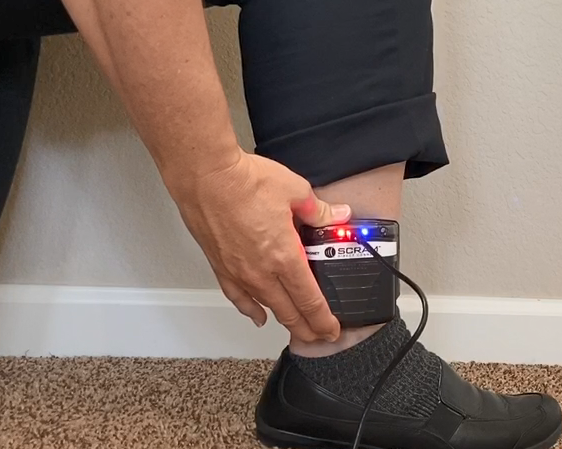
Placing the Direct Connect Tool on the Bracelet (click to enlarge)
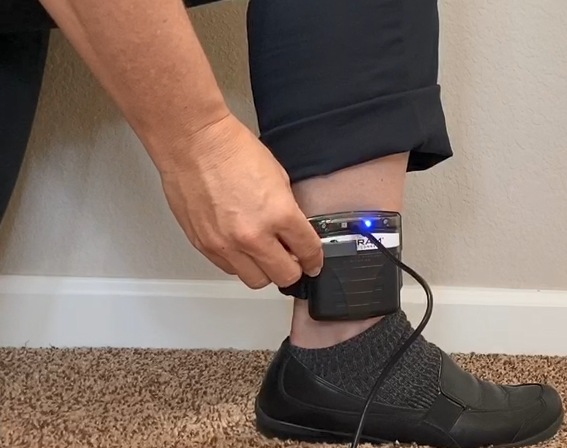
Activating the Direct Connect Tool with Magnet (click to enlarge)
While the bracelet is communicating via Direct Connect application, the bracelet initialization process begins, and the initial test is uploaded to SCRAMNET. As a best practice, take a moment to verify the client’s information displayed on the Direct Connect application. The information should match the current client associated to the bracelet.
- Once communication has completed, navigate to SCRAMNET and refresh the page. The bracelet’s equipment status should now display as Assigned to Client.
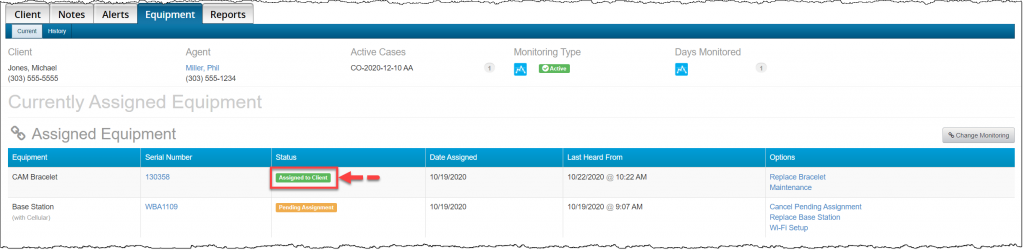
SCRAMNET Client’s Equipment Page (click to enlarge)
- Install the tamper clips on the buckle.
- Insert both tamper clip parts into the buckle slots and squeeze the two parts together. You should hear a click.
- Take a moment to ensure the clips are secure by trying to pull them apart.
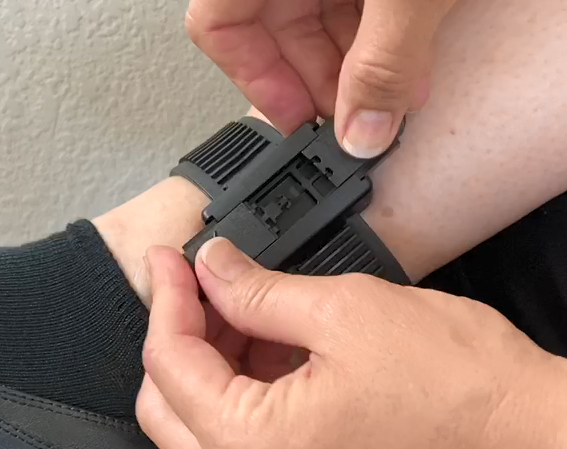
Installing the Tamper Clips on a Bracelet (click to enlarge)
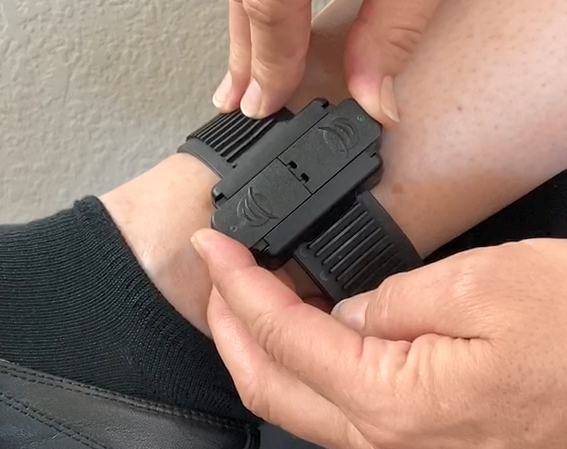
Pushing the Tamper Clips Together (click to enlarge)
|
Note: Ensure the tamper clip parts are free of cracks or fractures. Never reuse tamper clips. |
If the client’s communication method was setup as Direct Connect only, go to the Final Checks section. Otherwise continue to the Assigning the Standard and Wireless Base Station section.
Assign the Bracelet Using a Base Station
SCRAM Systems understands there are some scenarios where the Direct Connect application is not available and the bracelet was not assigned prior to installation, in these cases you are able to assign the bracelet using either of the base stations.
|
Important Notes:
|
To assign the bracelet using a base station, continue to the Assigning the Standard and Wireless Base Station section.
Final Checks
Take a moment to verify:
- The tamper clips have been securely installed on the bracelet.
- The status of the client’s equipment is showing Assigned to Client in SCRAMNET.
- You have provided the client with any additional instructions.
- You have reviewed the Participant agreement with the client and have a signed copy for your records.