 |
Note: It can take up to 20 minutes for the Wireless Base Station to assign – this is expected behavior. |
Connect the WBS to Wi-Fi
If the WBS isn’t assigned after 20 minutes, try and connect to the client’s Wi-Fi by following these steps:
- On the front of the Base Station, press and release the button until the correct network name appears on the LCD screen.
- Once the correct network name is displayed, press and hold the button until the Base Station’s LCD screen displays: PRESS WPS BUTTON ON ROUTER AND WAIT.
- Press the WPS button on the client’s router. Check the LCD display on the front of the Base Station. After a few minutes (up to five), the LCD screen should update from 3G to Wi-Fi.
Perform a Hard Reset
If the Wireless Base Station does not connect to Wi-Fi after five minutes, and the WBS remains in Pending Assignment status in SCRAMNET, please perform a hard reset on the device by removing the battery and then re-installing it. Follow the steps listed below:
Step 1: Unscrew the battery compartment.
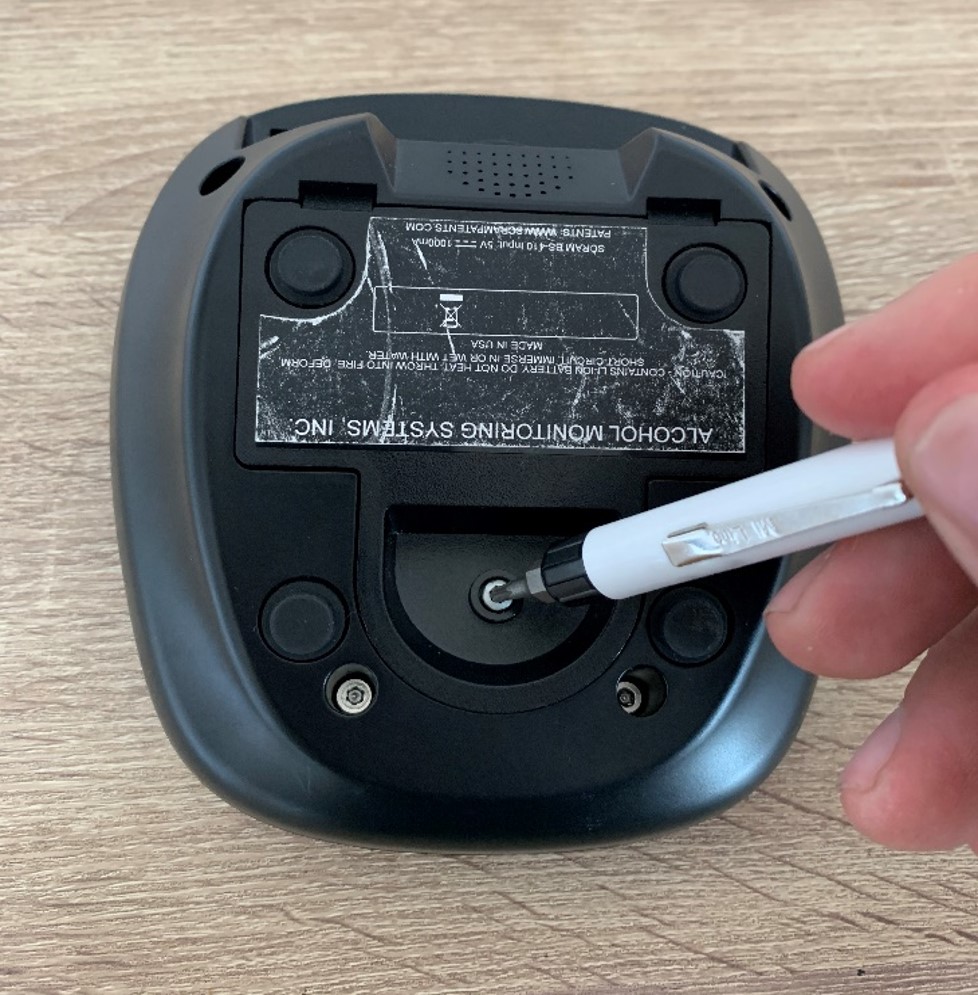
Remove the battery cover screw with a Torx head screwdriver (click to enlarge)
Step 2: Unplug the battery and wait 30 seconds.
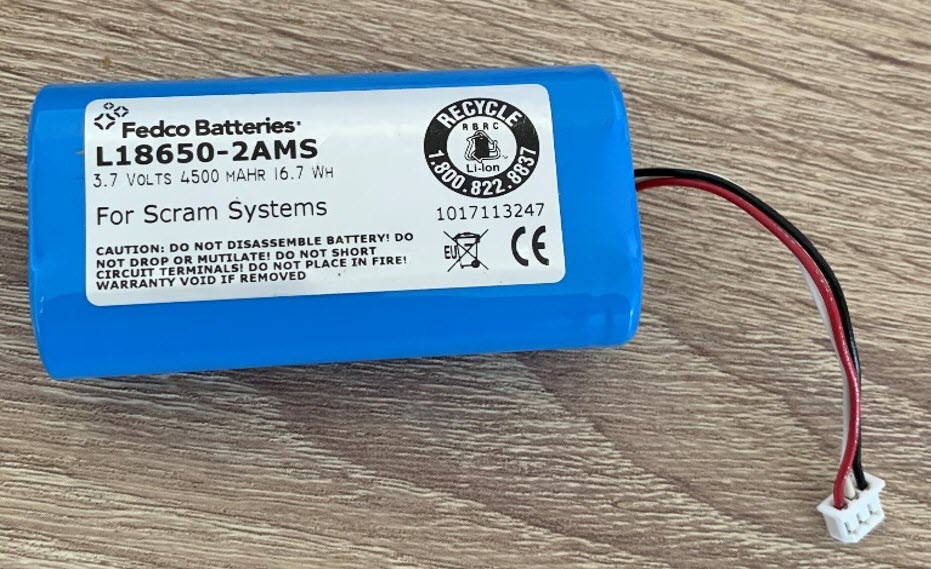
The WBS battery (Click to enlarge)
Step 3: Plug the battery back into the WBS, pressing down firmly to ensure the plug is fitted securely.
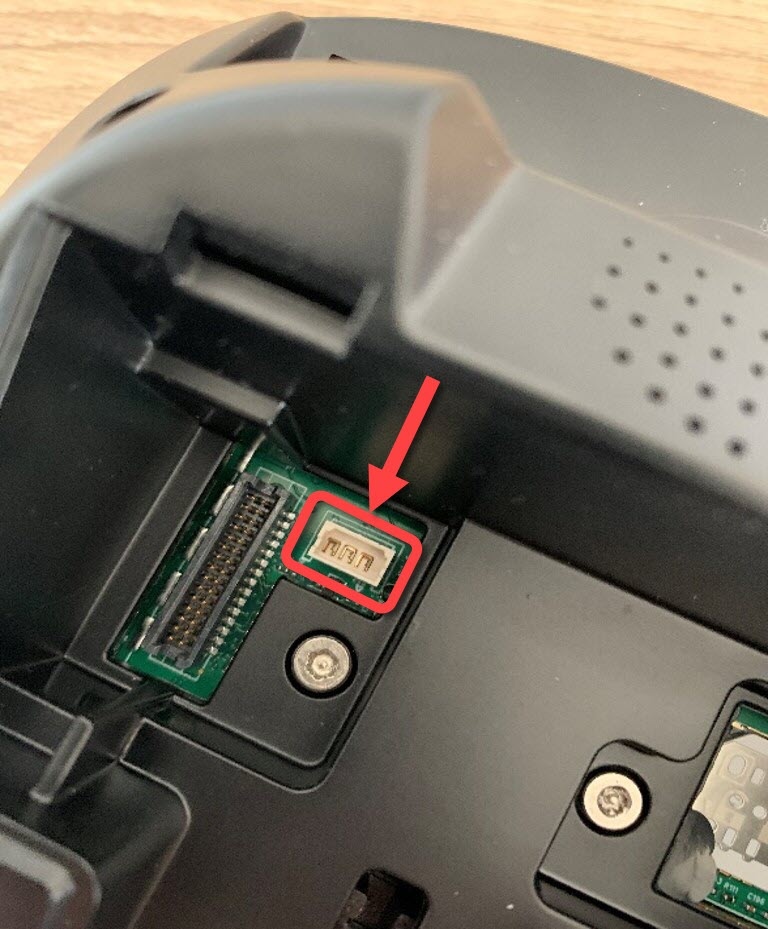
Close up of the plug receiver on the underside of the WBS (Click to enlarge)
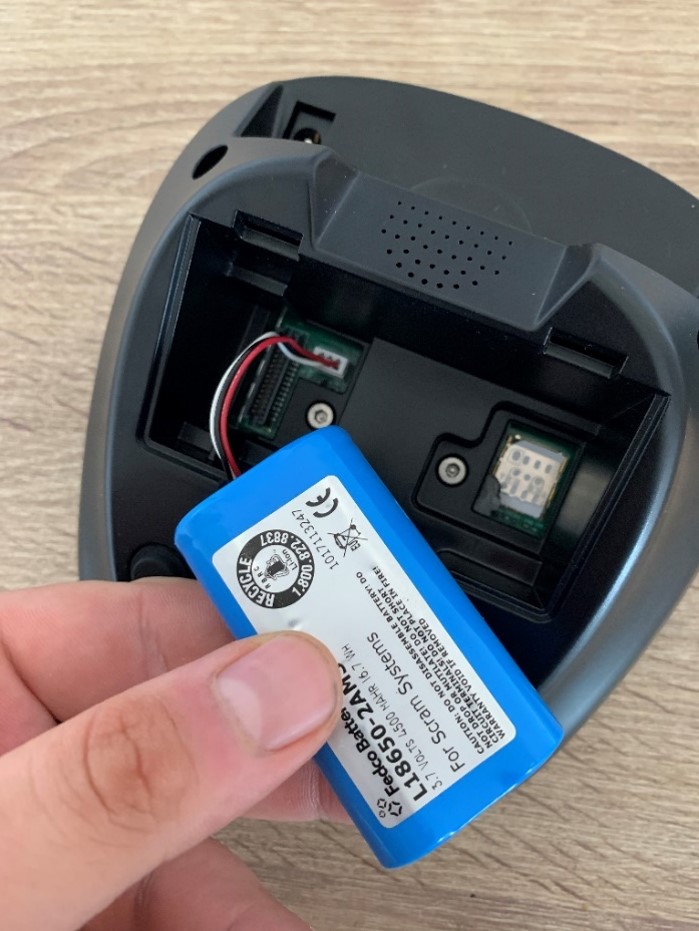
Fit the battery plug securely to the plug receiver (Click to enlarge)
Step 4: Securely position the battery in the compartment.
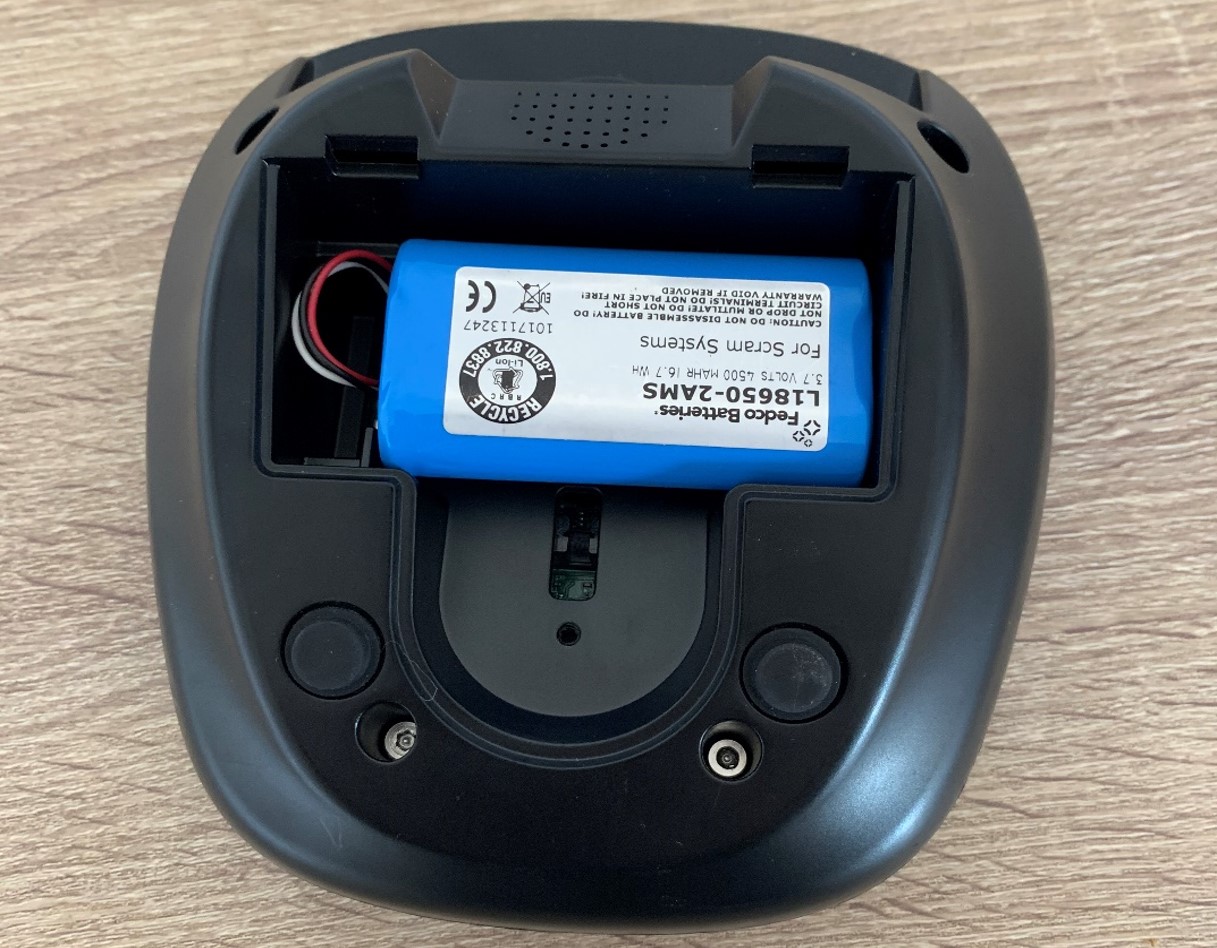
Set the battery snugly in the compartment (Click to enlarge)
Step 5: Reattach the battery cover and secure it with the screw.
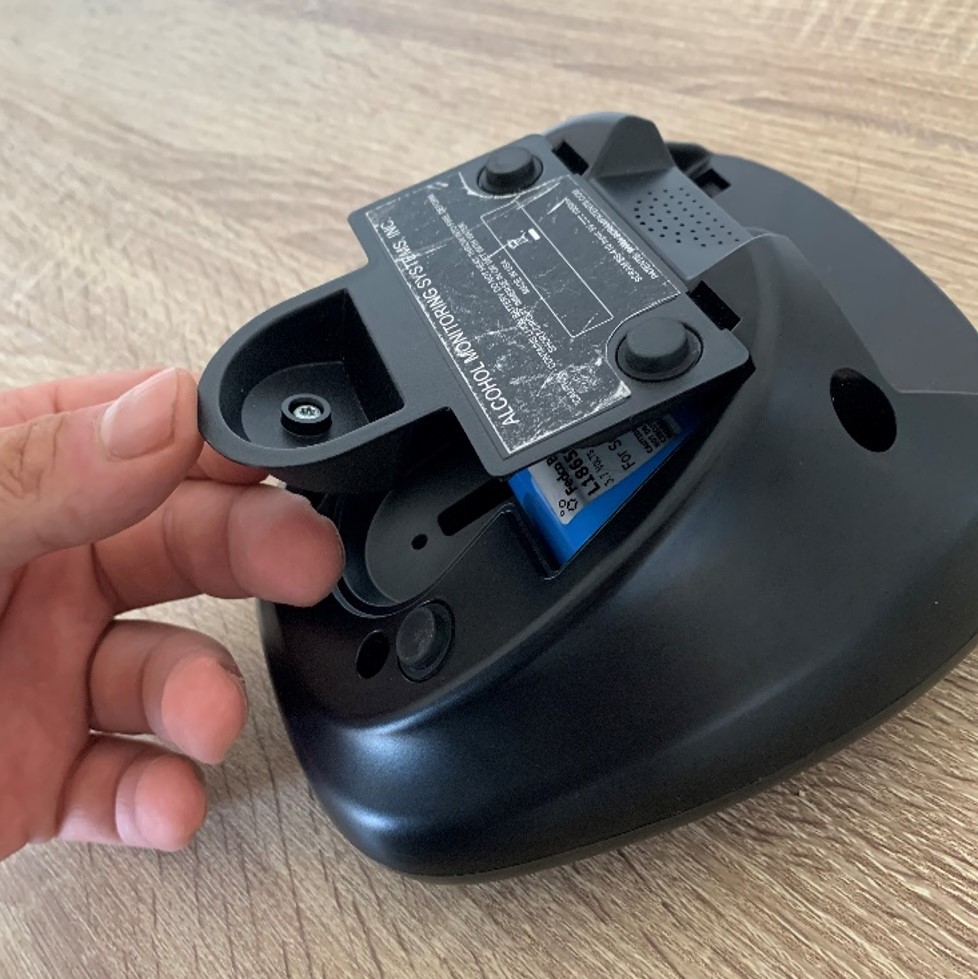
Replace the cover (Click to enlarge)
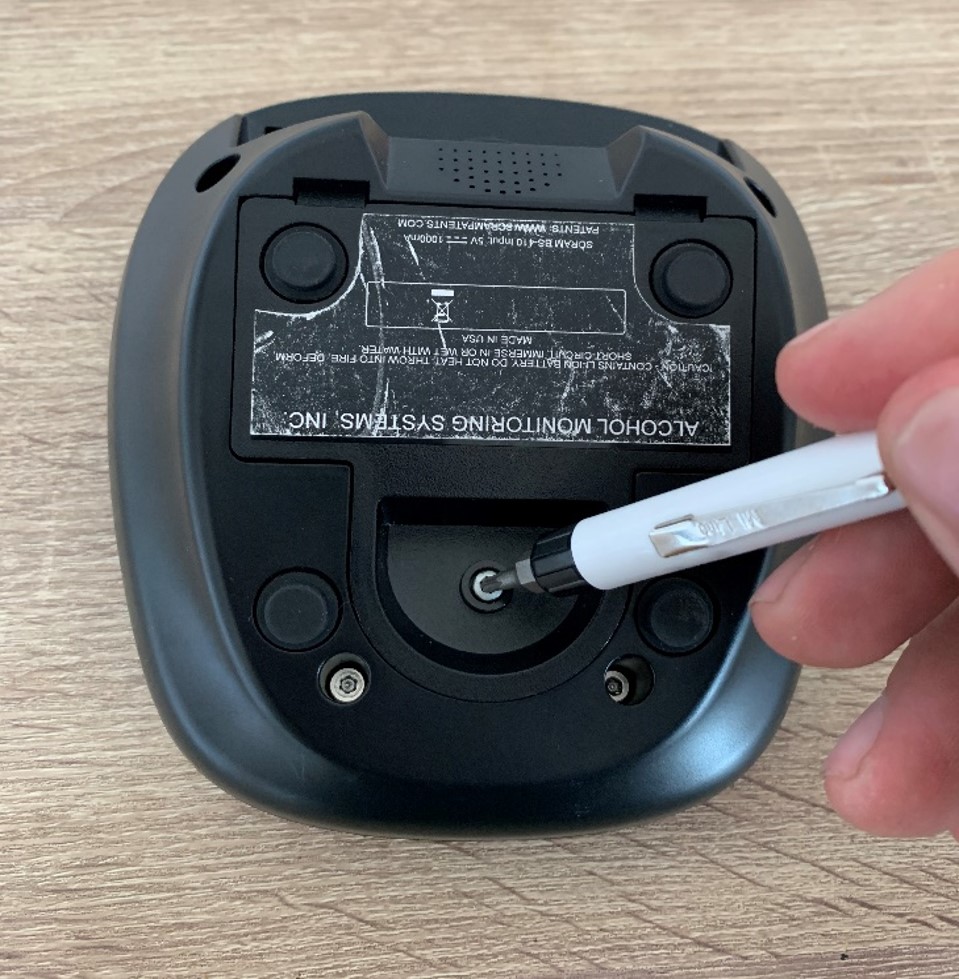
Secure the cover with the screw (Click to enlarge)
Connect the Wireless Base Station to Power
After the hard reset, plug the WBS into power. Un-assign the WBS and then re-assign the device. If the WBS still doesn’t assign, leave the device plugged in at the client’s home and inform SCRAM Systems Customer Support that you have followed all steps and have left the device on site. The SCRAM Systems Technical Team will step in to perform additional troubleshooting.