The first steps when performing the initial tasks for a new client are establishing the objectives and action items, as described below.
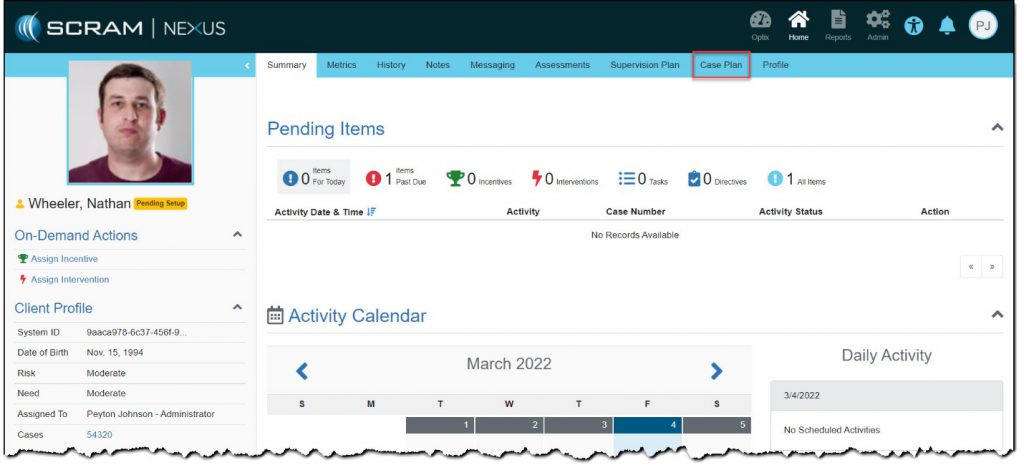
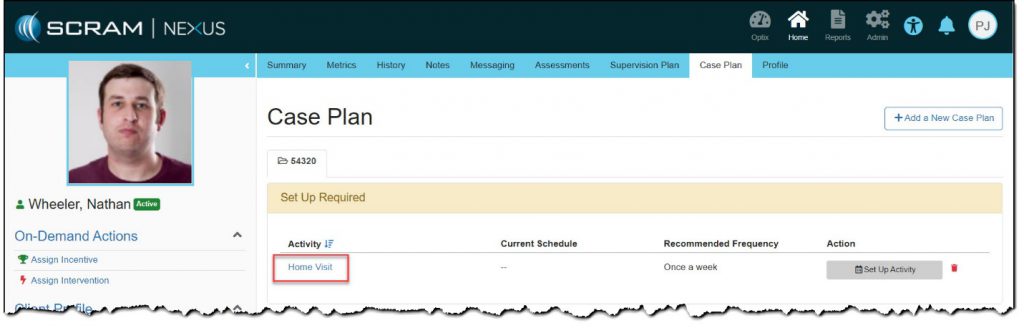
- Once you have accessed the client’s area in SCRAM Nexus Family, click the Case Plan top-navigation option.
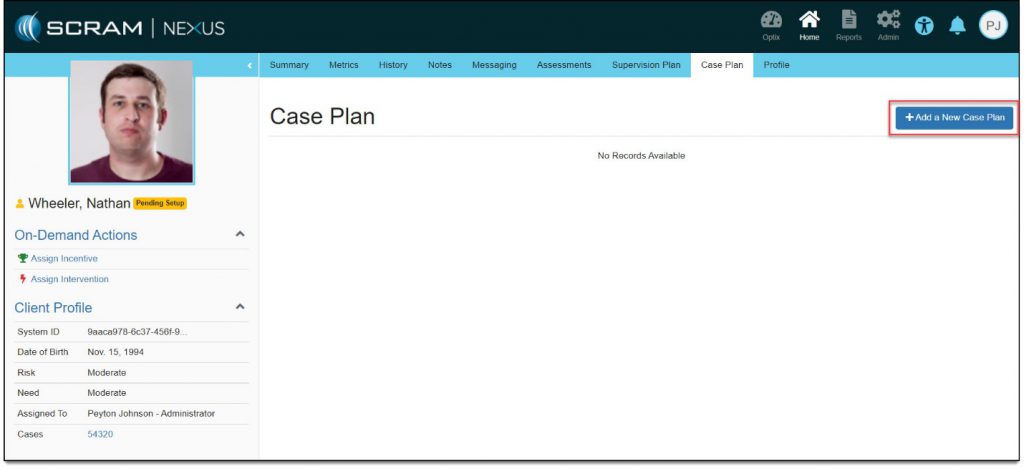
- Click the Add a New Case Plan button.
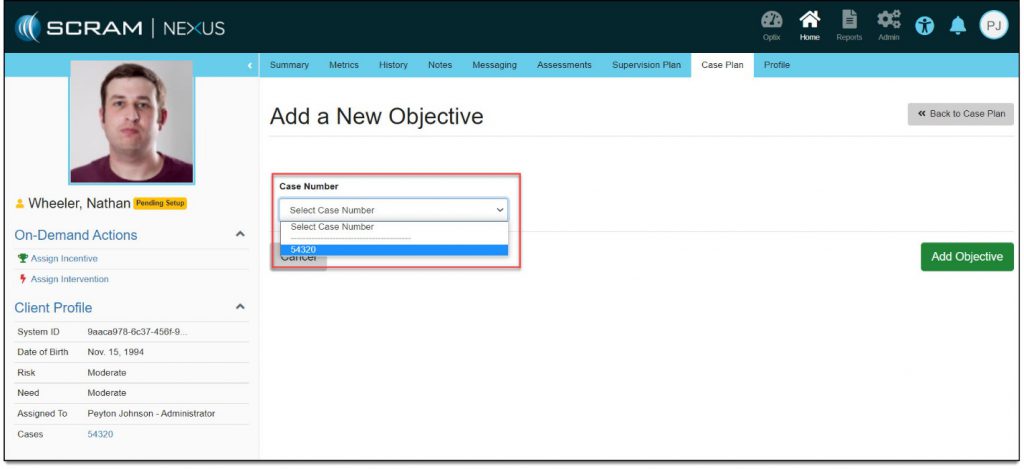
- Select a pre-populated case number in the drop-down list.
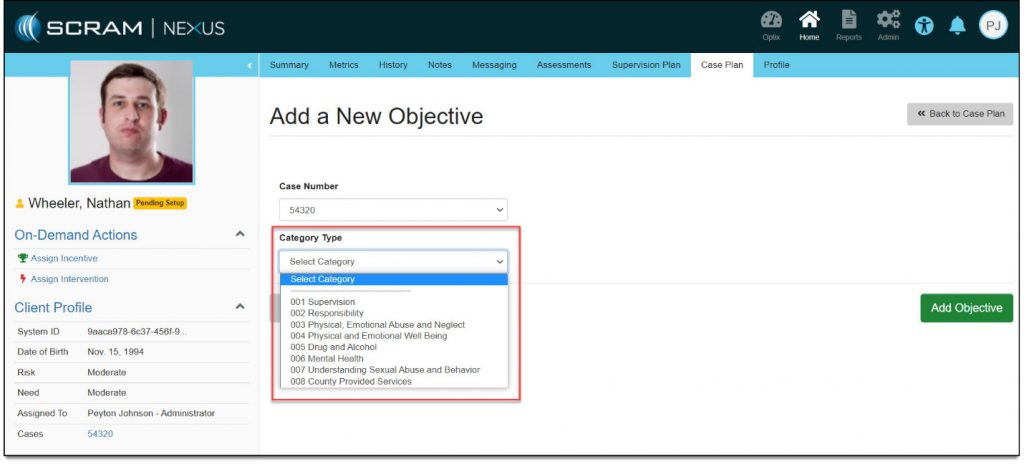
A Category Type drop-down list appears.
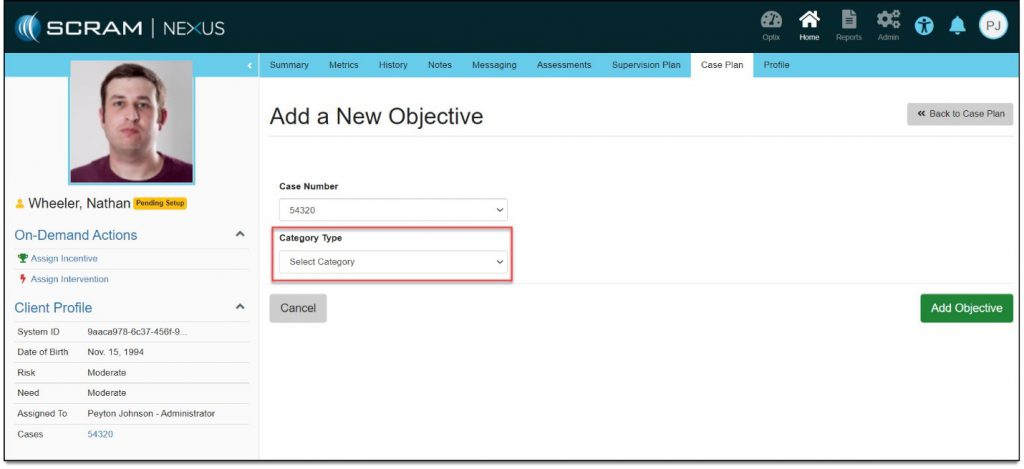
- Select an option in the Category Type drop-down list.
Objectives specific to the selected category appear below.
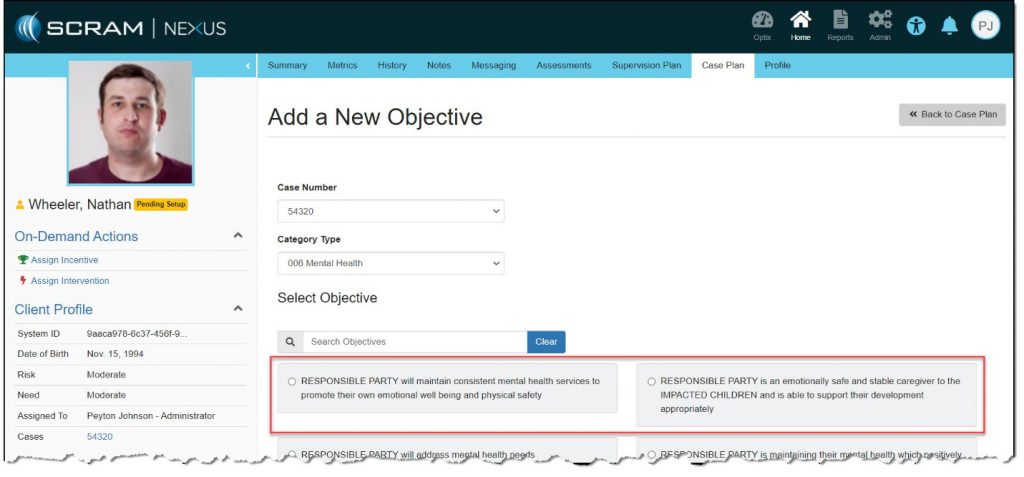
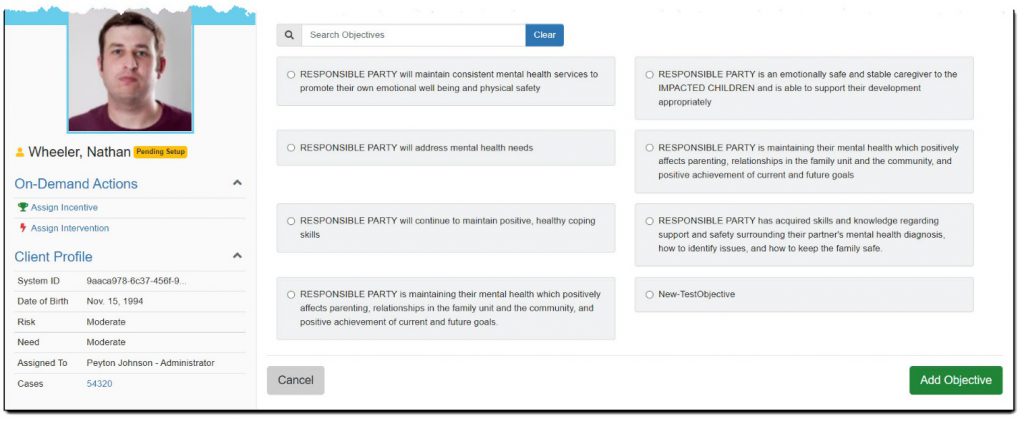
- Select objectives that you determine are appropriate for the client.
When you select the first objective, all available action items appear below.
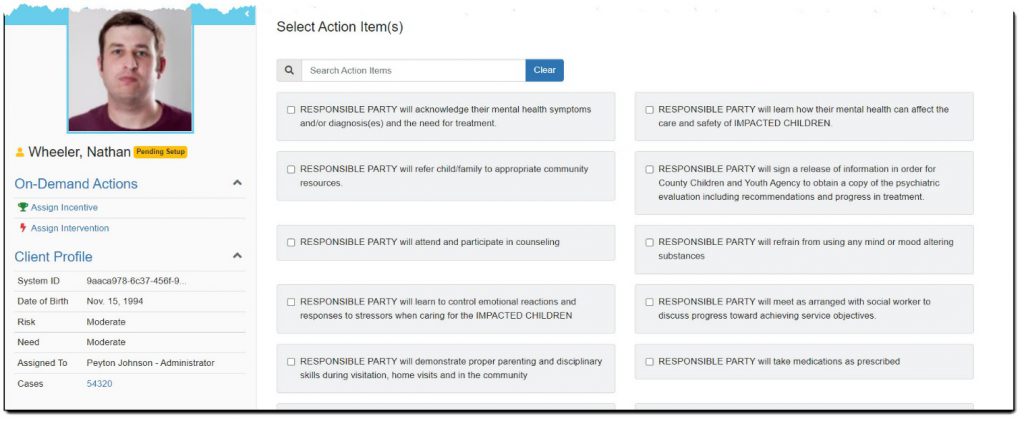
- Select action items that you determine are appropriate given the selected objective(s).
As you select an action item, the total number of items selected are counted.
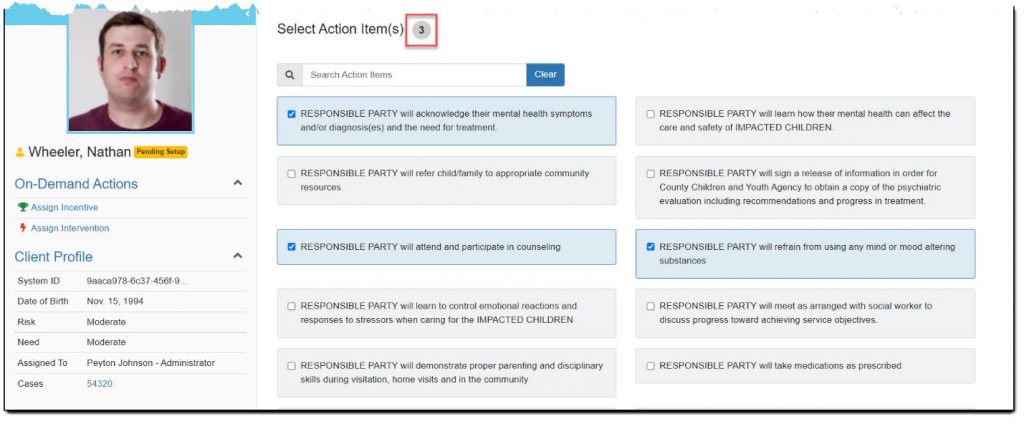
- Once all action items are selected, scroll down and click the Add Objective button.
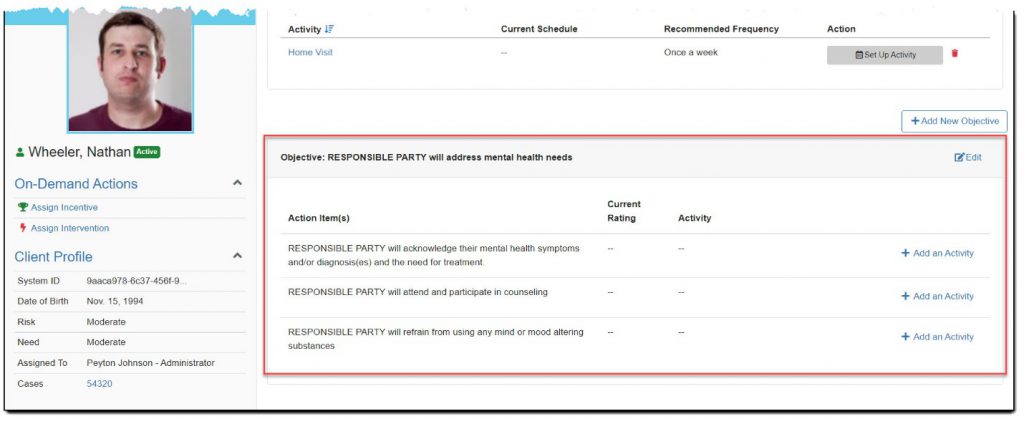
The Case Plan page reappears with the default home visit activity shown and the objective and action items listed below.
- Repeat these steps as needed.