Effective May 5, 2022 at 8:30 PM MDT, SCRAM Systems will release a variety of enhancements to the SCRAM Nexus case management system, as well as the SCRAM Nexus Treatment application. These enhancements include:
- Nexus:
- Changes to the Roster Report
- New Case Fields
- New Read-Only User Permissions
- Nexus Treatment App:
- Limit Session Series to 100 Occurrences
- Session Changes Still-in-Process Warning
Nexus:
Roster Report
The Client Appointment Roster Report now displays active case numbers for a client in the report header. Closed cases will not display in the report.
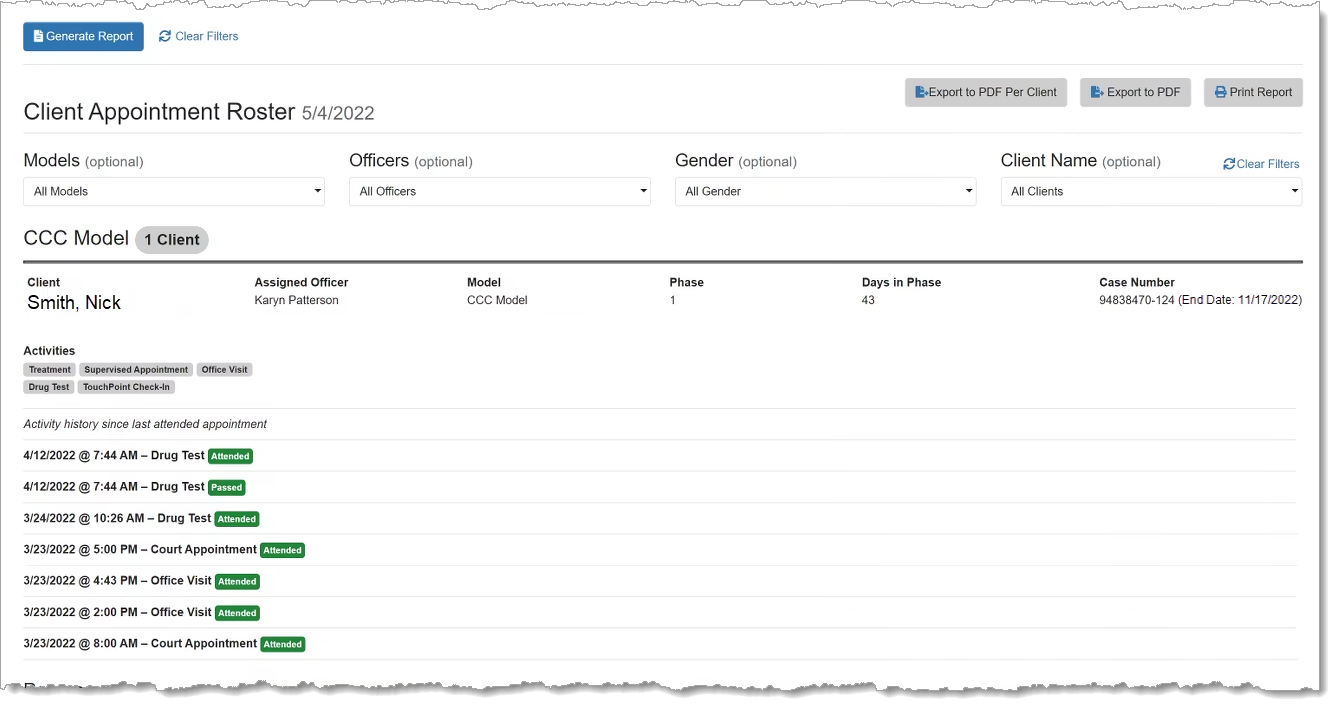
Additionally, the font size in the Roster Report’s PDF output has been increased to make it easier to read for officers and court staff.
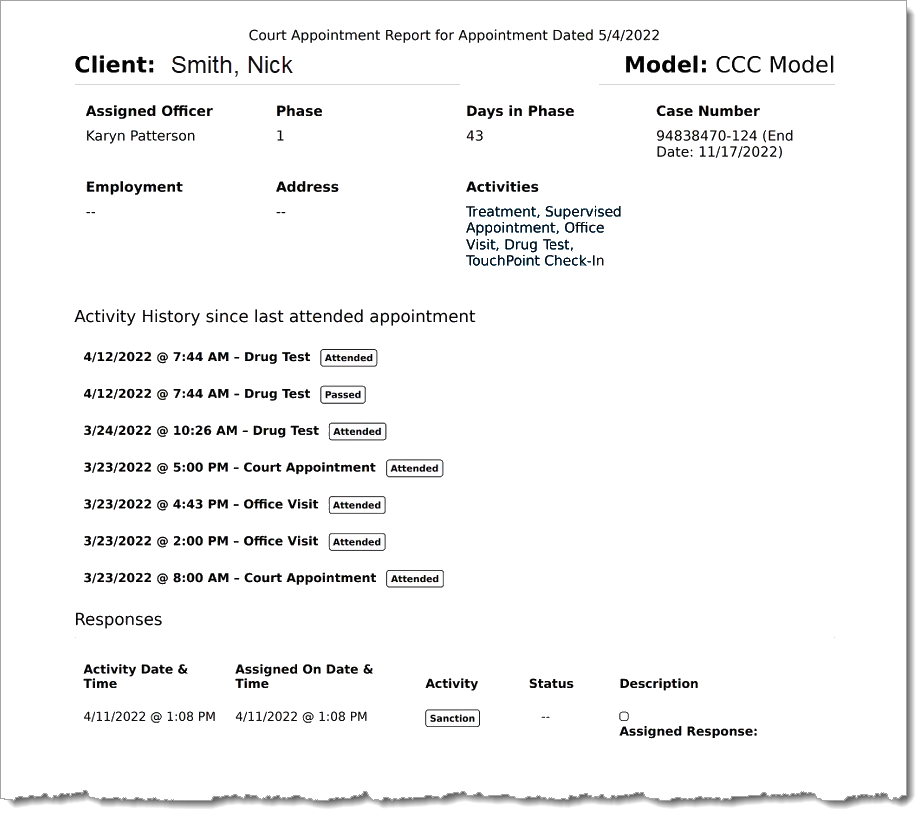
 | For detailed instructions on how to order the report, review the Client Appointment Roster Report article on Nexus Help. |
New Case Fields
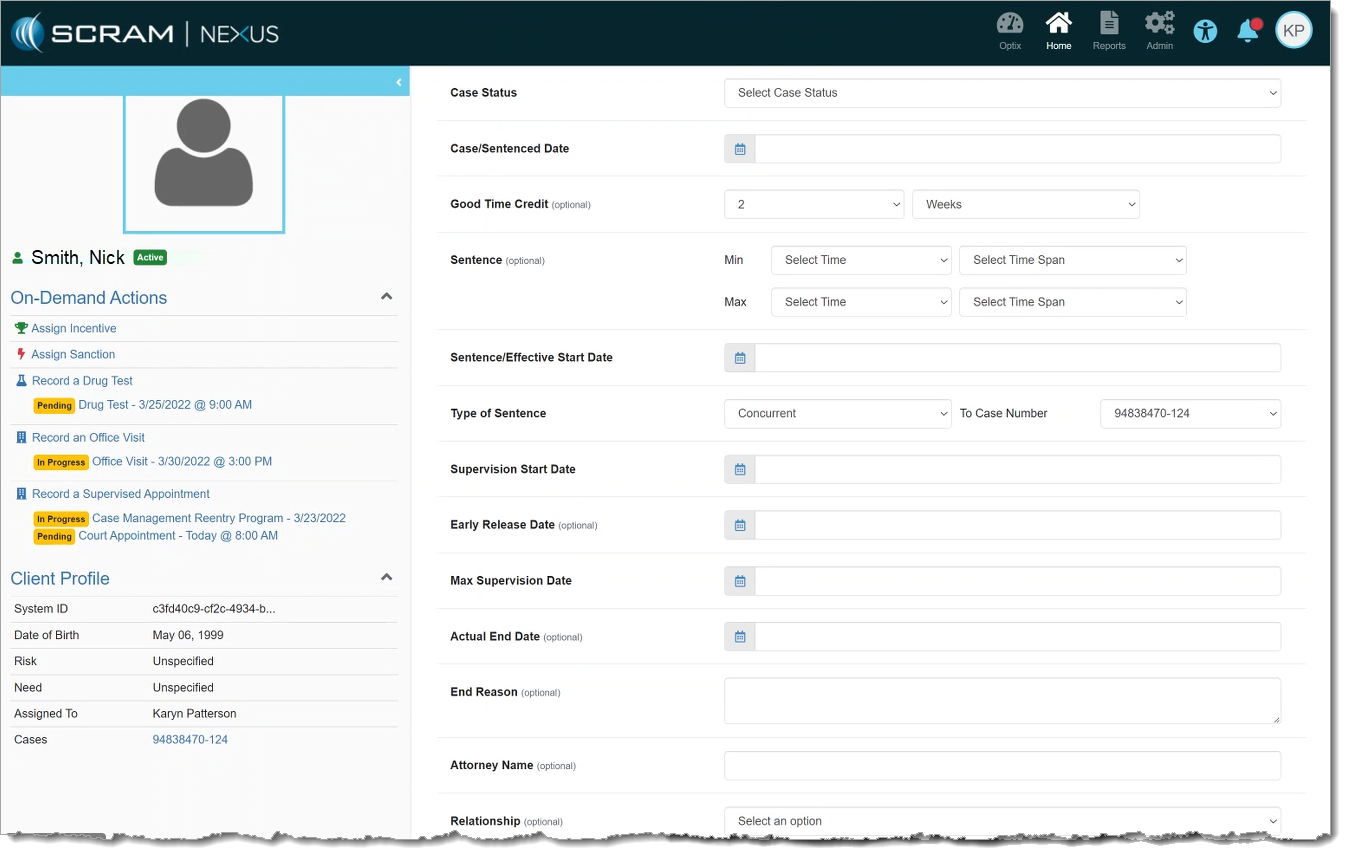
New Case fields have been added to SCRAM Nexus to facilitate the display of other information relevant to the case. These fields include:
- Good Time Credit
- Sentence Effective/Start Date
- Sentence
- Type of Sentence
The following fields have been renamed:
- “Case Date” is renamed to “Case/Sentenced Date”
- “Start Date” is renamed to “Supervision Start Date”
| These changes were made to enable the automatic calculation of the Max Supervision Date in a future release. |
New Read-Only User Permissions
Users with Read-Only permissions will not be able to edit any area of Nexus. This includes Administrator settings, Officer pages, and Client pages. Users with Read-Only permissions can still view clients and client data, but cannot change anything.
Nexus Treatment App
Session Series Occurrences Limit
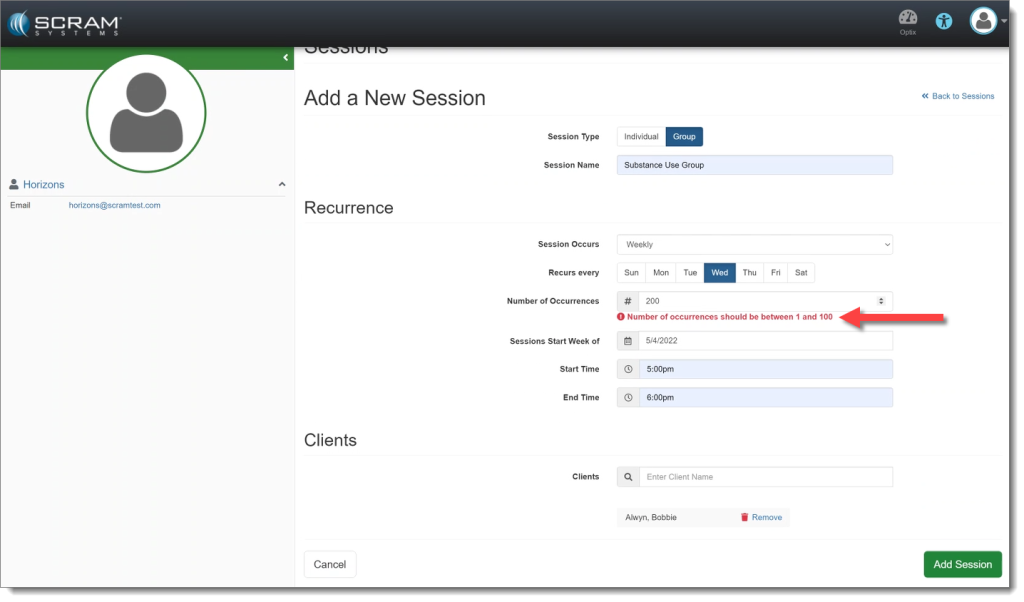
Treatment Sessions in the treatment application will now have a limit of 100 occurrences per session series. This prevents issues with too many appointments being scheduled into the future.
Session Changes Still-in-Process Warning
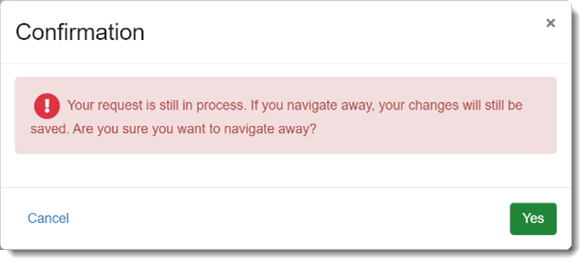
If a Treatment Provider saves a Session series and then attempts to navigate away from the page, the provider will receive a warning that their changes are still in process. This warning is intended as a safeguard to prevent a Treatment Provider from creating a duplicate Session, or from making changes to the existing Session before the prior change is complete.