Tip of the Month

CAM Client Interactions – Best Practices

Below are some helpful tips to assist your team in maintaining the integrity of your monitoring program. Please contact SCRAM Customer Service for questions or if any assistance is needed.

Document, Document, Document

We recommend agents document each and every client interaction* – whether in-person or over the phone – in SCRAMNET®. This will promote clarity when preparing client updates.
*Examples include bill payments, maintenance, phone discussions, etc.

Inspect the Equipment

Each time the client is in the office, regardless of the reason, inspect the bracelet.

  • Wake bracelet with magnet until you see the green light illuminate to ensure the bracelet powers up.
  • Check the fit of the bracelet to ensure it is properly tethered and is not loose enough to slide over the heel of the foot.
  • Visually inspect bracelet body, straps, and buckle for pry marks, scratches, and/or signs of tamper or removal.
  • Move tamper clips side-to-side with your fingers to ensure they are still securely fastened and have no visible signs of removal.

Alerts & Maintenance

Check the Alerts tab in SCRAMNET to see if client has any pending alerts that require additional information.

If the client will be away for an extended period, consider performing maintenance on the device to avoid near-future maintenance alerts from generating.

To properly reinitialize the bracelet:

  1. Be sure to use the Maintenance link on the Equipment page first,
  2. Perform physical maintenance second, and
  3. Direct Connect the bracelet on the client’s leg last
Continue Reading

New and Improved Help and Support

SCRAM Systems® is pleased to announce the arrival of its new consolidated SCRAM Systems Help & Support Home page! Effective Thursday September 10th at 1:00 PM MDT, regardless of which SCRAM monitoring system you are using, you can get help and support for all SCRAM Systems products, services, and software – in one place!

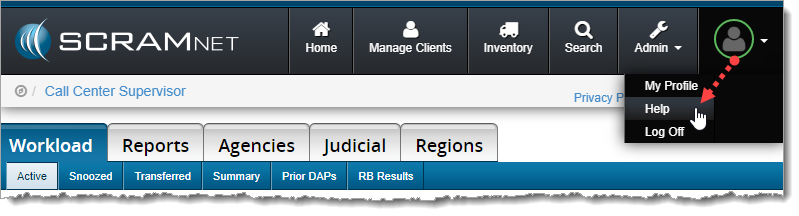
Screen capture of help being selected from the scram net profile drop down menu.
Select Help from the Profile dropdown menu (click to enlarge)


Easy Access

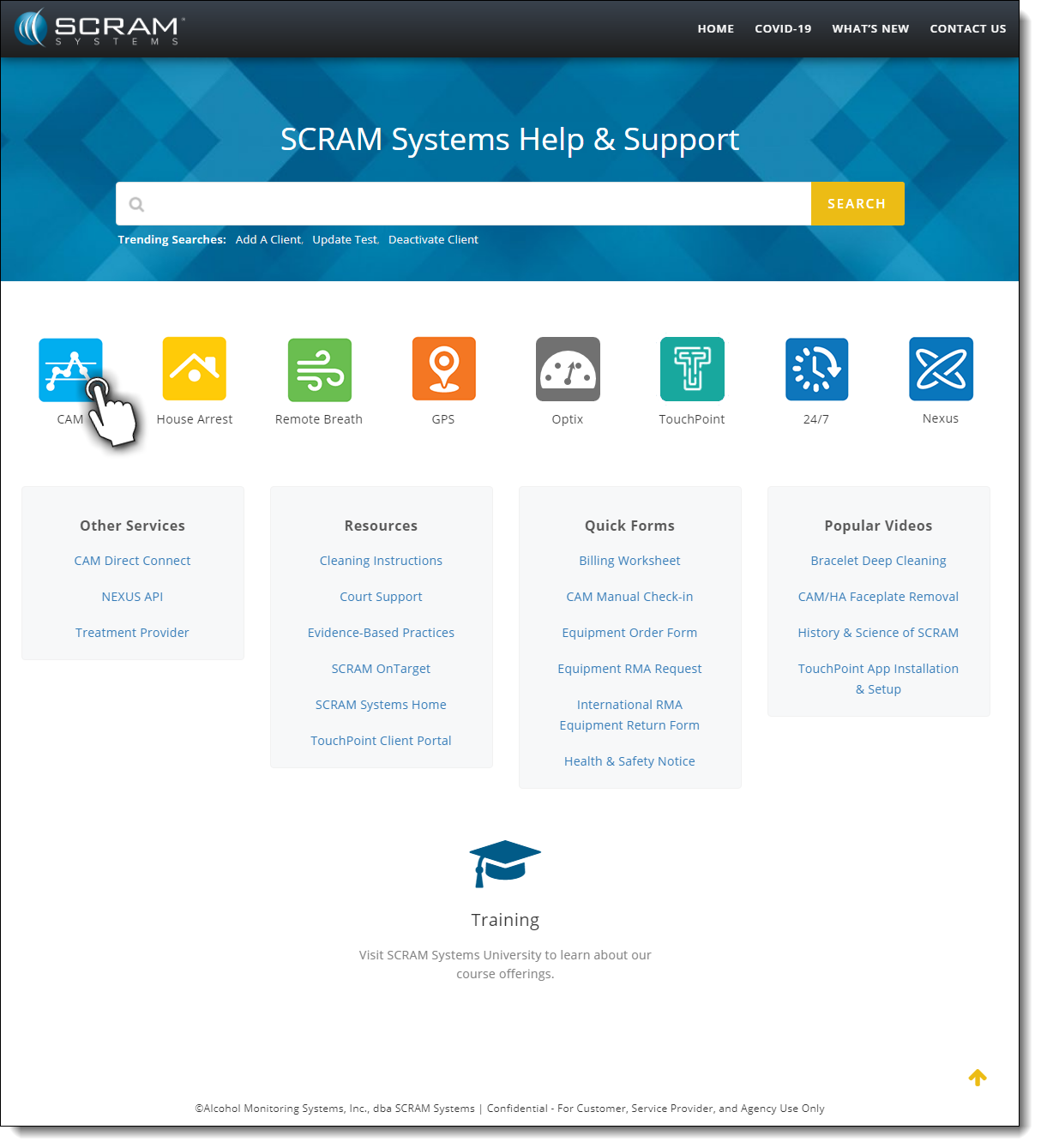
Once on the SCRAM Systems Help & Support Home page, you’ll have easy access to systems help, resources, forms, and videos.

Screen capture of the SCRAM Systems Help and Support landing page
SCRAM Help & Support Home (click to view all)


One-Stop Shop

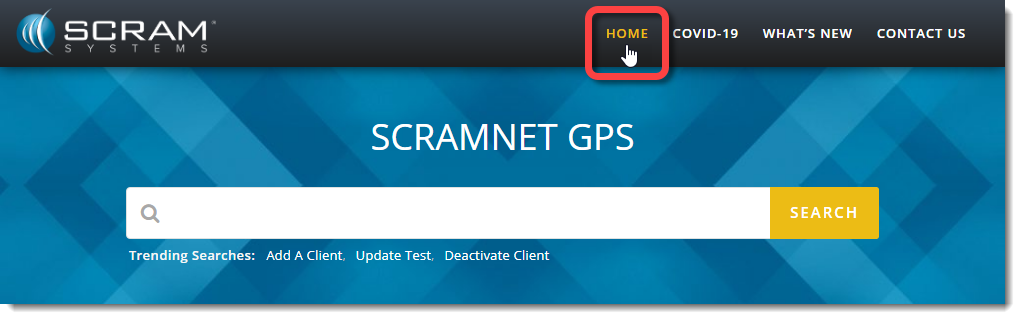
There’s no need to change which SCRAM monitoring system you’re accessing to get Help; just click the Help & Support Home link at the top of any page to get access to help for all your SCRAM products and software.

Screen capture of the Home link from a scram net GPS page
Select the Home link from any page to return (click to enlarge).


Searchable Across Products

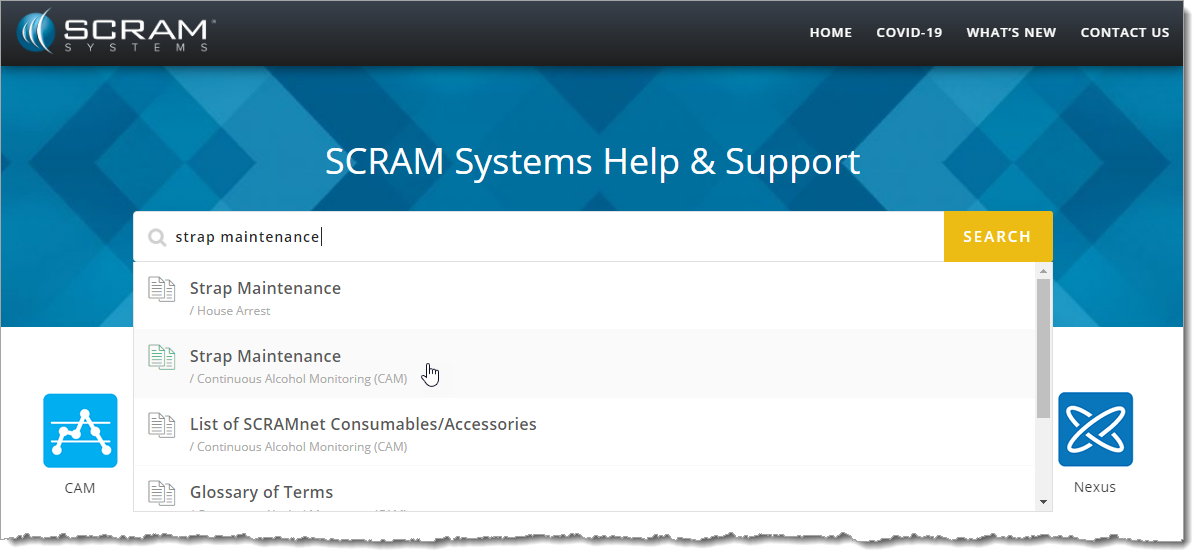
Not quite sure where to start? Enter a few words into the Search field at the top of the page to reveal the most relevant help topics and then select the most appropriate article.

Enter some keywords and then select the appropriate article (click to enlarge).


Feedback

Please contact our Customer Service department at 1-303-785-7879 if you have questions about about the new and improved SCRAM Help & Support Home page, or if you have recommendations for improvements.

Continue Reading