Selecting an individual client’s name on the Clients tab will open up the TouchPoint Client Profile page.
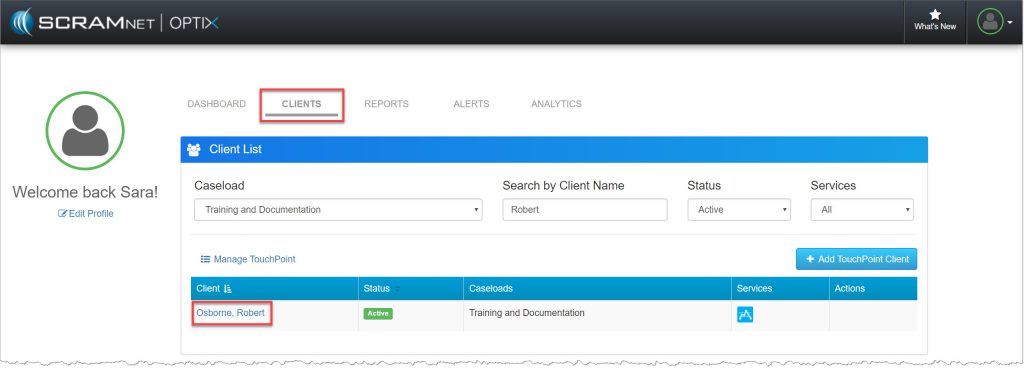
OPTIX Clients page (click to enlarge)
View and update/edit the client’s TouchPoint profile information from here.
The information displayed includes:
- Accounts: The Caseload hyperlink will navigate you to the client’s profile page in SCRAMNET or SCRAMNET GPS.
- Personal
- Addresses
- Phone Numbers
- Employment
Select the down arrow to the right of the TouchPoint heading to +add TouchPoint to a new profile or view/edit the current services enable the client.
The TouchPoint services available include:
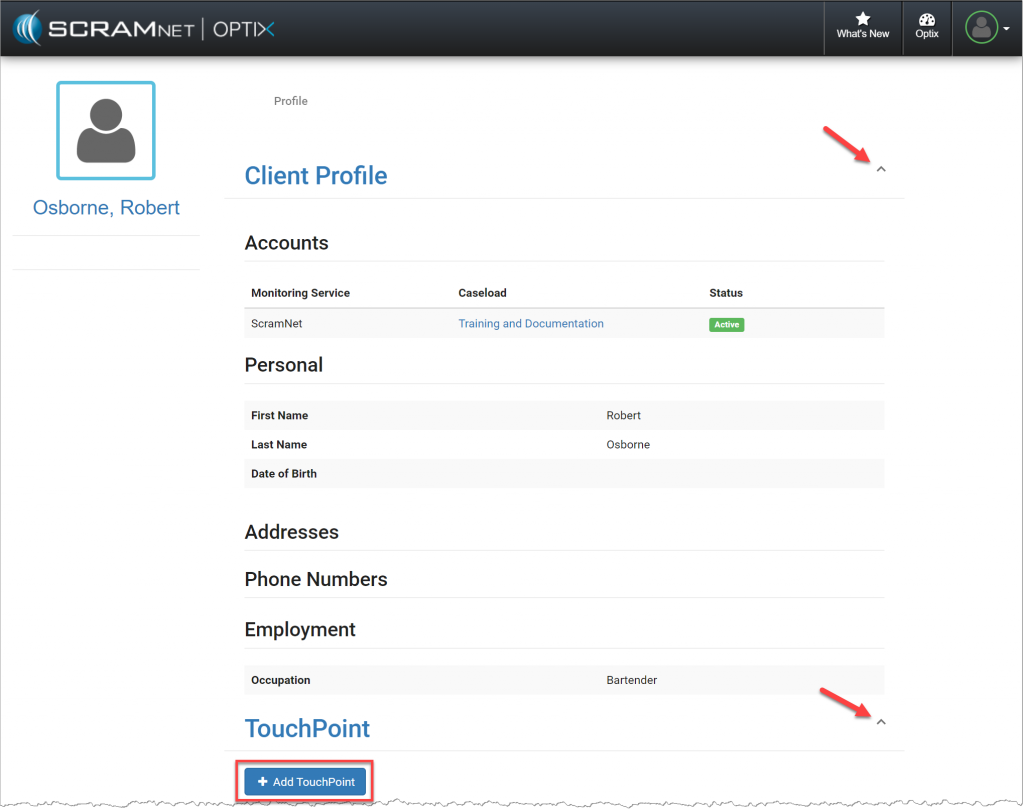
TouchPoint Client Profile page (click to enlarge)