The Inventory reports provide the total utilization and inventory status for your program’s equipment. Dynamically update the information displayed with the filters provided for each report, or by clicking on the data displayed within the tile for a more focused analysis. Within each tile an information icon provides an explanation of the data displayed. Some tiles have additional filter options.
The five Inventory reports available are:
To access the reports, navigate to the Analytics tab from within Optix.
Next, select the Inventory option on the Available Reports drop-down menu.
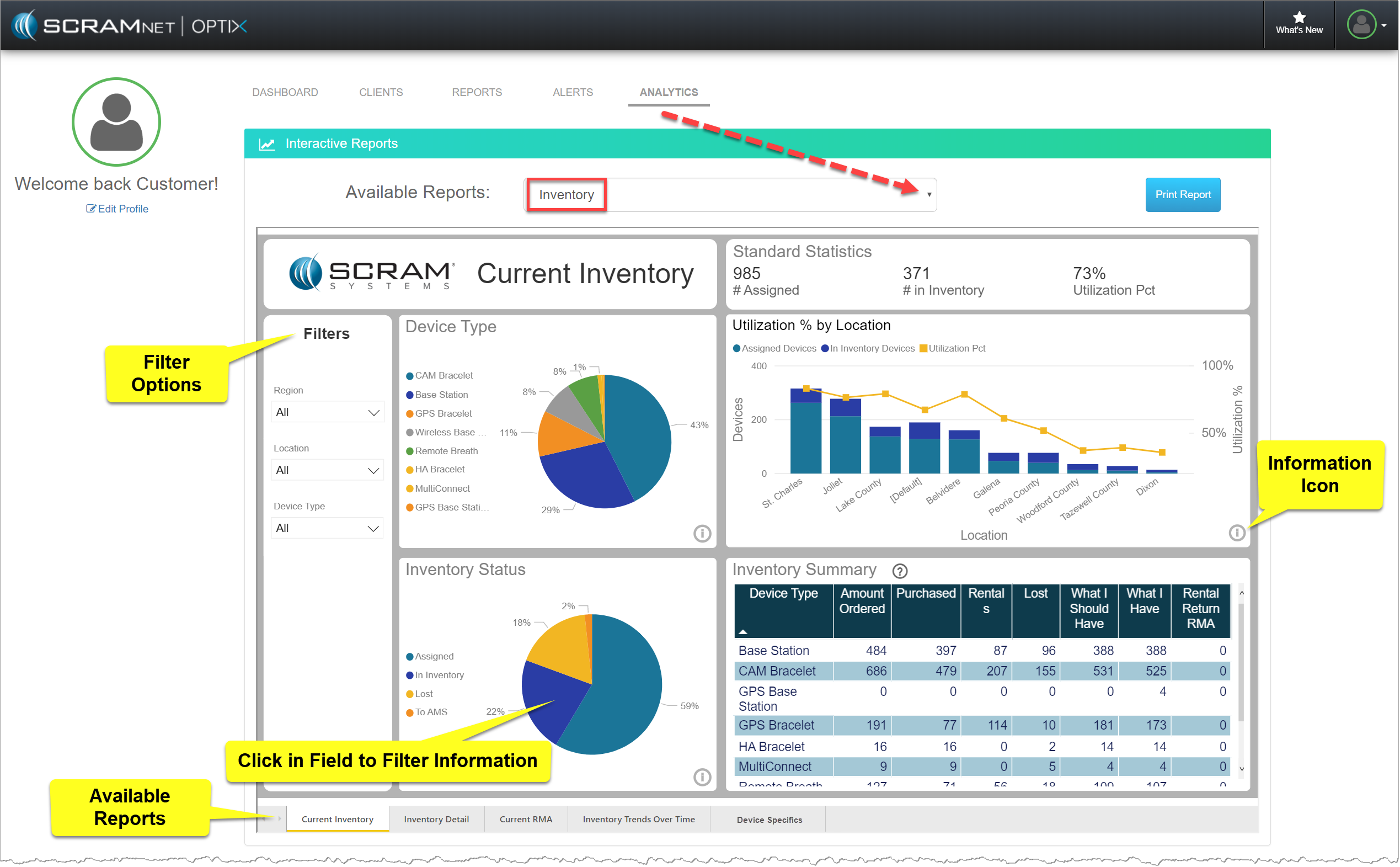
Optix Analytics page – Inventory page (click to enlarge)
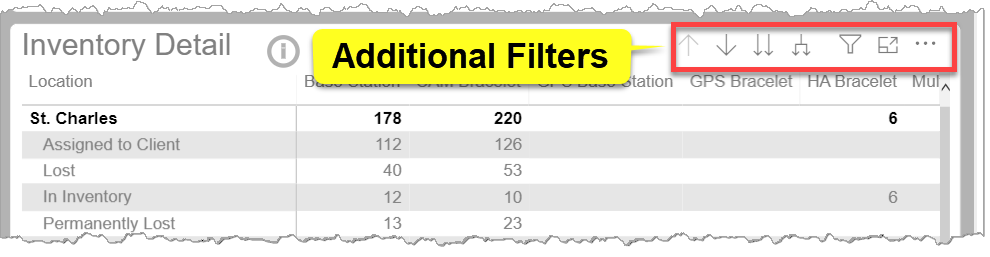
Optix Analytics Inventory Report – Additional Filters (click to enlarge)
Current Inventory Report
The Current Inventory tab displays information by location, device type, and status, and is intended to help you make decisions about how best to distribute devices across your program locations. The tiles displayed are:
- Device Type: Percentage of devices in inventory by device type.
- Inventory Status: Percentage of devices by inventory status.
- Utilization % by Location: Count of assigned and unassigned devices and utilization percentage by location.
- Inventory Summary: Inventory over/under information. The ? icon provides a definition for each column represented in the table.
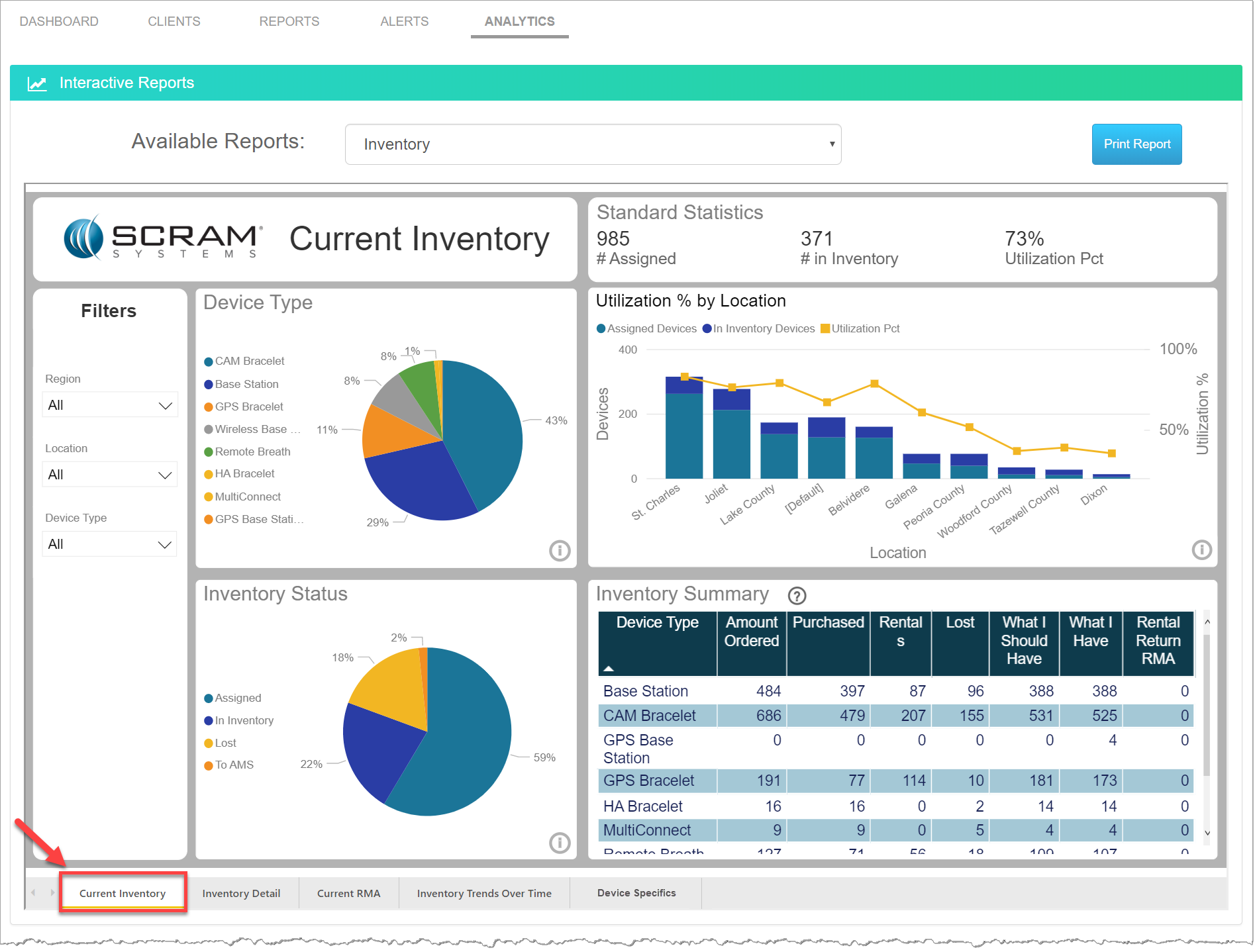
Analytics Current Inventory Report (click to enlarge)
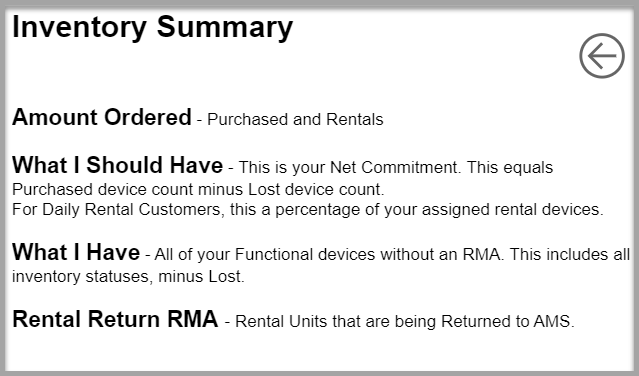
Analytics Current Inventory Report Summary pop-up (click to enlarge)
Inventory Detail Report
The Inventory Detail tab displays information by location, device type, and status. This information provides you with insight into how much of your device inventory is truly being utilized, how much is available, and how much is not available for use in your monitoring program. The tiles displayed are:
- Device Type: Percentage of devices in inventory by device type.
- Inventory Status: Percentage of devices by inventory status.
- Inventory Detail: Inventory detail displaying device quantity by locations, inventory status, and device type.
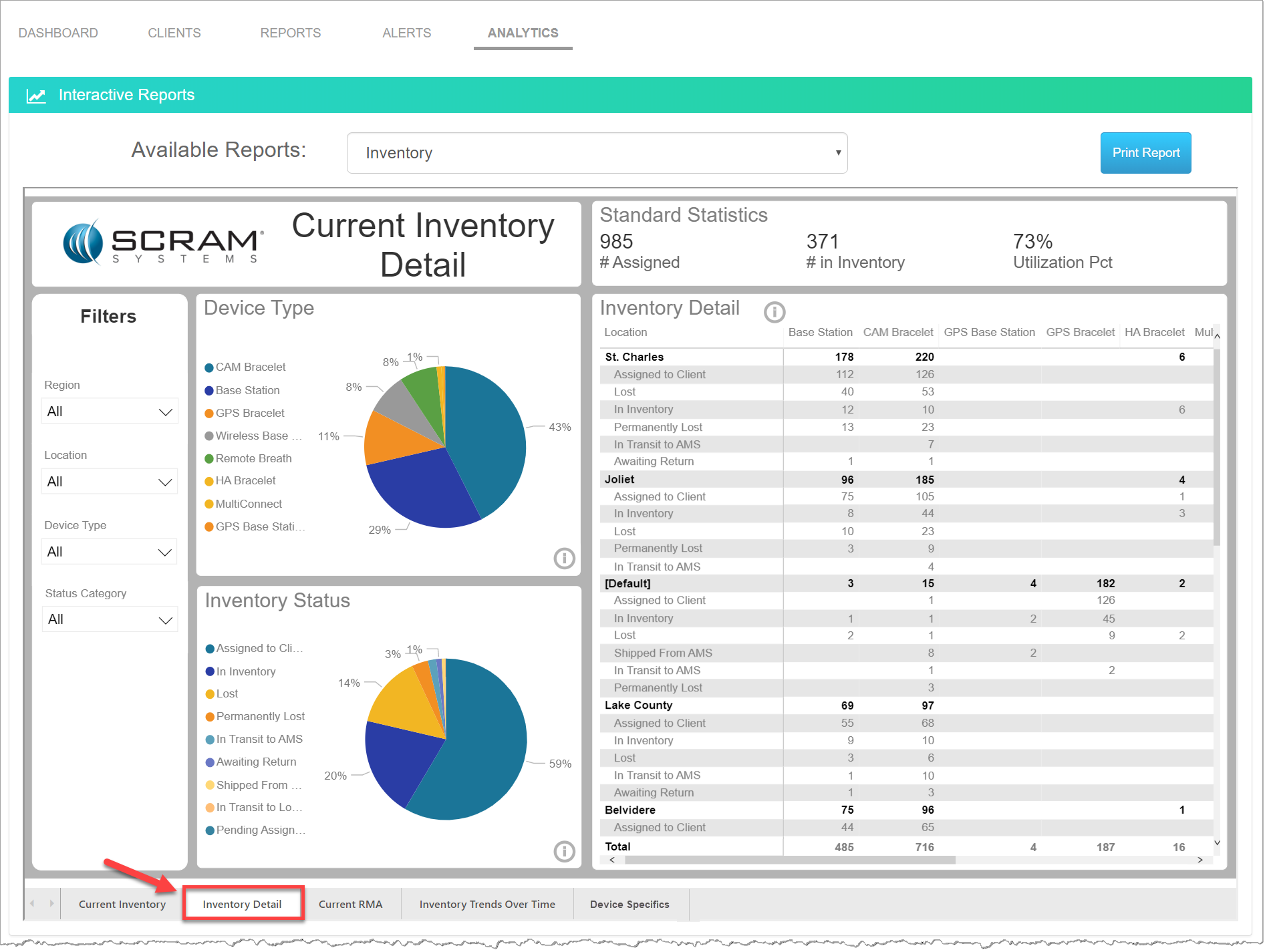
Analytics Inventory Reports – Inventory Detail (click to enlarge)
Current RMA Report
The Current RMA tab displays the total number of RMA devices overall for your program. The data on this report provides you with insight into what types of devices and how many of them have to be returned, and allows you to see if there are any device or location related trends. The report information is broken down by:
- RMA by Status: Percentage of devices with RMAs by inventory status.
- RMA by Device Type: Percentage of devices with RMAs by device type.
- RMA by Location: RMA counts by location.
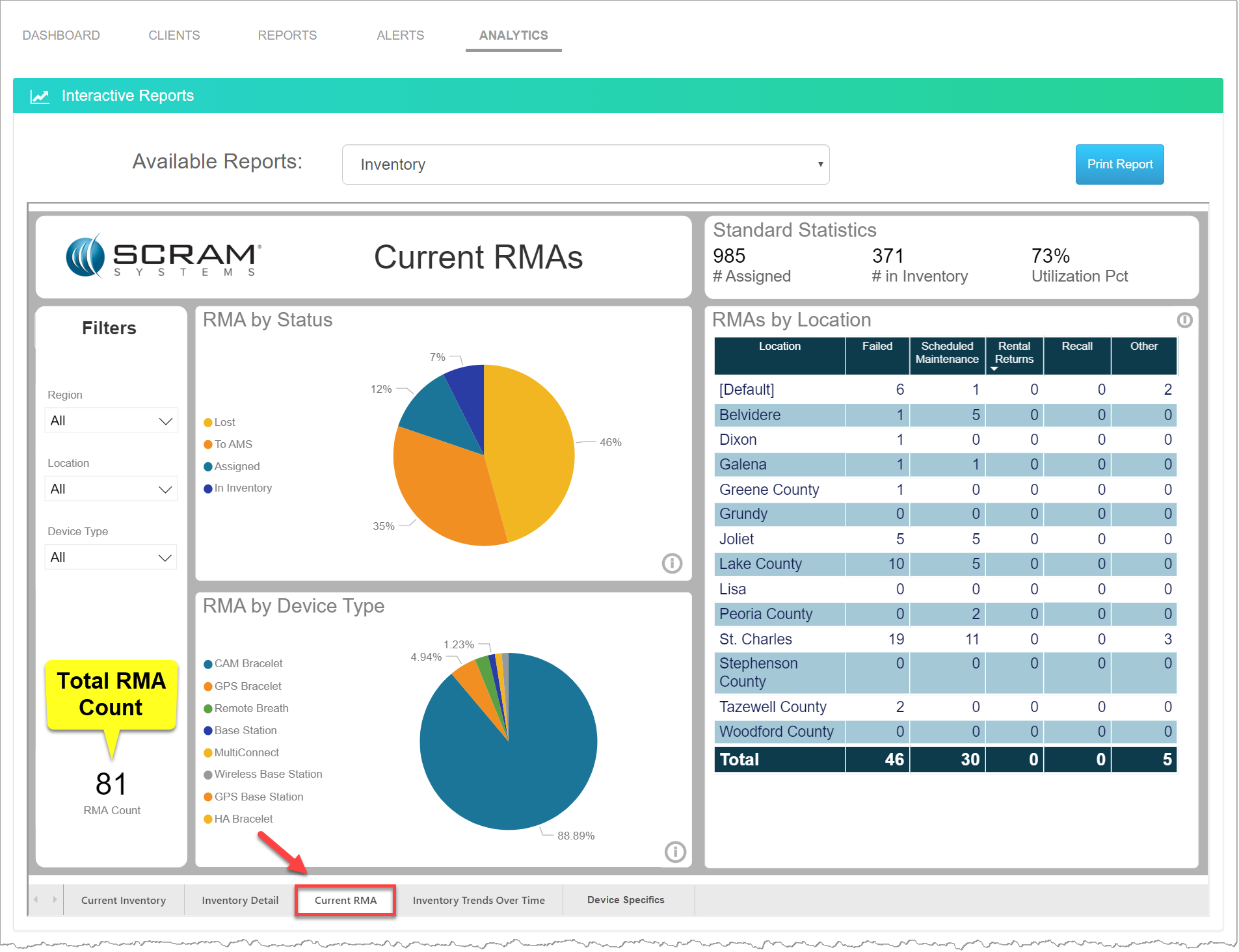
Analytics Inventory Reports – Current RMA (click to enlarge)
Inventory Trends Over Time Report
The Inventory Trends Over Time tab allows you to view how much of your available inventory your program is utilizing over time. This information is intended to help you make decisions about how best to adjust your available inventory levels to run as efficiently as possible. The tiles displayed are:
- RMAs by Quarter and Device Type: RMA counts by device for each quarter.
- Utilization % by Quarter: Device utilization percentages for each quarter.
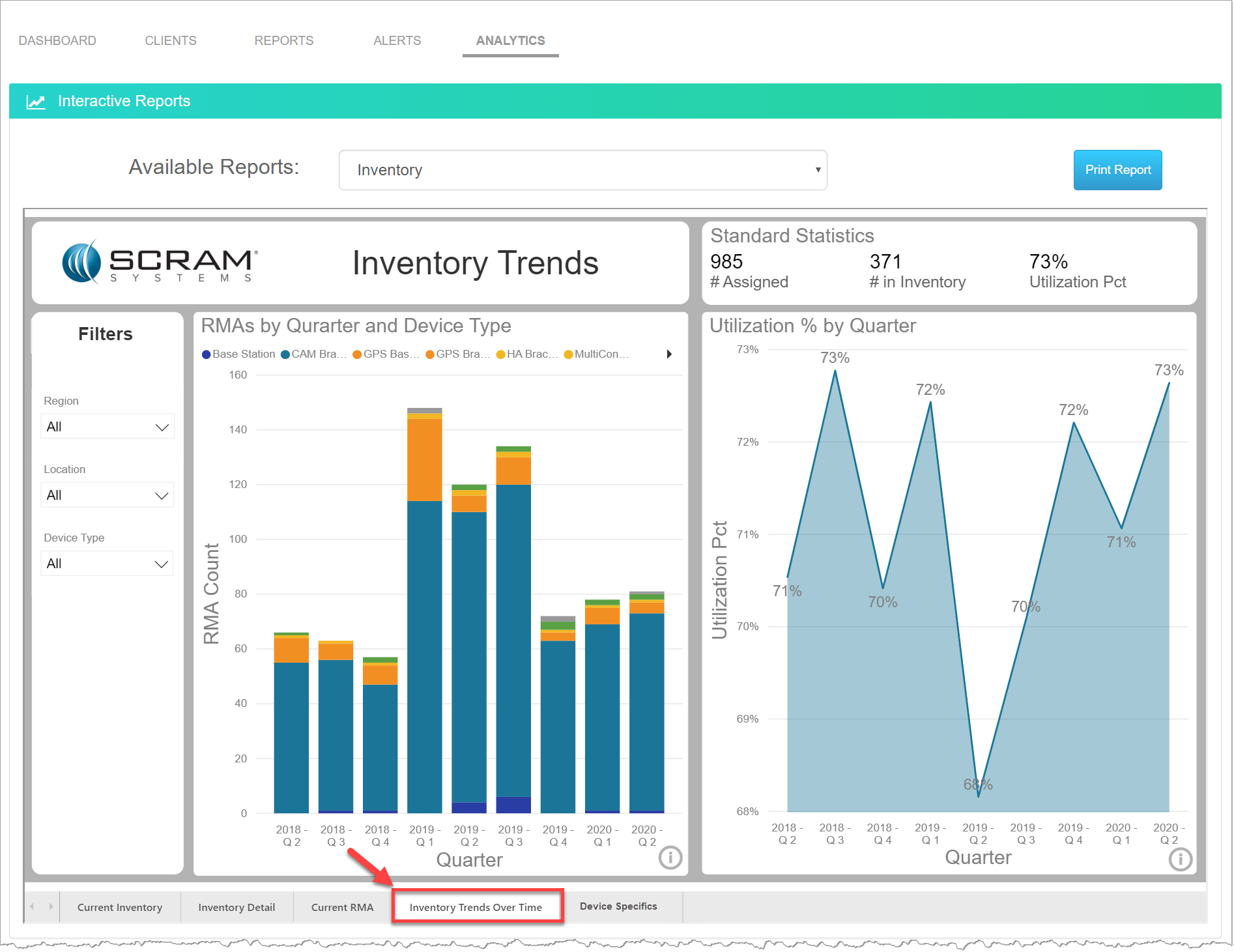
Analytics Inventory Reports – Inventory Trends Over Time (click to enlarge)
Device Specifics Report
The Device Specifics report provides detailed information for each device in your inventory. The detailed information presented will help you make decisions about how best to utilize your available inventory. This report allows you to quickly view the device’s:
- Inventory Location, Ship Date, and Inventory Status.
- Days Assigned: This information is useful when calculating the total number of days a CAM Bracelet can be used for client monitoring before the Annual Maintenance RMA is generated by the system.
- RMA details:
- RMA Number
- RMA Reason
- RMA Date
- Lost Date: Provides the date the device was moved into a Lost status.
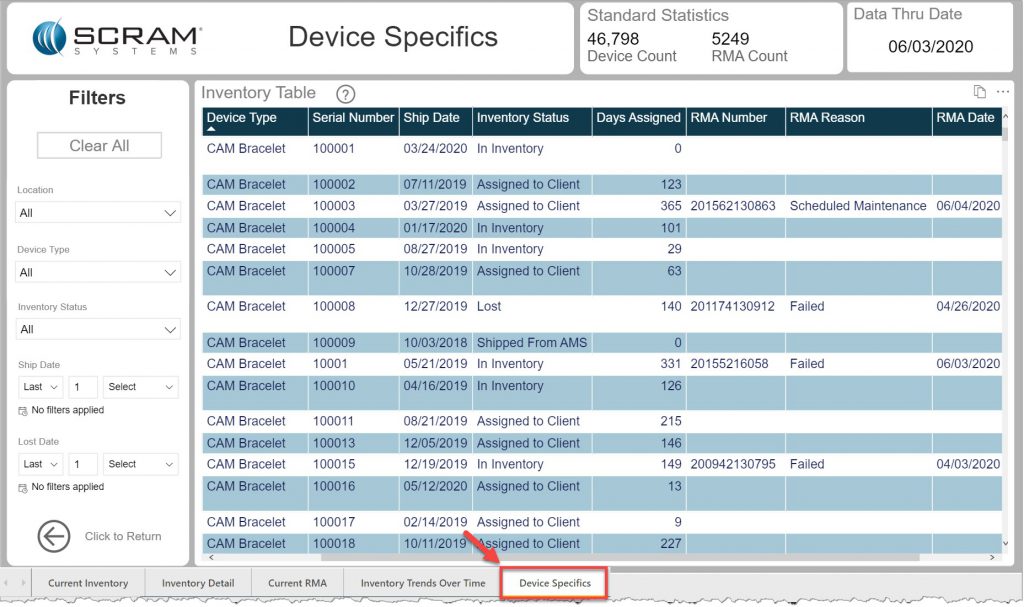
Analytics Inventory Reports – Device Specifics (click to enlarge)