 |
The service for the mass transfer of clients must be enabled for your account before you may utilize it. For more information, contact your SCRAM Systems Account Representative. |
Once enabled, you may transfer a caseload or multiple clients in bulk to other officers or caseloads.
- Select the Clients tab from the Nexus Workload page.
- Select the checkbox next to each of the clients you’d like to transfer, then select the Transfer Caseload button.
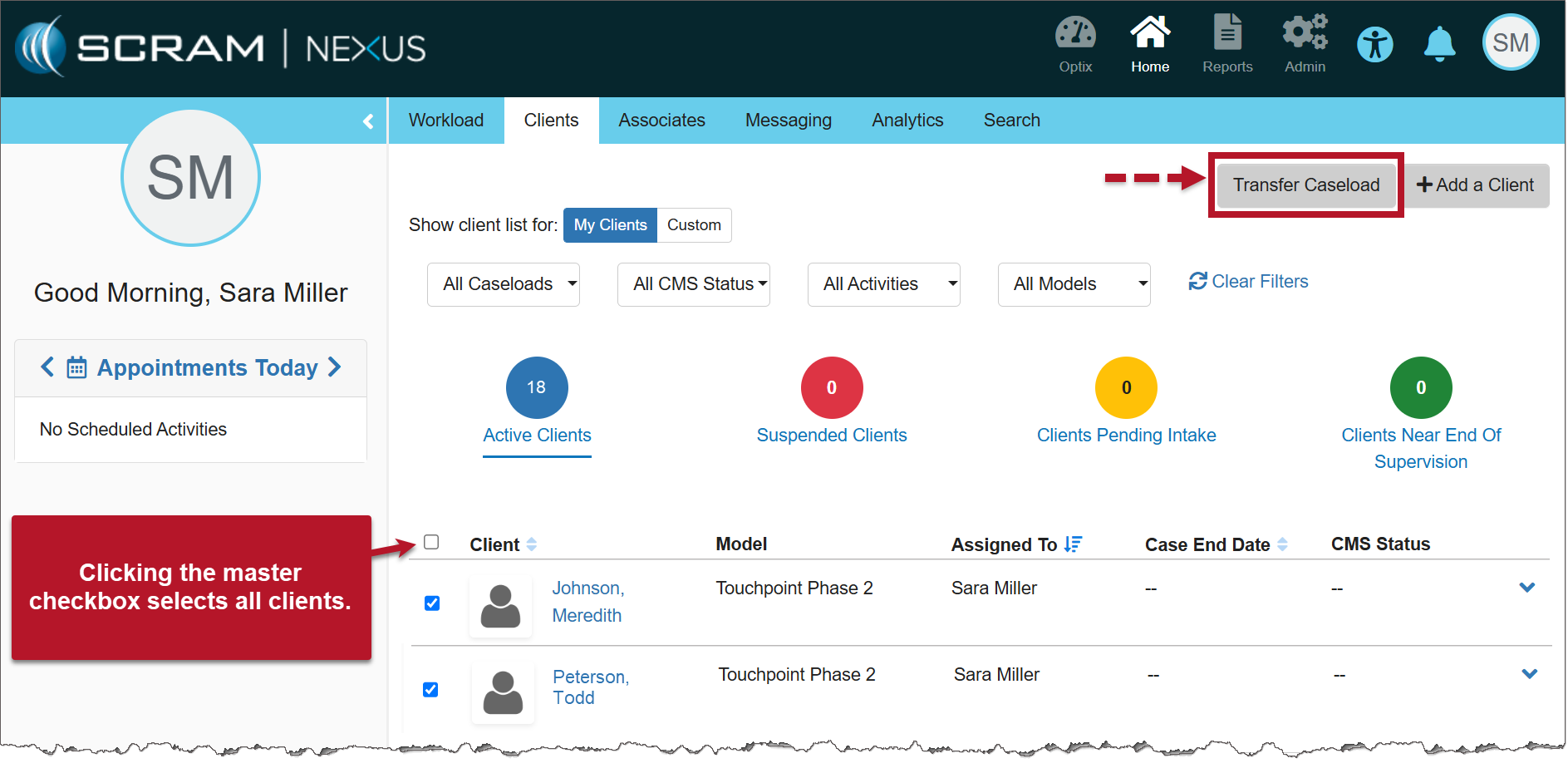
Nexus Clients page (click to enlarge)
- On the Transfer Caseloads pop-up window, select the Caseload and Officer from the dropdown menus. Both fields are required.
- Select the Save button.
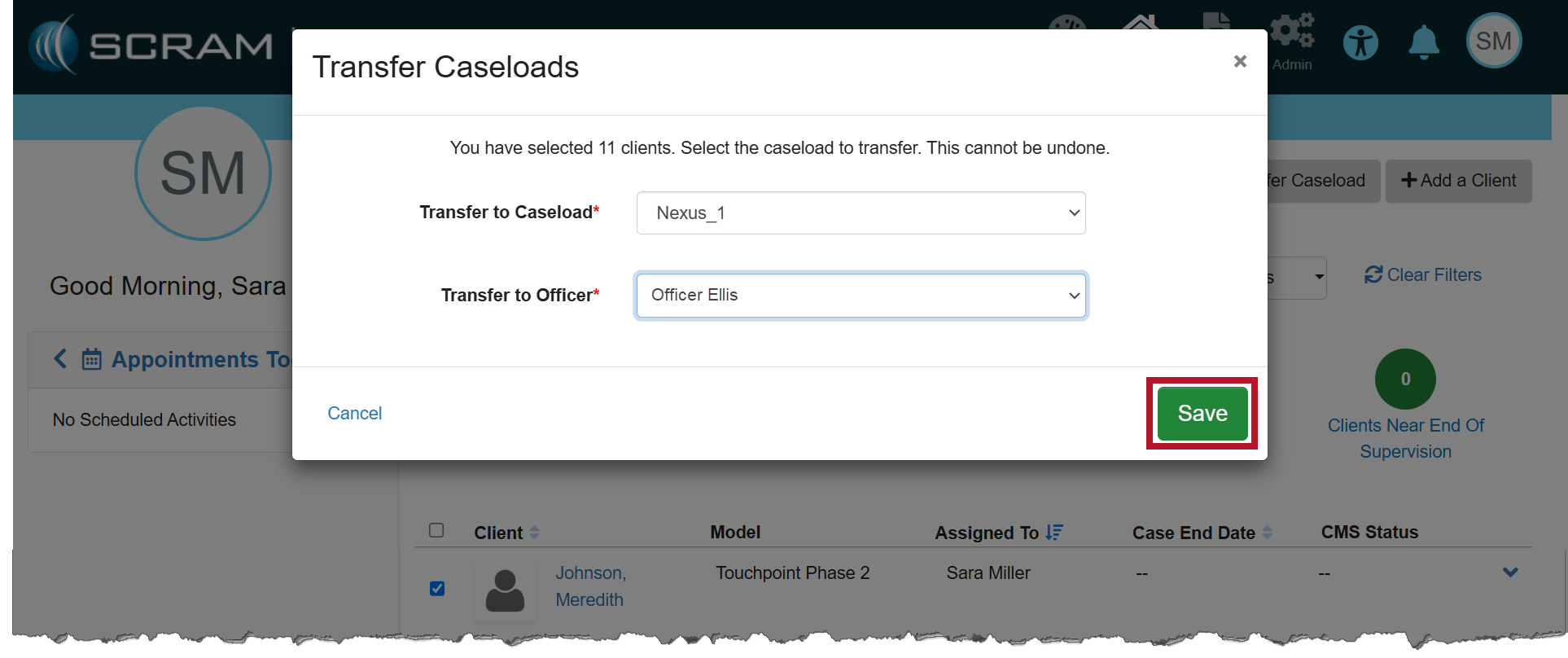
Transfer Caseloads pop-up (click to enlarge)
- Once saved, a success pop-up banner will display. Additionally, the clients will be displayed on the transferred officer’s Clients page.
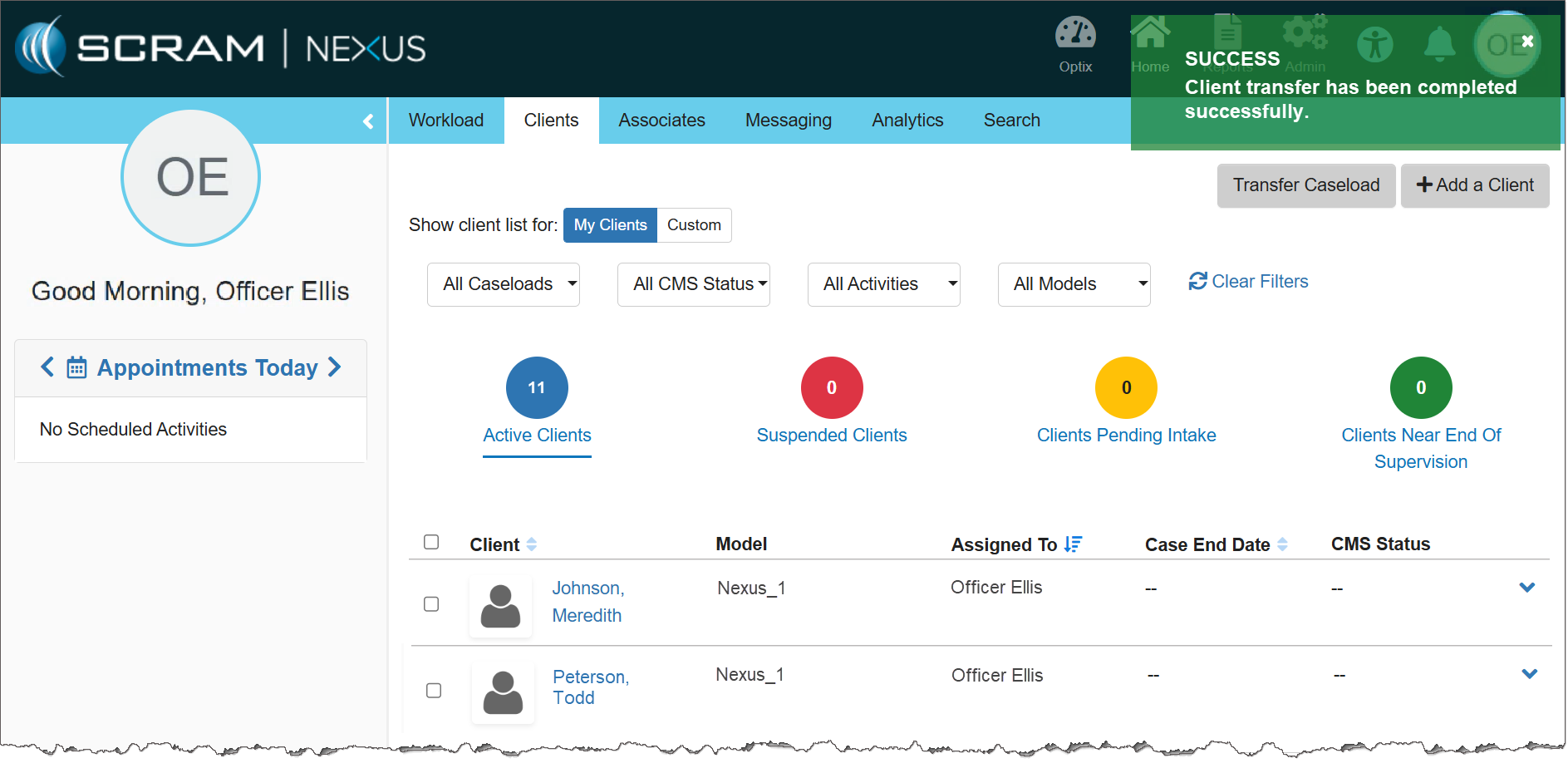
The Transferred Officer’s Clients page (click to enlarge)
|
If you don’t see the enhancement in SCRAM Nexus, please clear your cache and cookies and refresh your browser window. |