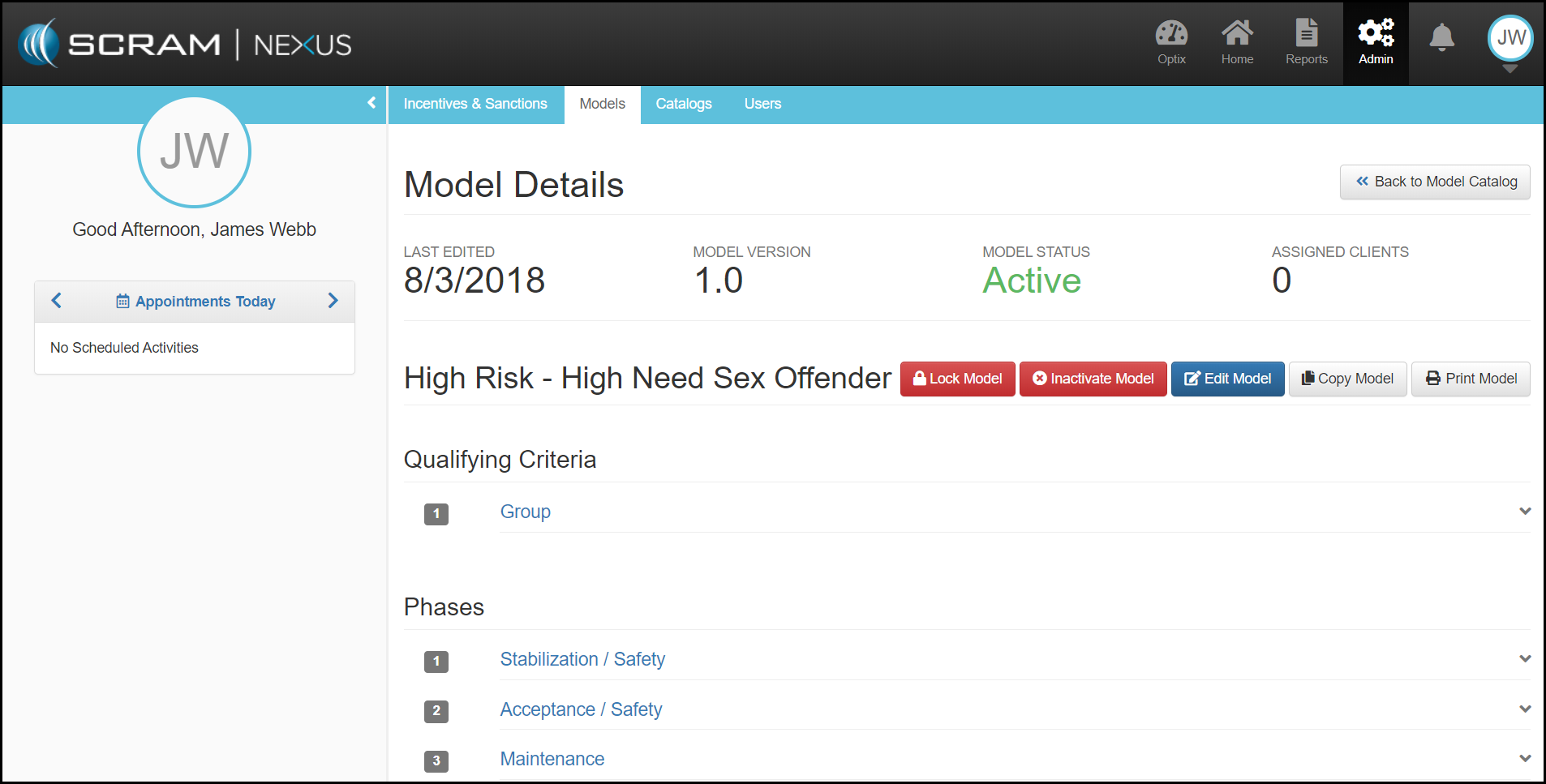
After selecting the Models name, you will be directed to the Models Details page where you will be able to Manage the Model, see the Qualifying Groups and the Phases associated to the Model.
Managing the Model:
- Lock Model: By locking a Model, you will prevent any new clients from being added to the model.
- Inactivate Model: A Model can be Inactivated once there are no clients assigned to the Model.
- Edit Model: You are able to add or remove Qualifying Criteria for a Group, add a remove a Qualifying Criteria Group, add or remove a Phase, and add or remove Conditions from a Phases.