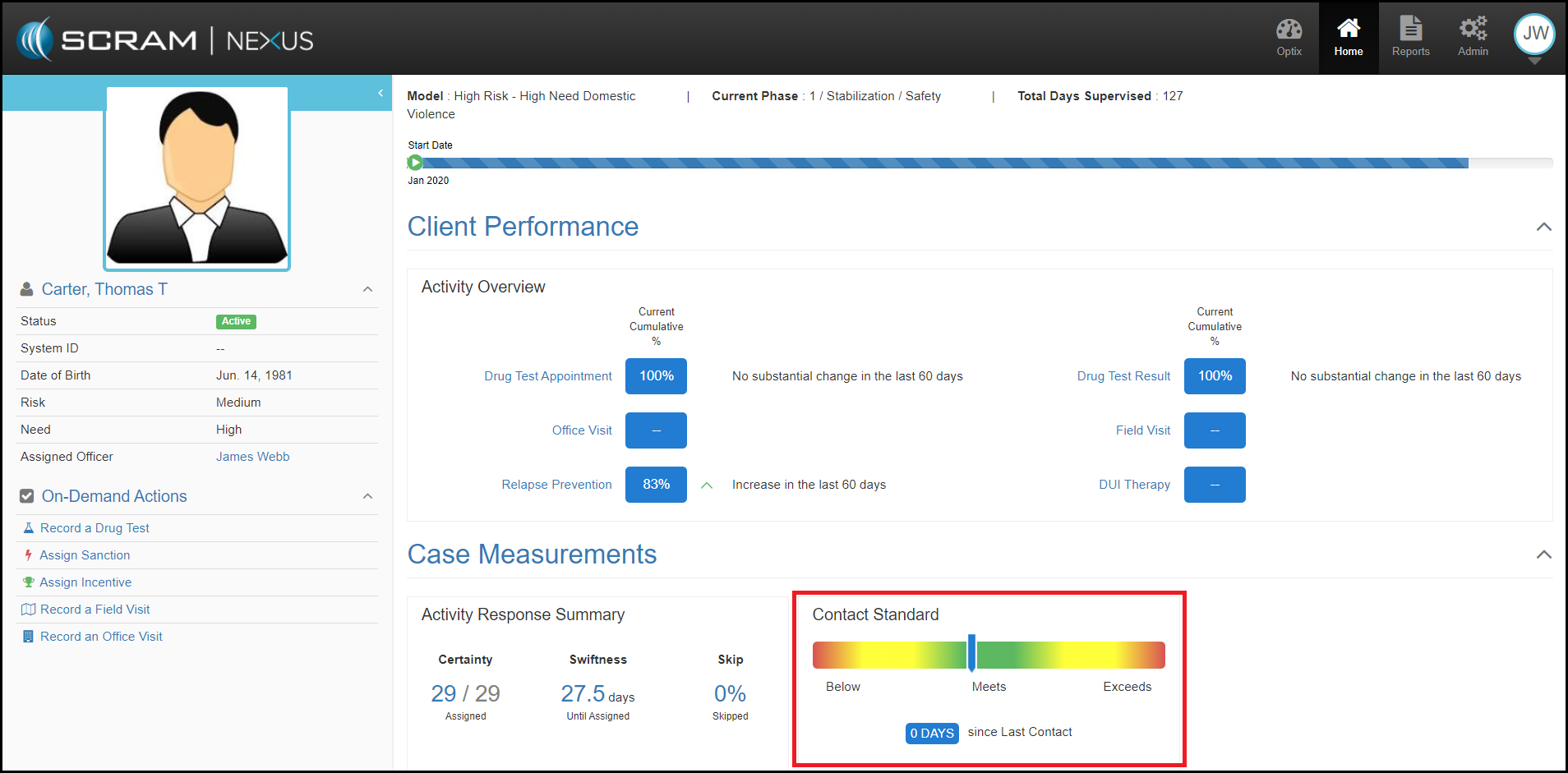
The Client Performance section looks at how well the client is progressing through the current Phase.
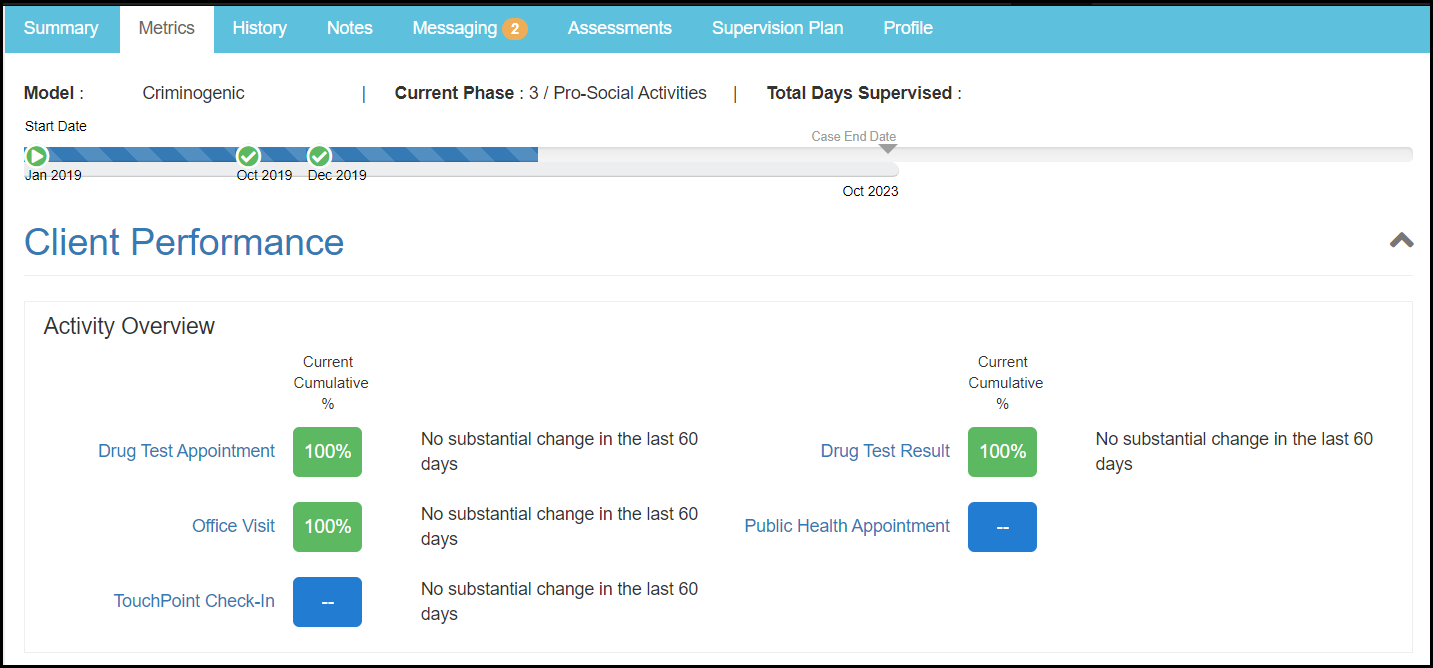
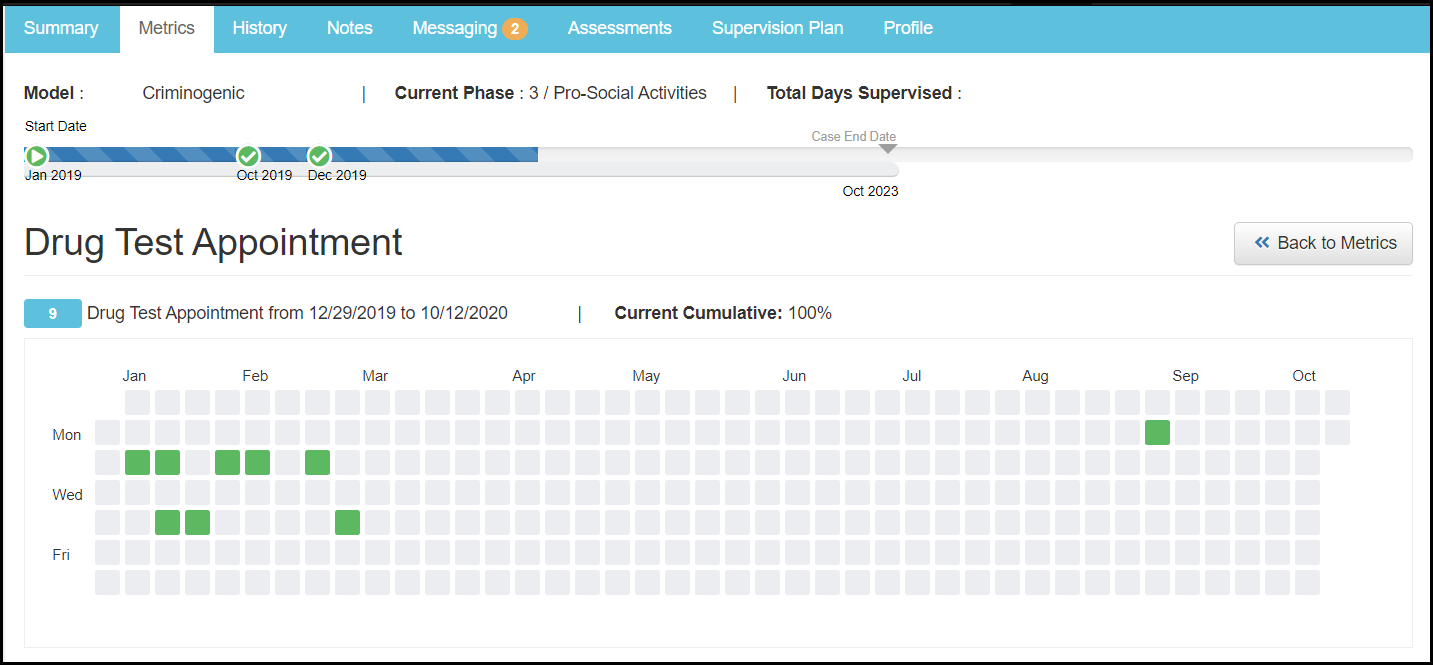
To view all the details that go into the individual client metrics click on the activity name within the Client Metrics tab. This section will show trends through a calendar and list view.
The Client Measurements measure how the officer is performing against contact standards for that client.
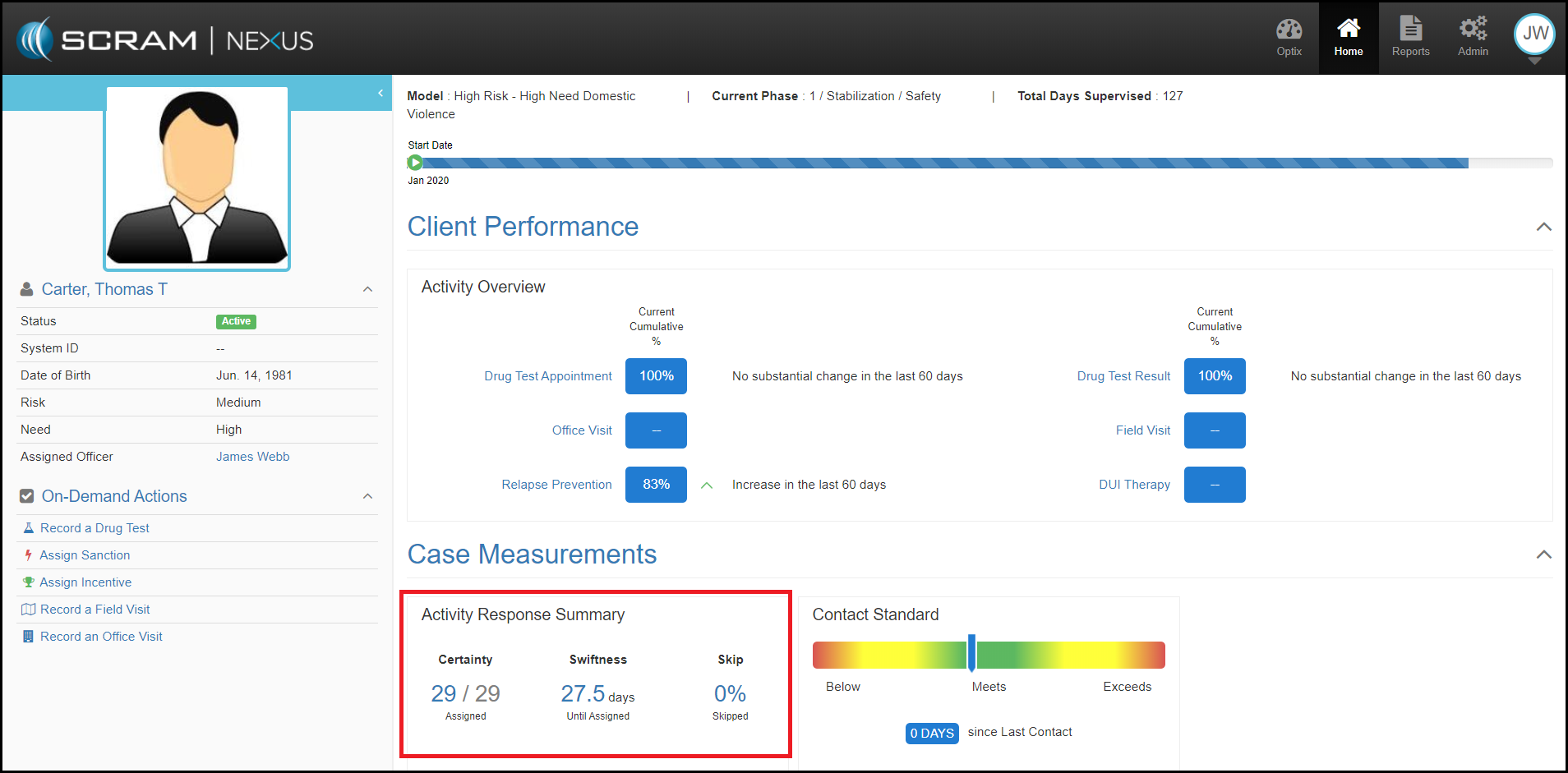
Case metrics within the Activity Response Summary section evaluate incentives and sanctions for a specific client in their current Phase.
- Certainty – Was there an assigned response to the behavior? SCRAM Nexus displays the amount of incentives/sanctions assigned versus the amount that was recommended.
- Swiftness – How long did it take to respond? SCRAM Nexus displays the average number of days between when an incentive or sanction was recommended vs when the incentive or sanction was assigned.
- Skipped – What’s the percentage of incentives or sanctions that are skipped? SCRAM Nexus displays the amount skipped vs the amount assigned.
SCRAM Nexus will display the contacts made versus the implied contact standard listed for those activities in the Model/Phase in which the client is currently placed. Office Visits and Field Visits where the client was present are considered contacts. If there has been no contact with the client in the last 30 days, nothing will be displayed in the Contact Standards area.