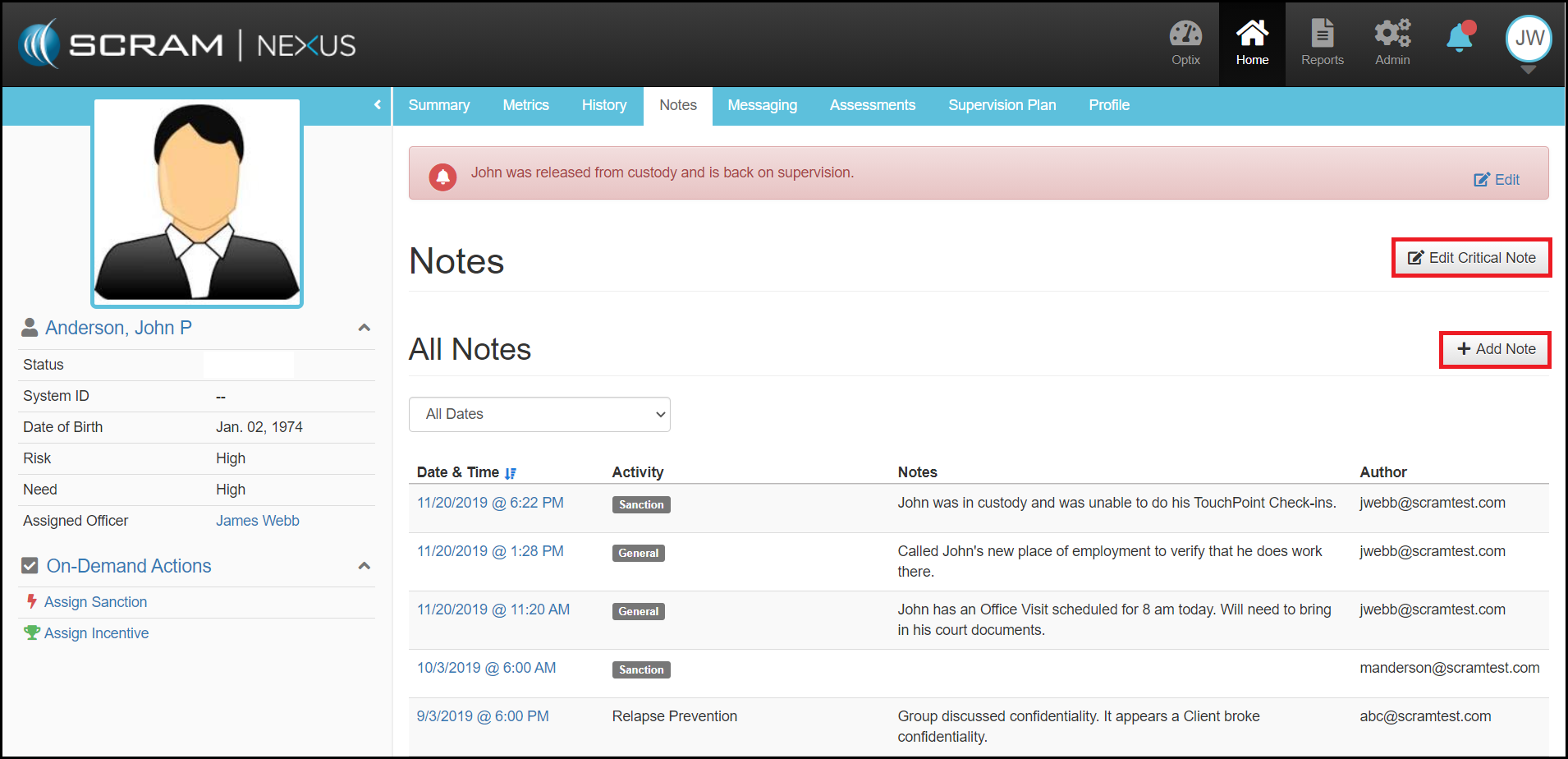
Notes within Nexus provides an officer the ability to capture any narrative that may help document a client’s individual case or their progress.
The Notes page provides a quick consolidated view of all the notes available on a specific client. While all notes are time stamped, additionally they capture the activity type, the associated monitoring type, the narrative and the author.
The time-frame for the displayed notes can also be filtered based on the drop down menu selection.
From the Notes page two types of notes can be added (Critical Notes or General Notes).