Ad Hoc Reporting allows for multiple options in building dynamic reports using data already entered from the Nexus database. Reports may be customized to fit the requirements necessary for the monitoring of clients.
Customizing a Report
- From the Reports menu option, select the Ad Hoc Report Builder tab and then select the desired Report Type from the dropdown menu.
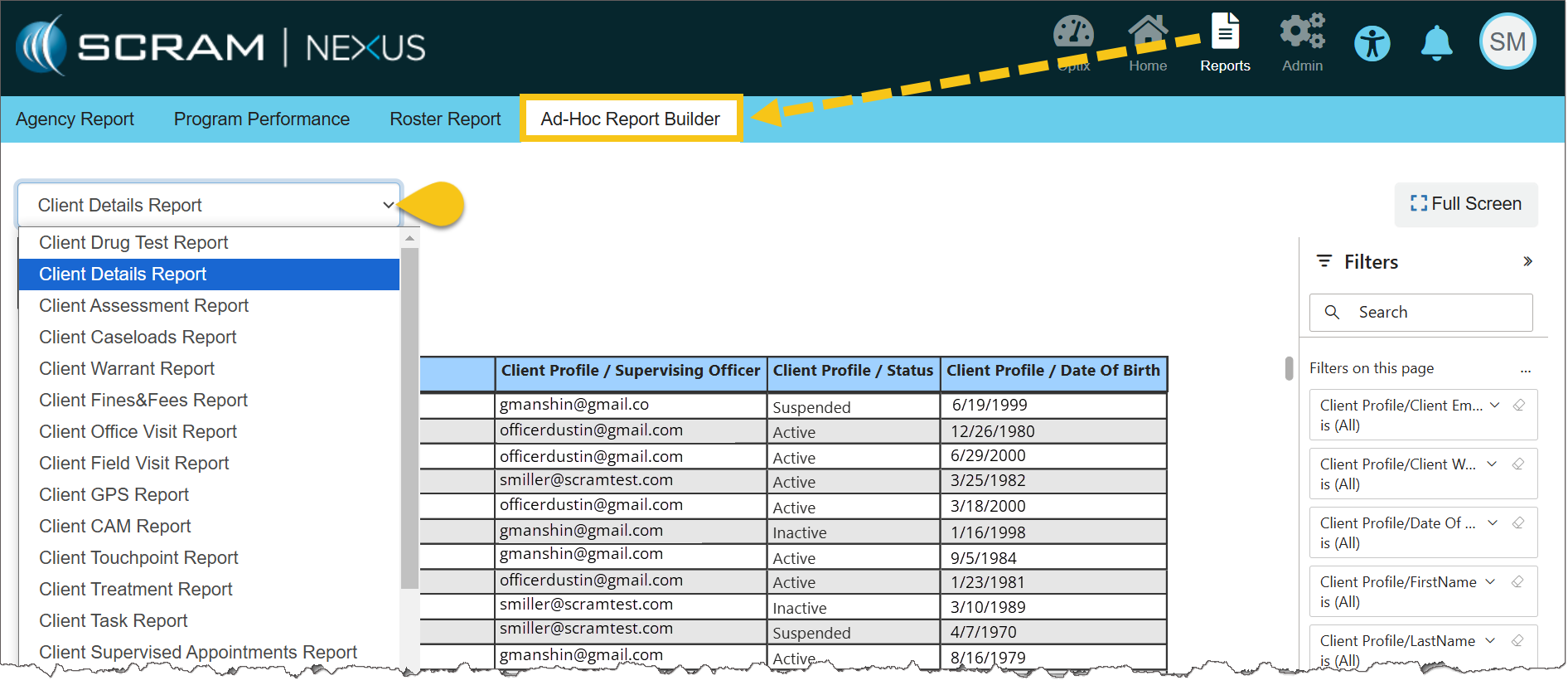
Ad Hoc Report Builder Tab
- Once a report is selected, use the Select Fields dropdown list to choose the data fields that will be included in the report. The selected fields will show as titles of the columns in the report. As each choice is selected, the report will dynamically populate.
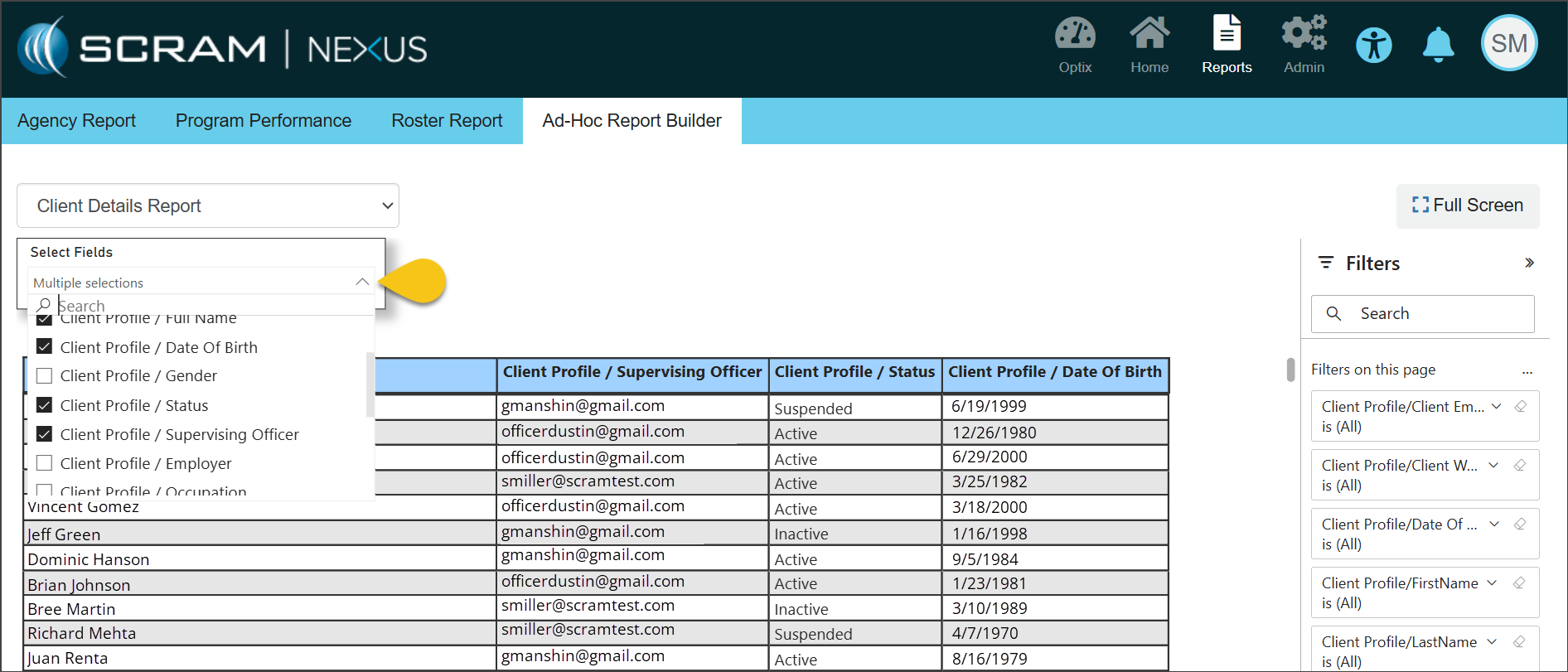
Select Fields Dropdown
- Further customization is available using the Filters section on the right side of the page. These advanced filters allow you to add more conditions for the information that will be displayed on the report. For example, choosing the Client Drug Test Report with the field of Amphetamine selected allows you to filter the report even further to only show clients who have tested negative or positive for amphetamines.
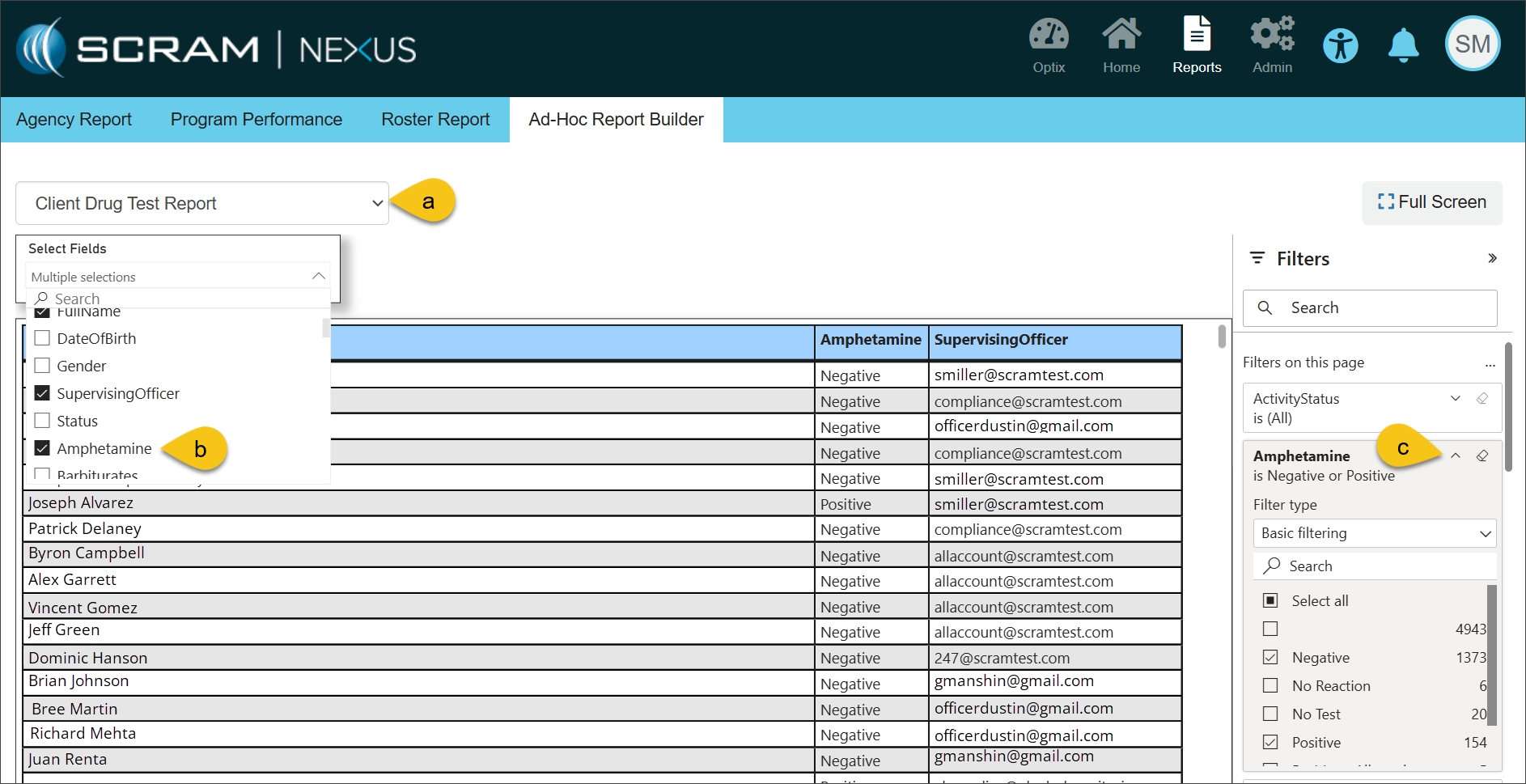
Additional Filters
Printing a Report
Hovering your mouse over any field in the table uncovers more options for viewing the information contained in the report. Selecting the More Options ellipsis (…) allows for exporting and printing your report in Excel.
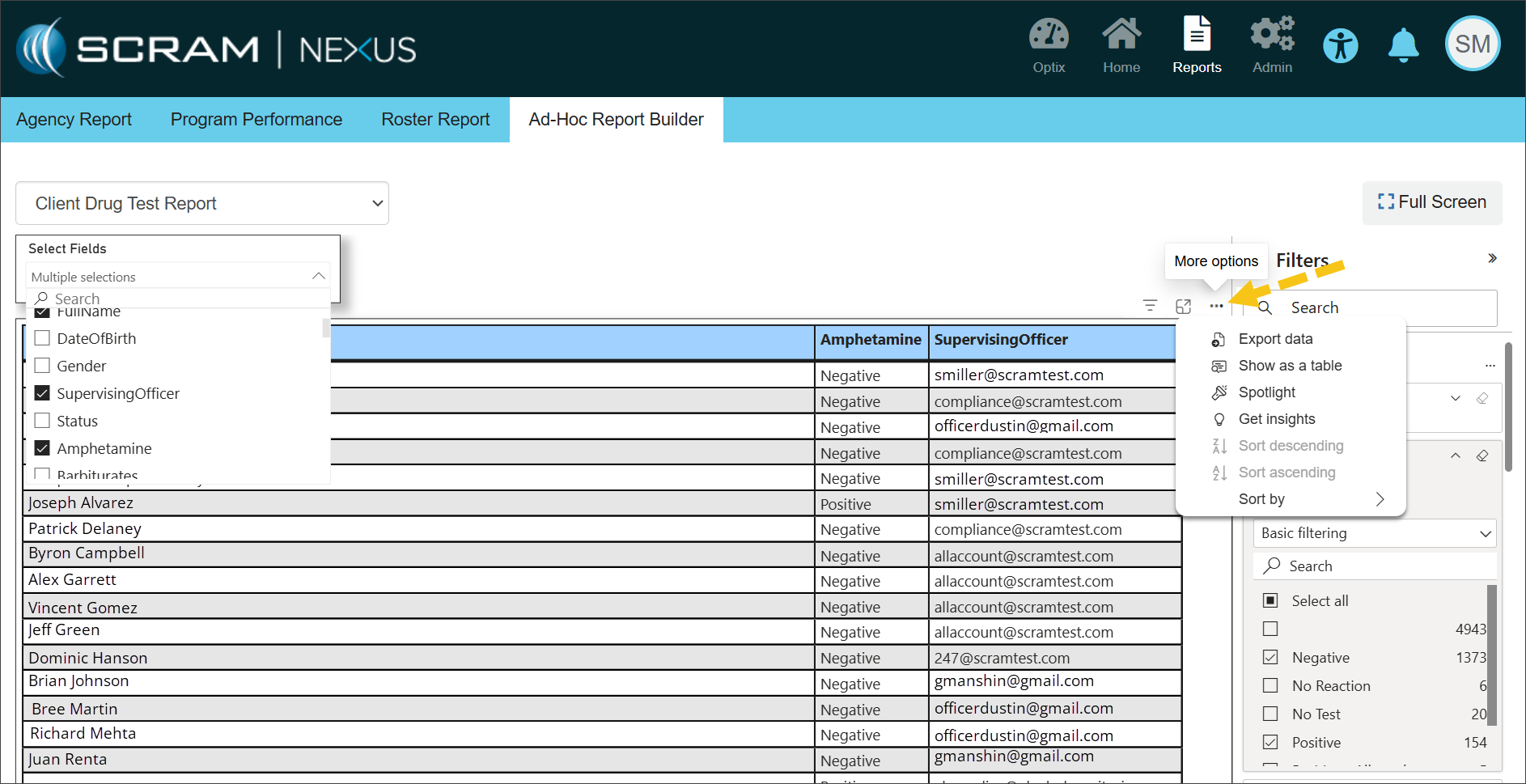
More Options (click to enlarge)