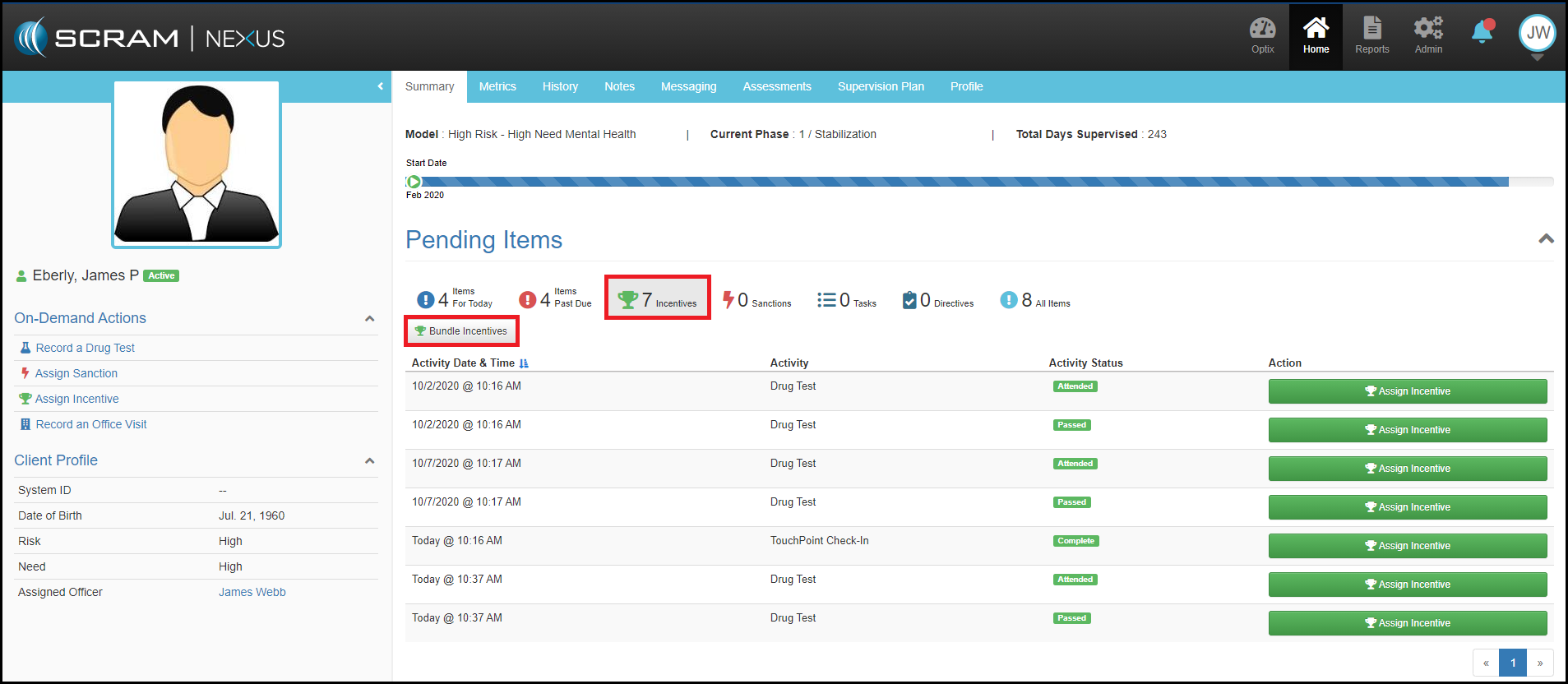
If a client has multiple incentive or sanction recommendations, the officer can choose to assign a single response for those recommendations or “bundle” a response recommendation. To combine multiple events into an individual response, select the Bundle Incentive or Bundle Sanction button on the client’s dashboard, which will load the Incentives or Sanctions Details page.
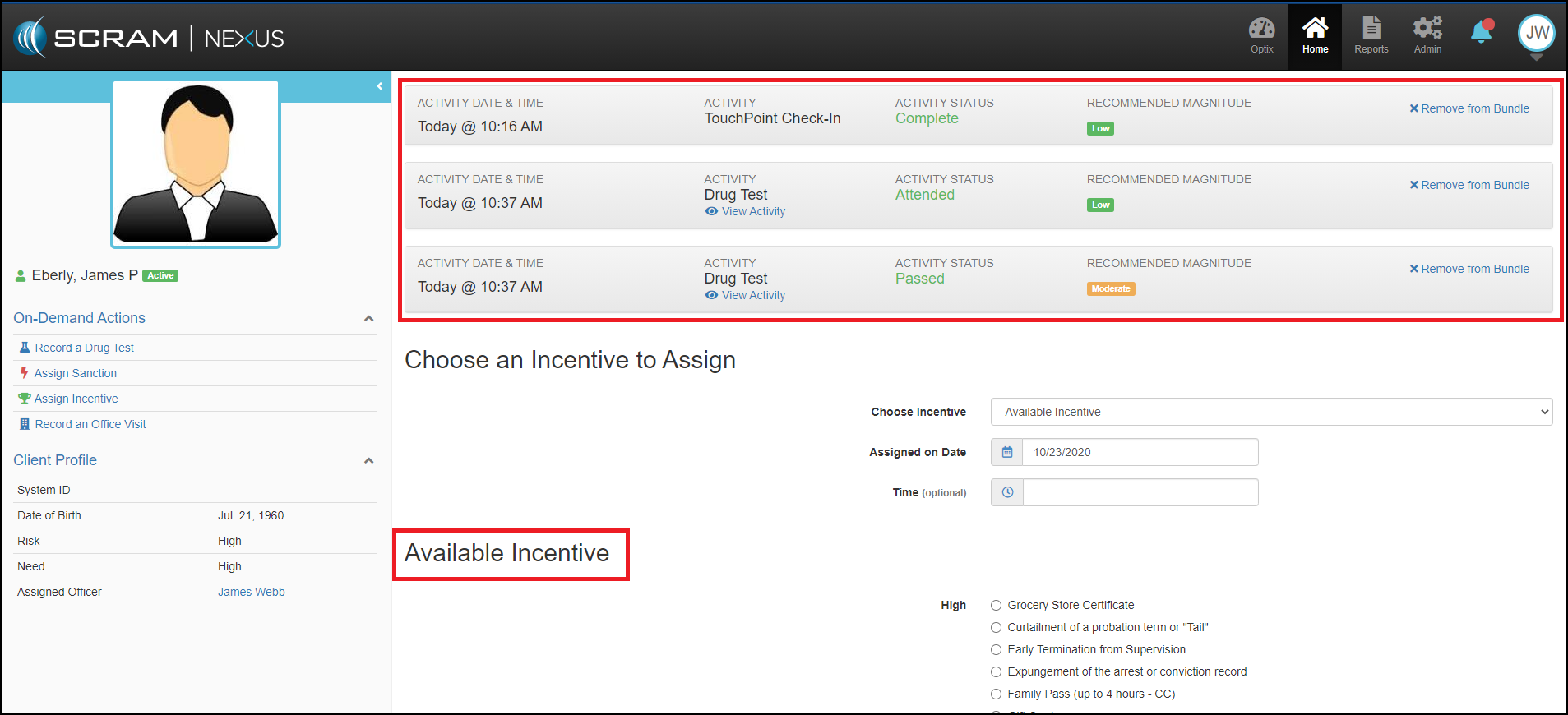
From there users will see a table of all of the pending incentives or sanctions with details on:
- Activity Time and Date timestamp
- Activity listed
- Activity Status
- Recommended Magnitude
- Removal option

The officer can then make the appropriate selection to assign or skip the incentive or sanction, toggle on the specific incentive and sanction, document any Notes necessary, and click the green Assign, Incentive, or Sanction button.
Please note: Sanctions can only be bundled with sanctions and incentives with incentives. The officer can select to remove specific pending items from the bundle. It should be noted that the most recent activity in the bundle cannot be removed. When using the bundling feature, SCRAM Nexus will remove the magnitude recommendation leaving that selection to the officer’s discretion.
After assigning a bundled response, the incentive or sanction will be marked as a “Bundle” in the history.