Nexus users with administration permissions have the ability to customize the questions that are asked and tracked for Treatment Sessions or Supervised Appointments. Questions can be customized at the activity level (i.e. Domestic Violence Treatment, Substance Use Treatment, Court Appearance, etc.). Questions should be formatted to prompt a ‘Yes’ or ‘No’ response from the provider. When changes are made to the questions, they will be reflected in the next treatment session or appointment.
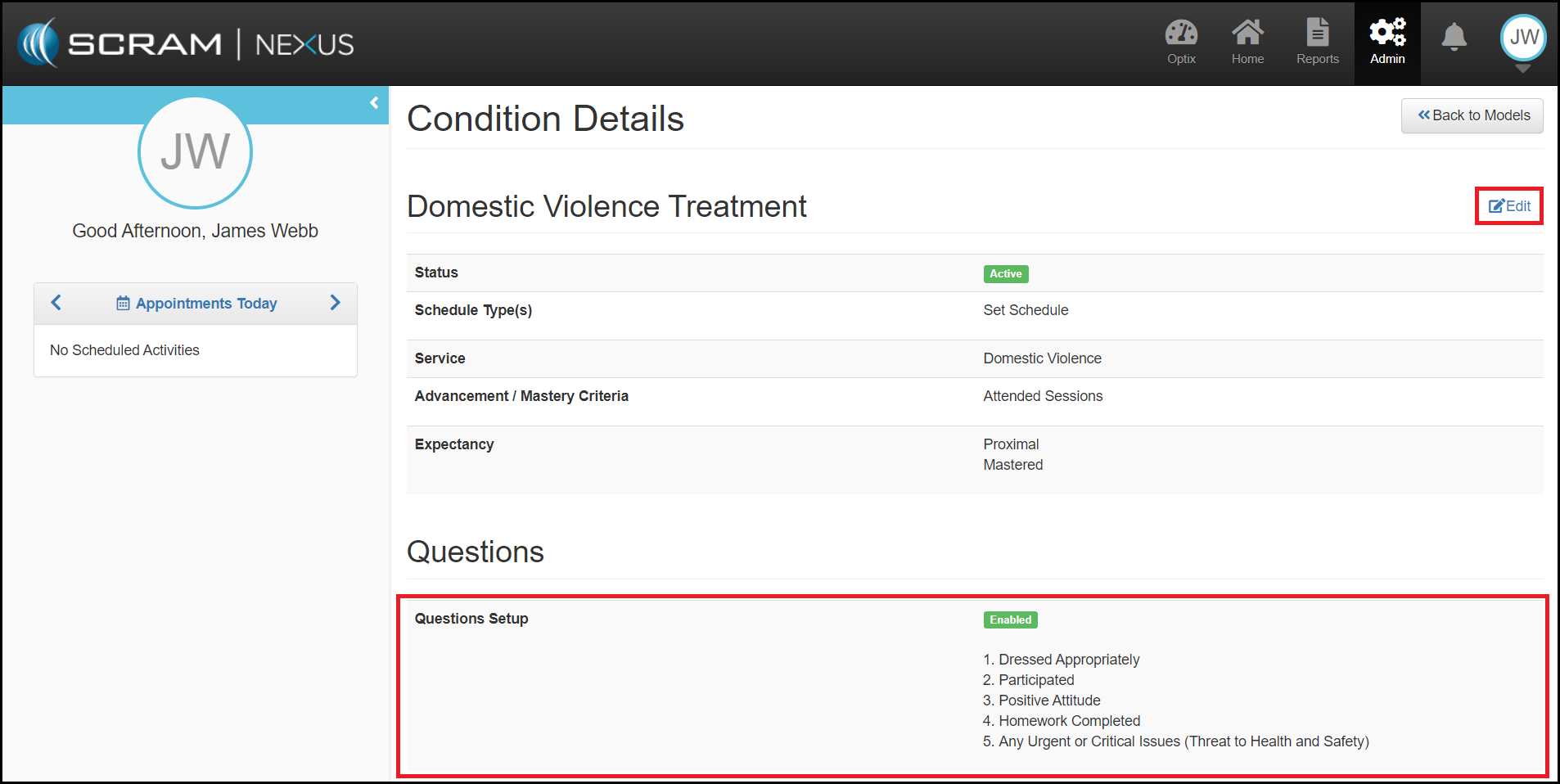
To modify questions for an Activity, begin by selecting the Activity from the list of Conditions accessible from the Models page which will launch the Condition Details page. With the Conditions Detail page open, select the edit button and navigate to the Questions section.
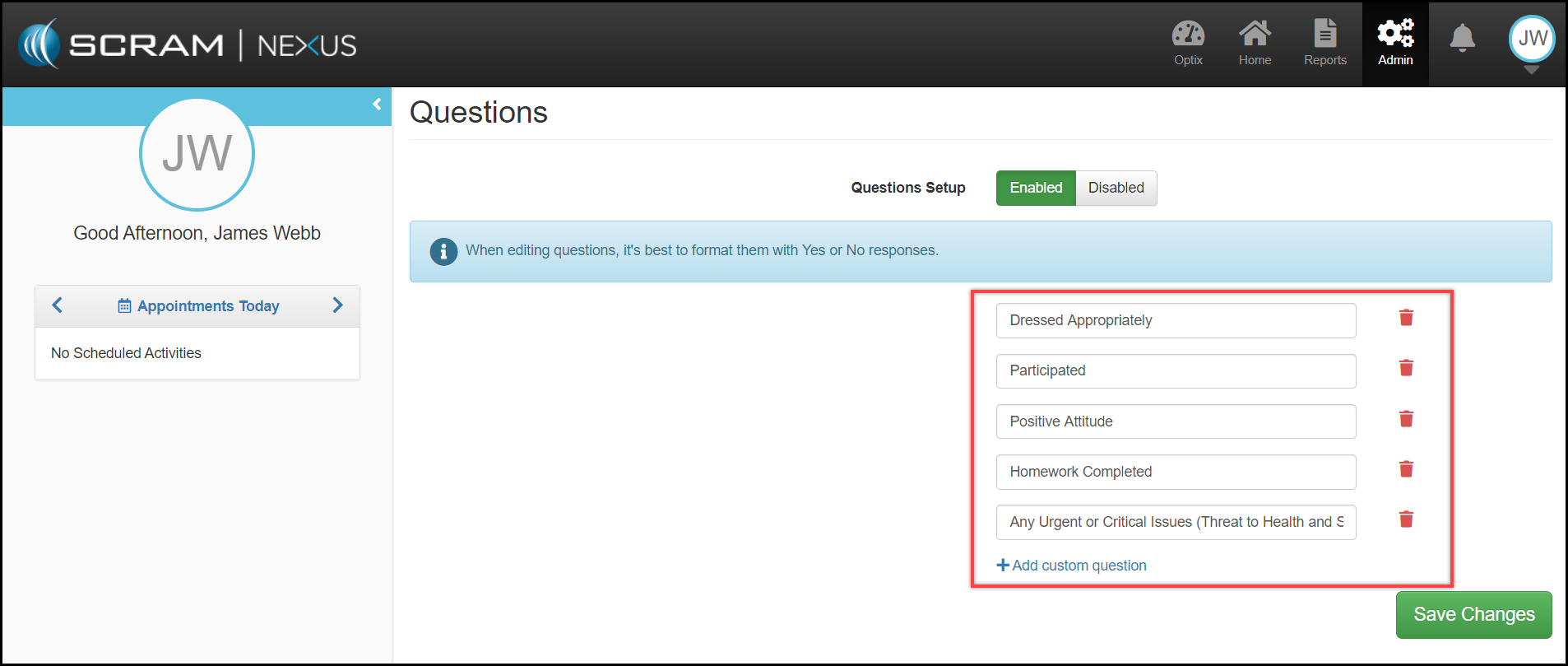
With the Questions section editable, officers can:
- Add custom questions by selecting the +Add custom question
- Remove questions by selecting the red trash icon can adjacent to the question
Select the Save Changes to complete the modifications to that Activity.