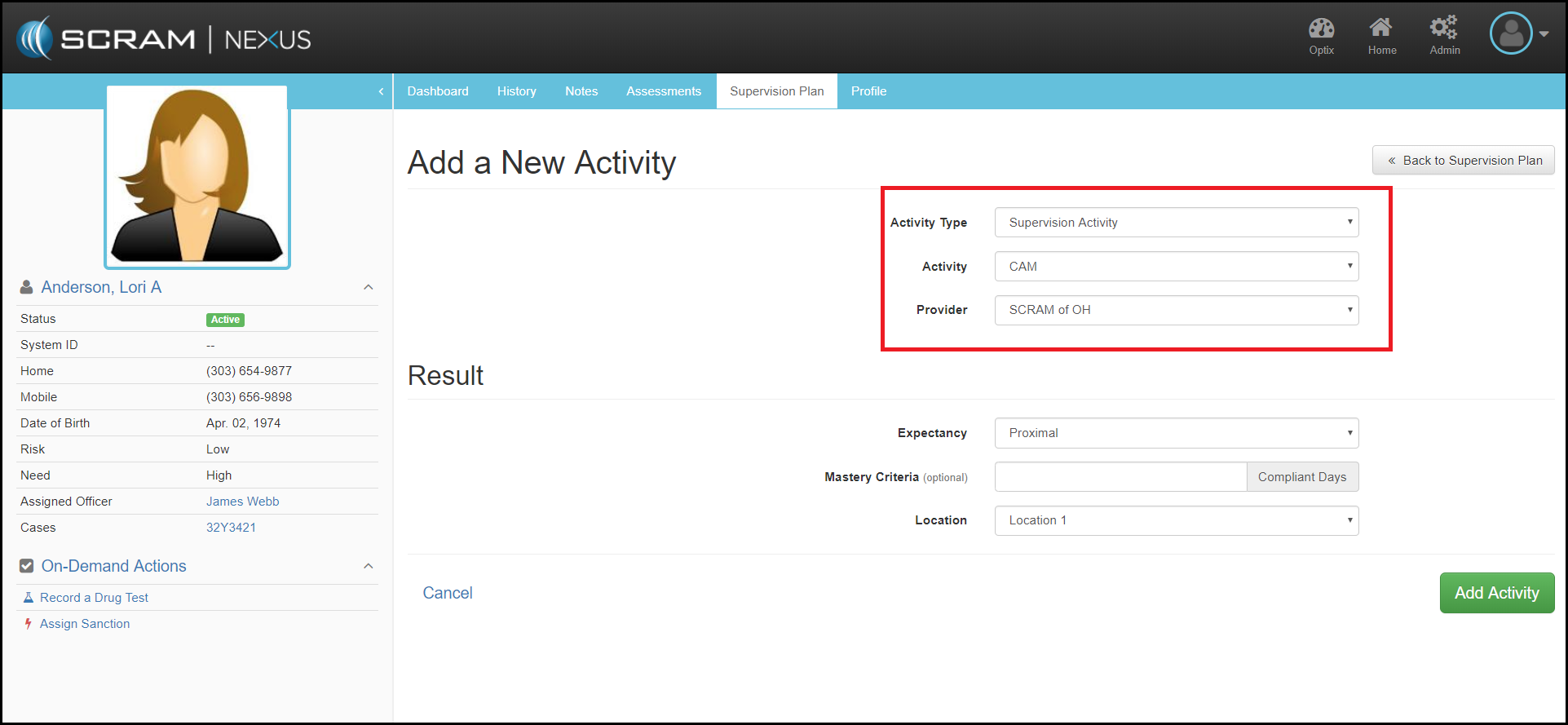
To add Continuous Alcohol Monitoring (CAM) to a client, first navigate to the Client’s Supervision Plan tab and select the +Add a New Activity button. From there, officers can select:
- Activity Type: Select Supervision Activity
- Activity: Select CAM
- Provider: Select from Available Drop-down List
- Expectancy: Select Proximal, Distal or Mastered
- Location: Select available CAM service provider location where SCRAM CAM Bracelet results will be downloaded.
Then click the green Add Activity button.
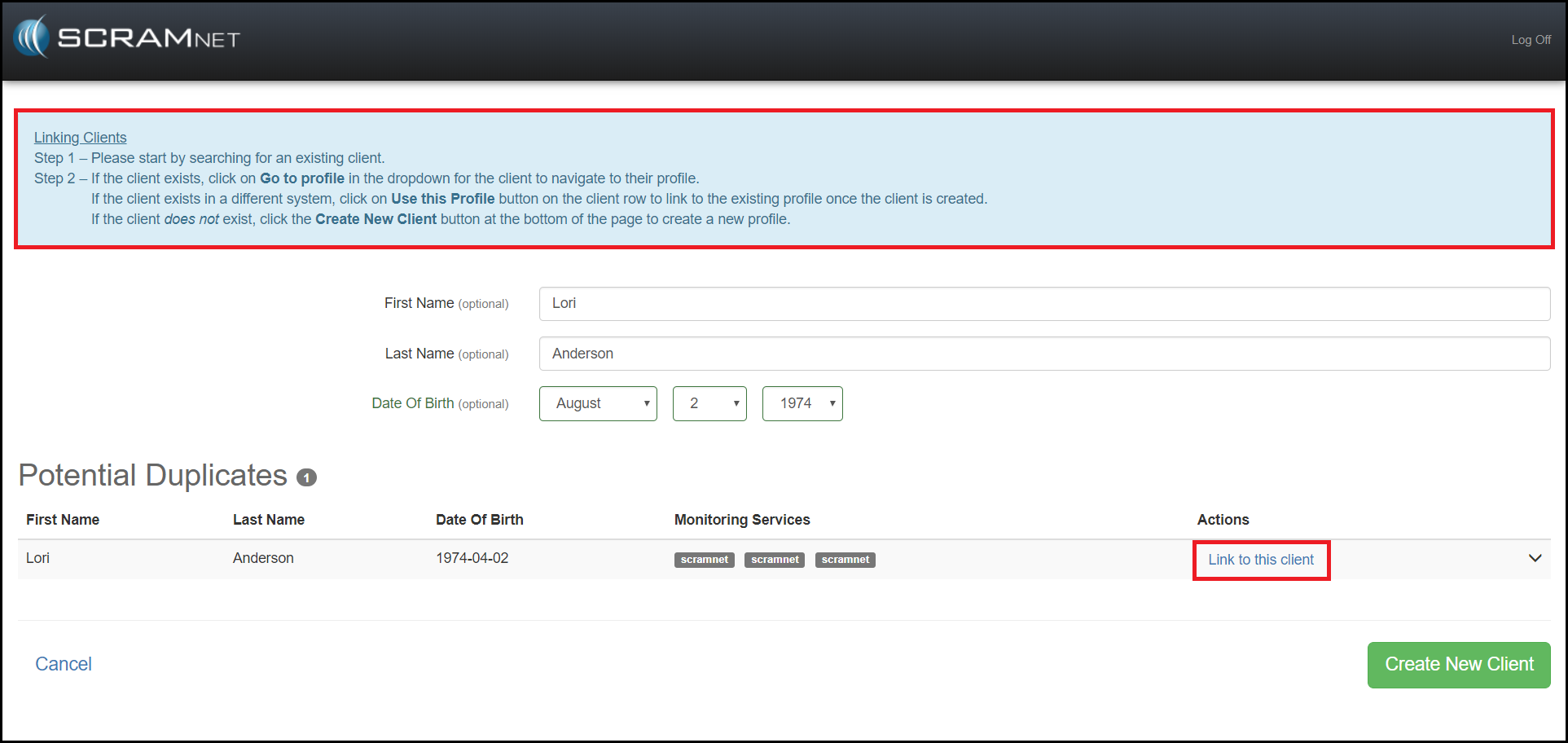
From there, officers will be taken to the SCRAMNET Linking Clients menuing (detailed instructions in the blue box are displayed which will guide the officer), where the client can be searched to see if they exist in the SCRAMNET CAM device monitoring database. If the client exists, the officer can click on the Link to this client to activate the connection between the CAM device and Nexus.