Office Visit activities in Nexus provide officers a guided workflow to steer them through capturing information obtained through a scheduled contact with a client. The Office Visit is typically a required element of a client’s supervision plan.
Conducting an Office Visit
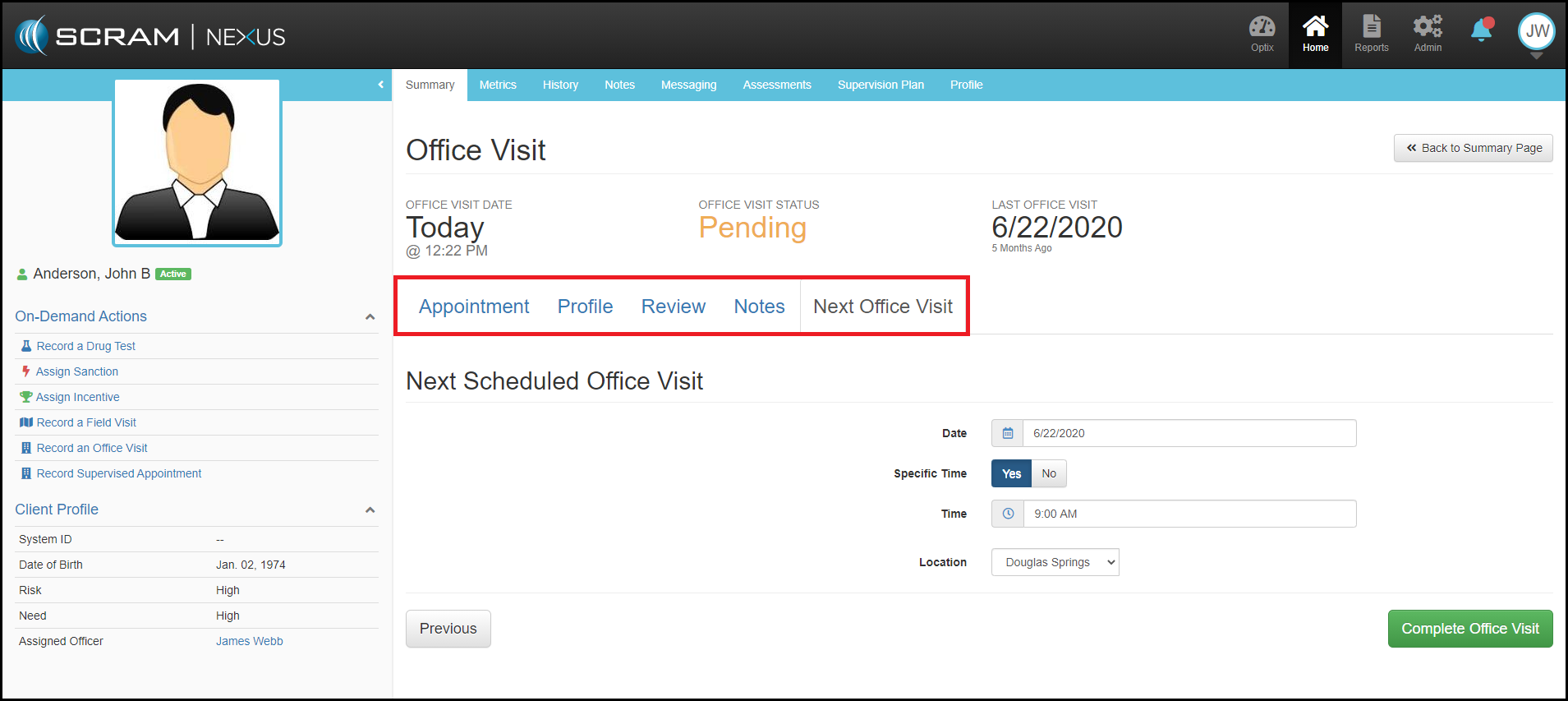
The Office Visit automatically surfaces on the day of a client’s visit and can be initiated from either an individual client’s dashboard or the officer’s pending items dashboard. Once launched the procedure to guide the officer through his meeting follows these steps (navigable by tabs along the top of the Office Visit application).
- Appointment: Click attendance options and continue.
- Profile: Provides option to review and edit client information with the client.
- Review: Shows list of pending client actions as well as “Activity Progress” will surface items completed since last visit.
- Notes: Provides officer open text box to capture meeting narrative as well as displays prior notations made for that client.
- Next Office Visit: The final tab automatically populates with the scheduled next appointment date, though all the fields are editable, so the client and officer can confirm or reschedule a different time for the next meeting
Hit green Complete Office Visit button.
On-Demand Office Visit
An alternative to a scheduled office visit, is the On-Demand Office Visit. The On-Demand Office Visit provides officers with a mechanism to initiate and capture an an ad hoc office visit between officer and client.
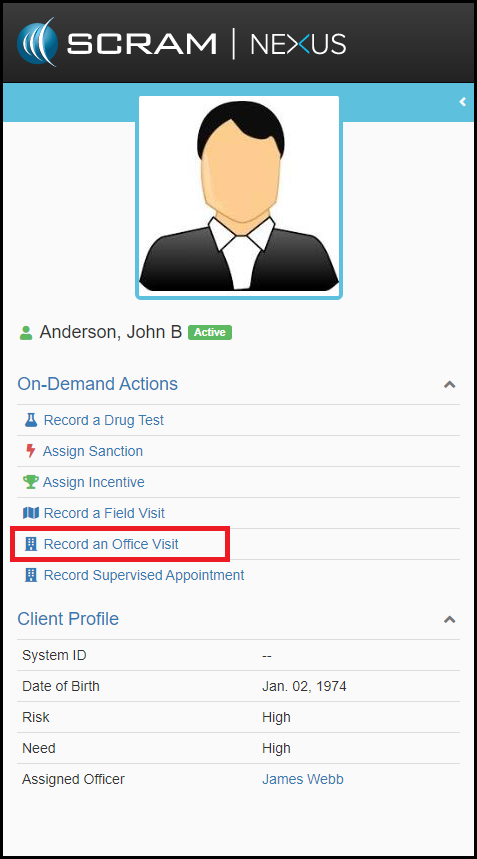
The On-Demand Office Visit can be launched by locating in the left navigation client profile panel the Record an Office Visit option underneath the On-Demand Actions menu.