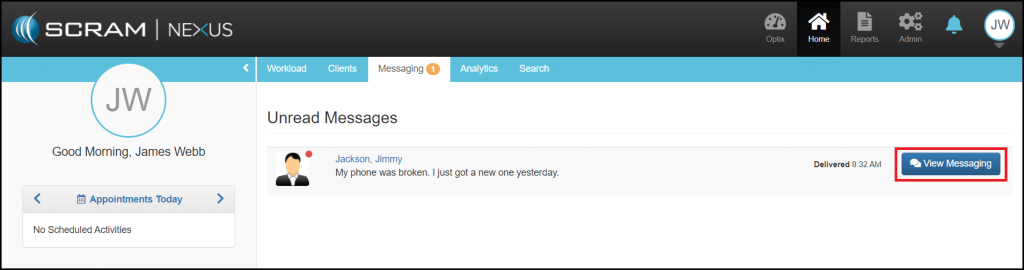
When a client sends you a message, the message will appear in your Messaging tab. To respond to the message, click on the blue View Messaging button and you will be directed to the clients Messaging tab.
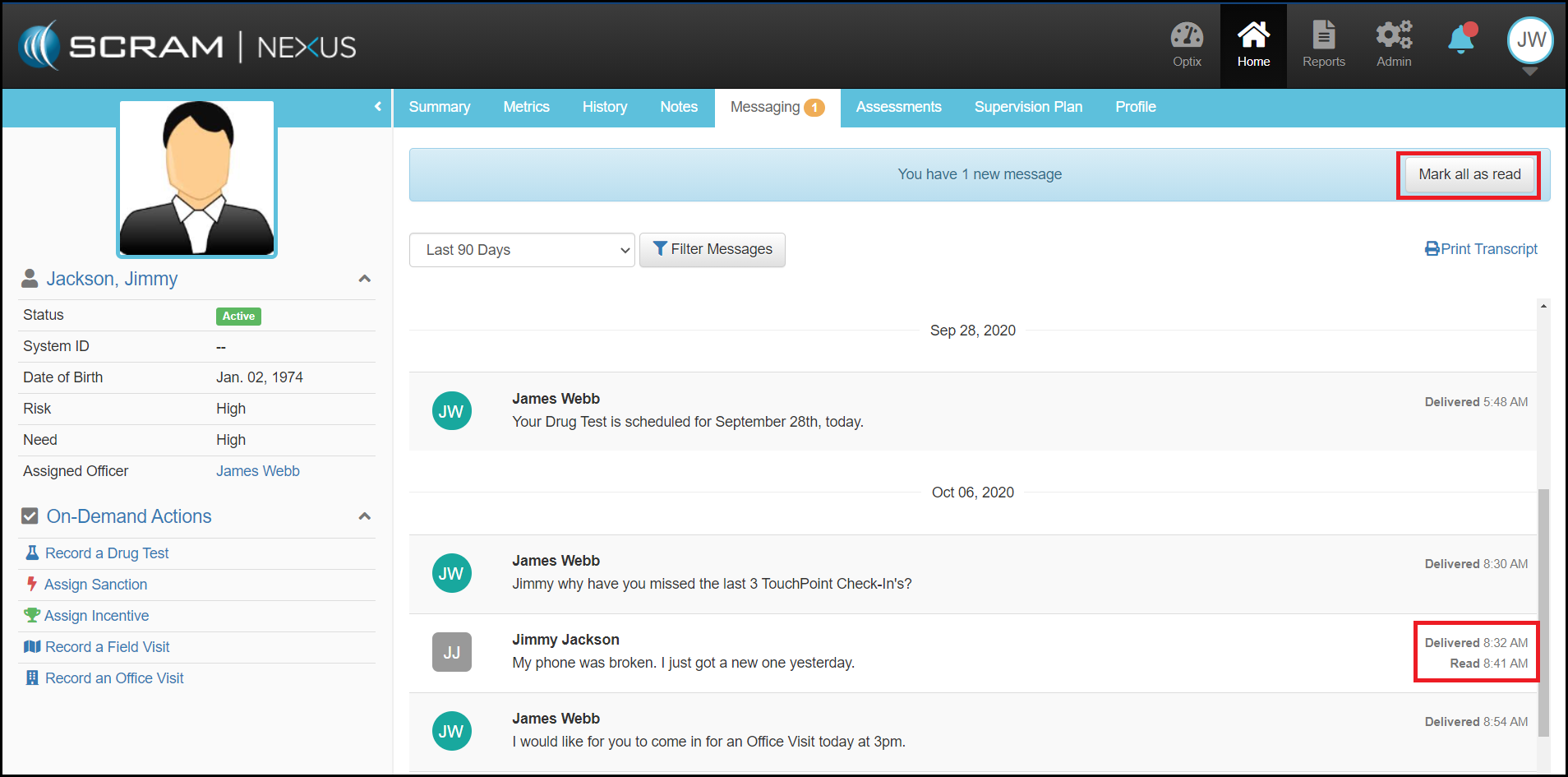
From here, you are able to communicate via the TouchPoint application. When you send the client a message, a Delivered Receipt will be posted to this page. When the clients reads the message a Read Receipt will posted underneath the Delivered Receipt. To clear the messages from your Officer Messaging tab, select the Mark all as Read button. This action will remove this clients messages from your Messaging tab but a record of the conversation will always remain on the clients Messaging tab.