Use this procedure to add a client in SCRAMNET® and associate that client with the Remote Breath monitoring type.
To add a client:
- Click the Manage Clients top-navigation option.
The Manage Clients page appears.
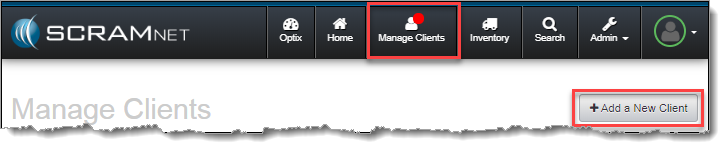
- Click the Add a New Client button.
The Potential Duplicates page appears.
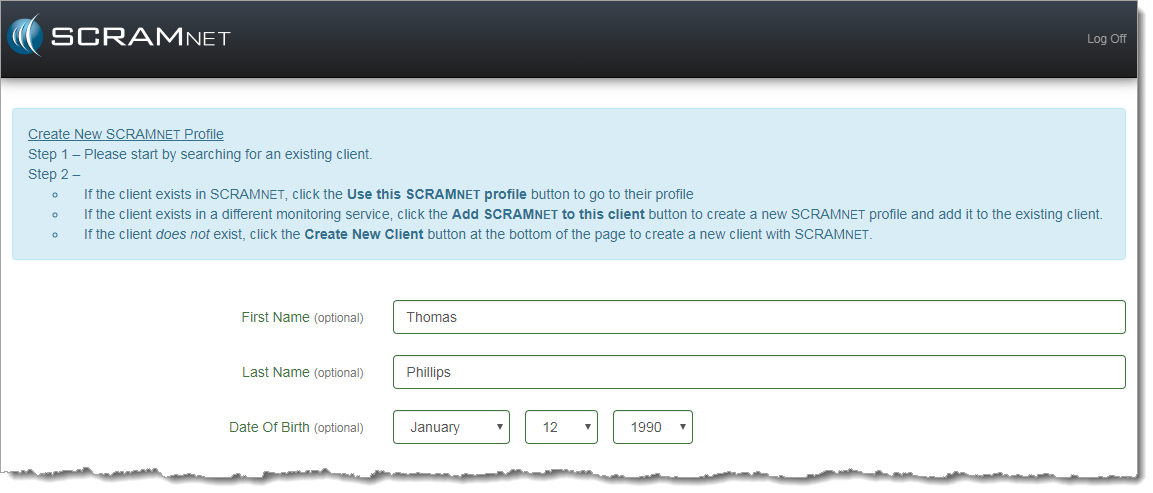
- Enter the client’s first and last name and date of birth.
Note: As you enter the information, clients with matching data will appear, as shown below.
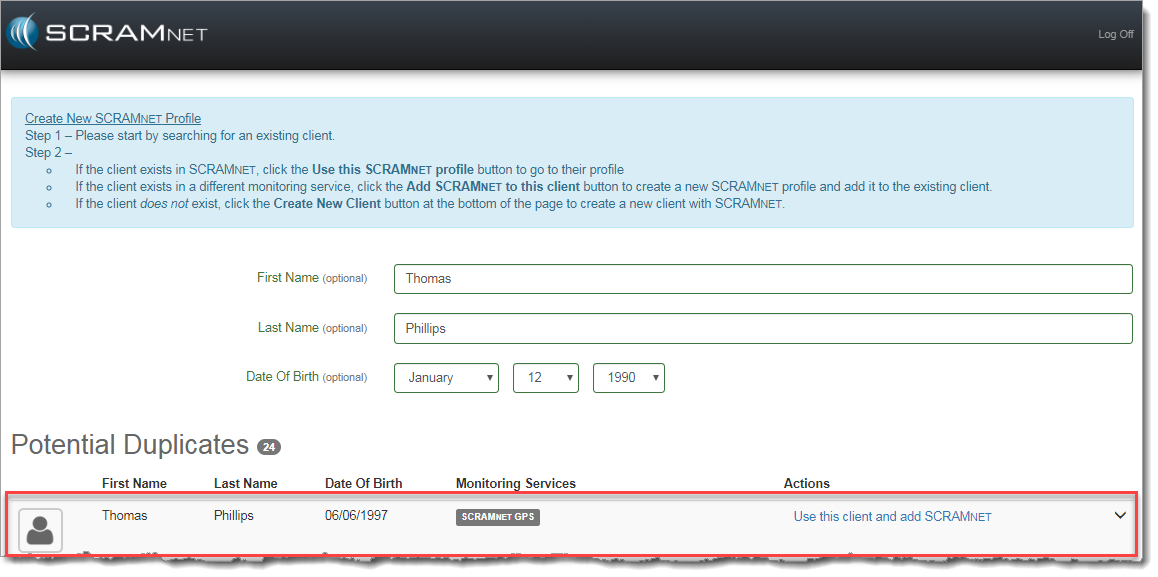
- If you suspect that a client shown may be the same individual that you are beginning to add, click the down arrow (
 ) on the right edge and click the Go to Profile button to view client details.
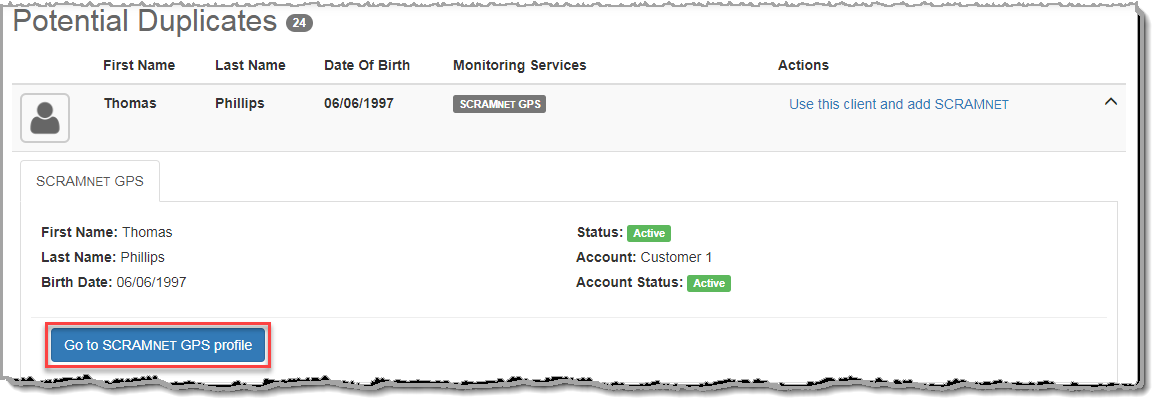
- If the details reveal that the client is NOT the same individual, repeat steps 1 through 3 then proceed to step 6 below to complete a SCRAMNET profile.
- Click the Create New Client button.
The Add SCRAMNET Client page appears.
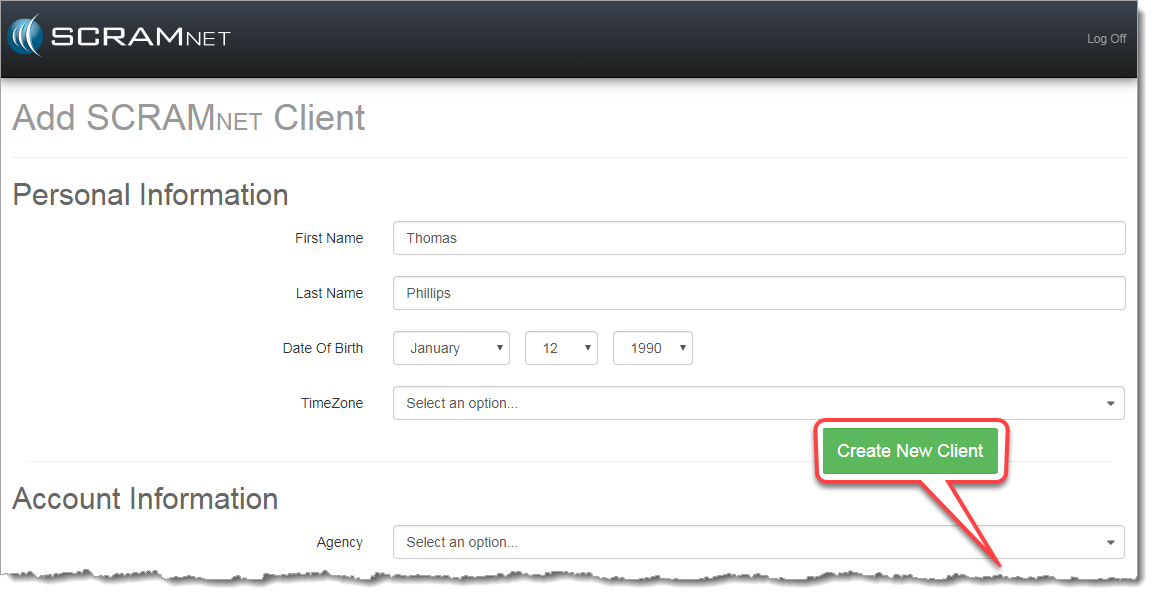
- In the Personal Information section, select the time zone.
Note: A caseload represents all clients that an agency is managing. - In the Account Information section:
- Select the caseload.
- Select the agent.
- In the Court Information section:
- Enter the case number.
- Select the client type.
- Select the client offense.
- Select the court.
Note: Courts in all agencies will now be listed.
- In the Employment section, enter the occupation.
- Select/enter any optional information.
- Click the Create New Client button.
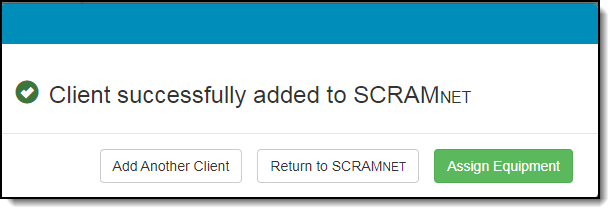
A decision pop up appears. - Click one of the following buttons.
- Add Another Client – Accesses the Potential Duplicates page so another client can be added.
- Return to SCRAMNET – Accesses the Manage Clients page.
- Assign Equipment – Accesses the client’s Equipment page.
To establish the monitoring type:
- Click the Assign Equipment button.
- Click the Assign Monitoring button.
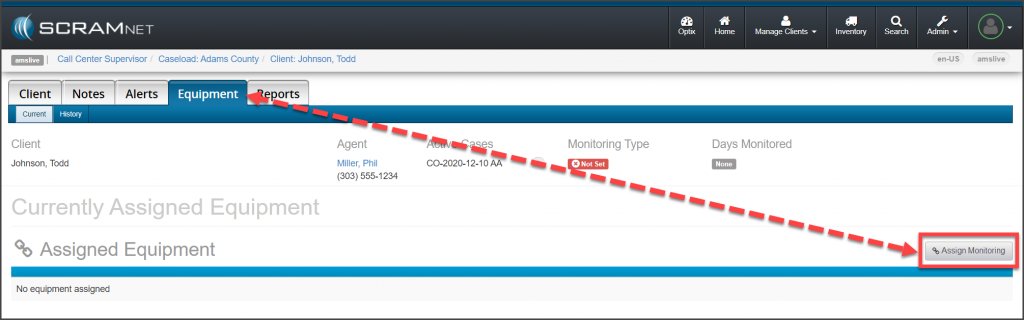
SCRAMNET Client’s Equipment page: No Monitoring Type Set (click to enlarge)
- Select the “Remote Breath” option in the Monitoring Type drop-down list.
- Click the Complete Change Monitoring button.
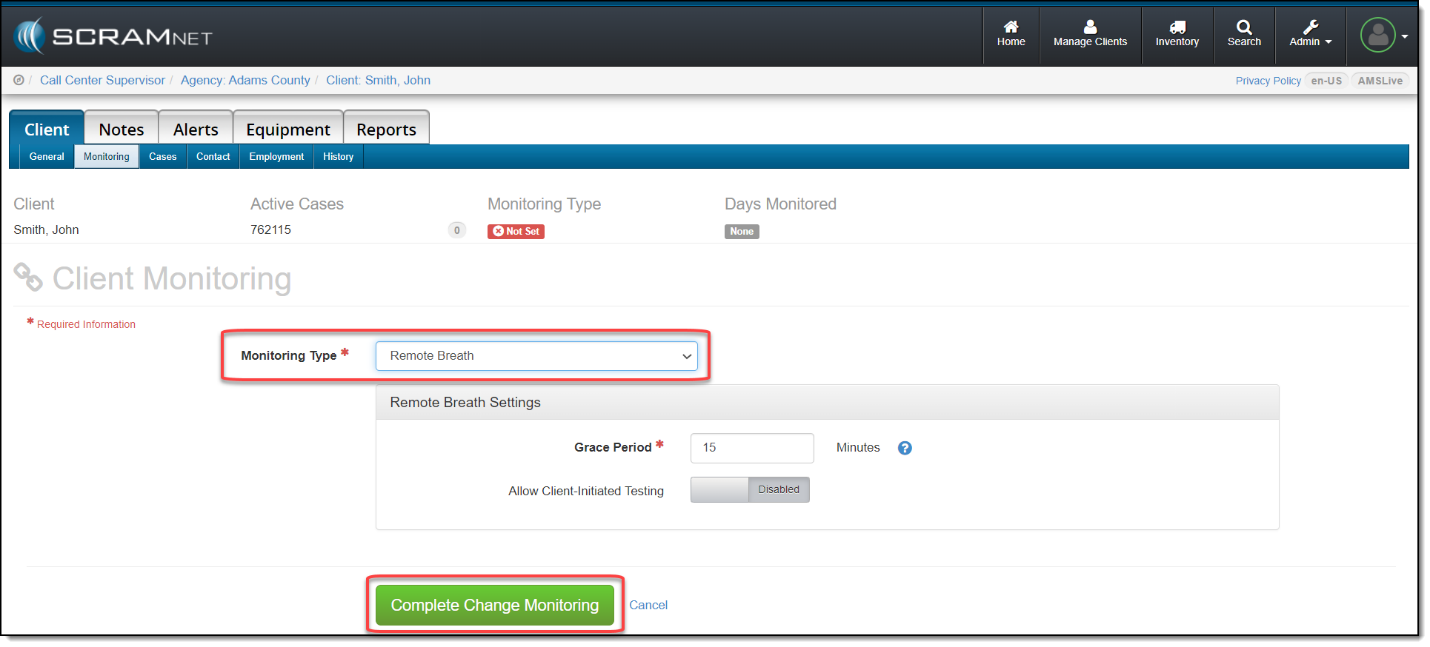 The client is now designated as a remote breath client. Refer to the “Assign SCRAM Remote Breath Device” procedure to assign a remote breath device and begin client monitoring.