A Courtesy Reminder is a text message sent to a client’s cell phone at the time of, or shortly before a scheduled test. In addition, a text message can be sent when the device’s battery level is reported as low or critically low, as a reminder to the client to charge their device.
To activate Courtesy Reminders for a client in SCRAMNET, navigate to the client’s RB Schedule tab.
- Select the Courtesy Reminders hyperlink on the client’s RB Schedule page.
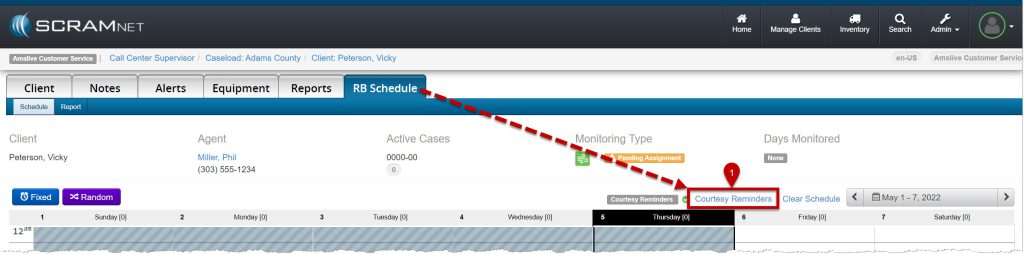
Courtesy Reminders hyperlink (click to enlarge)
- In the Remote Breath Courtesy Reminder pop-up, toggle the Disabled button to Enabled.
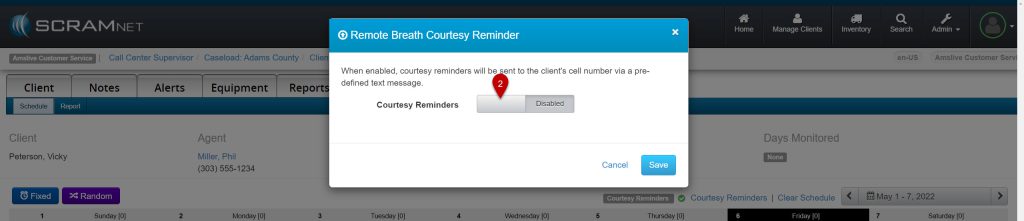
Toggle on Courtesy Reminders (click to enlarge)
- Enter the client’s cell phone number.
- Select the Client Preferred Language: English or Spanish.
- Enable the Breath Test Reminder and select when the client will receive a text message.
- At Test Time.
- 15 Minutes Prior to the scheduled test.
- 30 Minutes Prior to the scheduled test.
- Enable the Battery Reminder option.
- If needed, verify the client’s cell number is entered correctly by selecting the Verify Cell Number button on the pop-up.
- Select the Save button.
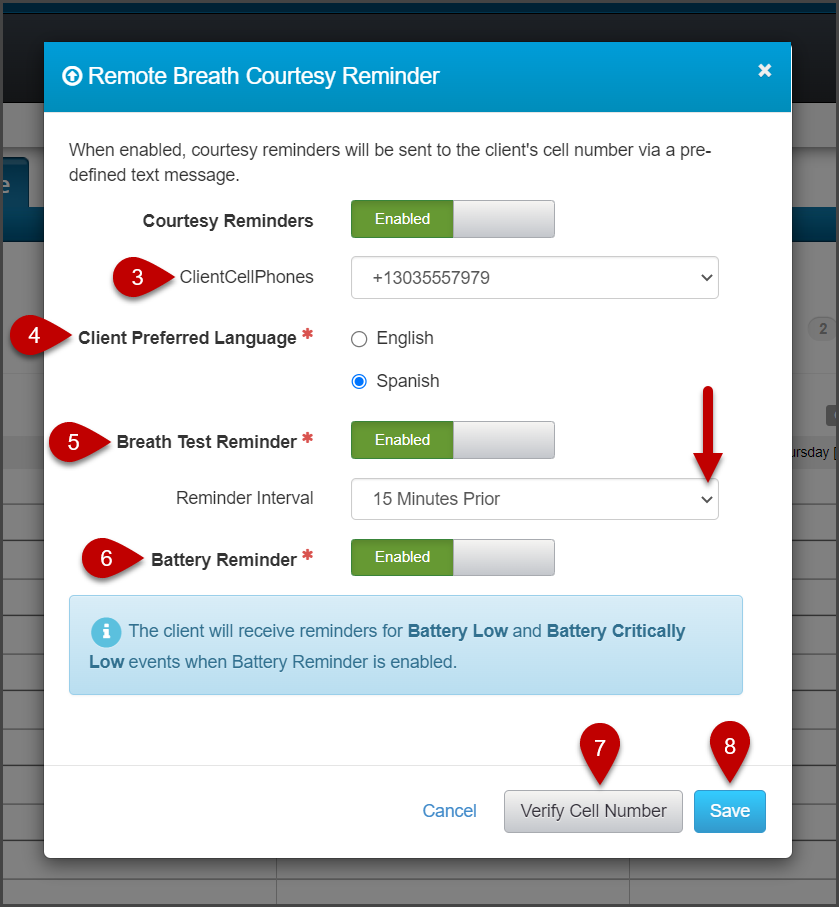
Complete the desired fields and Save (click to enlarge)
 |
Regardless of whether a client receives the courtesy reminder text message or not, the client is responsible to complete a breath test when prompted to do so by the device. There may be several reasons why a client may not receive the Courtesy Reminder text message, such as the cell phone being out of the cellular coverage area, the cell phone is turned off, or the battery is dead, to name only a few possibilities. |