Once Test to Zero is enabled for your Caseload, for all breath testing clients who provide a “Failed” breath test alert, SCRAMNET will send the RB Pro device an On Demand breath test request 20 minutes after receiving the alert. SCRAMNET will continue to send On Demand breath test requests after each subsequent Failed alert every 20 minutes until the client’s breath test result is below the BrAC threshold for the Caseload.
Example: Failed – Initial and Or Confirmation test above agency threshold Alert

Failed Breath Test – click to enlarge
Enable Test to Zero for a Caseload
- Access the Caseload’s Monitoring tab.
- Locate the Remote Breath section and select the Edit hyperlink.
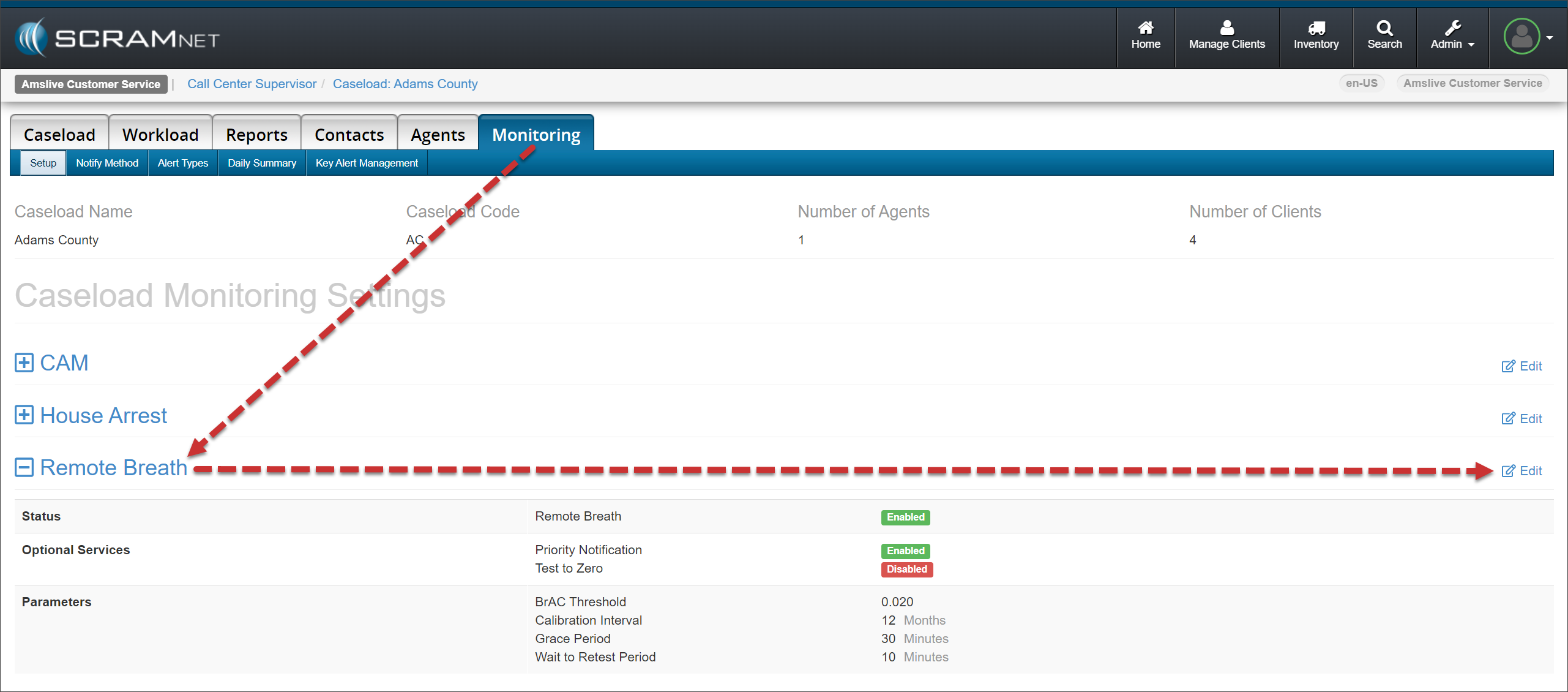
Caseload Monitoring tab – click to enlarge
- In the Optional Services section, select the checkbox next to the Test to Zero option.
- Select the Save Changes button.
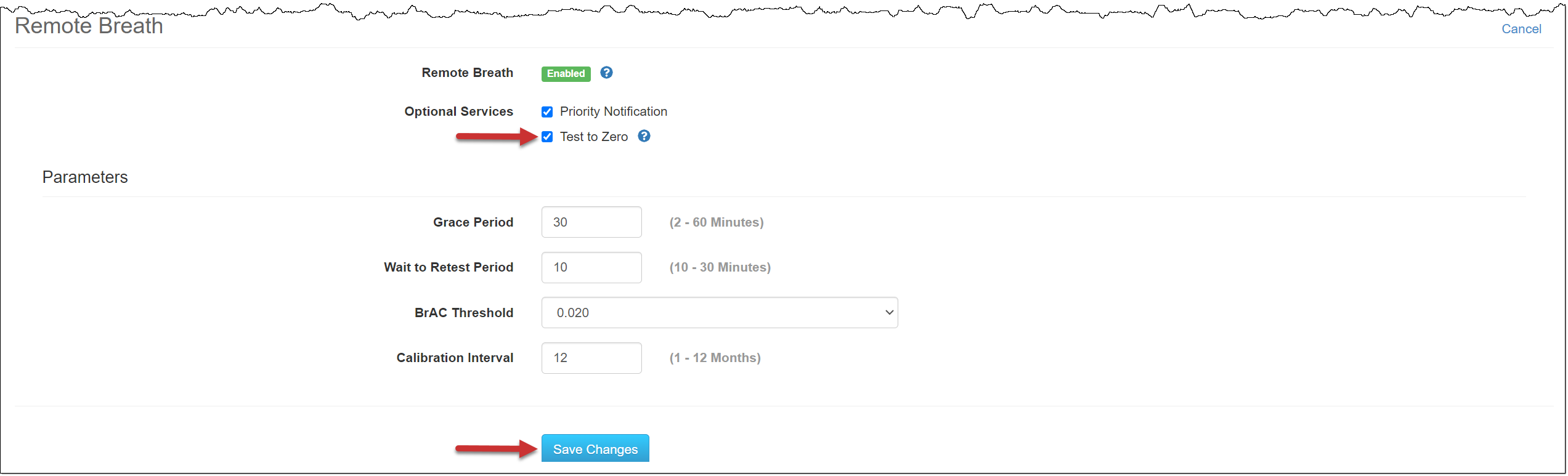
Remote Breath Monitoring settings – click to enlarge
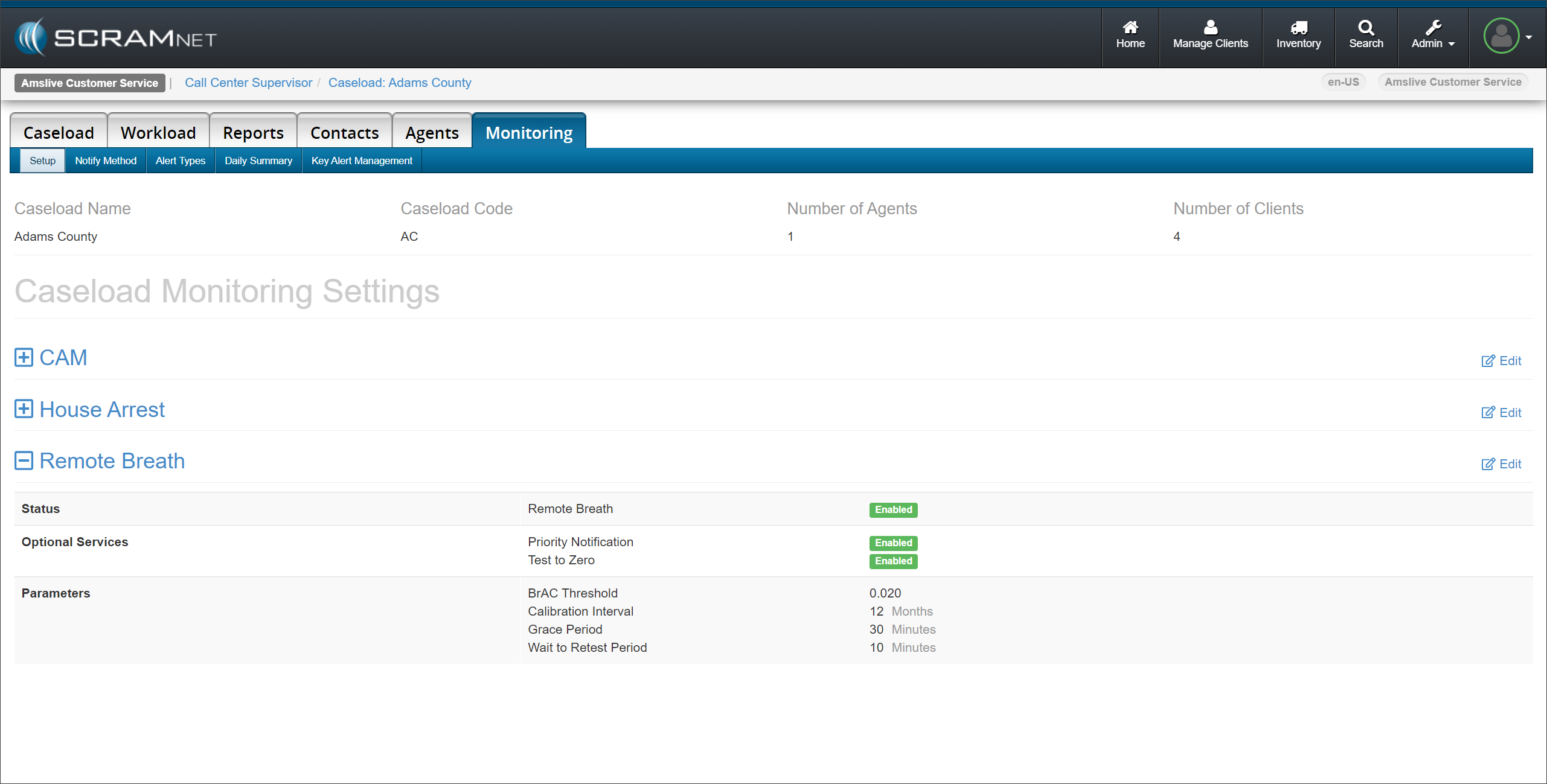
Caseload Monitoring page – click to enlarge
Test to Zero Considerations
You should be aware of several scenarios you may encounter when Test to Zero is enabled for your Caseload.
- When a client is enabled for Courtesy Reminders, they will receive a text message for each Test-to-Zero On Demand test request.
- No additional On Demand test requests will be sent if the client does not complete the On Demand test when prompted. When this happens, a “Missed Test” alert will be generated.
- The pending On Demand test request will expire if SCRAMNET cannot communicate with the RB Pro device for two hours. Reasons for communication interruptions include:
- A loss of cellular or Wi-Fi connection.
- The battery in the device is dead.
- The device is powered off.
- When multiple Failed alerts are received in a single communication, only one On Demand test request will be sent.
- When a Failed alert is received in SCRAMNET 24 hours after the date and time of the results, no On Demand test request is sent.