Perform a “phone check” to ensure that the telephone circuitry in the SCRAM Standard Base Station is operational.
What you will need:
- Base station being assigned (including power cord, phone cable, and USB cable)
- Direct Connect device
Procedure
-
- Open the Direct Connect application on your computer.
- Connect Base Station with Your Computer.
To connect the base station:- Plug the power cord into the new base station and into an electrical outlet.
- Plug the large (A type) USB connector into a USB port on your computer.
- Plug the small (mini-B type) USB connector into the base station.
Base station display:- Line 1 – DIRECT CONNECT
- Line 2 – ONLINE
Base station status in Direct Connect Application: Communicating
At this time:
Data is transferred from the base station to SCRAMNET.
The base station software is checked and updated, if necessary.
When complete:- Base station status in Direct Connect Application: Communication Complete
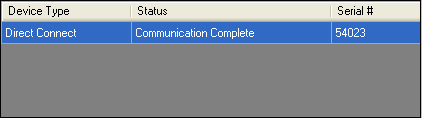
Direct Connect Application – “Communication Complete” - Base station display:
- Line 1 – DATE/TIME
- Line 2 – MONITORING
- Perform Base Station Phone Check.
To perform the phone check:- Plug an analog phone line into the base station.
- Click the Phone Check button in the Direct Connect application.
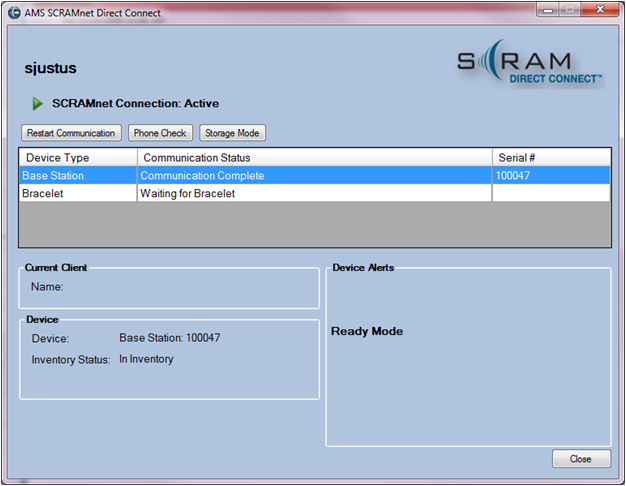
Direct Connect Application – Phone Check
A communication event is sent to SCRAMNET over the analog phone line.
Base station display:
-
-
-
- Line 1 – DIRECT CONNECT
- Line 2 – Steps through the following statuses: READING BRACELET -> DIALING -> ONLINE
-
-
A “Communication Complete” message appears on the Direct Connect application.
- Confirm that a “Phone Test Passed” event appears in the client’s HA Event Log in SCRAMNET.
- Unplug the power cord, USB cable, and phone cord from the base station.