Purpose
This page describes the steps necessary to replace the faceplate and battery in the SCRAM House Arrest Bracelet.
What you will need:
The following items are needed to replace all of the components in the bracelet:
- New faceplate
- New battery
- Faceplate Removal Tool
Procedure
- Remove Old Faceplate.
To remove the faceplate:- Insert the Faceplate/Clip Removal Tool into the slots on the right side of the bracelet.
- Press the tool in until the faceplate disengages.
- Remove the faceplate.
Note: Discard the faceplate.
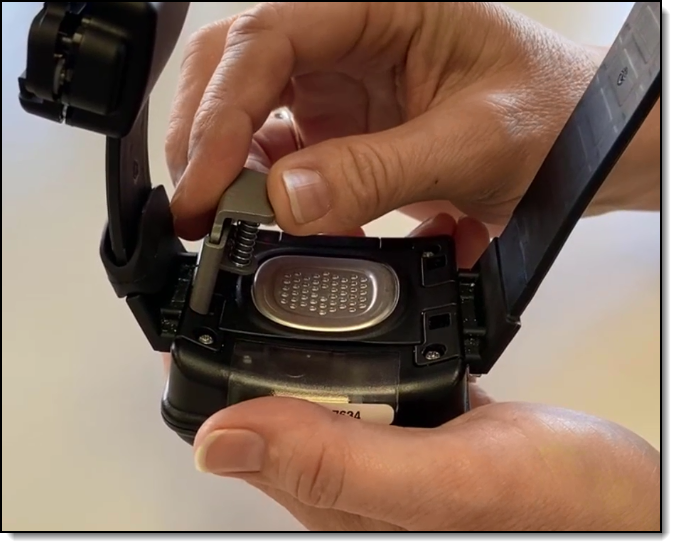
Inserting the Faceplate Removal Tool
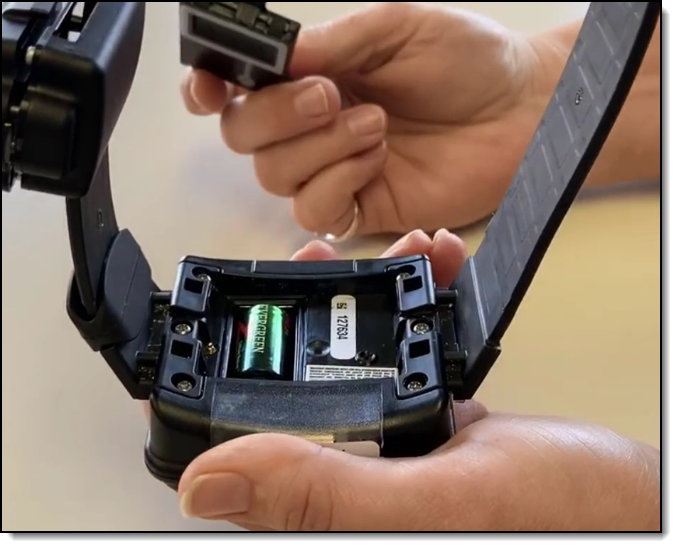
Faceplate Removed
- Remove Old Battery.
To remove the battery:- Place your finger tip on the edge of the negative (flat) side of the battery.
- Pull up on the battery, removing it from the bracelet.
Note: Discard the battery.
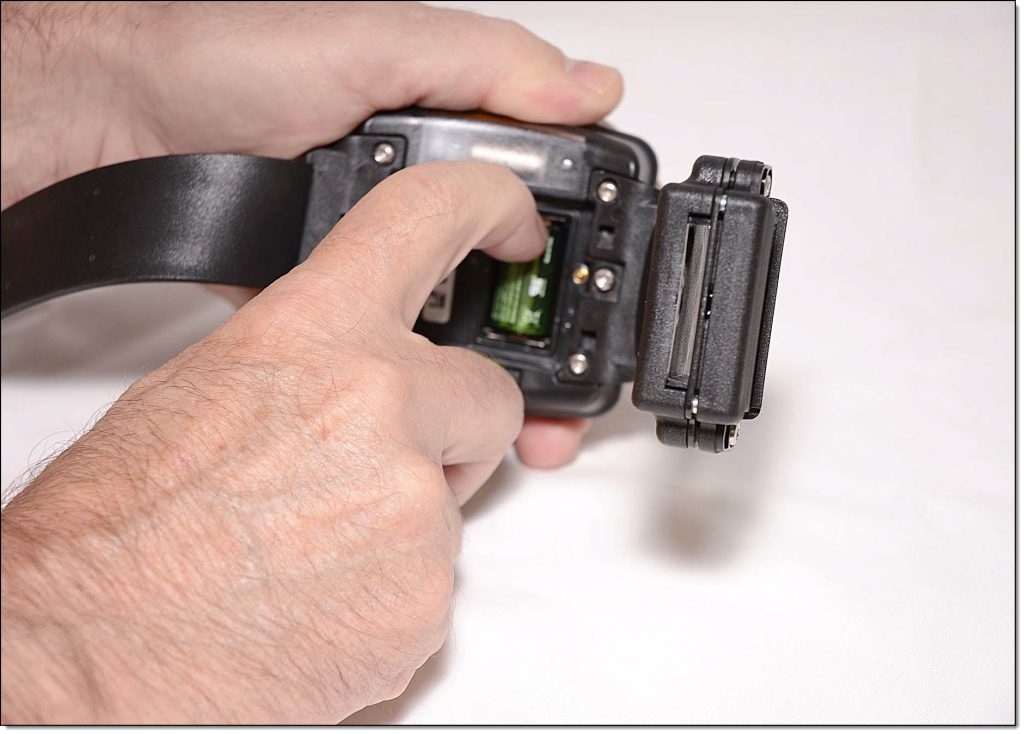
Removing the Battery
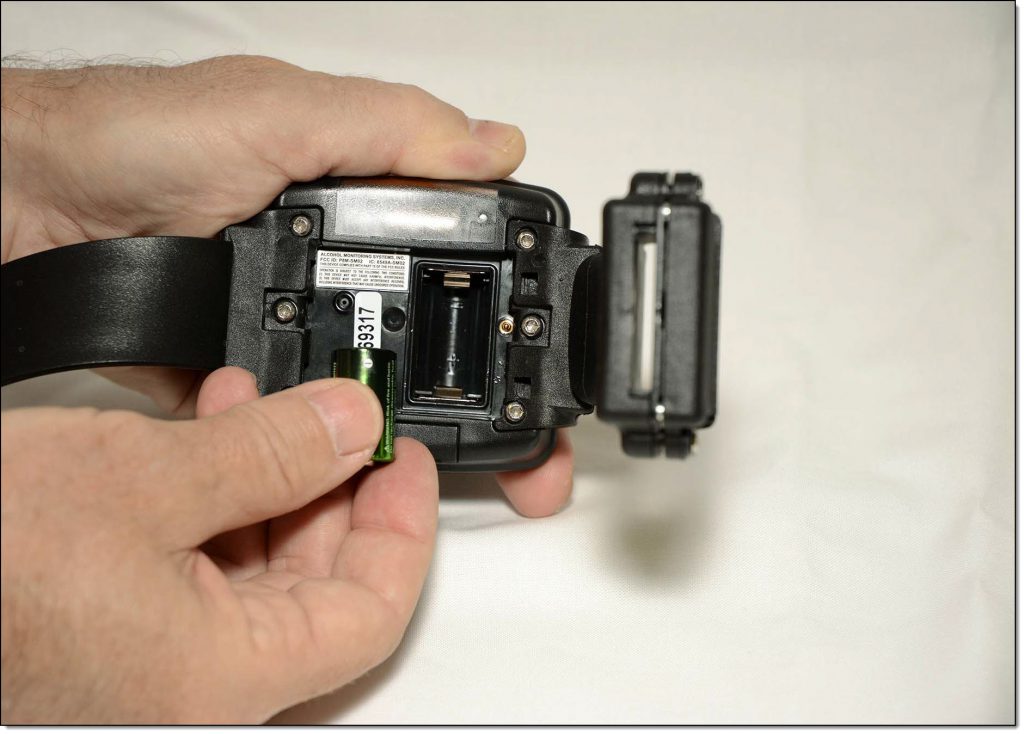
Battery Removed
- Install New Battery.
To install the new battery:- Look closely for the outline of a battery at the bottom of the battery slot and insert the battery, starting with the positive side being pushed against the bottom side of the battery slot and pushing down on the negative (flat) side.
A small, green light on the bracelet will turn on for 5 seconds.
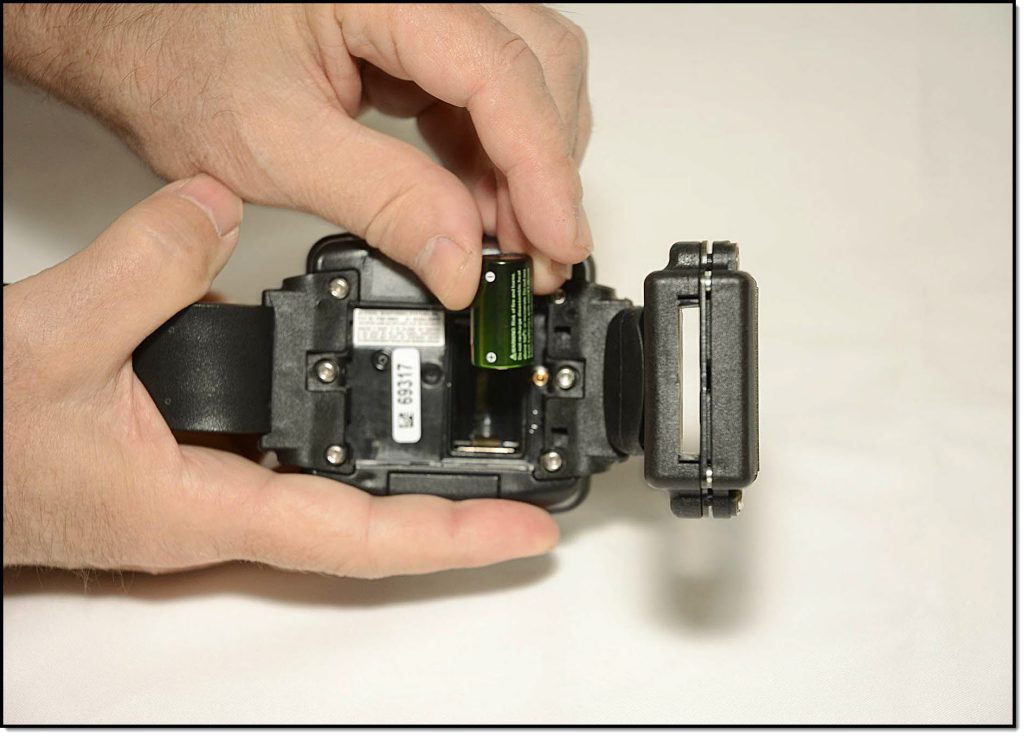
Inserting the Battery
- Look closely for the outline of a battery at the bottom of the battery slot and insert the battery, starting with the positive side being pushed against the bottom side of the battery slot and pushing down on the negative (flat) side.
- Install New Faceplate.
To install the new faceplate:- Place the faceplate on the bracelet with the battery side flush with the case.
Note: The faceplate is designed to align in only one direction. - Starting on the top-right side and going clockwise, press down firmly on each corner of the faceplate with your thumb. See below.
You should hear a pronounced click as you push each corner of the faceplate.
Warning: Moisture may enter under the faceplate if these instructions are NOT followed.
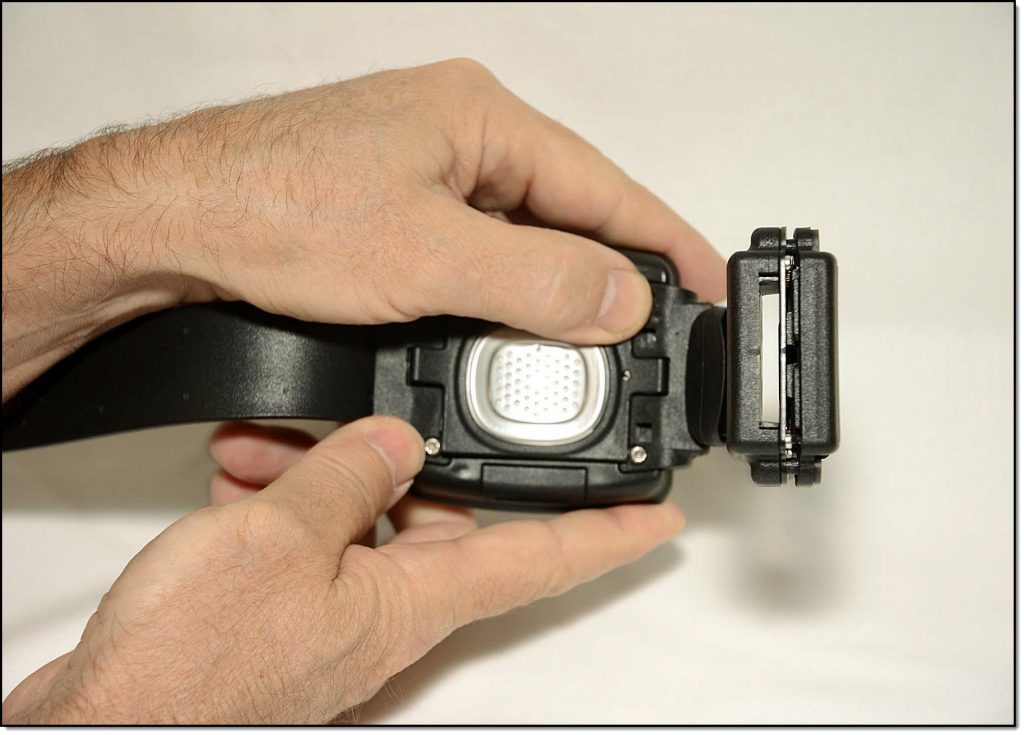
Attaching the Faceplate
- Place the faceplate on the bracelet with the battery side flush with the case.