Note: At least one client must be added to the session series before it can be saved.
To add a session series, click the Add a New Session link:
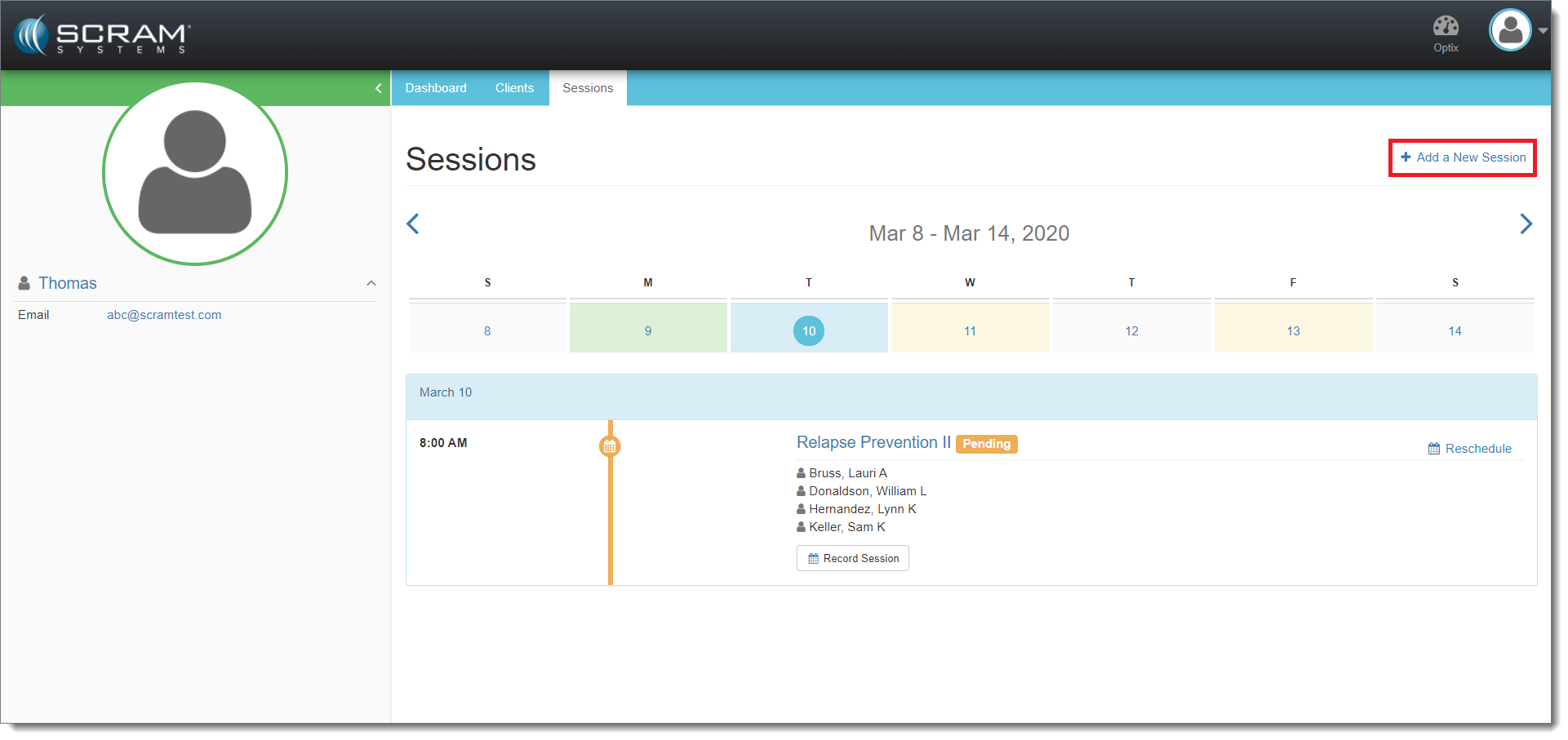
Add a New Session (click to enlarge)
The Add a New Session page appears. Enter the session details as appropriate:
- Select the session type (Individual or Group)
- Enter a session name
- (Optional) Select facilitator(s) for the session
- Select the desired recurrence frequency from the Session Occurs dropdown menu.
- (If ‘Monthly’) Select the week of each month during which the session will occur.
- Select the day(s) of the week that the session will occur.
- Enter the number of occurrences (up to 100).
- Select the month or week that the sessions will start.
Note: Sunday is considered the first day of the week.
- Select a start time.
- Select an end time.
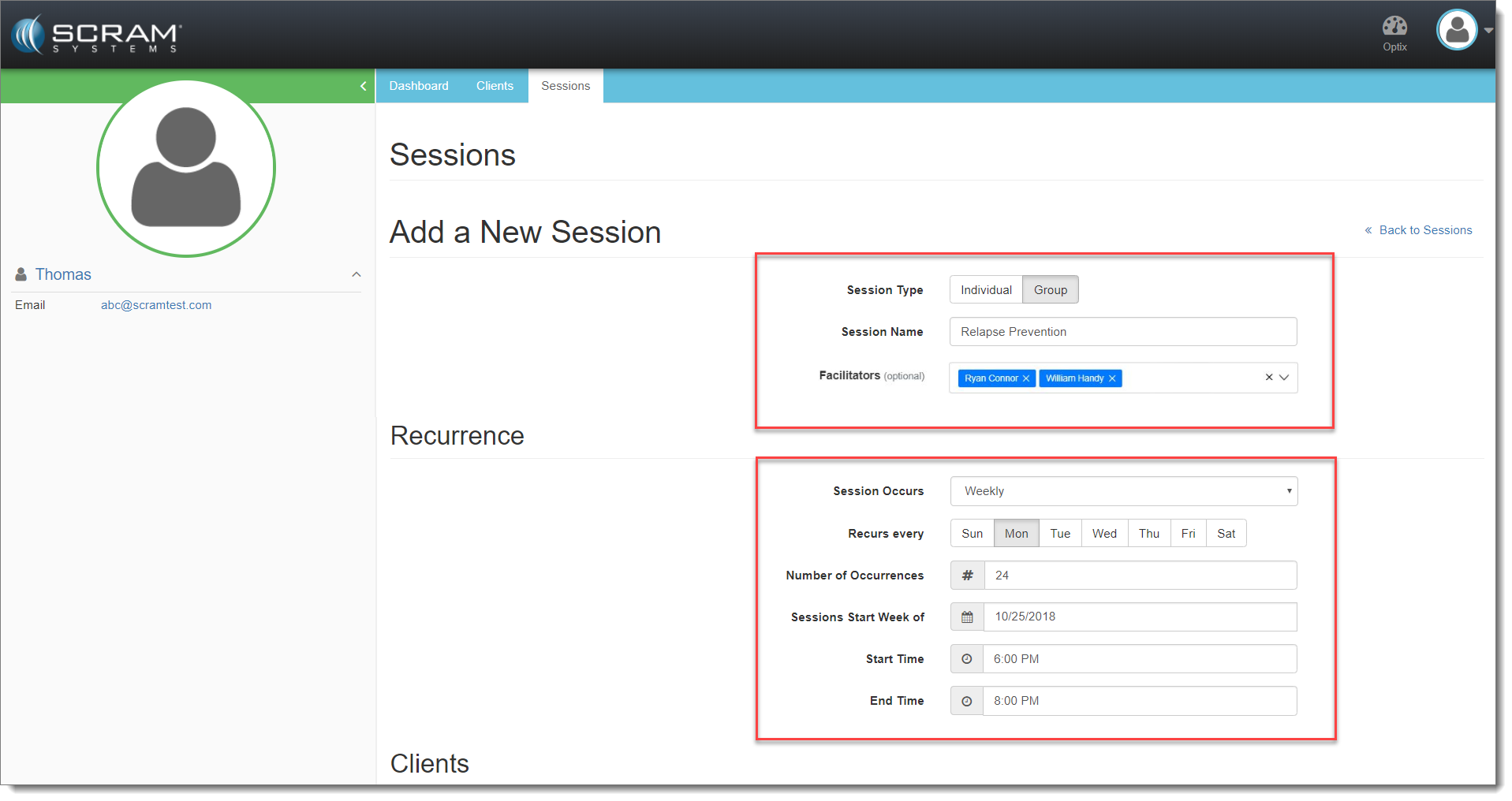
Add a New Recurring Session (“Weekly” shown – click to enlarge)
Scroll down the page and then:
- Click in the Clients field to locate and select the client(s).
- Select an Activity from the dropdown menu to associate to the client(s) in the session series.
- Click Add Client for each client selected.
- When all clients are added to the session series click Add Session.
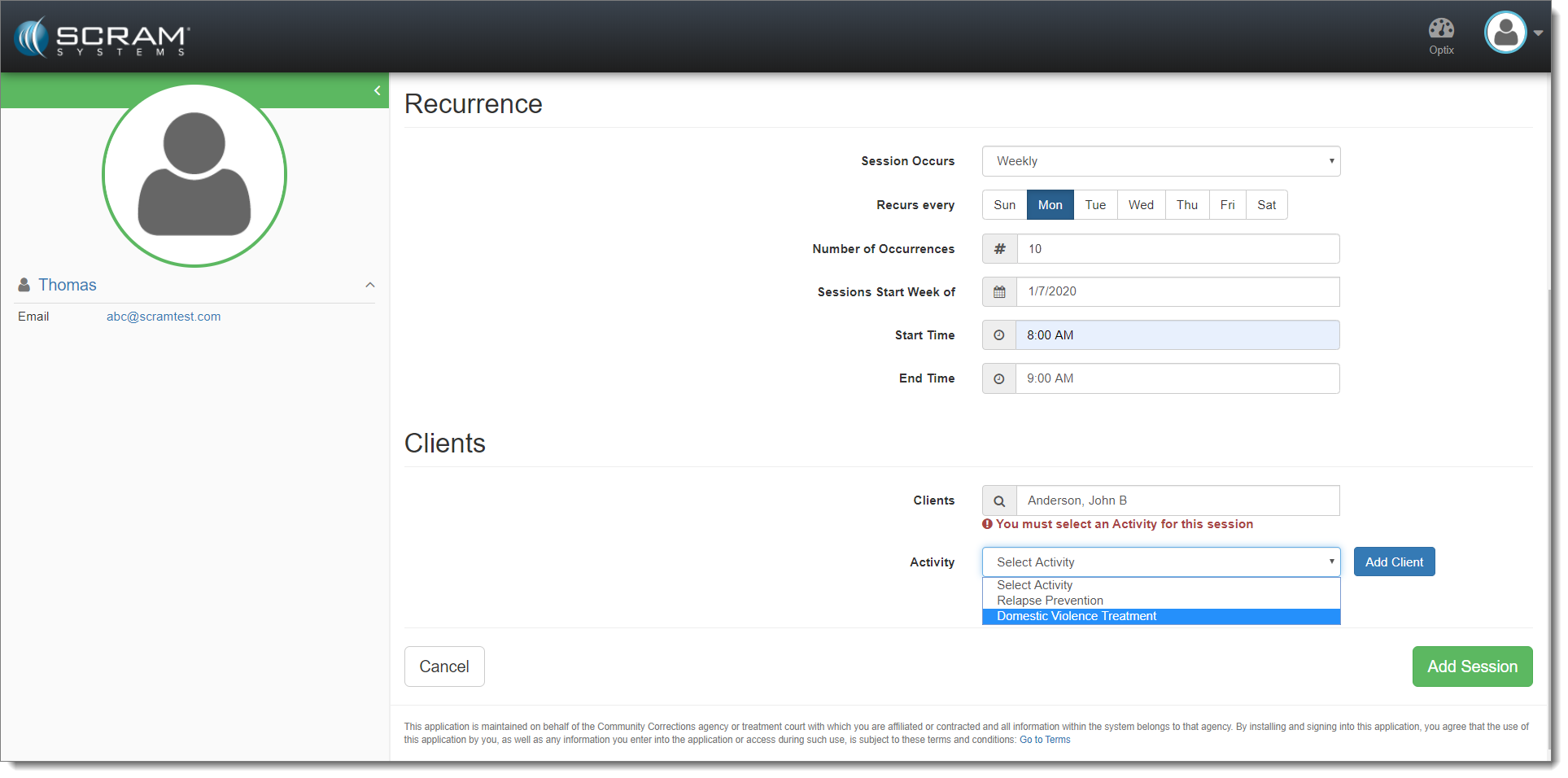
Select Client, Associate Activity, and Add Session (click to enlarge)