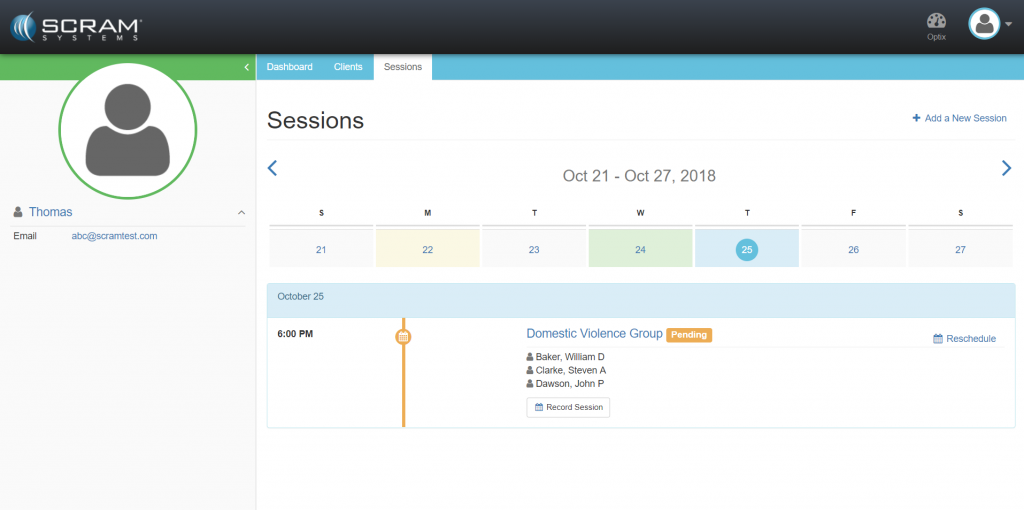
The Sessions tab provides a calendar view of past and future sessions and is where a new session can be created. Past sessions can be viewed/edited by navigating to the day the session took place and clicking the View Session Results button. Future sessions can be viewed/edited by navigating to the day the session is to take place and clicking the session name.
For any future session, click the Record Session button to initiate the specific appointment where the Counselor can record attendance and notes for the clients assigned.