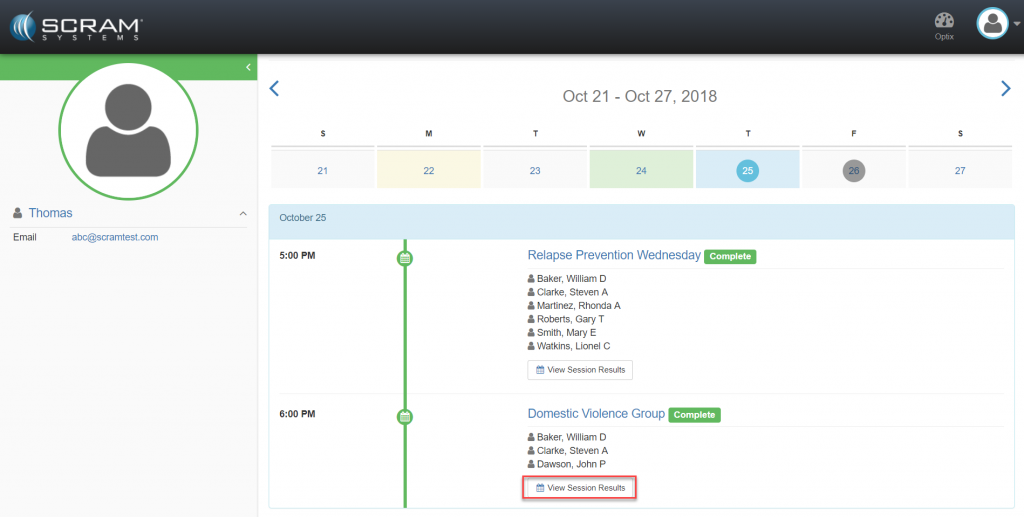
With the SCRAM Nexus Treatment application, counselors can review and edit any session. To do this:
- Locate the session in the calendar.
- Select the View Session Results
The Sessions page appears.
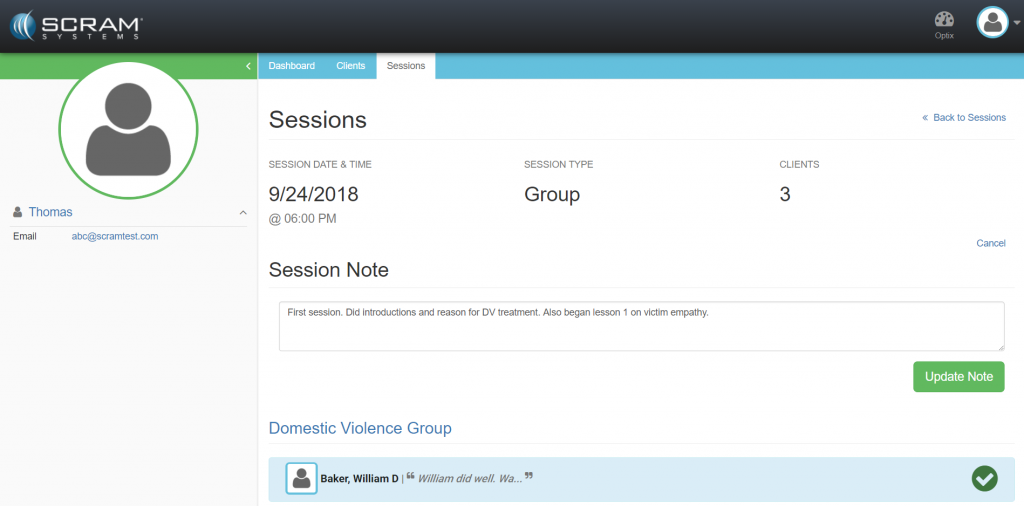
- Update the session note. (optional)
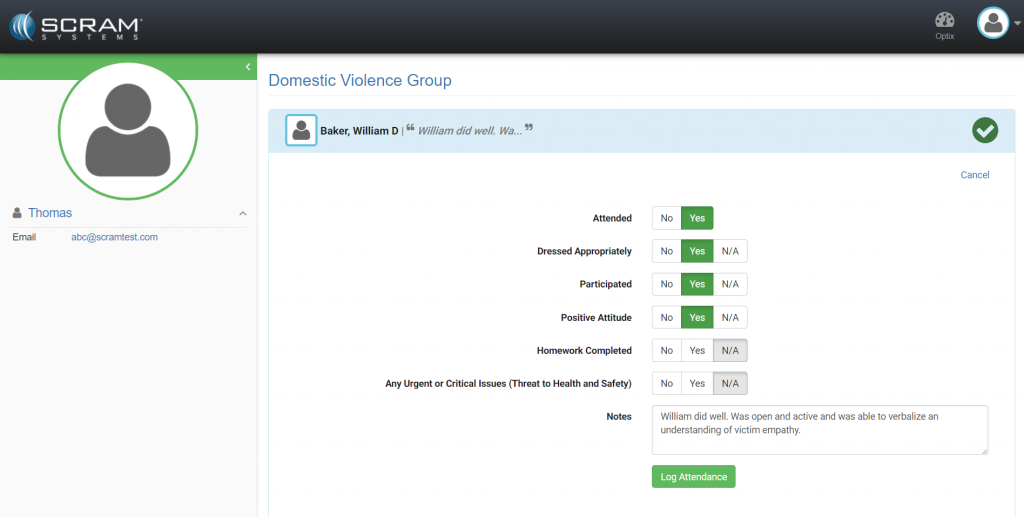
- Edit Individual client data.
- Select the client.
- Click the appropriate toggle buttons.
- Enter a note. (optional)
- Click the Log Attendance
The change log will track and time stamp any changes made to the session note or Individual data.