On June 12, 2024, SCRAM Systems will release two enhancements centered around the process of checking in a device as damaged.
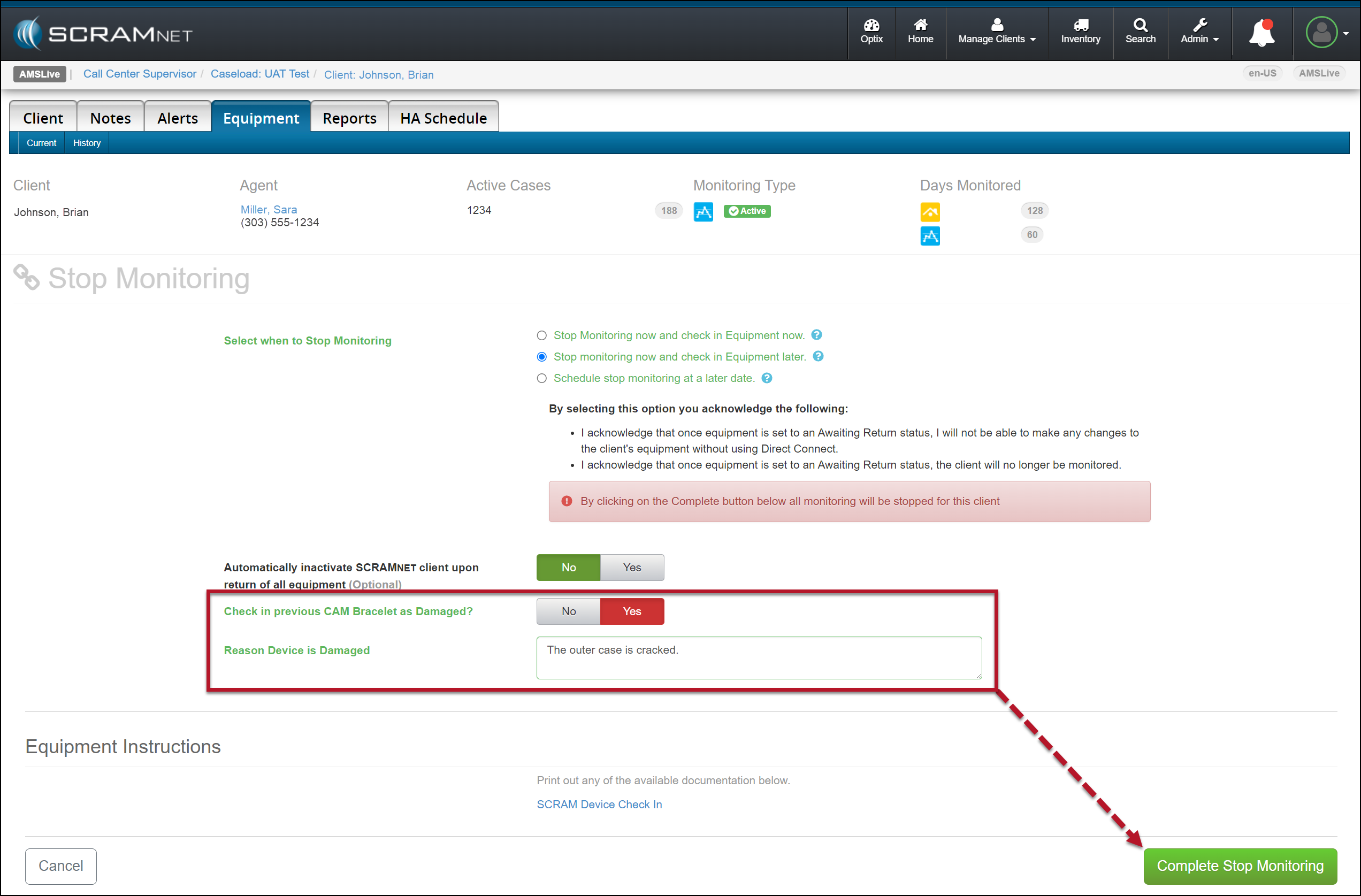
- You will now have the option to flag a device as damaged when stopping the monitoring for the client.
- The notes entered for a device being checked in as damaged will now be visible on the Device Details page in SCRAMNET.
 | Not seeing the enhancement in SCRAMNET? Clear your cache and cookies and refresh your browser window. |
Stop Monitoring and Check In Device as Damaged
When stopping the monitoring, for your client in SCRAMNET, you may flag a device as damaged by setting the “Check in previous [Device type] as Damaged?” option to Yes. Once set, add a note explaining why you flagged the device as damaged, and then complete the stop-monitoring process as usual.
Example of a SCRAM CAM Client in SCRAMNET
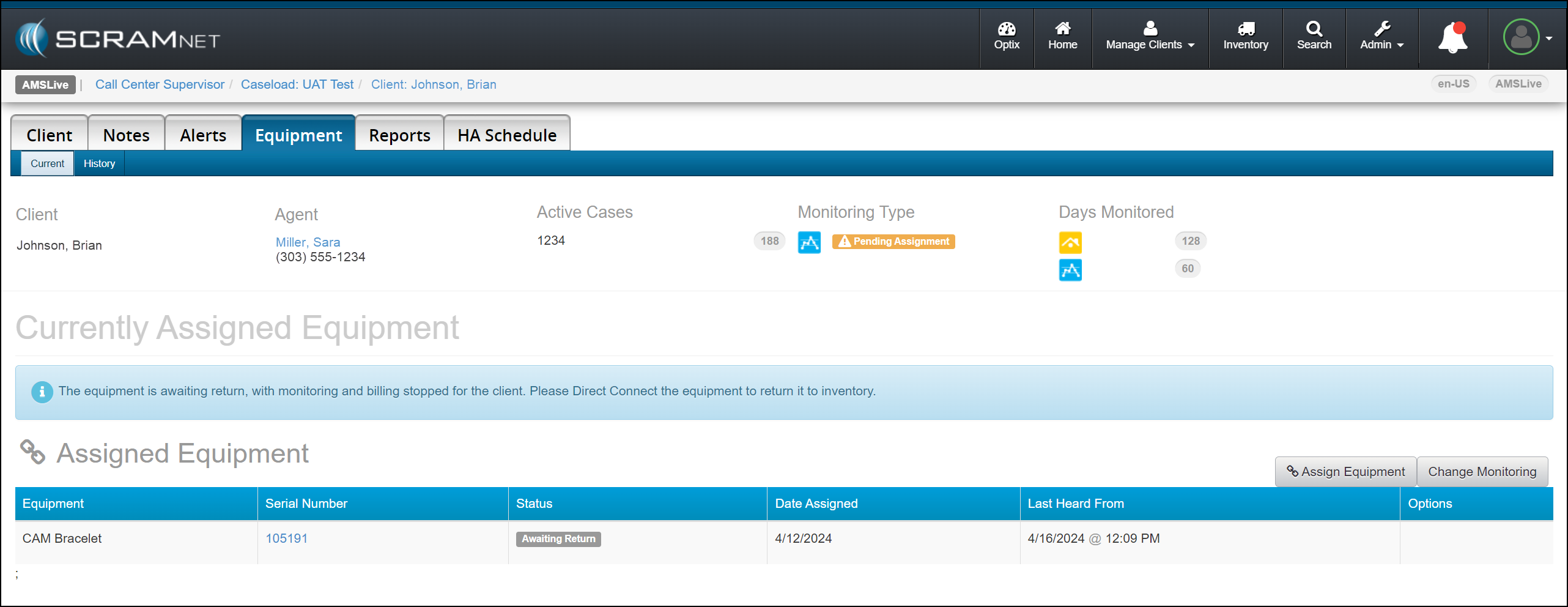
Once the device status is updated to either “Pending Removal” or “Awaiting Return” based on the Stop Monitoring page selection, complete the process to return the device to your inventory.
|
|
Device Details Damage Notes
Once a device has been flagged as damaged, you may view the notes associated with the damaged device on the Device Details page in SCRAMNET.
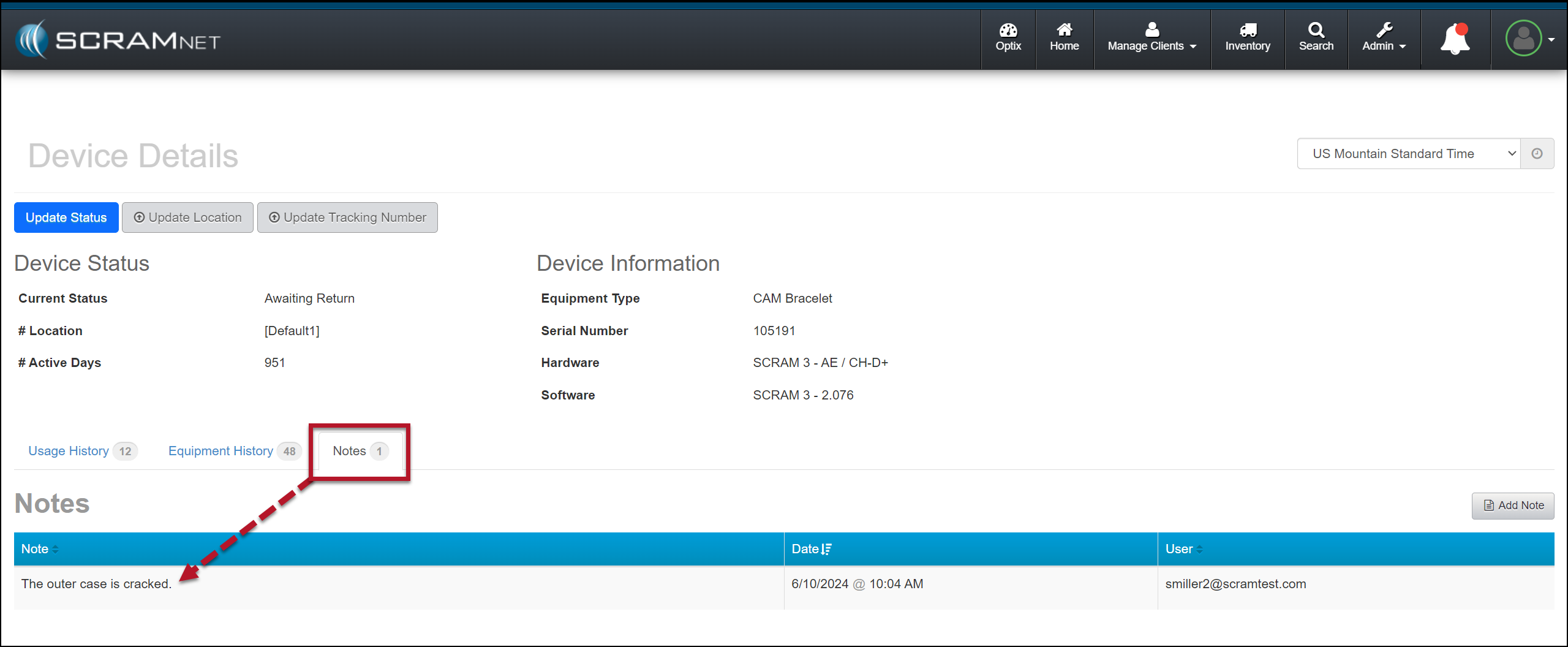
This information is helpful to reference when troubleshooting a device or requesting an RMA.
| The damage notes will remain visible on your Device Details page until the device is returned and serviced at SCRAM Systems. At that time, they will no longer be visible. |