On February 18, 2021, SCRAM Systems® will release a new option on the Stop Monitoring and Change Client Status pages in SCRAMNET®. This new option will allow you to inactivate/disable a SCRAMNET client and their linked SCRAM TouchPoint™ profile simultaneously.
Inactivate the SCRAMNET Client Profile
Option One:
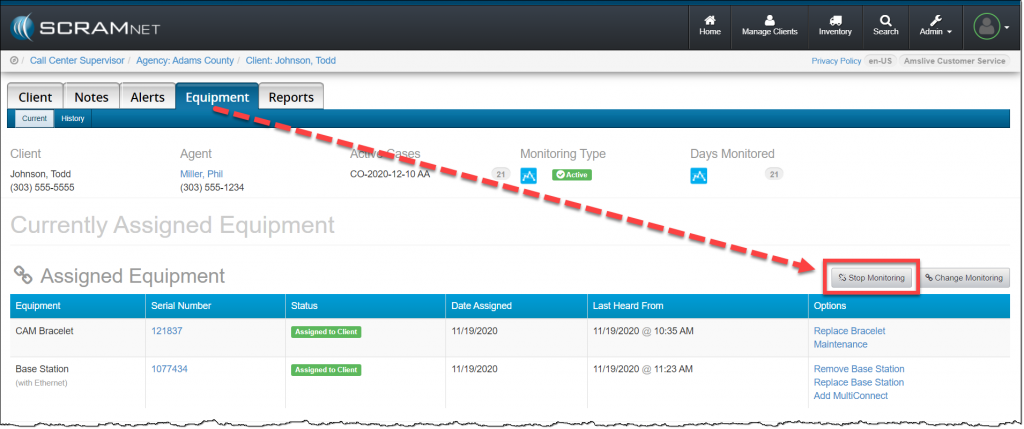
In SCRAMNET click the Stop Monitoring button on the client’s Equipment page.
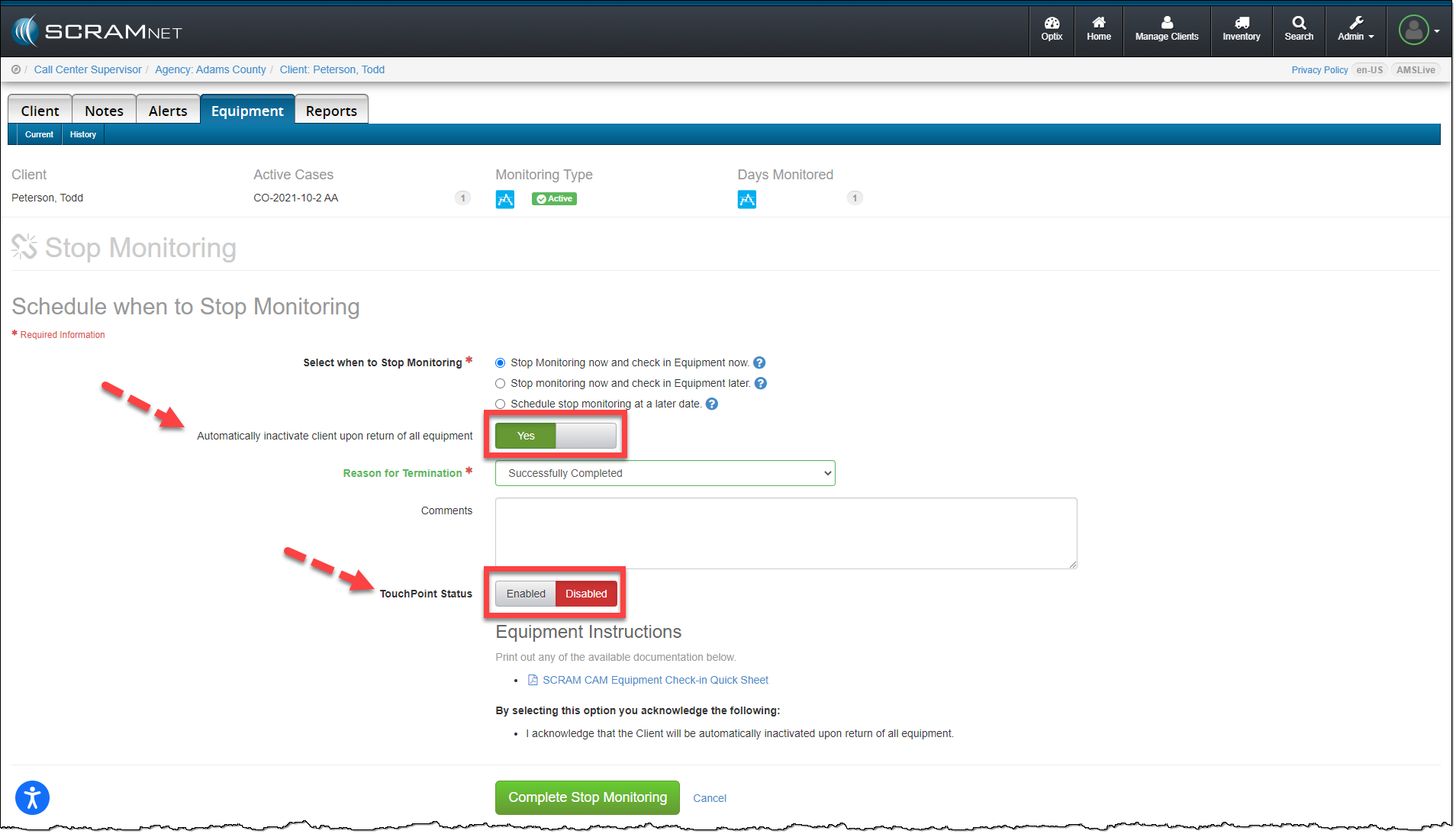
On the Stop Monitoring page, you have the option to automatically inactivate the client upon return of all equipment. When this option is updated to Yes, you now have the option to disable the client’s linked TouchPoint profile at the same time. Next to the TouchPoint Status option, simply toggle the Enabled option to Disabled and click the Complete Stop Monitoring button.
Option Two:
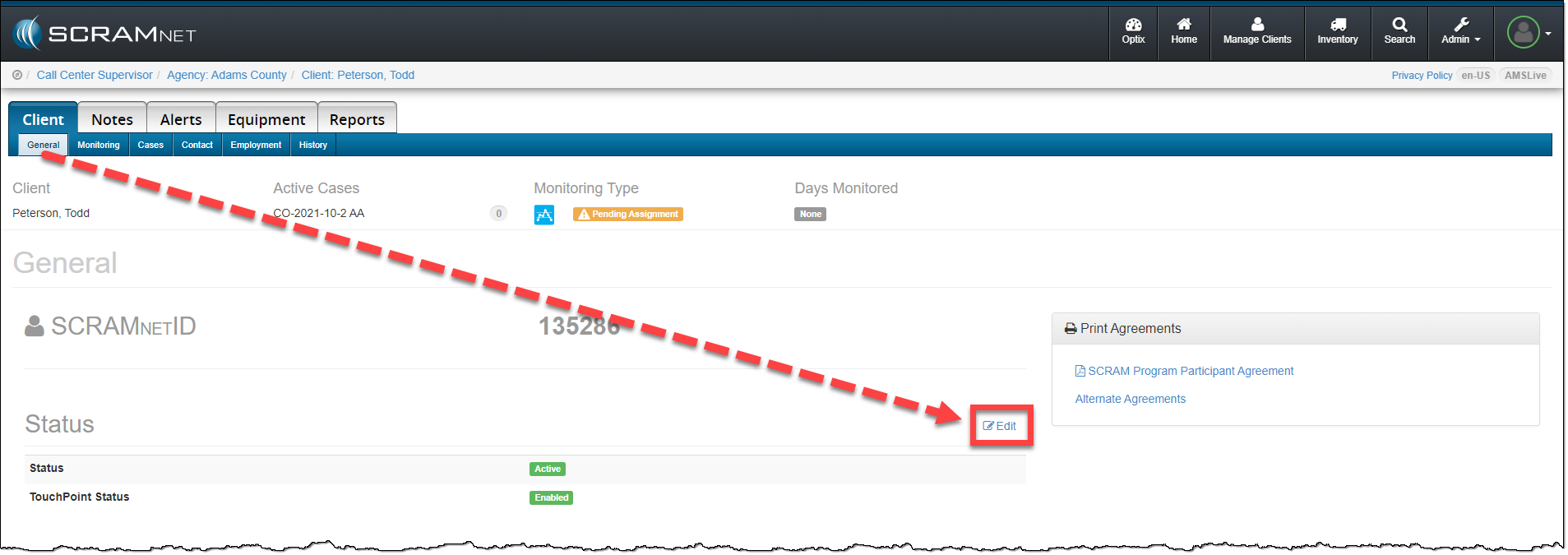
When inactivating the client’s SCRAMNET profile from the Status section, click the Edit link on the Client page.
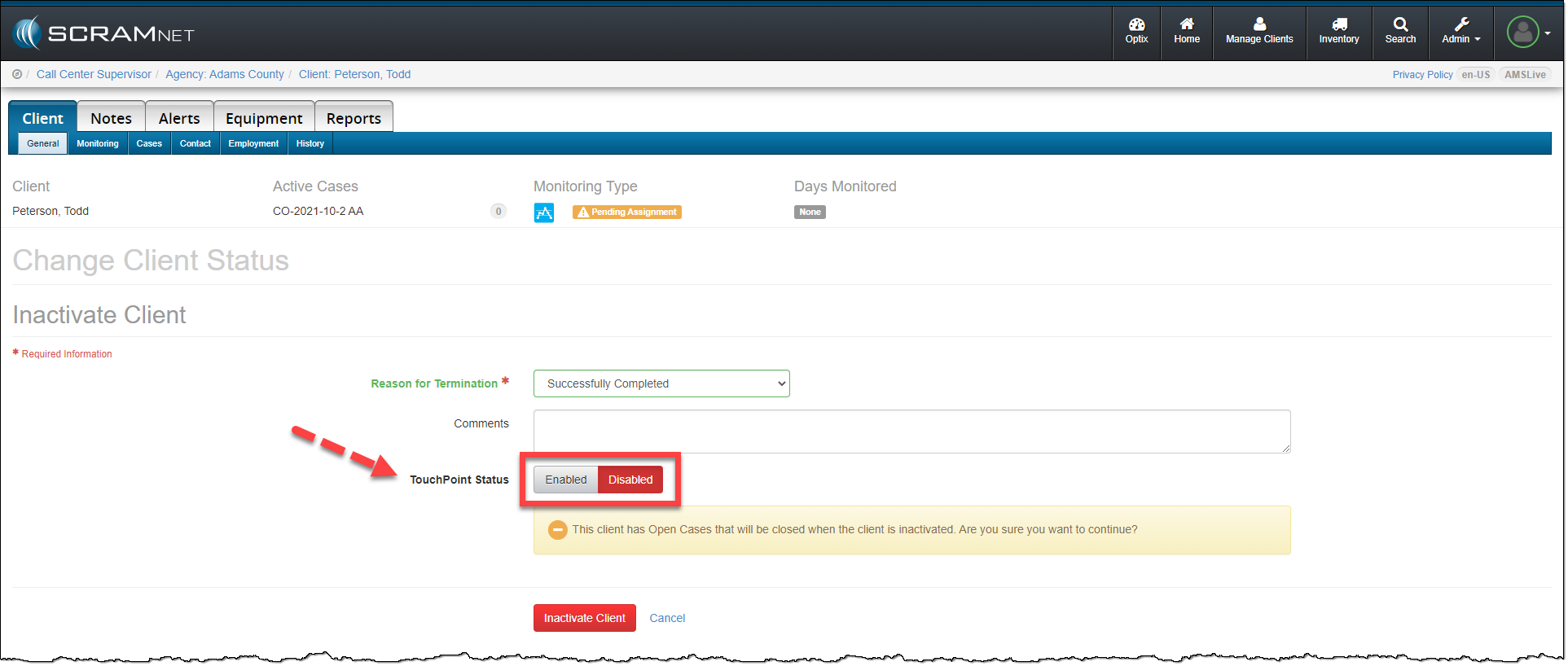
On the Change Client Status page, toggle the TouchPoint Status from Enabled to Disabled. To complete the process, click the Inactivate Client button.
The SCRAMNET client profile is inactivated and the client’s TouchPoint profile and any enabled services are automatically disabled.
Feedback
As always, please contact SCRAM Systems Customer Service with any recommendations for system improvements.