At 5:00 AM MDT on Thursday, March 25, 2021, SCRAM Systems® is introducing several new features in SCRAMNET GPS. During the 15-minute deployment, you may not be able to access SCRAMNET® GPS but messages from the SCRAM GPS® Bracelet will continue to be processed uninterrupted. Enhancements/changes included are:
- New Charger Maintenance alert
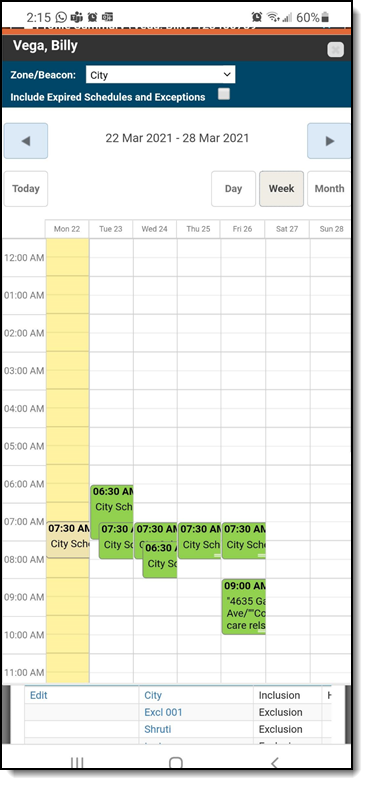
- Improvements to the Schedule Calendar page when viewed on mobile devices
- The Event Report can be run for longer periods
New Charger Maintenance Alert
All mechanical equipment deteriorates with use over time. As a result, SCRAMNET GPS has introduced a Charger Maintenance Alert to remind users to inspect GPS Chargers for signs of wear.
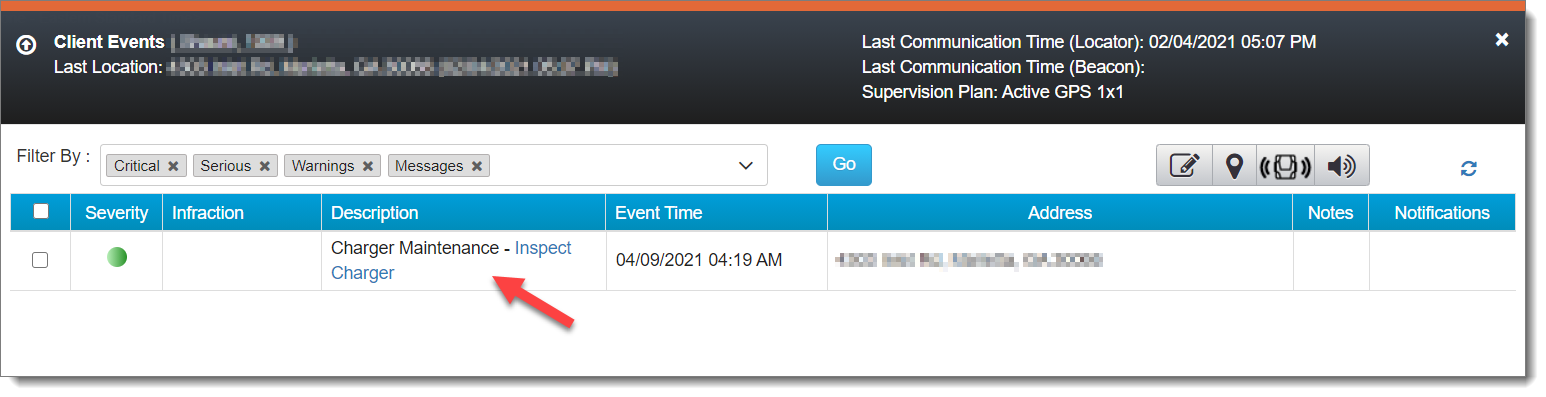
Charger Maintenance alerts are generated for:
- All clients who have been assigned the same bracelet for 14 months or more.
- Any client who has had 150 or more plug-in events in the last seven days.
 | This alert does not appear on or affect the Dashboard page, and it auto-clears from the Client Events pop up. |
For those users with “Admin” access, the Charger Maintenance alert has been added to the Messages sub-tab of the Locator Notifications tab (Admin > Account Settings > Account Notifications tab > Locator Notifications tab). By default, the alert is selected to receive notifications via text message and email.
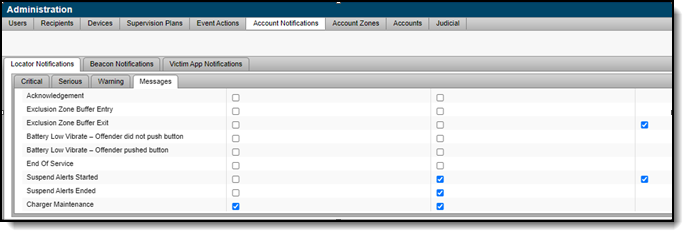
If selected, a notification is also sent to all designated recipients when a Charger Maintenance alert is generated. To adjust the notification settings for a specific client, navigate to that client’s Notifications page.
Note: Any designated recipient who is a victim using the SCRAM Ally mobile application will NOT receive a text message and email notification when a Charger Maintenance alert is generated.
Improvements to Schedule Calendar Page When Viewed on Mobile Devices
The Schedule Calendar page has been updated for better read-only viewing on a mobile device.
Note: In the next release, you will be able to add or edit a schedule from your mobile device.
The Event Report can be Run for Longer Periods
When running the Event report for a single client, up to a year of data can now be viewed. When more than one client is selected, the report can be run for a period of up to three months.