At 5:00 AM MDT on Thursday, May 6, 2021, SCRAM Systems introduces several new features in SCRAMNET GPS. During the 15-minute deployment, you may not be able to access SCRAMNET GPS but messages from the SCRAM GPS bracelet will continue to be processed uninterrupted. The enhancements and updates include:
- New Criteria for the Charger Maintenance Alert
- Improvements to the Events Dialog When Viewed on Mobile Devices
- Additional Information Added to Device Inventory Page
New Criteria for Charger Maintenance Alert
SCRAMNET GPS recently introduced a Charger Maintenance Alert as a reminder to inspect GPS Chargers. When this alert was first introduced, it was generated when a client had the same SCRAM GPS bracelet assigned for 18 months or longer or had over 200 plug-ins in a week, either of which could indicate worn charger components. Later, the interval was reduced to every 16 months. With this deployment and out of an abundance of caution, the criteria for generating this alert have been reduced to the same bracelet being assigned for 14 months or longer, or over 150 plug-ins in the last week.
 |
Reminder: The Charger Maintenance alert is only generated once per client. |
Improvements to the Schedule Details Page When Viewed on Mobile Devices
The Client Events and Victim Events screens have been updated for better viewing on mobile devices. In addition, with this release users can now clear alerts, enter notes, and view alert notifications from a mobile device.
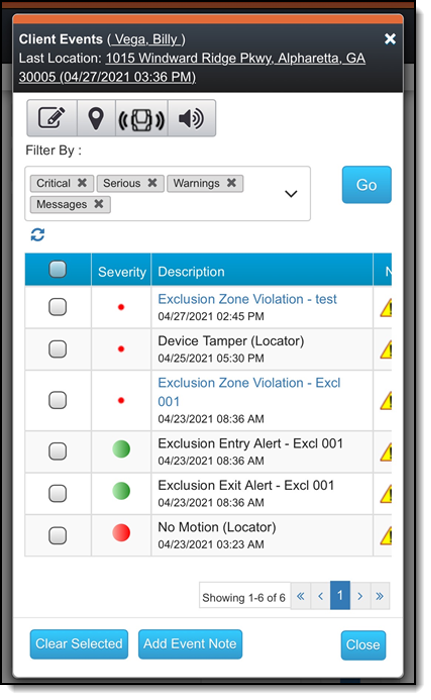
To clear an event:
- In the left column, select one or more events.
- Tap the Clear Selected button.
- Enter a note.
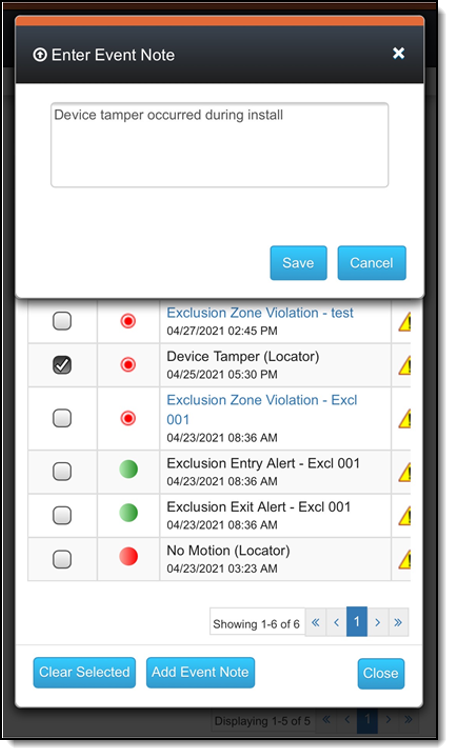
- Tap the Save button.
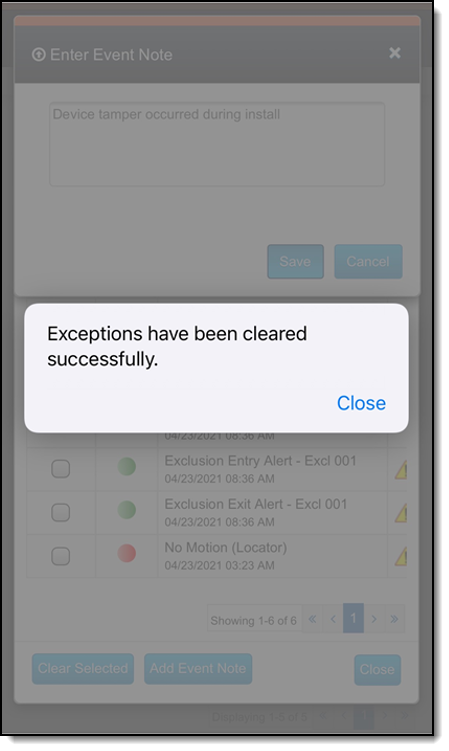
The pop up below appears.
Additional Information Added to Device Inventory Page
Users in the Admin role can manage device inventory by navigating to the Admin > Account Settings > Devices tab. The following new columns have been added:
- Protocol – The communication protocol the device uses to communicate with the server. The two possible values are UDP and MQTT (IoT).
- Carrier – The wireless communications carrier the device’s SIM card uses.
- Country Code – The country in which the device was configured to operate.
Initially, these columns may not display any information, which is as-designed and does NOT indicate that a problem has occurred.