Effective June 18, 2020, SCRAM Systems® will implement a software enhancement that will improve your visibility of new documents shared by clients who are active for the SCRAM TouchPoint Documents service in SCRAMNET OPTIX™. Additionally, we have streamlined the client’s experience with updates to the Documents and Check-In services for the SCRAM TouchPoint™ smartphone app, which should be available in the Apple App Store and the Google Play store within the next week.
These changes will take effect once clients have updated the SCRAM TouchPoint app on their smartphones.
Update to Documents page in SCRAMNET OPTIX
With this new update, you will now be able to identify new images shared by the client. Once a new image is received, the name of the image will display in a bold font, and a badge to the right of the image name will display as New. Once the image is selected and viewed, the text will display in a normal font and the New badge disappears.
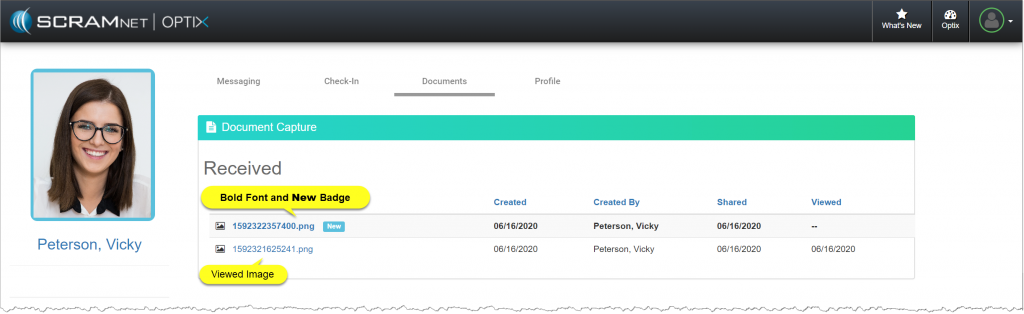
Updates to the SCRAM TouchPoint Application
Documents Tile
With this new update, we have streamlined the client’s experience to help eliminate confusion after uploading an image to the SCRAM TouchPoint app and then locating and sharing the image. After the client has updated the app, once an image is uploaded; the screen will automatically display the My Documents tab, which will allow the client to select the ellipsis and share the document as normal.
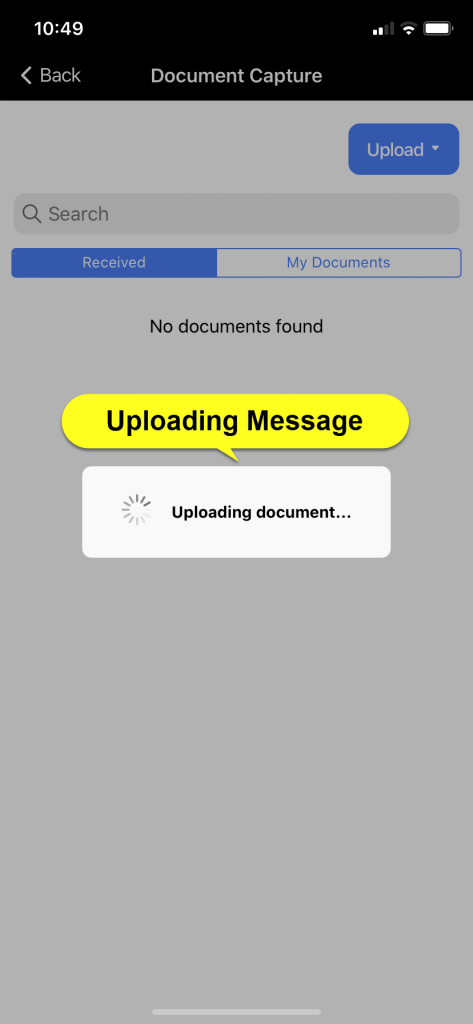 | 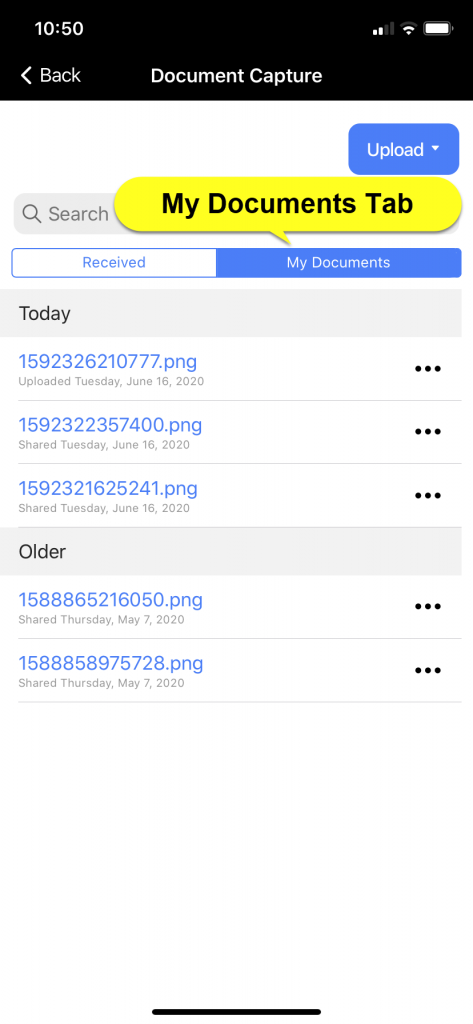 | 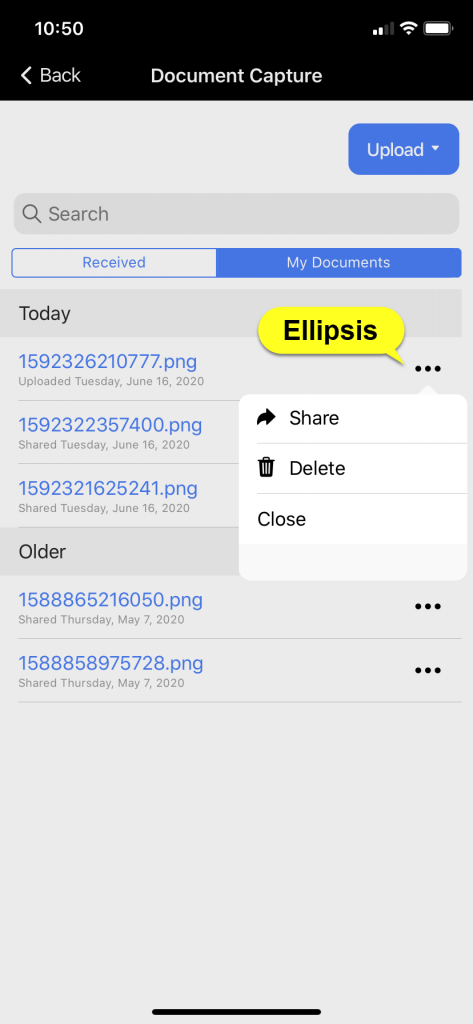 |
Only iPhone images are shown for this example. For a full list of instruction on Uploading and Sharing a document for both Android and iPhone, visit the Client Instructions page on SCRAMNET OPTIX Help.
Client Check-In Location Services
With this update, the client is now required to have Location Services turned on for the app or they will not be able to complete a check-in. If the Location Services are turned off, once the client taps the Check-In tile within the app, they will be prompted to turn on the Location Services on their smartphone.
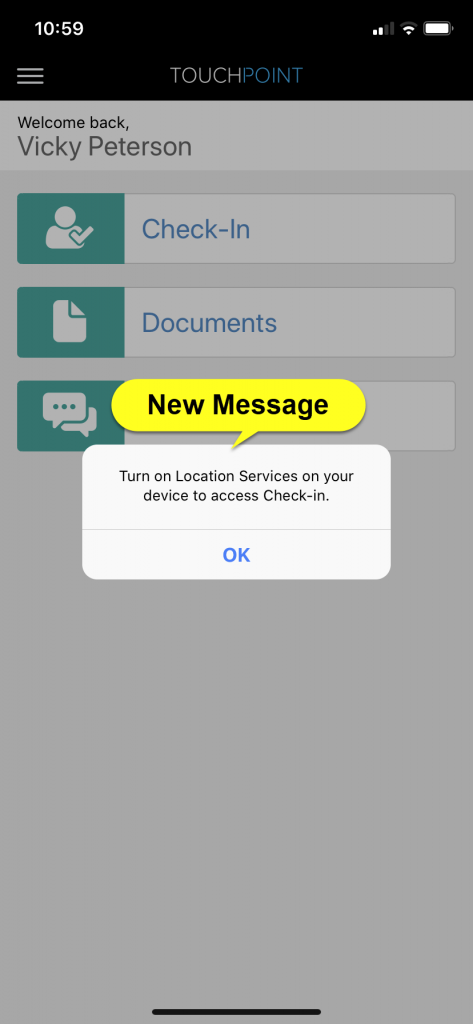
To enable the Location Services, have the client:
- Select the Settings icon on their smartphone.
- Select the SCRAM TouchPoint app.
- Select the Location option.
- Select the option of “While Using the App”.
Once completed, the client can navigate back to the SCRAM TouchPoint app and complete their check-in.
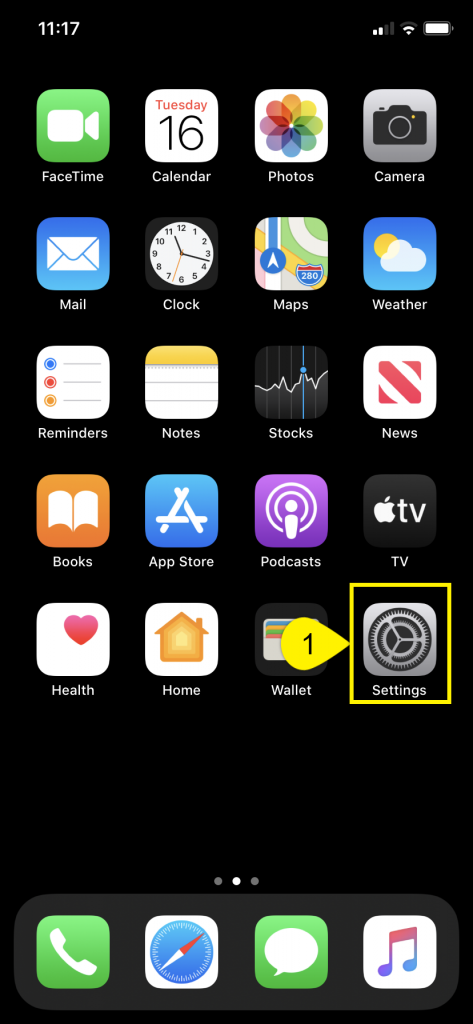 | 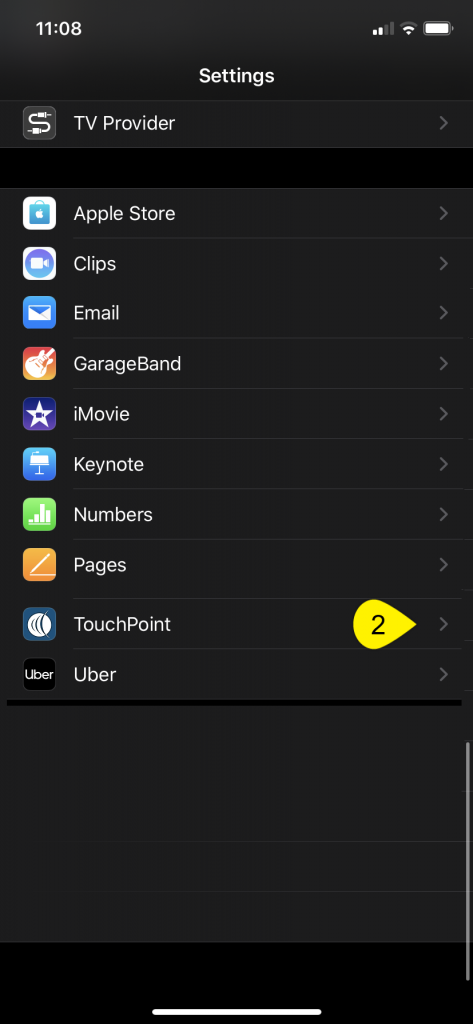 | 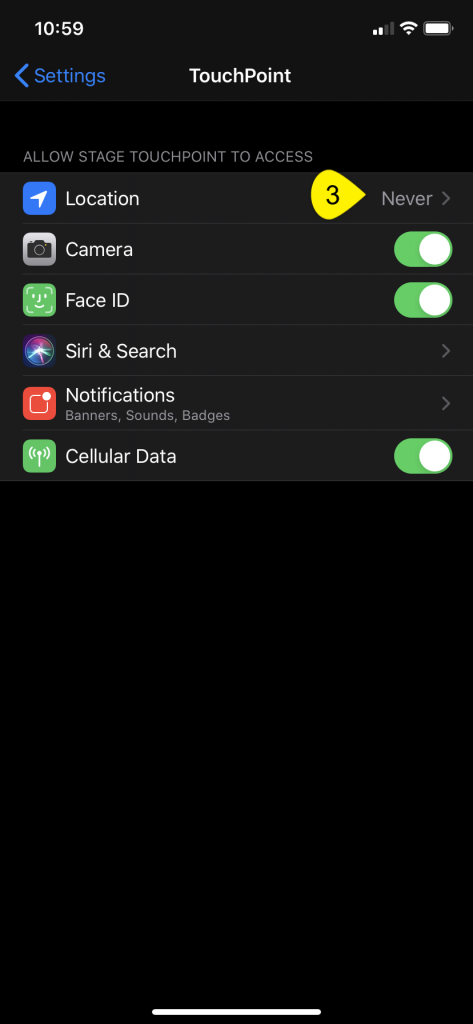 |
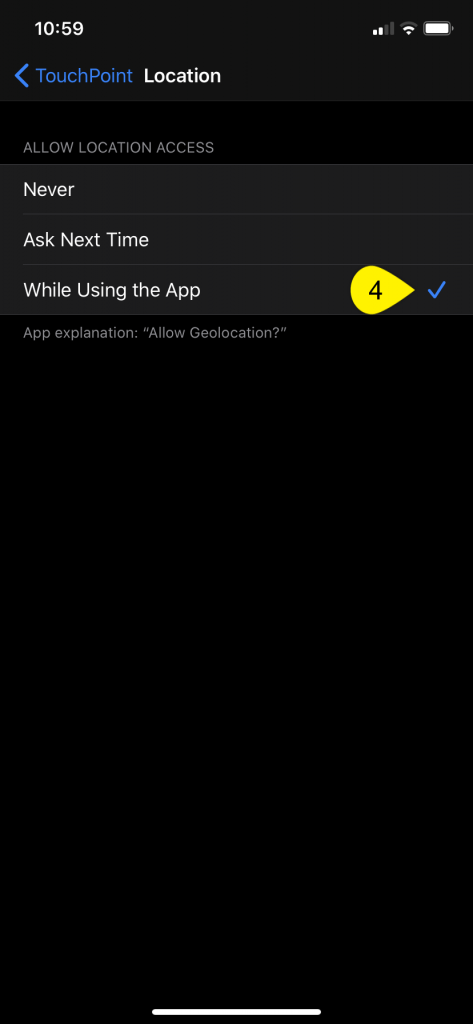 |
Only iPhone images are shown for this example. For a full list of troubleshooting steps for both Android and iPhone visit the SCRAMNET OPTIX Help page.
Feedback
As always, please contact SCRAM Systems Customer Service at 1-303-785-7879 with any recommendations for system improvements.