SCRAM Systems released enhancements for the SCRAM TouchPoint™ mobile application to the Apple App Store and the Google Play store on Monday, March 30, 2020. Corresponding enhancements were released for the SCRAMNET Optix™ platform on the same day. The enhancements are as follows:
- Client Check-In Face ID and Fingerprint Verification (in the TouchPoint app)
- Client Check-In Biometric Results (Optix)
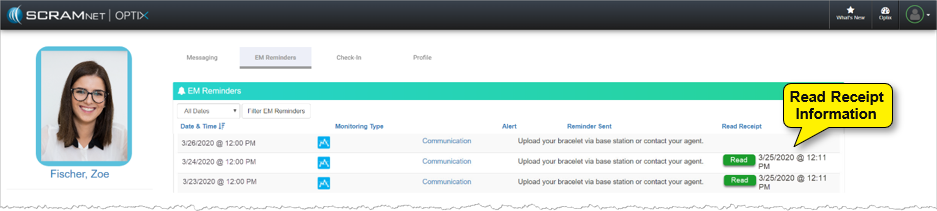
- EM Reminders Read Receipt (Optix)
New Client Check-In Face ID and Fingerprint ID Verification
In order to begin each TouchPoint Client Check-In, clients will be required to provide a passed Face ID or Fingerprint ID, if this feature is supported by their phones (see flyer entitled SCRAM TouchPoint Supported Smartphones). The pass/failed outcome is based on the security setting for each individual’s smartphone. Clients will need to ensure the app is updated to enable this feature.
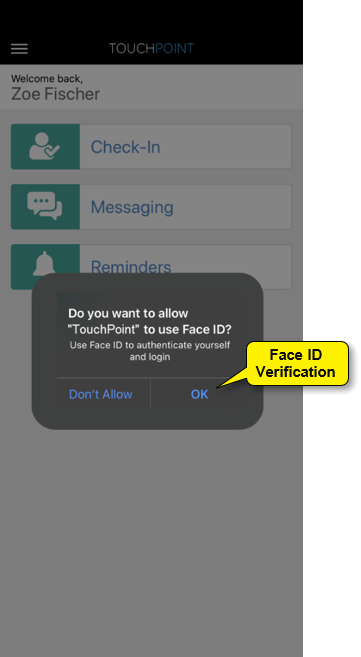 | 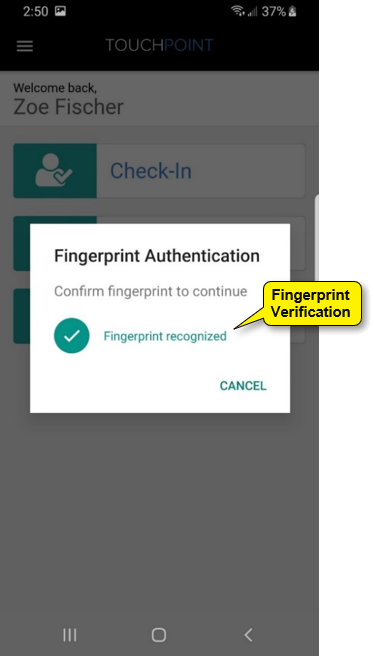 |
| iPhone: Face ID or Fingerprint ID | Android: Fingerprint ID Only |
If clients are unable to provide a passed Face ID or Fingerprint verification after 3 to 5 attempts, they are still able to complete the check-in by tapping the Cancel option. This will result in a Biometric Verification Unsuccessful result.
New Client Check-In Biometric Results
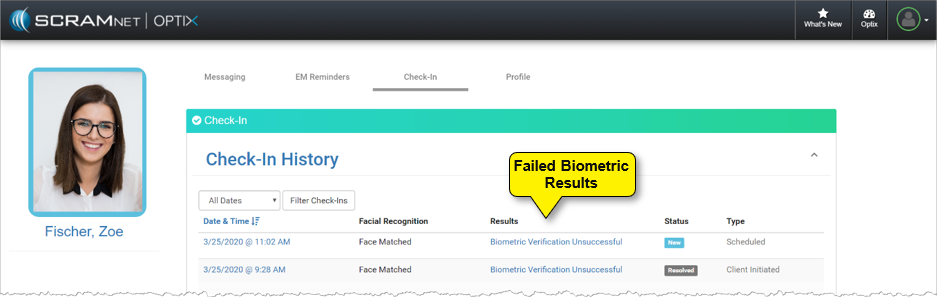
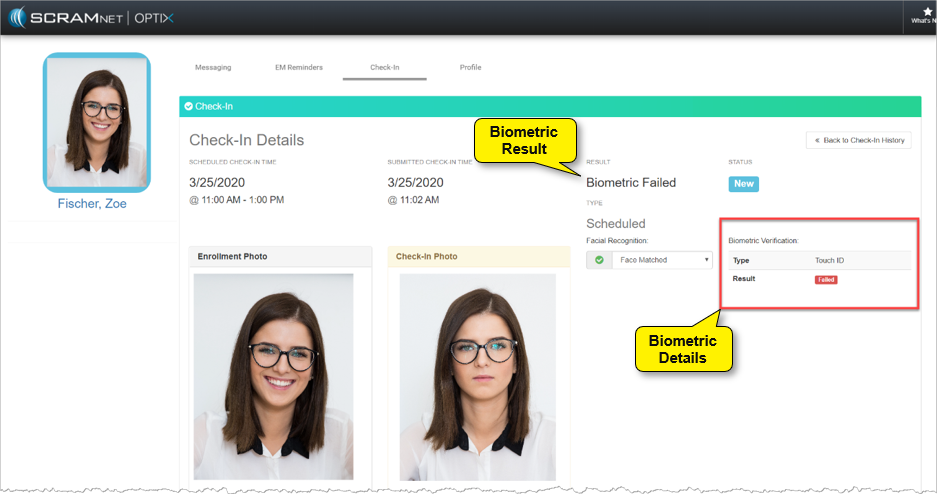
With the addition of Face ID and Fingerprint authentication, you will be alerted to a failed Biometric result on the client’s Check-In History page, as well as view the Biometric Verification details for your client on the Check-In Details page.
EM Reminders Read Receipt
With this new enhancement, once a client enabled for EM Reminders opens the TouchPoint app and views the EM Reminders notification, a Read Receipt will be visible on the EM Reminders page for that client.
Feedback
As always, please contact SCRAM Systems Customer Services at 1-303-785-7879 with any recommendations for system improvements.