Effective the evening of December 7, 2023, SCRAM Systems will release the following enhancement to the SCRAM Nexus TouchPoint Mobile Check-In process.
After a client completes a TouchPoint Check-In and the Activity is in “Pending Review” status, the current process is to access the Review Check-In page for the client and either confirm the face match or indicate a circumvention. Prior to this release, it was easy to overlook if there were additional failures – like “Biometric Failed” or “No GPS Location” – associated with the Check-In, as these Warnings appeared lower on the page; below the Photo section.
Warnings Moved to Top of Page
With this release, Warnings are moved to the top of the Review Check-In page – above the Photo section – where you may confirm them more easily:
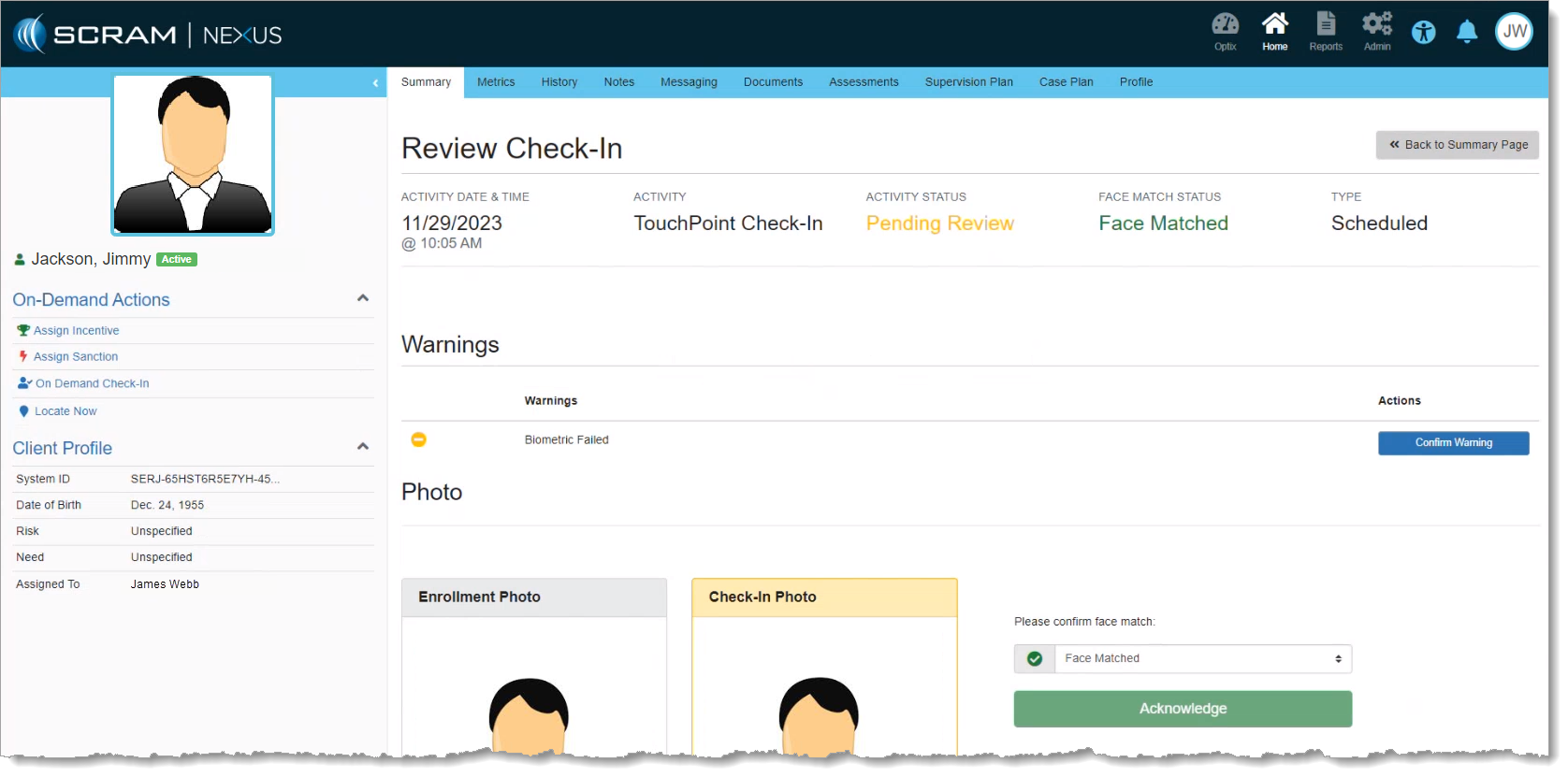
Additionally with this enhancement, if the Check-In Photo passes SCRAM Systems’ Automated Facial Intelligence (AFI) comparison with the Enrollment Photo, then the Please confirm face match dropdown menu will default to “Face Matched,” and you will not be required to take any additional action with regard to the Check-In Photo.
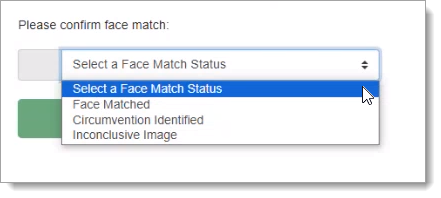
If, however, the Check-In Photo fails AFI, you will be required to select a Face Match status from the dropdown menu and then select Acknowledge:
Everything else about the Review Check-In process remains the same. Please review the Mobile Check-In Management article on SCRAM Nexus Help for more information.