 |
Warning: Corrosion of internal components may occur if these instructions are not followed. |
Follow these instructions to ensure your battery and faceplate are installed correctly to get the most out of your alcohol monitoring device.
Clean the Battery Compartment
- Remove the old faceplate and battery and dispose of them in accordance with local regulations.
Important: Never reuse a SCRAM CAM battery. Once removed, dispose of it or recycle it in accordance with local regulations and replace it with a new battery. - Open a Battery/Faceplate Kit (P/N 03628 on the SCRAM Equipment Order Form).
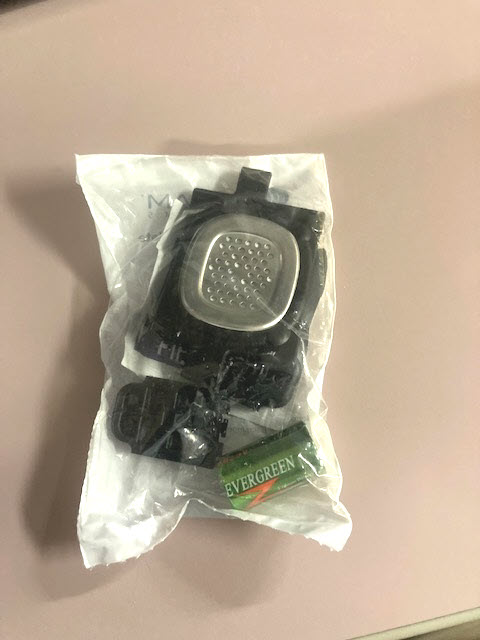
SCRAM Battery/Faceplate Kit (click to enlarge) - Using the wipe provided in the kit, wipe the battery contacts in the device battery compartment, and then dry the contacts with a paper towel or microfiber cloth.
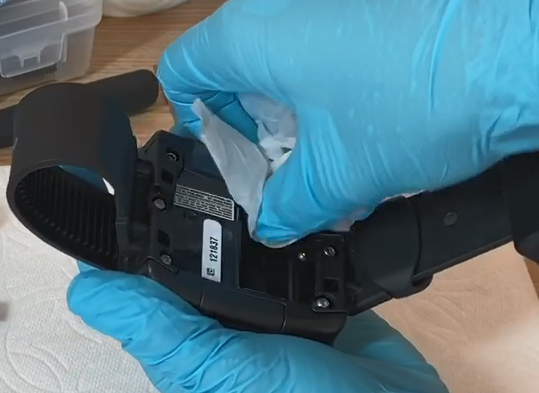
Install the Battery
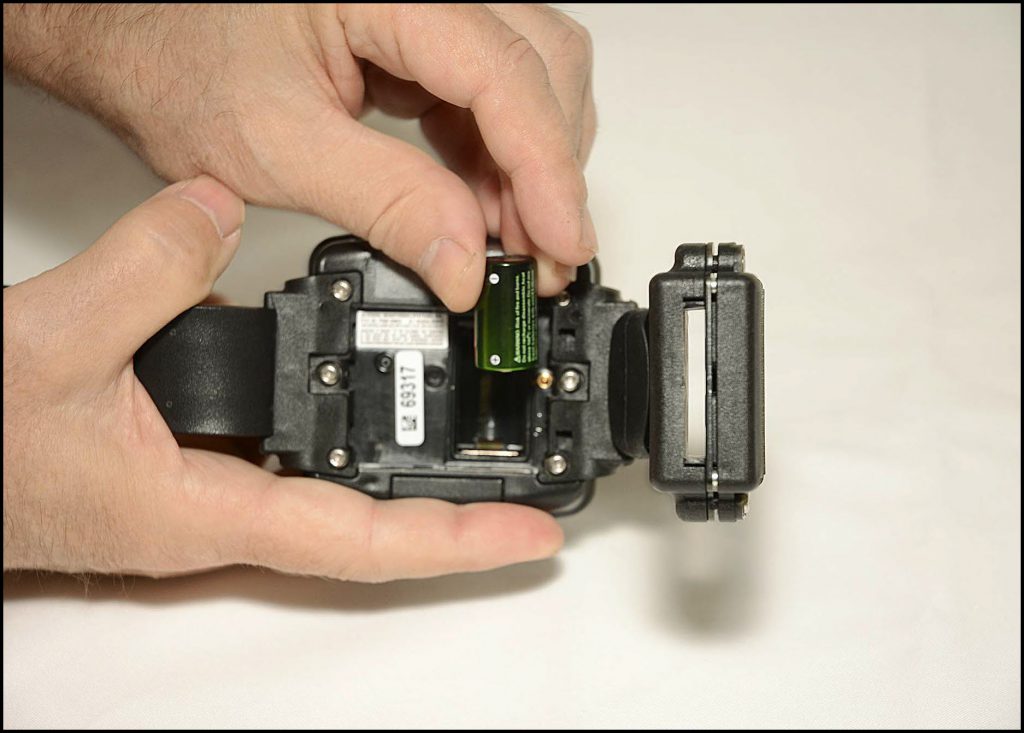
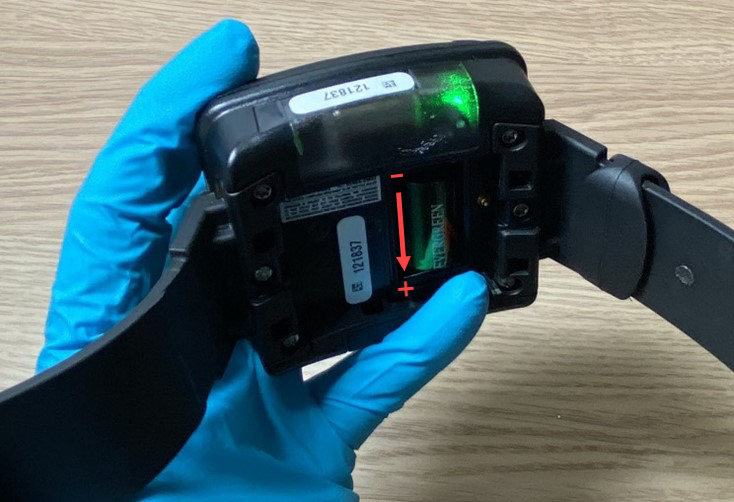
- Place the battery in the battery compartment with the positive end of the battery positioned towards the bottom of the bracelet body (it points downward).
- Ensure you see a green light when the battery is installed. The green light will turn off after five seconds.
Install the Faceplate
- Lay the replacement faceplate over the battery compartment.
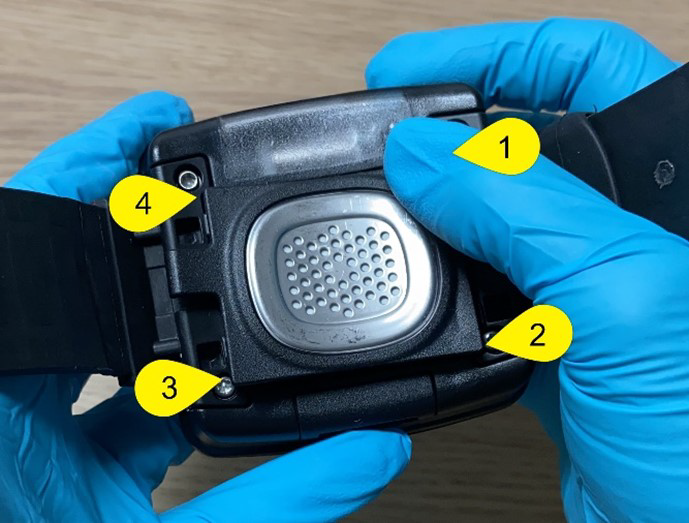
- Starting in the upper right corner, press down firmly until you hear/feel a click.
- Moving clockwise on the faceplate, press down firmly in each of the remaining corners. Ensure you hear/feel a click in each corner.
- It may be necessary to remove the faceplate and reinstall if you do not hear or feel a click in each corner of the faceplate.
|
Warning: Moisture may seep through the faceplate seals and corrode internal components if the faceplate is not thoroughly attached – you must hear/feel four distinct clicks! |