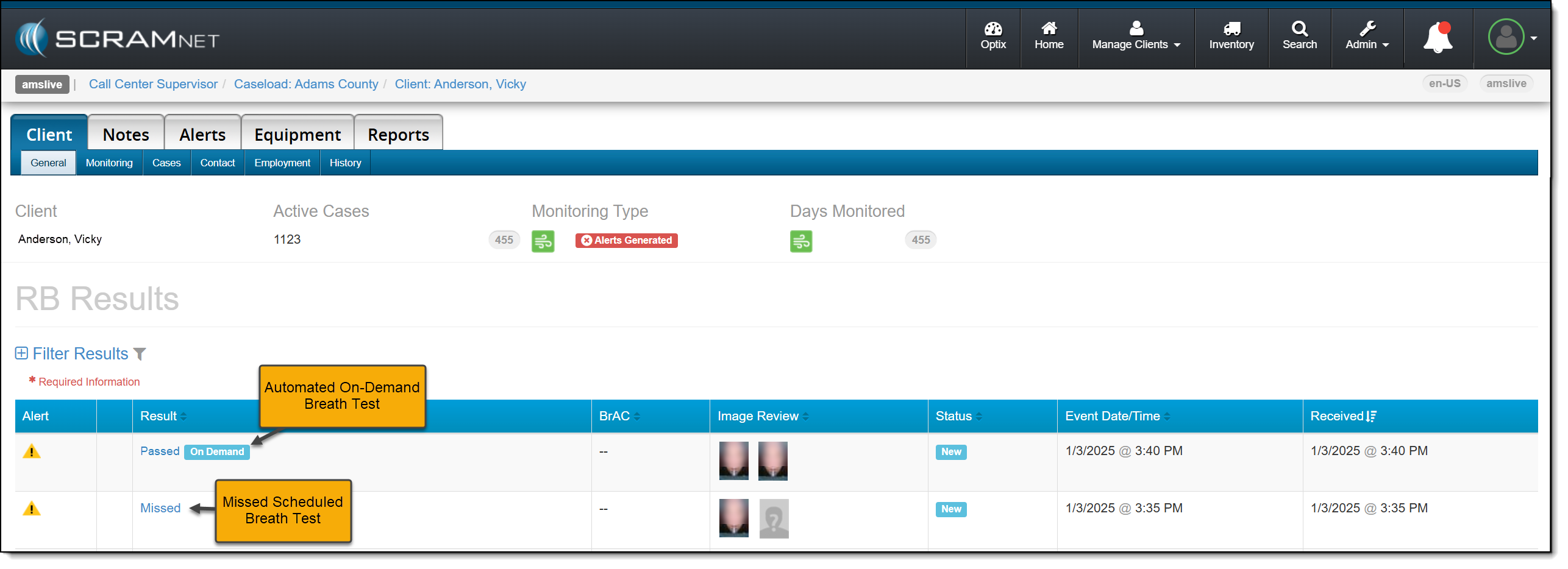
On January 29, 2025, SCRAM Systems® will release two enhancements for your SCRAM Remote Breath Caseload.
- Resolve multiple Ambient VOC Detected alerts on the RB Results page.
- Configure your Caseload to automatically send a single On-Demand test to the device following a “Missed” scheduled breath test.
Resolve Multiple (bulk) Ambient VOC Detected Alerts
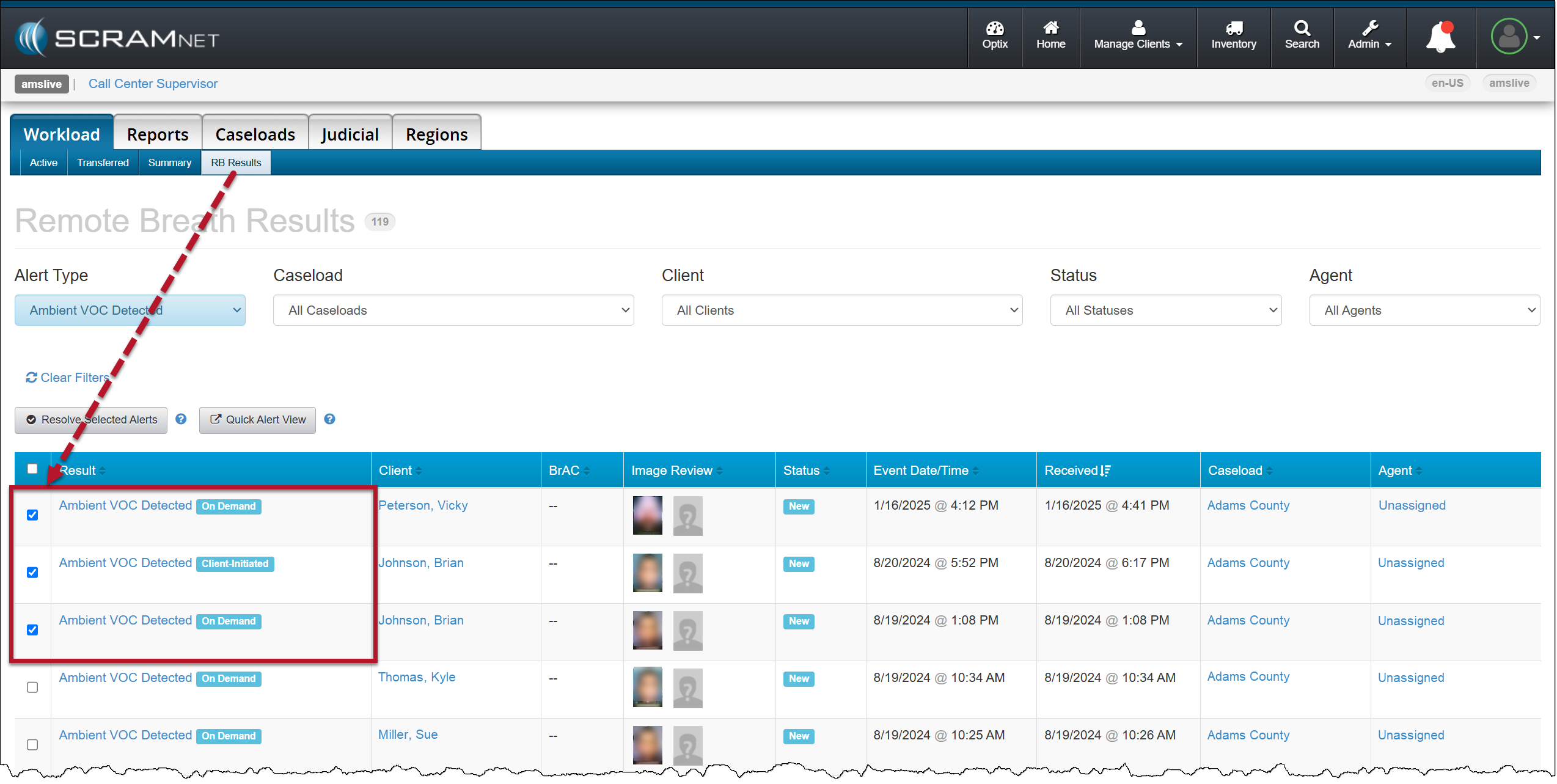
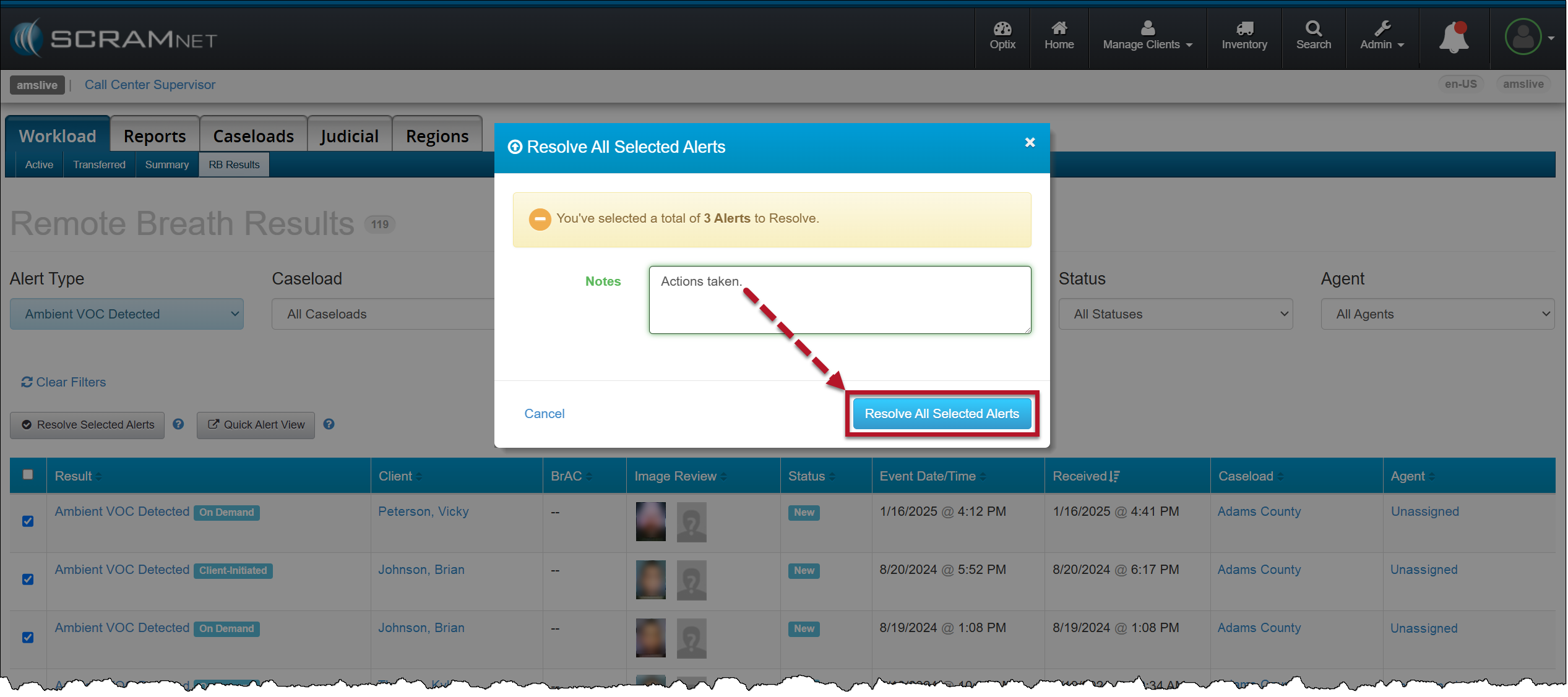
On the RB Results page for your Caseload, you may select the checkbox next to multiple Ambient VOC detected alerts and then select the Resolve Selected Alerts button to “bulk” resolve of them all at once.
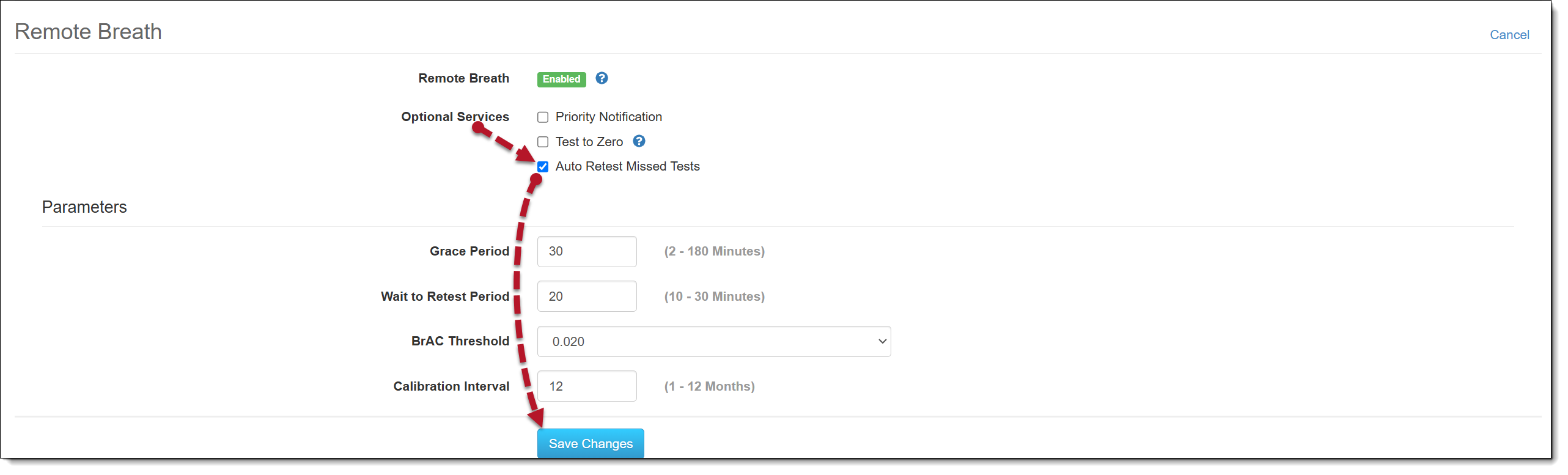
Configure your Remote Breath Caseload to Send an On-Demand Test after a Missed Scheduled Breath Test:
- Select the Monitoring tab for the selected Caseload.
- In the Remote Breath section, select the Edit hyperlink.
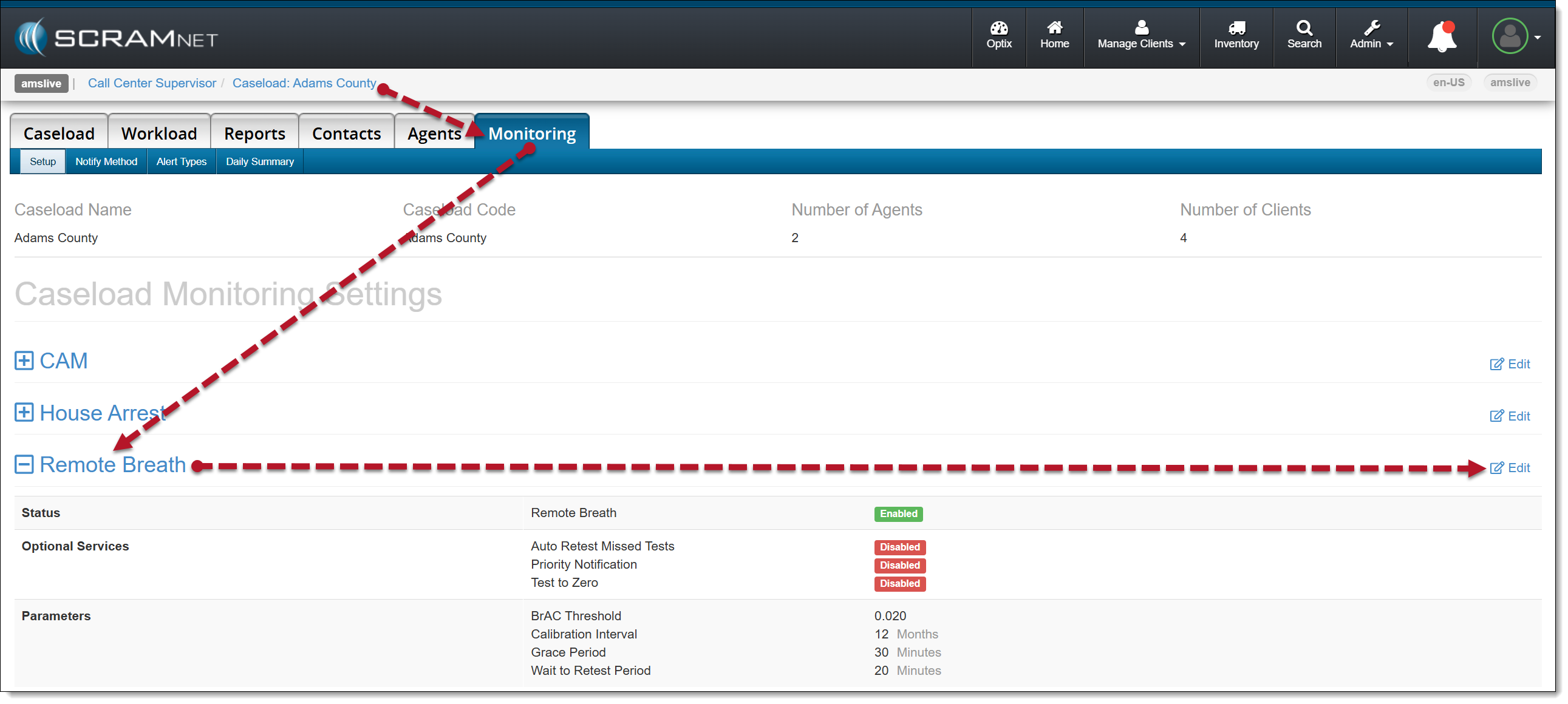
- Select the checkbox next to the Auto Retest Missed Test option in the Optional Services section.
- Select the Save Changes button.

Moving forward, when SCRAMNET reports that the client has missed their scheduled breath test, an On-Demand test will be sent.