On, June 22, 2023, SCRAM Systems will release two enhancements for your Nexus caseload.
- When a client’s supervision plan is suspended, you may suspend the agent tasks related to the supervision plan. If you elect to suspend the tasks associated with the supervision plan, those tasks “not started” or “in progress” will be hidden on the Pending Items and Workload pages. On the supervision plan’s resume date, the tasks will again display on the Pending Items and Workload pages.
- When adding a TouchPoint Activity to a new or existing Nexus client, you may link the two client profiles within Nexus if the client’s username (email address) matches an existing SCRAM TouchPoint profile.
Suspend a Supervision Plan’s Tasks
To get started:
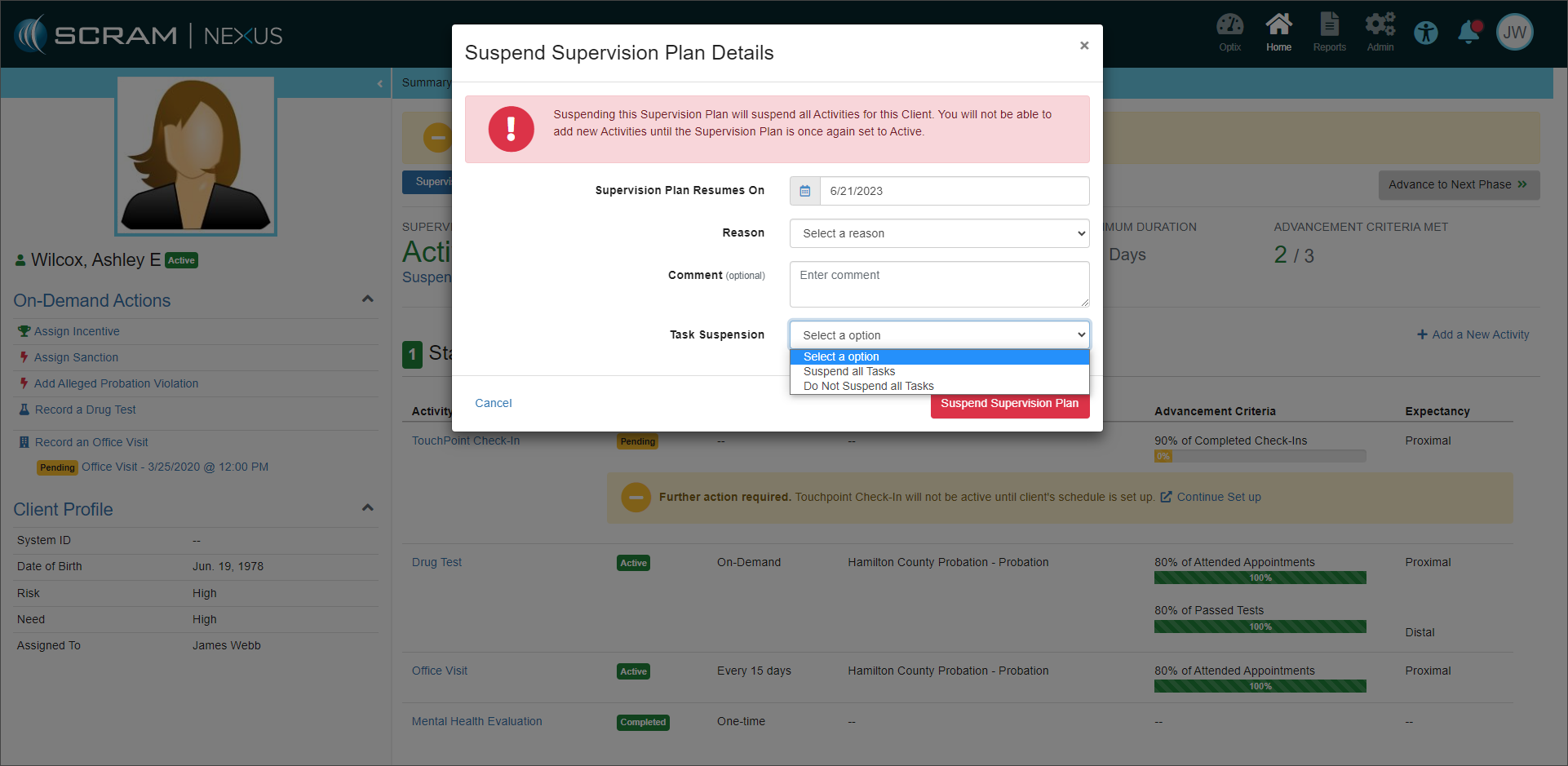
- Select the Suspend Supervision Plan hyperlink for the client.
- On the Suspend Supervision Plan Details pop-up, enter the required information.
- Select Suspend all Tasks or Do Not Suspend all Tasks in the Task Suspension field.
- After entering the required information, select the Suspend Supervision Plan button to save the details.
Link SCRAM TouchPoint Profile
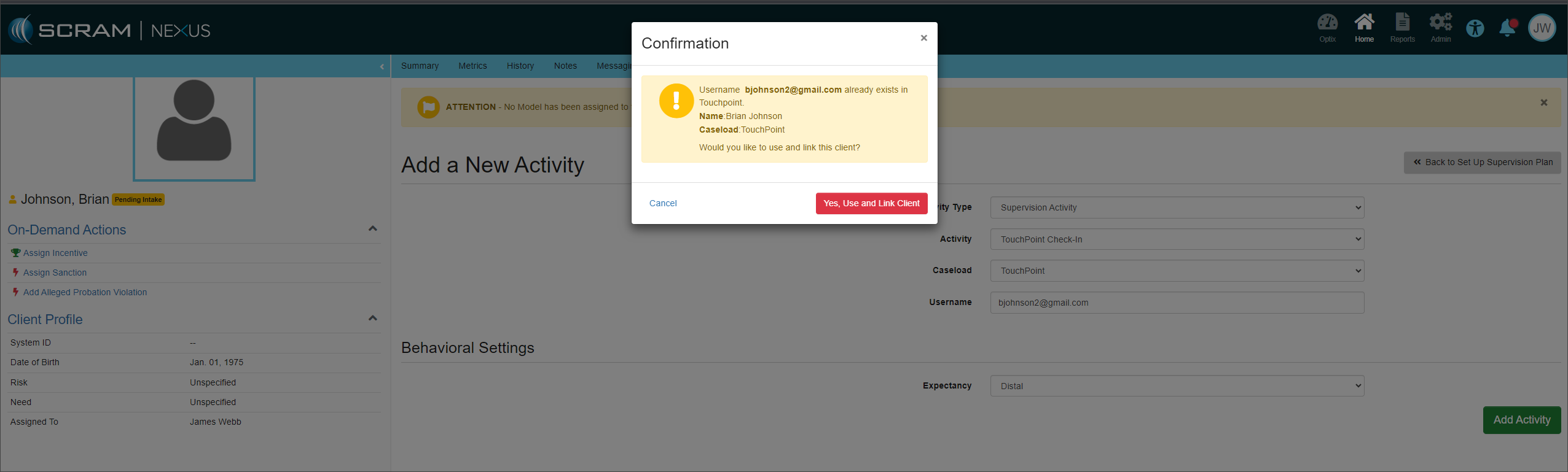
When adding the TouchPoint activity to a Nexus client, after selecting the Add Activity button, if the username (email address) entered matches a TouchPoint profile, select the Yes, Use and Link Client button on the Confirmation pop-up to link the two profiles.
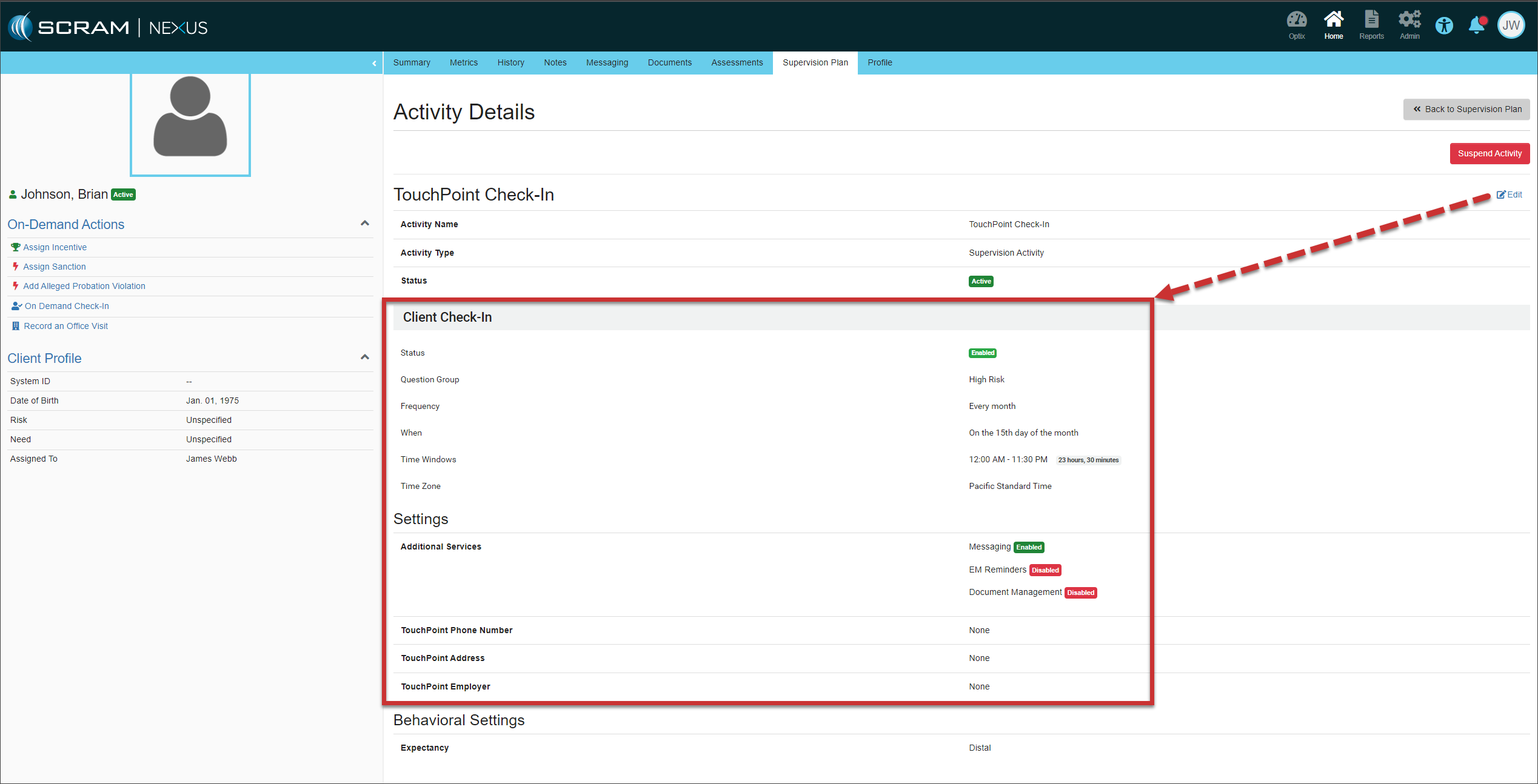
Once the TouchPoint Profile has been linked to the Nexus Profile, SCRAM Systems recommends you access the TouchPoint activity and review, edit, or update the TouchPoint Activity Details as necessary.