On February 4, 2021, SCRAM Systems® will be releasing two new enhancements to the Clients page in SCRAMNET Optix™ to support a focused management of the notifications generated by your SCRAM TouchPoint™ client caseload.
- New Action Type dropdown filter
- New Clear Filters link
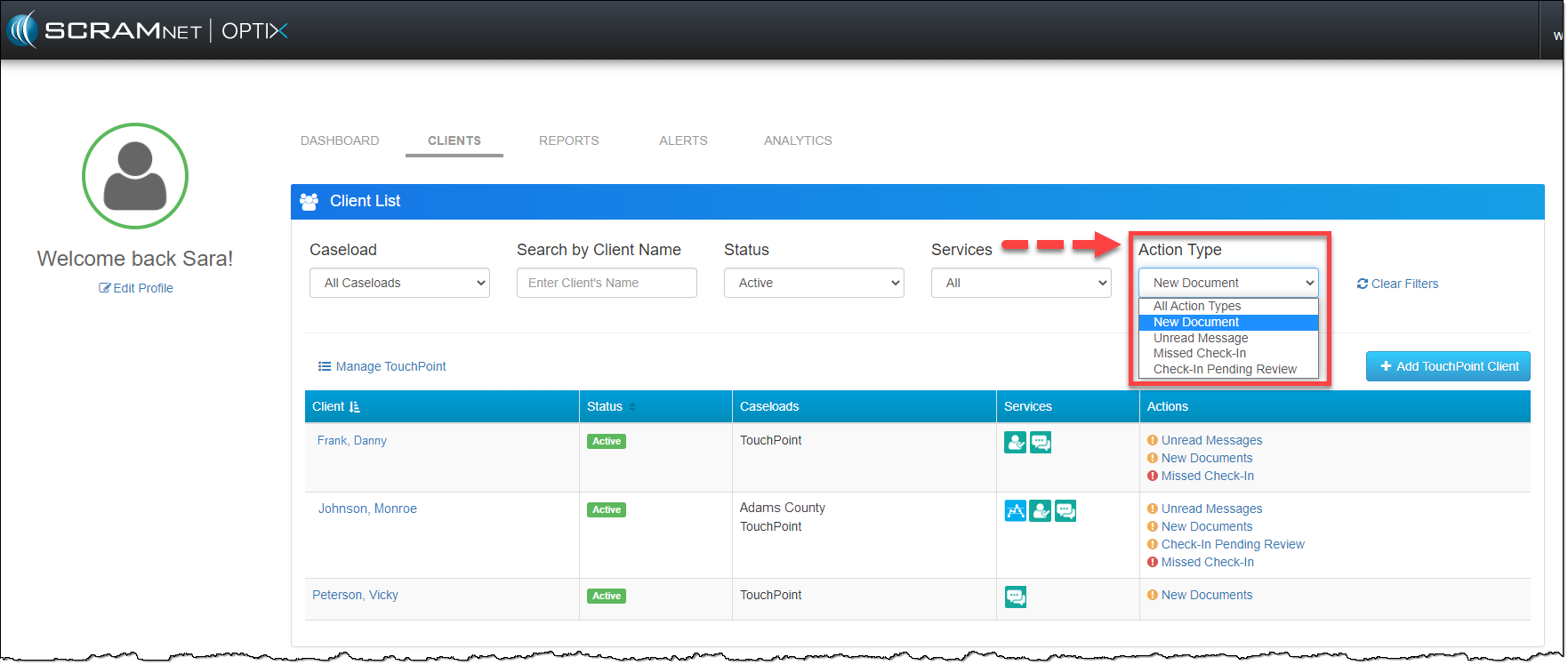
Action Type Filter
Use the Action Type filter menu to select the specific notification type you are looking for. Once you have selected the desired notification type, the Actions column will dynamically update and reflect all clients with that specific notification type. You can also combine the new Actions Type filter with any of the other dropdown filters available at the top of the page
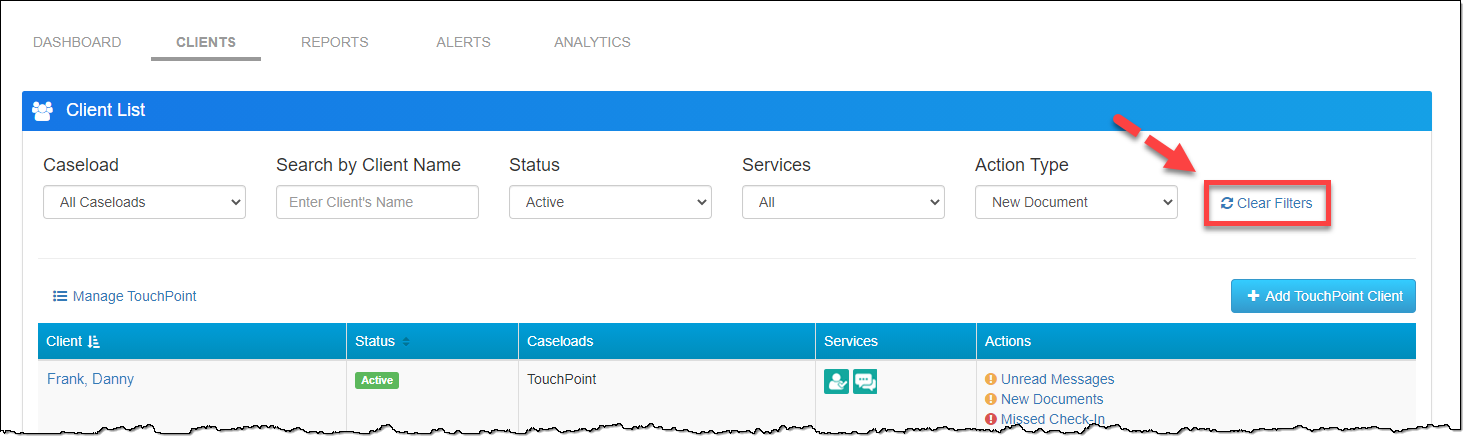
Clear Filters
The Clear Filters link will reset all the filters to the default settings when selected.
Feedback
As always, contact SCRAM Systems Customer Service with any recommendations for system improvements.